
How to watch Apple TV's free classic movies now
Apple TV made 19 movies free for subscribers in August 2026, but the titles sit behind a single carousel and Apple hasn't confirmed how long they'll last. Get the verified US list plus device-by-device steps to find and watch them before the window closes.
Yes, Apple’s August 2026 classic-movie collection is real. No, it is not free to anyone who merely has the Apple TV app installed. As of August 25, 2026, the 19-title US collection is included at no extra charge for active Apple TV subscribers, and the cleanest way to find it is still the dedicated carousel rather than a blind title search.
| Status check | What to know |
|---|---|
| US availability | Confirmed as of August 25, 2026 for active Apple TV subscribers. |
| Who gets it | Subscribers, including reported monthly, annual, Apple One, and trial access paths; not everyone with the Apple TV app. |
| Where it appears | A row labeled “Great Movies Available Now on Apple TV,” marked “Just Added,” rather than a clearly separated permanent movie library. |
| Permanence | Unconfirmed. Apple has not stated that this batch is permanent. |
| Best practical move | Watch priority titles now, especially if you would be annoyed to find only rent/buy buttons later. |
The US list below is the part worth pinning down first, because it is also the part most likely to get blurred by “free movies” headlines. MacRumors, Time Out, and Mashable all reported the same 19-title US batch in August 2026.[1][2][3]

Verified US Apple TV classic-movie list
- 21 Jump Street
- Arrival
- The Aviator
- A Beautiful Mind
- The Bourne Identity
- Charlie’s Angels
- E.T.
- Forgetting Sarah Marshall
- Gone Girl
- I, Robot
- Looper
- The Martian
- Mission: Impossible — Ghost Protocol
- The Proposal
- The Rookie
- The Sixth Sense
- Titanic
- Zodiac
- Zoolander
Mashable described these as titles that are normally Store items, giving examples around $3.99 to rent or $14.99 to buy, while also noting the subscription access route; that pricing should still be treated as a publish-time snapshot rather than a permanent rule.[3]
Where the collection is hiding
The row to look for is called “Great Movies Available Now on Apple TV,” and the “Just Added” label matters because it distinguishes this batch from an ordinary Store result. 9to5Mac and Time Out both described the collection as living behind that specific carousel, not as a new tab where every subscriber-included third-party movie is neatly gathered forever.[4][2]
That is why searching for Titanic, Arrival, or The Martian can be more confusing than scrolling. Search may surface the correct title page, but it can also put the Store behavior in front of you first. The useful test is what the title page offers after you open it: if you see a subscriber playback button, you are in the included window; if you only see Rent or Buy, you are not looking at the included offer for that account, region, or moment.

Device-by-device watch path
Apple says the Apple TV app is available across Apple devices, supported smart TVs, streaming devices, game consoles, and the web, so the access pattern is mostly the same: open the Apple TV app with the subscribed Apple ID, find the carousel, then launch the movie from that row rather than from a Store-only rent/buy page.[5]
| Device | Path to try first | What confirms you found the included version |
|---|---|---|
| Apple TV 4K or Apple TV HD | Open the Apple TV app, go to the main Apple TV area, and scroll for “Great Movies Available Now on Apple TV” with the “Just Added” tag. | Opening a title from that row should give you a playback option tied to your subscription instead of only Rent or Buy. |
| iPhone or iPad | Open the Apple TV app using the Apple ID with the active subscription, then scroll the main Apple TV screen for the same carousel. | Use the movie tile in the carousel when possible; if Search only shows Store pricing, back out and find the row. |
| Mac | Open the Apple TV app, confirm you are signed in, and look through the Apple TV home area for the “Great Movies Available Now on Apple TV” row. | A subscriber playback button is the sign you are not on a Store-only listing. |
| Smart TV, streaming stick, or game console | Open the Apple TV app on the device, sign in with the subscribed account, and scroll for the carousel rather than starting in the device’s universal search. | If the same title asks you to rent or buy, check that the app is signed into the subscribed Apple ID and that the carousel exists in your region. |
| Web | Go to Apple’s TV web experience where available, sign in, and look for the same Apple TV collection path. | If the web page does not expose the carousel cleanly, use the Apple TV app on a device before assuming the offer is gone. |
TechRadar’s find-it guidance also points readers to the dedicated Apple TV carousel, which is a useful sanity check: this is a row-level subscriber perk, not a general instruction to rent these films from the Store and expect a later credit.[6]
Do not confuse included playback with Store rentals
A Store rental is a different transaction with different rules. Apple’s support documentation says that after renting, you have 30 days to start watching and 48 hours to finish once playback begins.[7] Those rental timers do not tell you how long this subscriber-included carousel will remain available.
For this collection, the safer reading is simpler: if the movie opens through the subscriber row and plays without a separate rent or buy charge, it is included for you now. If the title page only presents Store options, stop and check the carousel, subscription status, Apple ID, and region before paying.
Who is eligible
Reports on the August 2026 batch described access as included with an active Apple TV subscription, including monthly and annual subscriptions, Apple One bundles, and trial access. Mashable and 9to5Mac cited $12.99 per month, $99 per year, and a 7-day trial in their coverage, but subscription prices and trial presentation are exactly the kind of detail to re-check at Apple’s checkout screen before signing up only for this batch.[3][4]
The important boundary is eligibility, not the headline word “free.” This is no-extra-charge viewing for subscribers. It is not a free movie collection for every Apple TV app user.
Regional availability: keep the US list separate
The 19-title list above is the US list. The broader drop appears to have multi-region signs, but the evidence is uneven: MacRumors reported availability in the US and Canada and said the UK had around six titles, while TechRadar reported some Australian availability.[1][6] That is not the same as a fully verified global catalog.
If you are outside the US, use the carousel as the source of truth for your account. A title being on the US list does not guarantee it will appear with included playback in the UK, Canada, Australia, or any other region.
Why “watch later” is risky
Apple has not stated that the August 2026 movie batch is permanent. That silence matters because Apple has already used short windows for similar subscriber-included movie drops.
In March 2024, Apple added 51 movies for subscribers for a limited time, with individual expiration dates shown in the app.[8] In April 2024, MacRumors reported another batch of roughly 30 movies, again with limited availability windows of about four to eight weeks depending on the title.[9] TechRadar later described the 2024 batch as having been removed after about a month.[6]
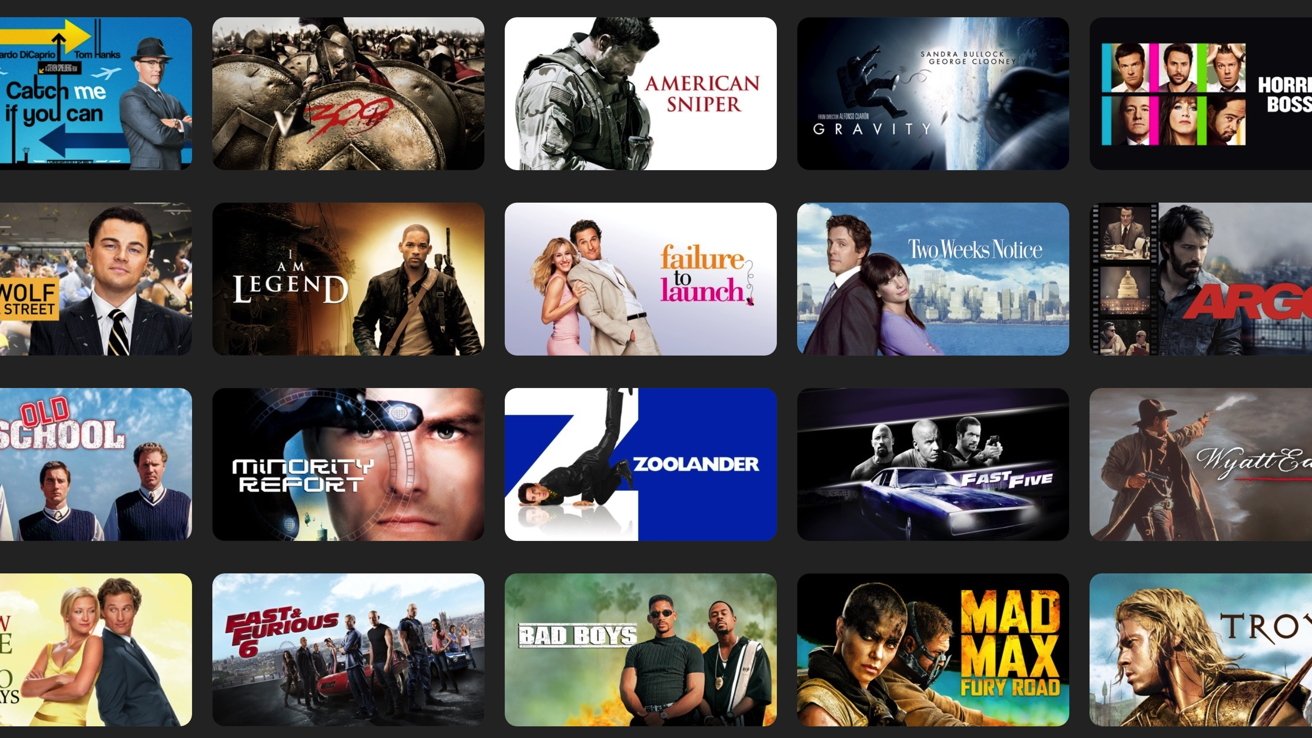
That history does not prove that the August 2026 batch will follow the same schedule. It does make one practical conclusion hard to avoid: do not treat these 19 movies like a permanent Apple TV catalog expansion unless Apple says so or the app continues to show them after the current window has passed.
If the carousel is gone
If “Great Movies Available Now on Apple TV” no longer appears, do not assume Search will preserve the offer. Search may still find Titanic, Arrival, Zodiac, or any other title as a normal Store listing. If the page only offers Rent or Buy, the included subscriber window may have ended, may not be active in your region, or may not apply to the Apple ID signed into that device.
- Confirm the Apple TV app is signed into the Apple ID with the active subscription.
- Return to the Apple TV home area and look specifically for “Great Movies Available Now on Apple TV.”
- Open the title from the carousel, not from a Store-only search card.
- If only Rent or Buy appears, treat that as Store pricing unless the included row returns.
For households where the Apple TV 4K is also part of the Apple Home setup, the same box may be doing more than movie-night duty. If you are checking the device side of the stack, NestGrid’s Apple Home notes on whether an iPhone can be your smart home hub, broader HomeKit compatibility, and screen-time-friendly TV setups are the better place to continue. For this movie collection, the operating status is plain: confirmed now for US subscribers, hidden enough to miss, not promised as permanent, and worth watching before the row changes.
References
- Apple TV+ Gains Classic Movies — MacRumors, August 13, 2026
- You can now watch these classic movies on Apple TV+ at no extra cost — Time Out, August 14, 2026
- Apple TV+ free classic movies added — Mashable
- Apple TV+ just added a bunch of classic movies to stream for free — 9to5Mac, August 12, 2026
- Apple TV app — Apple
- Apple TV+ just added a fresh batch of classic movies to its library for free, including my favorite Spielberg tear-jerker – here’s how to find them — TechRadar
- Buy or rent movies and TV shows — Apple Support
- Apple TV+ Gains Over 50 Movies for a Limited Time — MacRumors, March 1, 2024
- Apple TV+ Gains Even More Movies — MacRumors, April 2, 2024
Resolution
Investigating — no confirmed fix yet.
Protocol background
For general spec/firmware mechanics, see Compatibility & Protocols.
No linked protocol reference for this update yet.