
HomeKit Devices Not Responding After iOS 27 Beta 5? Fix It
HomeKit devices stuck on 'Not Responding' after the iOS 27 beta 5 update? A dated, status-labeled fix ladder that starts at the hub layer — with a clear call on whether the beta, your network, or your Home architecture is to blame.
Dated status: iOS 27 beta 5 and HomeKit “Not Responding”
| Checked | Status |
|---|---|
| Current date | August 4, 2026 UTC |
| Trigger being investigated | HomeKit devices showing “Not Responding” after an iOS 27 beta 5 install |
| Beta timing boundary | iOS 27 beta 5 was expected on or around August 3, 2026; beta 4 shipped July 20, 2026 as build 24A5390f [1] |
| Affected ecosystem | Apple Home / HomeKit / Matter accessories controlled through iPhone, Apple TV, HomePod, bridges, Wi-Fi, Bluetooth, and Thread |
| Impact | Multiple Home tiles may show “Not Responding,” automations may fail, cameras may disappear from Home, or hubs may loop between connected and unavailable states |
| NestGrid status | Investigating / Workaround. No Apple-confirmed beta-5-specific HomeKit regression is available in the checked sources. |
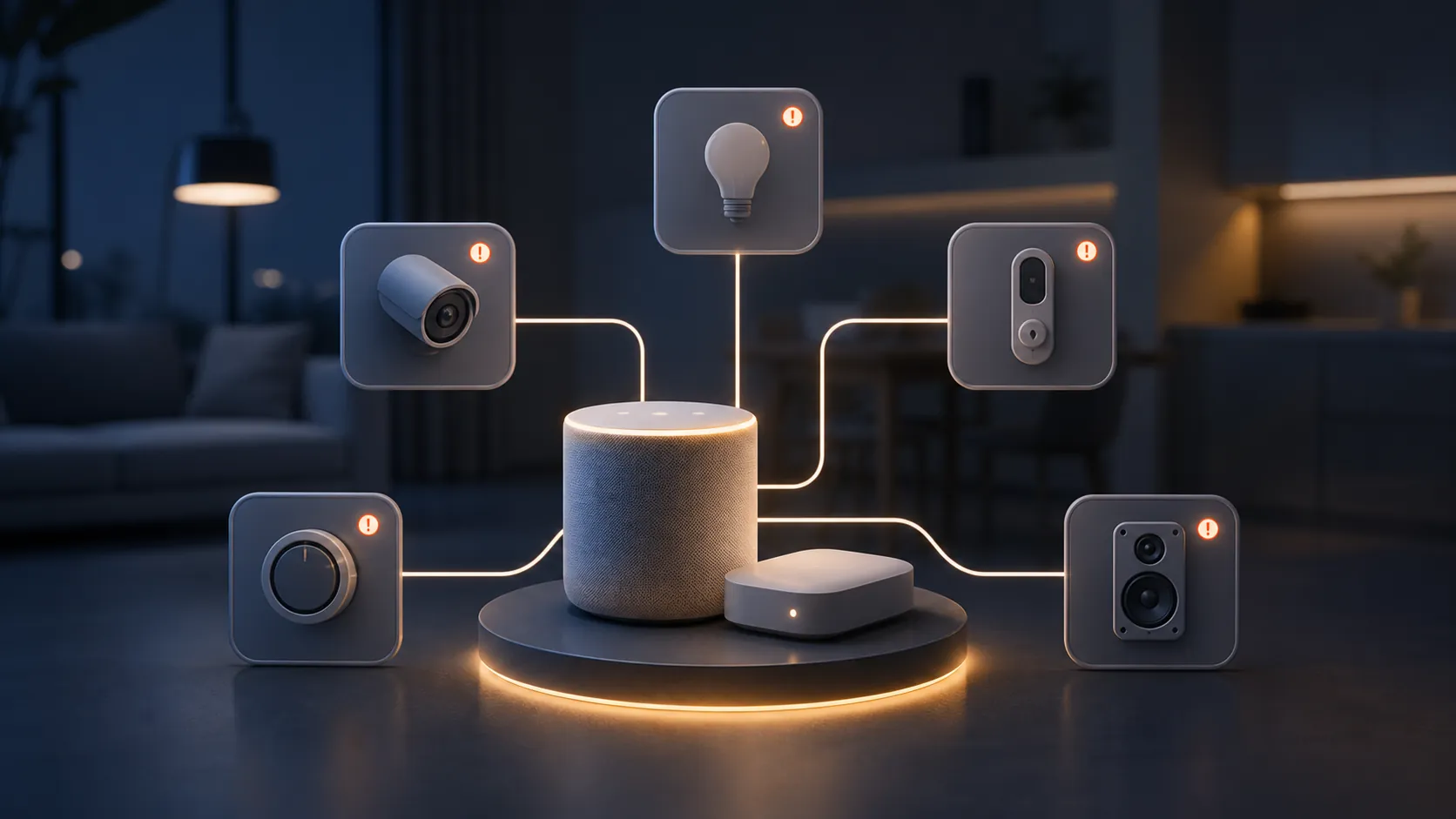
You installed iOS 27 beta 5, opened Home, and several devices now say “Not Responding.” The safest first assumption is not that every light, camera, lock, and sensor failed at once. In this beta cycle, the hub layer deserves the first look: Apple TV, HomePod, bridge, Thread border router behavior, and which device is currently acting as the active home hub.
That is a working theory, not a verdict. Apple’s beta 4 notes included Home-related connectivity work such as “Improved connectivity for Thread home accessories,” “Faster smart home accessory updates,” and “Faster HomeKit accessory pairing,” which shows Apple was still touching this area during the iOS 27 beta cycle [2]. Earlier in the same cycle, iOS 27 beta 1 reportedly left Philips Hue and other accessories unresponsive before beta 2 arrived on June 22, 2026 with a fix reported by Memeburn [3]. Separately, tvOS 27 beta reports described Apple TV hub connection loops, with one forum user saying an Apple TV became active for roughly 3 minutes out of every 15 [4]. In another beta 1 report, two users described cameras vanishing from Home while third-party apps still listed them, including one case where 6 of 8 cameras were “just plain gone” [5].
Those reports are useful smoke. They are not proof that beta 5 broke your Home. The practical consequence is narrower and more useful: run the fix ladder from the hub outward, and do not delete accessories until the hub, bridge, Thread, network, and Home architecture checks have had their turn.
Run the hub-first fix ladder in this order
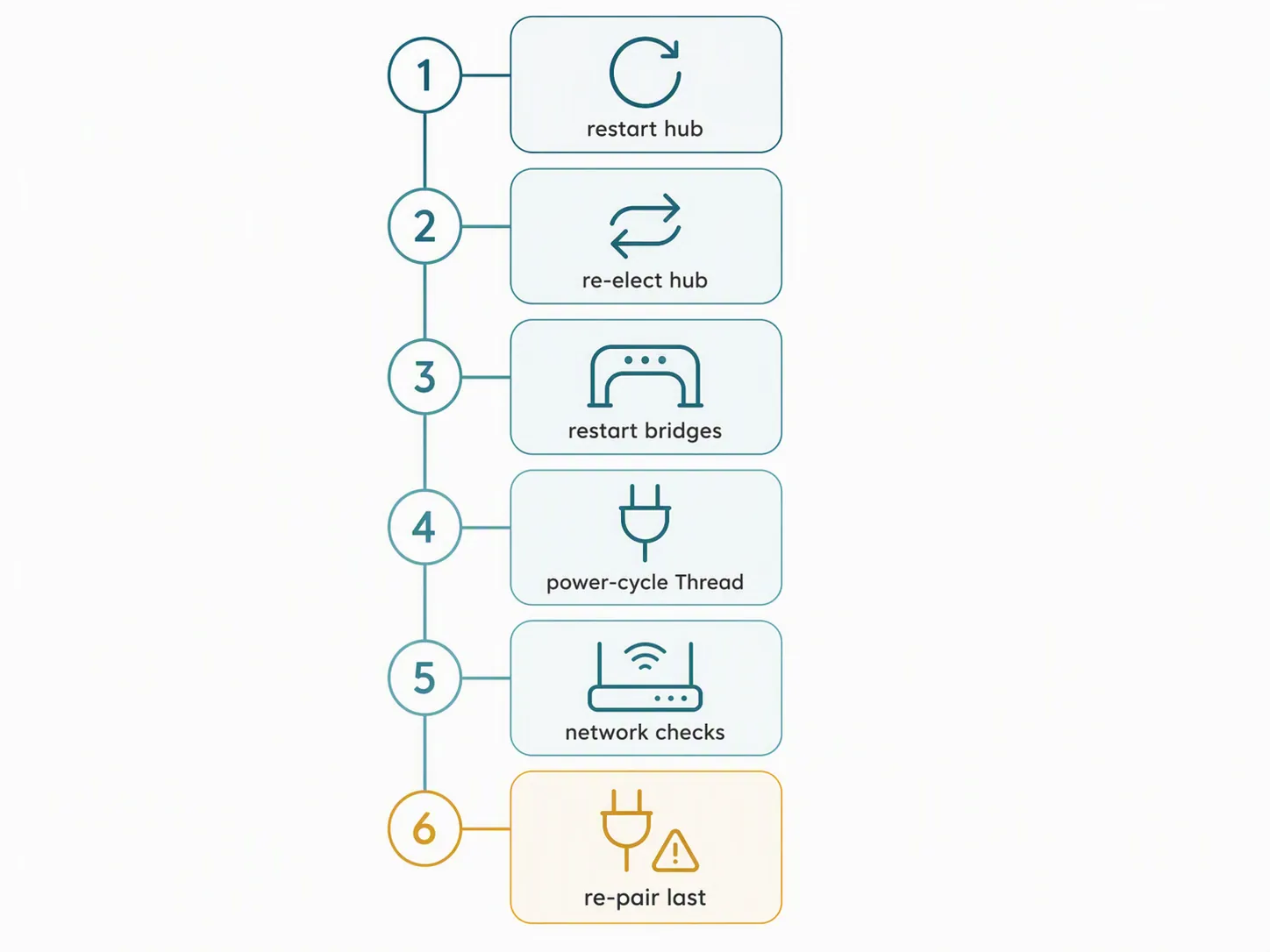
Apple’s own guidance for accessories that are not responding includes restarting the accessory, restarting third-party bridges and all home hubs, power-cycling Thread accessories for 5 minutes, waiting 10 minutes for the Thread network to stabilize, and removing and re-adding only later [6]. For this iOS 27 beta 5 scenario, the order changes slightly because a bad or unstable hub can make unrelated accessories look broken at the same time.
- Identify the active home hub.
- Restart the active hub first.
- If possible, force hub election away from beta-unstable devices.
- Restart third-party bridges and then restart all remaining home hubs.
- Power-cycle Thread accessories for 5 minutes, then wait 10 minutes before judging the result.
- Check Wi-Fi, Bluetooth, router, VPN, and security-software variables.
- Use Reset All Settings on the iPhone only after the shared home infrastructure has been checked.
- Remove and re-add accessories last.
1. Find the active home hub before touching accessories
Open the Home app, go to Home Settings, then Home Hubs & Bridges. Look for the hub marked as connected or active. In many homes, that will be an Apple TV or HomePod. In larger homes, it may not be the device you expect.
This step matters because the Home app does not always make hub failure look like hub failure. A hub that is flapping, stuck in a connection loop, or losing the active role can present as a wall of unrelated “Not Responding” tiles. The bulbs are not necessarily offline. The cameras have not necessarily lost power. The lock should not be reset just because the iPhone cannot currently get a clean HomeKit path through the elected hub.
2. Restart the active Apple TV or HomePod
Restart the active hub cleanly. For an Apple TV, use the system restart path if the interface is responsive; if it is not, power it off, wait briefly, and power it back on. For a HomePod, restart it from the Home app if possible, or power-cycle it if the app path is unavailable.
After the hub returns, give Home a few minutes before judging every tile. The goal is not just to see the Apple TV or HomePod come back online; it is to let the home hub role settle, rebuild accessory reachability, and stop Home from repeatedly reclassifying the same devices as unavailable.
3. Move hub election away from the unstable beta device if you can
If one Apple TV is on tvOS 27 beta and another hub is on a stable release, try to keep the active role away from the beta hub. The exact controls available depend on the device mix in the home, but the practical method is simple: temporarily unplug or disable the unstable hub, wait for another Apple TV or HomePod to become connected, then check whether the “Not Responding” group shrinks.
Do this deliberately. Pulling power from every hub at once can make the home spend more time electing and less time recovering. Change one variable, wait, and check the hub list again.
4. Restart bridges before deleting bridged accessories
If your missing devices come through a bridge — Philips Hue, Aqara, Lutron, IKEA, or another gateway — restart the bridge before touching individual bulbs, switches, or sensors. Apple’s guidance includes restarting third-party bridges and all home hubs when accessories are not responding [6].
A bridge is a multiplier. If it loses its HomeKit session, dozens of perfectly healthy accessories can collapse into the same error state. Deleting one bulb from Home does not repair the bridge session; it only creates more work if the bridge would have recovered after a restart.
5. For Thread accessories, stop tapping and give the mesh a window
For Thread accessories, Apple says to turn the accessory off, wait 5 minutes, turn it back on, and then wait 10 minutes for the Thread network to stabilize [6]. That waiting period is part of the fix, not dead time.
Thread devices do not recover like a single Wi-Fi plug reconnecting to a router. They may be rebuilding paths through border routers and nearby Thread nodes. Reopening the Home app every 20 seconds and toggling the same tile does not speed that up. If several Thread devices are affected, power-cycle the reachable ones, leave the Home app alone for the stabilization window, and then check the group again.
Decide whether this looks like beta, network, bridge, Thread, or Home architecture
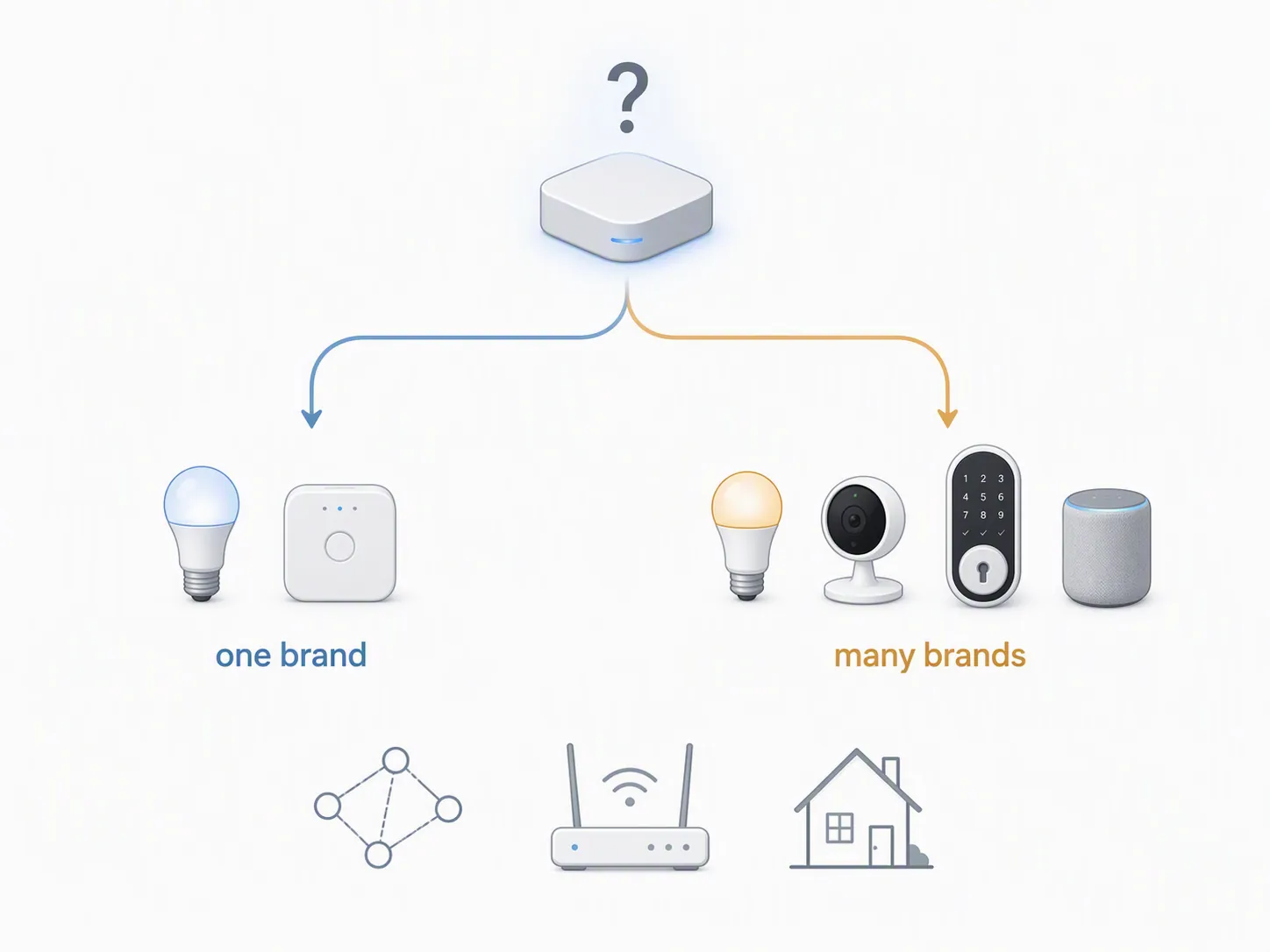
Once the active hub and obvious bridge restarts are done, classify the failure. This is where many homes get made worse: someone sees “Not Responding,” deletes the lock, factory-resets a camera, then discovers the actual problem was a hub election or Wi-Fi setting.
| What you see | Most useful next check | Status |
|---|---|---|
| Only one manufacturer is failing | Check that manufacturer’s bridge, app, account, firmware, and local network path before blaming iOS 27 beta 5. Apple’s support flow separates one-manufacturer failures from several-manufacturer failures [6]. | Workaround |
| Several manufacturers fail at the same time | Stay at the hub and network layer. Restart all home hubs, verify the active hub, then check router, Wi-Fi, VPN, and security software. | Investigating |
| Only bridged devices fail | Restart the bridge and confirm the bridge still sees its own accessories before removing anything from Apple Home. | Workaround |
| Mostly Thread devices fail | Power-cycle Thread accessories for 5 minutes and wait 10 minutes for stabilization before judging recovery [6]. | Workaround |
| Only the iPhone on beta sees the problem | Check Bluetooth, same-Wi-Fi status, VPN/security software, and iPhone settings before touching shared Home infrastructure. Apple includes same-Wi-Fi, Bluetooth, router restart, and VPN/security-software checks in its not-responding guidance [6]. | Workaround |
| Everyone in the household sees the same broken Home | Treat the shared layer — hub, bridge, router, Thread, and Home architecture — as the suspect before reinstalling individual accessories. | Investigating |
| The Home was never upgraded to Apple’s newer Home architecture | Check whether the Home app still requires the architecture update. Apple ended support for the old Home architecture on February 10, 2026, and users who skipped the update risk Home access and response failures [7]. | Workaround |
The “several manufacturers” case is the one that most strongly points away from individual accessory repair. A Hue bulb, an Eve sensor, a camera, and a smart lock do not usually all fail for the same device-level reason at breakfast. They can all look failed if the active hub, bridge path, Thread border router, or home architecture state is wrong.
The “one manufacturer” case deserves less drama. If every affected device belongs to one bridge or one vendor app, restart that bridge, check the vendor app, and confirm whether the accessories are alive outside Apple Home. If the vendor app controls them but Apple Home does not, the failure is probably in the HomeKit bridge/session path. If the vendor app also cannot see them, keep working inside that ecosystem before blaming the iOS beta.
Network checks that are worth doing after the hub work
Do the ordinary checks, but do them after the hub layer unless only one phone is affected. Make sure the iPhone is on the same Wi-Fi network as the home, Bluetooth is on, the router and modem have been restarted, and VPN or security software is not intercepting local traffic. Apple includes those checks in its support path for smart-home accessories that are not responding [6].
If you run multiple SSIDs, VLANs, guest networks, or a router with aggressive client isolation, confirm that the iPhone, hubs, bridges, and Wi-Fi accessories can still reach each other locally. This is especially important after a beta install because the update may have changed phone-side behavior while the router setup stayed exactly the same. The timing can be misleading: “after the update” is a clue, not a root-cause certificate.
If only the beta iPhone has the problem and other household members can still control the home, consider Reset All Settings on the iPhone before you remove accessories. That preserves media and personal data, but it does reset system settings, so expect to redo Wi-Fi, privacy, and preference choices. Use it as a phone-side cleanup step, not as a cure for a broken shared home.
When removing and re-adding is justified
Remove and re-add is the last step, not the brave step. Apple includes removing and re-adding after restart and Thread stabilization paths in its guidance [6]. In a beta-related HomeKit incident, that order is even more important because deleting accessories can destroy working names, rooms, scenes, automations, adaptive lighting behavior, recording settings, and household permissions.
Re-pair only when the failure is narrowed to a specific accessory or a specific bridge path, and when the accessory still fails after the hub, bridge, Thread, network, and architecture checks. If several manufacturers remain offline together, re-pairing one device is unlikely to be the cleanest next move.
- Safe to consider re-adding: one accessory is offline everywhere, power and network are confirmed, its bridge or vendor app path is healthy, and the rest of the home works.
- Do not re-add yet: many brands fail together, the active hub keeps changing, a bridge is offline, Thread devices have not had the 5-minute power-off and 10-minute stabilization window, or the Home architecture state is unresolved.
Should you turn off the iOS 27 beta or roll back?
Turning Beta Updates off is reasonable if the home is now usable and you do not want the next beta build to change the same layer again. The setting path is Settings, General, Software Update, Beta Updates, then Off. That stops new beta offers; it does not instantly downgrade the iPhone.
A rollback is a bigger move and belongs after the hub-first ladder fails. Backups made on a beta may not restore cleanly to an earlier iOS release, and leaving the beta may require a recovery-mode restore using a pre-beta backup if you need to return to an earlier stable version [8]. If the final iOS 27 release is still expected in the first two weeks of September 2026, waiting for the next beta or final release may be less destructive than rebuilding a complex Home from scratch [1].
Rollback makes the most sense when the same multi-brand Home failure survives active-hub restart, hub election changes, bridge restarts, Thread stabilization, network checks, architecture verification, and phone-side settings cleanup — especially if another household member on stable software can control the home reliably.
What to record before you call it a beta-5 regression
If you need to report the issue to Apple, a vendor, or a household member who wants to know why the lights are still broken, record the details that separate a real beta pattern from a vague update complaint.
- iPhone model and exact iOS 27 beta build shown in Settings.
- Active home hub model and its software version.
- Whether the active hub changed during the failure.
- Accessory types affected: Wi-Fi, Bluetooth, Thread, Matter, or bridged.
- Whether one manufacturer or several manufacturers failed.
- Whether vendor apps could still see the devices.
- Whether the Home was already on Apple’s newer Home architecture.
- Which workaround step restored control, if any.
Without that information, “iOS 27 beta 5 broke HomeKit” is too broad to be useful. With it, you can tell whether you are looking at a beta hub problem, a bridge session problem, a Thread recovery delay, a phone-side network issue, or an old Home architecture failure that happened to surface during the beta week.
Where to stop
If restarting the active hub, shifting hub election, restarting bridges, and letting Thread stabilize restores the home, treat iOS 27 beta 5 as a likely trigger in your case, not as a confirmed Apple-wide regression. Leave the case labeled Workaround, keep the notes, and avoid re-pairing devices that are already back.
If multiple manufacturers remain offline after the hub, bridge, Thread, network, Reset All Settings, and Home architecture checks, mark the case Investigating. At that point, waiting for the next beta, turning Beta Updates off, or rolling back with a pre-beta recovery path is more rational than factory-resetting a house full of accessories.
For the stable-OS comparison point, see Fix HomeKit Devices Not Responding After iOS 26.6. That entry treats iOS 26.6 as a maintenance-update case; this iOS 27 beta 5 runbook starts at the hub layer because beta-cycle hub instability is the working theory.
References
- iOS 27 Beta 5 Download And Expected Release Date, Redmond Pie
- iOS 27 Beta 4 Bug Fixes, Changes, and Improvements, MacRumors Forums, July 20, 2026
- iOS 27 beta 2 is here: Every new feature, Memeburn, June 22, 2026
- tvOS 27 and HomePod issue, MacRumors Forums
- iOS 27 Beta 1 Bug Fixes, Changes, and Improvements, MacRumors Forums
- If your smart home accessory isn’t responding in the Home app, Apple Support
- Apple Home App Update Now Required for Older HomeKit Architecture, MacRumors, February 11, 2026
- iOS 27 Beta Problems and How to Fix Them, Technobezz
Resolution
Investigating — no confirmed fix yet.
Protocol background
For general spec/firmware mechanics, see Compatibility & Protocols.
No linked protocol reference for this update yet.