
How to Fix HomeKit Devices Not Working After iOS 27 Update
Identify and fix the specific iOS 27 beta bugs causing HomeKit devices to go offline — from hub flapping and Thread dropouts to camera notifications — with verified workarounds that don't require a full Home reset.
If HomeKit devices are not working after the iOS 27 update, do not start by deleting accessories, removing your Home, or rebuilding rooms. As of July 26, 2026, iOS 27 and tvOS 27 are still beta software, and the failures being reported are clustering into three recoverable patterns: a tvOS 27 Apple TV acting as the active Home Hub and dropping in and out, Thread accessories falling off during the Thread 1.4 transition, and camera-specific Home app issues around notifications, visibility, or HomeKit Secure Video.
The fix depends on which pattern you have. A whole-home outage points at the hub first. A group of Thread bulbs, plugs, sensors, or Matter accessories points at the mesh and firmware alignment. A camera notification that says the wrong thing is not the same problem as six cameras vanishing from Home.
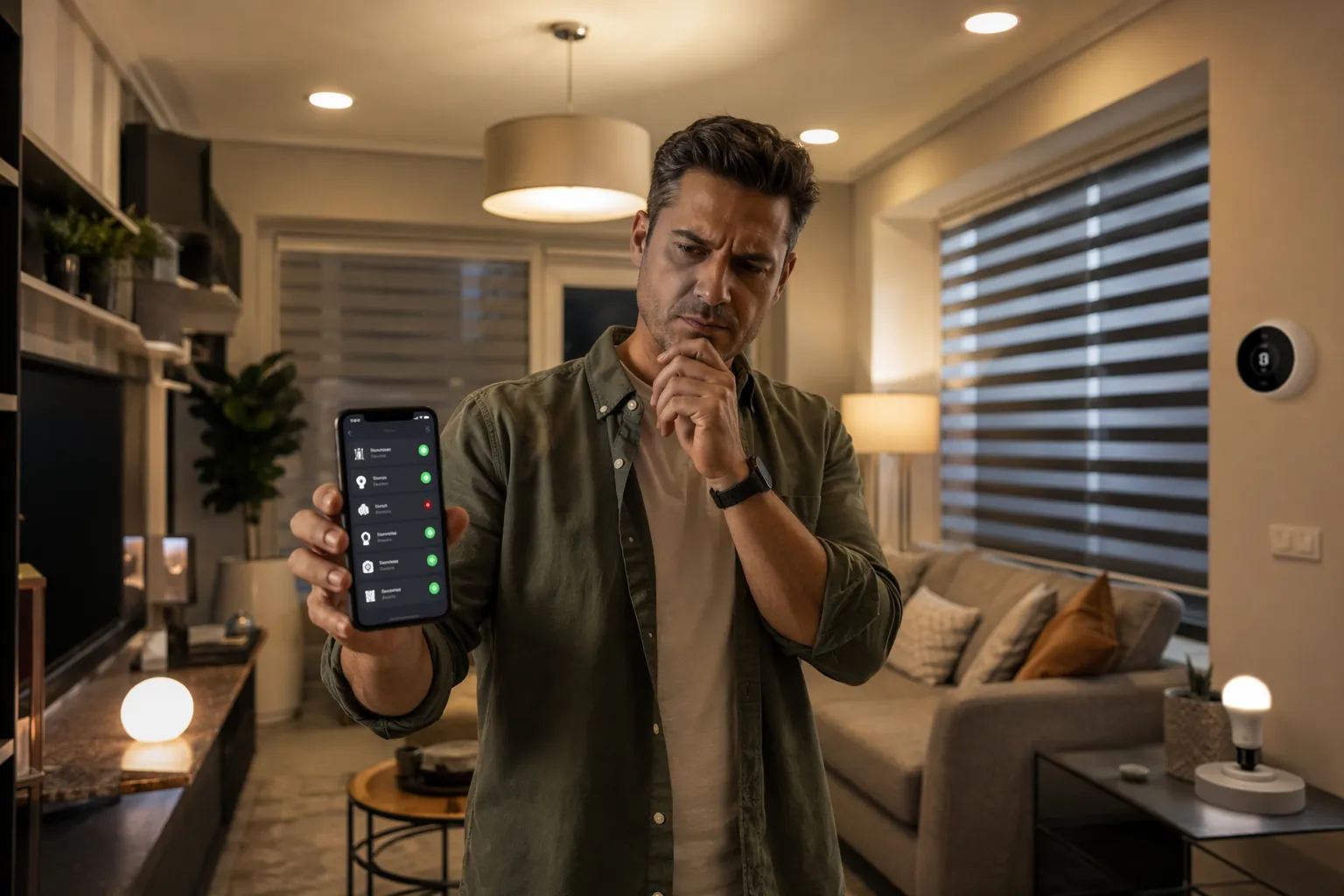
Start by matching the failure shape
Before changing anything, open the Home app and look at the pattern rather than the brand names on the tiles. A bad hub can make unrelated accessories look broken at the same time. A Thread border-router problem usually has a smaller blast radius. A camera notification bug may leave the camera stream usable even while the alert text is wrong.
| What you see | Most likely iOS 27 beta pattern | Smallest first fix |
|---|---|---|
| Many unrelated accessories show “No Response,” scenes fail, or the Home app intermittently says it cannot connect | Active Apple TV Home Hub is flapping or disconnecting | Disable AirPlay on the affected Apple TV, or move active hub duty to a stable tvOS 26 Apple TV |
| Thread or Matter-over-Thread accessories drop while Wi-Fi devices still behave normally | Thread 1.4 transition instability or firmware mismatch | Power-disconnect Thread accessories for 5 minutes, reconnect, then wait 10 minutes for stabilization |
| Camera notifications lose the camera name, but the camera still opens | Home app notification parsing issue | Use the camera detail view instead of trusting the alert text during the beta |
| Cameras disappear from Home but remain visible in third-party apps | HomeKit Secure Video or Home app beta regression | Avoid re-pairing immediately; check beta build status and camera compatibility first |
That order matters. If the active hub is unstable, resetting individual bulbs, locks, or cameras only burns time and can leave you with more pairing debris to clean up later.
When the whole Home goes sideways, check the active hub
The most disruptive iOS 27-era failure is not an accessory failure at all. It is a Home Hub failure. MacRumors forum users documented a tvOS 27 beta 2 “unable to connect” problem between July 2 and July 12, 2026, with more than 10 participants reporting the behavior on both Wi-Fi and wired Ethernet Apple TVs.[1]
One user described the underlying behavior this way: “the Apple TV flaps on the network for about 3 minutes every 15 minutes or so.”[1] That is exactly the kind of pattern that makes a HomeKit setup feel haunted. Accessories may respond, then stop, then come back. A scene may fail once and work five minutes later. The Home app may blame devices that never actually lost power, Wi-Fi, or Thread.
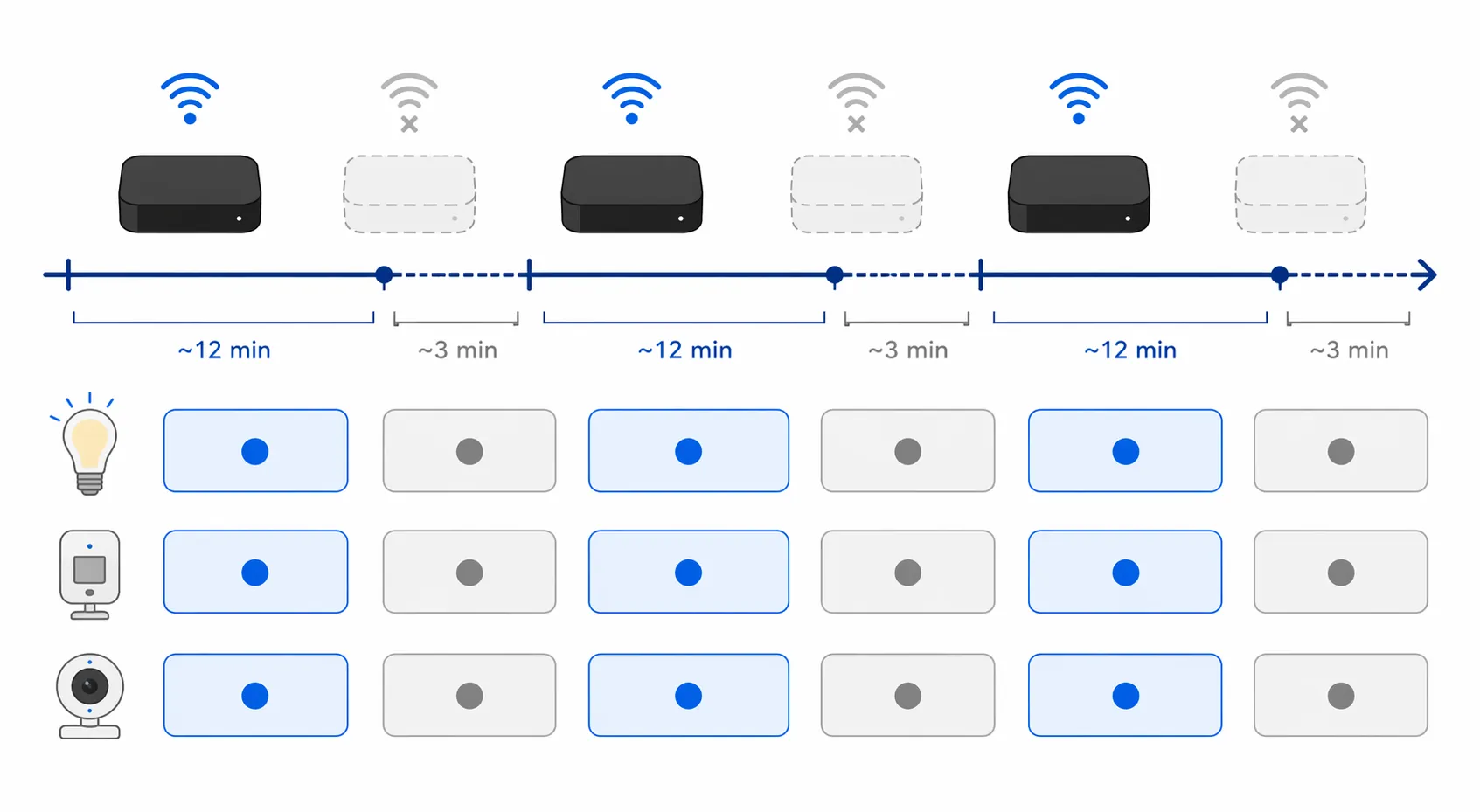
Ethernet does not clear the Apple TV. The reported issue appeared on wired and wireless setups, so a cable in the back of the box is reassuring, not exculpatory. If that Apple TV is the active Home Hub, HomeKit still routes control, automations, remote access, and some accessory coordination through it.
Open Home, go to Home Settings, then Home Hubs & Bridges. Look for which Apple TV or HomePod is marked as connected and active. If the active hub is running tvOS 27 beta and the failure is whole-home or intermittent, treat that hub as the suspect before touching accessories. If you keep multiple Apple TVs around, this is where a stable one earns its shelf space.
Fix 1: Disable AirPlay on the affected Apple TV
The least destructive workaround from the MacRumors thread is simple: on the affected Apple TV, go to Settings, then AirPlay, and turn AirPlay off. A user in the thread reported that disabling AirPlay stopped the recurring error.[1]
- On the Apple TV that is acting as the active Home Hub, open Settings.
- Go to AirPlay.
- Turn AirPlay off.
- Wait long enough to cover at least one expected flap cycle before judging the result.
This workaround is worth trying first if you have only one usable Apple TV hub or if moving hub duty would make the setup worse. It does not erase devices, rooms, automations, scenes, or camera assignments. It also does not require guessing which accessory is “bad” when the evidence points upstream.
Fix 2: Move active hub duty to a tvOS 26 Apple TV
If you have another Apple TV still on tvOS 26, the cleaner workaround is to make that device the active hub. A Reddit r/HomeKit report described manually switching active hub duty to an Apple TV still running tvOS 26 through Home Settings > Home Hubs & Bridges.[2]
Use this path when you have a known-stable hub available. Do not update every Apple TV in the house just to make build numbers match during beta season. A stable Home Hub is more valuable than having the newest Home app behavior on every box.
Hub choice also matters for Thread border-router coverage. If you are unsure which Apple TV models can act as smart home hubs or Thread border routers, check the Apple TV 4K hub compatibility guide before rearranging hardware: Which Apple TV 4K Model Works as a Smart Home Hub?.
Check the beta build before escalating
The tvOS 27 beta timeline is messy enough that build status matters. tvOS 27 Beta 3, build 24J5315i, was released on July 6, 2026; forum reports said it helped some users but worsened behavior for others.[1] One report described an Apple TV bricked into recovery mode and requiring a $199 out-of-warranty replacement.[1] That is one documented user report, not proof of a widespread bricking problem, but it is enough to pause before installing another beta on your only functioning hub.
Apple’s tvOS 27 Beta 4 release notes later included a resolved issue for Apple TV connectivity failures, according to the same MacRumors discussion.[1] If you are already on tvOS 27 and the hub is unusable, Beta 4 or later may be the relevant fix path. If one Apple TV is still steady on tvOS 26, keep it that way until you have a reason to move.
For broader hub upgrade timing, especially if Thread is part of the decision, use Should You Buy the Apple TV 4K Smart Home Hub Now or Wait? rather than making the call in the middle of an outage.
If only Thread or Matter accessories dropped, stabilize the mesh
A smaller failure shape needs a smaller diagnosis. If Wi-Fi switches, cameras, or plugs are still behaving but Thread bulbs, sensors, locks, or Matter-over-Thread accessories show “No Response,” the active hub may not be the whole story. iOS 27’s Thread 1.4 transition is expected to improve long-term stability, but beta firmware alignment between hubs and accessories can still produce dropouts while devices catch up.
Apple’s official support instruction for a non-responding HomeKit or Matter accessory is specific: disconnect Thread accessories from power for 5 minutes, reconnect them, then wait 10 minutes for the Thread network to stabilize.[3] The waiting is not decoration. A Thread mesh needs time to rebuild routes, choose paths, and settle after devices come back online.
- Identify the affected Thread or Matter-over-Thread accessories instead of power-cycling the entire house.
- Disconnect those accessories from power for 5 minutes.
- Reconnect them.
- Wait 10 minutes before opening Home repeatedly or re-pairing anything.
- Then test one control action and one automation that uses the affected cluster.
If the same group drops again, check whether the Thread border router is also the Apple TV running tvOS 27 beta. At that point the Thread symptom and the hub symptom may be overlapping. Fix the hub role first, then repeat the Thread stabilization process.
Camera problems need a different filter
Cameras are noisy during platform updates because HomeKit Secure Video, notifications, recognition, recording quality, and live streaming are all involved. Do not treat every camera oddity as a network outage.
iOS 27 adds 4K recording for HomeKit Secure Video, according to 9to5Mac’s June 11, 2026 Home app coverage.[4] AppleHome Authority noted on July 14, 2026, that not every existing HomeKit camera will support 4K recording because of new encoding standards.[5] That does not mean unsupported cameras are dead; it means camera behavior after the update may differ depending on HomeKit Secure Video support and encoding compatibility.
If notifications say “Home someone…” instead of the camera name
A Reddit r/HomeKit user reported camera notifications showing text like “Home someone…” instead of the camera name during the iOS 27 public beta.[6] That is irritating, especially if you rely on camera names to know whether motion came from the driveway, nursery, or side gate, but it is not by itself evidence that the camera has lost HomeKit connectivity.
For now, open the notification into the camera detail view and verify the actual camera there. If the stream opens, treat the alert text as unreliable beta output rather than rebuilding the camera. The “Reduce Notifications” toggle reported in 9to5Mac’s Home app coverage may also be involved if AI grouping strips context during beta behavior.[4]
If cameras vanish from Home but still appear elsewhere
A MacRumors user with more than 200 devices reported that six HomeKit Secure Video cameras vanished from the Home app in iOS 27 beta 1 while remaining visible in third-party apps.[7] That is a stronger failure than bad notification text, but it still does not prove the cameras themselves are broken.
In that case, first confirm whether the cameras are reachable in the manufacturer app or another HomeKit-compatible app. Then check whether your active Home Hub is stable and whether your current iOS/tvOS beta build has known camera or hub fixes. Re-pairing six cameras before checking those two things is how a beta bug turns into a weekend project.
Apple’s AI-powered cross-camera video search is also limited to HomeKit Secure Video-compatible cameras from brands such as Aqara, Eve, and Logitech, according to PCMag’s June 11, 2026 coverage.[8] That feature boundary matters only because unsupported or older cameras should not be expected to behave like fully compatible HSV cameras under the new Home app features.
What not to do while the beta is moving
A full Home reset is the last resort. It is not the default fix for iOS 27 HomeKit devices showing “No Response.” The documented failures here have smaller first moves: change the active hub, disable AirPlay on the affected Apple TV, stabilize Thread accessories, or treat camera notification text as suspect while the stream itself still works.
- Do not remove dozens of accessories because many tiles failed at once; that pattern usually starts above the accessory layer.
- Do not update your only stable Apple TV hub to a newer beta just because another device is already on iOS 27.
- Do not judge Thread recovery until the 5-minute power disconnect and 10-minute stabilization window have actually passed.
- Do not re-pair cameras only because notification wording is wrong; verify whether live view and recordings still work.
iOS 27 is still in public beta as of July 26, 2026, with the final release expected in September 2026. The available reports are useful, but they are still forum and Reddit reports in small samples, not Apple-provided failure rates. Keep an eye on NestGrid’s Update Watch tracking for build-by-build changes, and use the Troubleshooting Center when the symptom does not match one of these beta patterns.
The practical answer is boring in the best way: preserve the Home, isolate the failure layer, and apply the smallest reversible fix that matches what you actually see.
References
- tvOS 27 and HomePod Issue, MacRumors Forums.
- r/HomeKit user report on manually switching active hub to tvOS 26 Apple TV, Reddit.
- If your HomeKit or Matter accessory isn't responding, Apple Support, March 3, 2026.
- Here's everything new for Apple's Home app in iOS 27, 9to5Mac, June 11, 2026.
- not every existing HomeKit camera will support 4K recording, AppleHome Authority, July 14, 2026.
- Any issues with iOS 27 public beta?, Reddit r/HomeKit.
- iOS 27 Beta 1 Bug Fixes, Changes, and Improvements, MacRumors Forums.
- Apple's Home App Gets AI Video Search and 4K Support, PCMag, June 11, 2026.
Resolution
Investigating — no confirmed fix yet.
Protocol background
For general spec/firmware mechanics, see Compatibility & Protocols.
No linked protocol reference for this update yet.