You pressed Home during a YouTube video on Android TV or Google TV, and instead of shrinking into a corner, the video stopped or disappeared. If you are trying to fix YouTube Picture-in-Picture on an Android smart TV, the straight answer is: the official YouTube TV app cannot use normal system-level PiP on standard Android TV or Google TV today.
This is not a cache problem, a Premium setting, a hidden launcher option, or a bad YouTube update. Under the current TV platform rules, Android TV Picture-in-Picture is restricted by app category, and media playback apps are not in the allowed group. Google’s developer documentation requires TV apps to declare a PiP category, and the supported Android TV categories are limited rather than open-ended.[1]
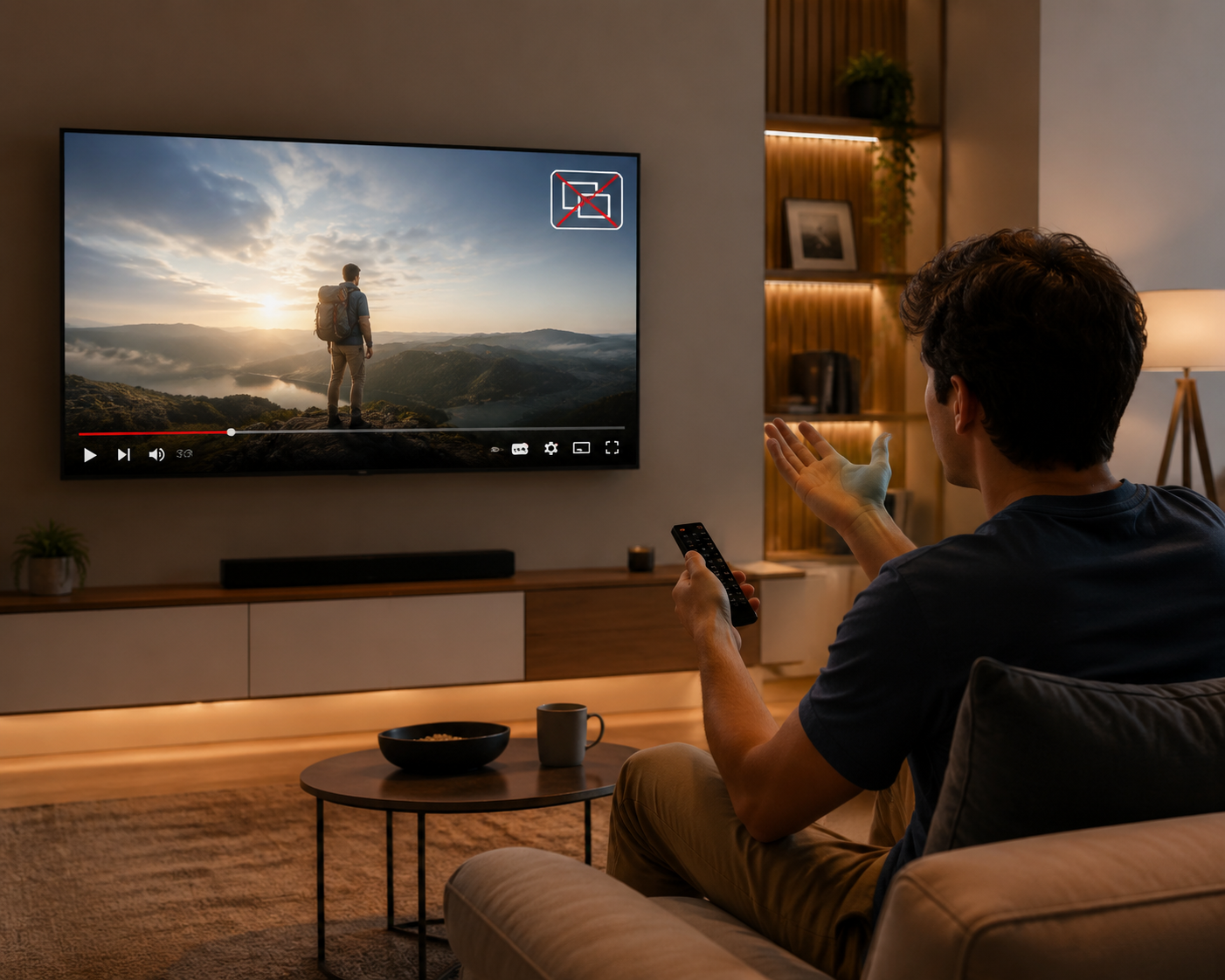
That is why the usual repair ritual wastes time. Clearing YouTube’s cache may help a frozen app. Reinstalling may fix a corrupt update. Restarting the TV may clear a stuck service. None of those changes the rule that the YouTube app on Android TV and Google TV is a streaming media app, and streaming media is excluded from TV PiP under the current model.[1][2]
The Status As Of July 20, 2026
| What you want to do | Status | What actually works |
|---|---|---|
| Use PiP in the official YouTube app on Android TV or Google TV | No real fix | Blocked by TV OS/category rules for media apps |
| Enable it with a YouTube setting, Premium option, cache clear, reinstall, or normal app update | No | These do not change system-level PiP eligibility |
| Use PiP-like behavior on the TV itself | Workaround available | Sideload the mobile YouTube app, with UI and firmware trade-offs |
| Keep watching YouTube while doing something else | Reliable alternative | Use a phone, tablet, laptop, or another secondary device |
| Use YouTube TV’s small player inside the app | Limited | It is an in-app miniplayer, not Android TV system PiP |
The important distinction is where the small window is created. Phone YouTube PiP is app-level behavior running in a phone/tablet environment. Android TV system PiP is controlled by the TV platform and its category rules. The official YouTube TV app cannot simply borrow the phone behavior because it is not running as the mobile app in the same environment.
Why Old Forum Posts Keep Sending People In Circles
The confusing part is that Android TV PiP really did exist before. Android TV 7 and Android TV 8 supported system-level Picture-in-Picture. Then Android TV 9 removed it. Android TV 14 brought PiP back, but not as the broad, “any video can float” feature people remember from phones or from older TV builds.[3]
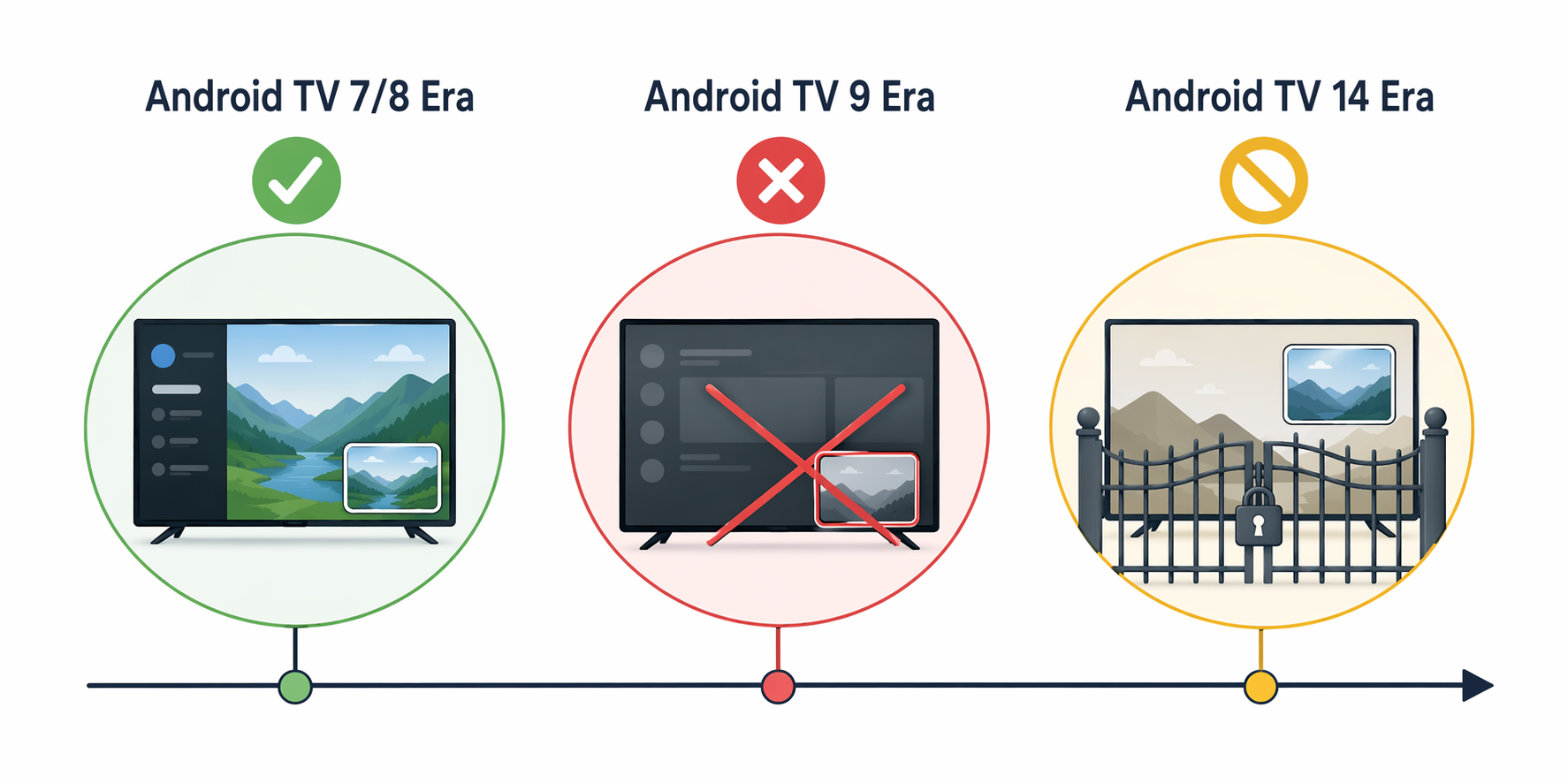
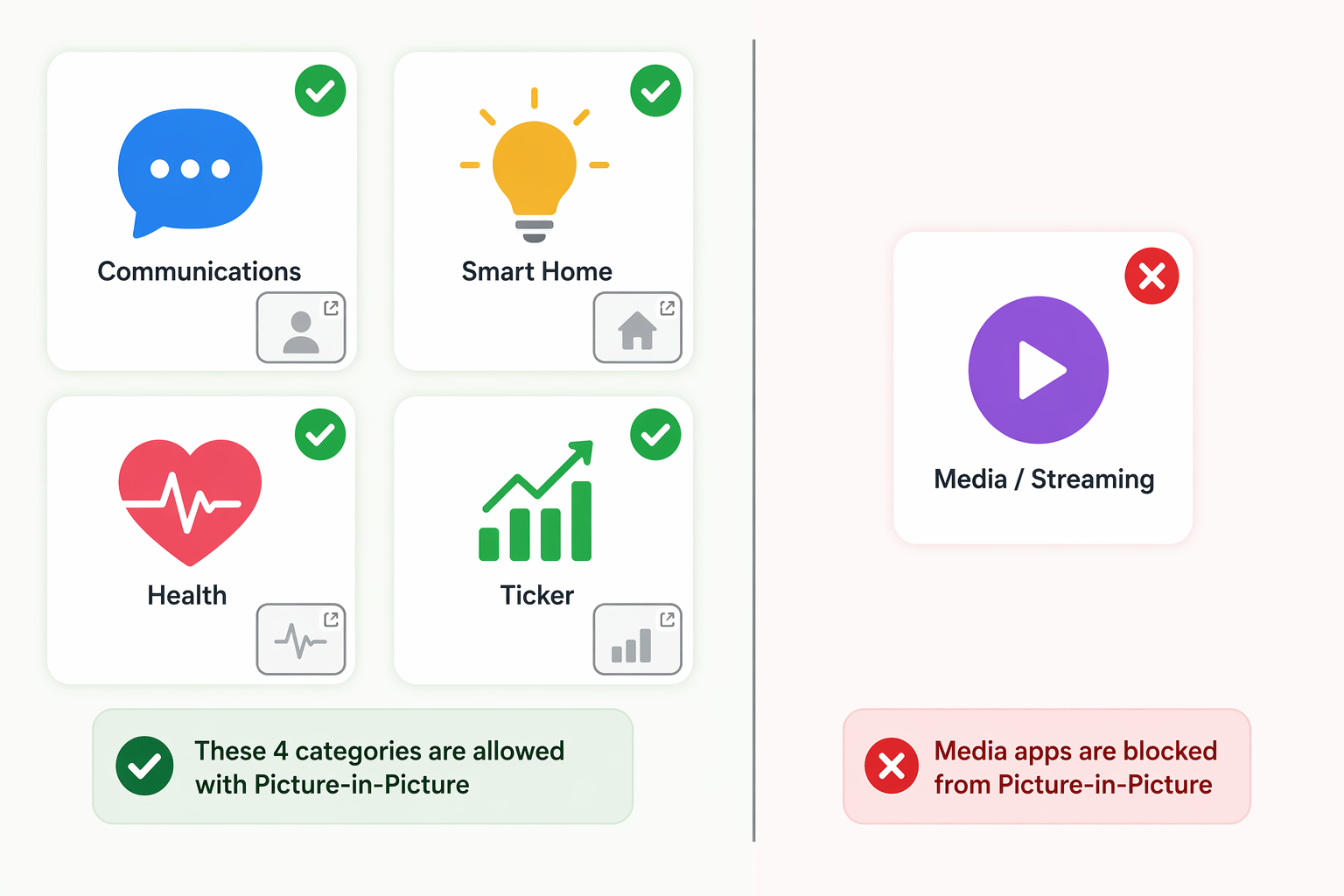
Android TV 14’s return of PiP is narrow. The allowed categories are communications, smart home, health, and ticker apps. Media playback is explicitly excluded, which is the category that matters for YouTube, Netflix, Disney+, and other streaming apps.[2][4]
That category model also explains why a developer-facing change matters to a person holding a remote. Android TV apps that want to use PiP must declare a supported PiP category. If the app is a video streaming app, it does not fit the allowed list. A hidden user toggle would not make YouTube a communications, smart home, health, or ticker app.[1]
There is another catch even for apps that do fit those categories: Android TV 14 PiP is limited to qualified devices, and Google has not published a simple consumer-facing list that turns every TV box into a yes-or-no purchase chart. Reporting at the time described the feature as device-limited, with many budget streaming devices and TVs likely outside the supported set.[5]
For YouTube, that qualified-device caveat is not the deciding issue. Even on hardware that can support Android TV 14 PiP for eligible apps, the official YouTube TV app still runs into the media-app exclusion.
The Phone PiP News Is Real, But It Is Not Your TV
Search results are especially messy in 2026 because YouTube PiP news has been moving on phones. In April 2026, YouTube began rolling out free Picture-in-Picture globally to non-Premium users, but that rollout concerned mobile YouTube behavior, not the Android TV or Google TV app on a television.[6]
Then, starting July 18, 2026, a separate YouTube PiP outage broke the feature for some phone users, with reports focused primarily on iPhone and also affecting Android. That appears to be a server-side phone problem, not a new explanation for why YouTube will not float on Android TV.[7]
So if you see one article saying YouTube PiP is free now and another saying YouTube PiP is broken, both can be true without changing the TV answer. The mobile rollout and the July phone outage sit on a different track from the permanent Android TV/Google TV restriction.
Common “Fixes” That Do Not Fix This
The bad advice usually starts with something harmless and ends with a person factory-resetting a perfectly fine TV. These steps may be useful for other YouTube problems, but they do not enable official YouTube PiP on Android TV or Google TV.
- Clearing cache or data: this can reset app state, but it does not change YouTube’s platform category or Android TV’s PiP rules.
- Reinstalling YouTube: reinstalling gives you the same TV app under the same TV restriction.
- Looking for a Premium switch: YouTube Premium may affect ads, downloads, background playback, or mobile features depending on region and app, but it does not override Android TV’s system PiP category limit.
- Changing launcher settings: launchers can alter the home screen experience, not grant media apps access to blocked system PiP.
- Updating the normal YouTube TV app: an update cannot make official YouTube PiP work unless the TV platform rules or YouTube’s supported app category changes.
- Factory reset: this is the nuclear version of the same mistake. It removes your setup without removing the OS-level limitation.
What About Nvidia Shield TV Pro?
Shield anecdotes deserve a careful reading. The Nvidia Shield TV Pro, especially the 2019 model, has a long Android TV history and older Android TV builds did support PiP for some uses. That does not mean Shield is a general YouTube PiP fix in 2026. YouTube specifically has not been a reliable system-level PiP case on Shield, and newer platform rules still matter.
If someone says “it worked on my Shield,” they may be describing an older OS version, a different app, a sideloaded mobile app, or a partial behavior that is not the official YouTube TV app floating over the Android TV home screen. Those details are not pedantic; they are the whole difference between a real fix and an evening lost in menus.
The Workaround On The TV: Sideload The Mobile YouTube App
The only confirmed path that can produce PiP-like YouTube behavior on the TV itself is to sideload the mobile YouTube APK instead of relying on the official Android TV YouTube app. This works because the mobile app brings its own phone-oriented PiP behavior instead of depending on the TV app’s system PiP eligibility. Community guides have documented this approach, often alongside tools such as Mouse Toggle because the mobile interface is not designed for a TV remote.[8]
That last sentence is the part many workaround guides rush past. The mobile YouTube app is built for touch. On a TV, buttons may be awkward, focus may not land where the remote expects, and sign-in or playback controls can feel like using a phone through a keyhole. A pointer-style helper can make it usable, but it also adds another thing to install, maintain, and explain to anyone else using the TV.
The sideload method also depends on device firmware. Some Android TV and Google TV devices are more tolerant of sideloaded APKs than others, and newer Google TV firmware has tightened restrictions in ways that can block, break, or complicate older instructions. If a guide says “works on Android TV” without naming the device, firmware age, app version, and navigation method, treat it as a clue, not a promise.
When Sideloading Is Worth Trying
- You are comfortable installing APKs from outside the Play Store.
- You accept that the interface will feel like a phone app on a television.
- You are willing to use a pointer or Mouse Toggle-style tool if the remote cannot reach controls cleanly.
- You can tolerate the workaround breaking after a firmware or app update.
- You are setting this up for yourself, not for someone who expects the TV to behave normally every night.
For a tinkerer, that may be acceptable. For a shared living-room TV, it is usually the kind of setup that works until the one night someone else wants to watch something and the remote suddenly behaves like it is negotiating with a vending machine.
The Cleaner Alternative: Use Another Screen
If the goal is simply to keep a YouTube video visible while checking something else, a secondary device is the least fragile workaround. Use PiP on a phone, tablet, or laptop and leave the TV out of it. It is less elegant than having the video float over the Google TV home screen, but it does not depend on sideloading, remote hacks, or whether a firmware update quietly closed a loophole.
This is also the better answer if you are helping someone else. A phone or tablet PiP setup can be explained once. A sideloaded mobile APK on a TV tends to become permanent tech support.
YouTube TV’s Miniplayer Is A Different Feature
YouTube TV can show a small player while you move around inside the YouTube TV app. That is useful, but it is not system-level Android TV PiP. It does not mean the video can float over the launcher, another app, or the full Google TV interface.
The Practical Answer
If you want normal YouTube Picture-in-Picture through the official Android TV or Google TV YouTube app, there is no real fix as of July 20, 2026. The restriction is intentional at the platform/category level, and the current Android TV PiP model excludes media playback apps.
Choose the sideloaded mobile YouTube workaround only if you accept the maintenance friction: phone UI, awkward remote control, possible Mouse Toggle dependence, and the chance that newer firmware breaks the setup. If you want something reliable, use YouTube PiP on a phone, tablet, or laptop instead of trying to make the official TV app do something the platform does not currently allow.
References
- Use picture-in-picture (PiP), Android Developers
- Picture-in-picture mode is finally coming to Google TV, but there's a catch, Android Authority
- Why did Google ruin picture-in-picture mode right before adding it to Android TV?, Android Police
- Android TV 14's PiP mode will be limited to just a handful of apps, HDTVTest
- Google TV will finally support picture-in-picture mode, but not in the way you want, Android Police
- YouTube rolling out free picture-in-picture (PiP) globally, 9to5Google
- YouTube picture-in-picture (PiP) mode is broken on iPhone, Android, 9to5Google
- Enable Picture-in-Picture Mode with YouTube Premium on Android TV, MrNoob