
Setup
5 Weather Automation Recipes for a Smarter, More Responsive Home
Learn how to make your smart home respond to heat waves, rain, freezing temperatures, and storms with five practical automation recipes. Covers platform-specific instructions for Home Assistant, SmartThings, HomeKit, Alexa, and Google Home.
Fixed schedules are fine until the weather stops behaving like a calendar. A blind routine that closes at 3 p.m. misses the early heat that turns a south-facing room into an oven. A sprinkler schedule that runs every other morning looks ridiculous after overnight rain. Weather based smart home automation is the next useful step, but only if the platform can actually see the weather condition you want to use.
That platform caveat matters more than the recipe list. Home Assistant and SmartThings are the most direct choices for native weather-triggered logic. HomeKit can do useful work with temperature and humidity sensors, but forecast-based logic usually needs help from an app such as Home+ or another bridge. Alexa and Google Home can still participate, but as of Q3 2026 they are not the cleanest place to start if the trigger is “rain tomorrow,” “cloud cover above threshold,” or “severe weather alert active.” Alexa users may need a third-party skill, IFTTT, or developer-provided Custom Triggers for Routines; Amazon announced Custom Triggers for Routines for skill developers in September 2023.[1] IFTTT also remains one of the more practical routes for weather-driven applets when the main voice assistant does not expose the condition directly.[2]
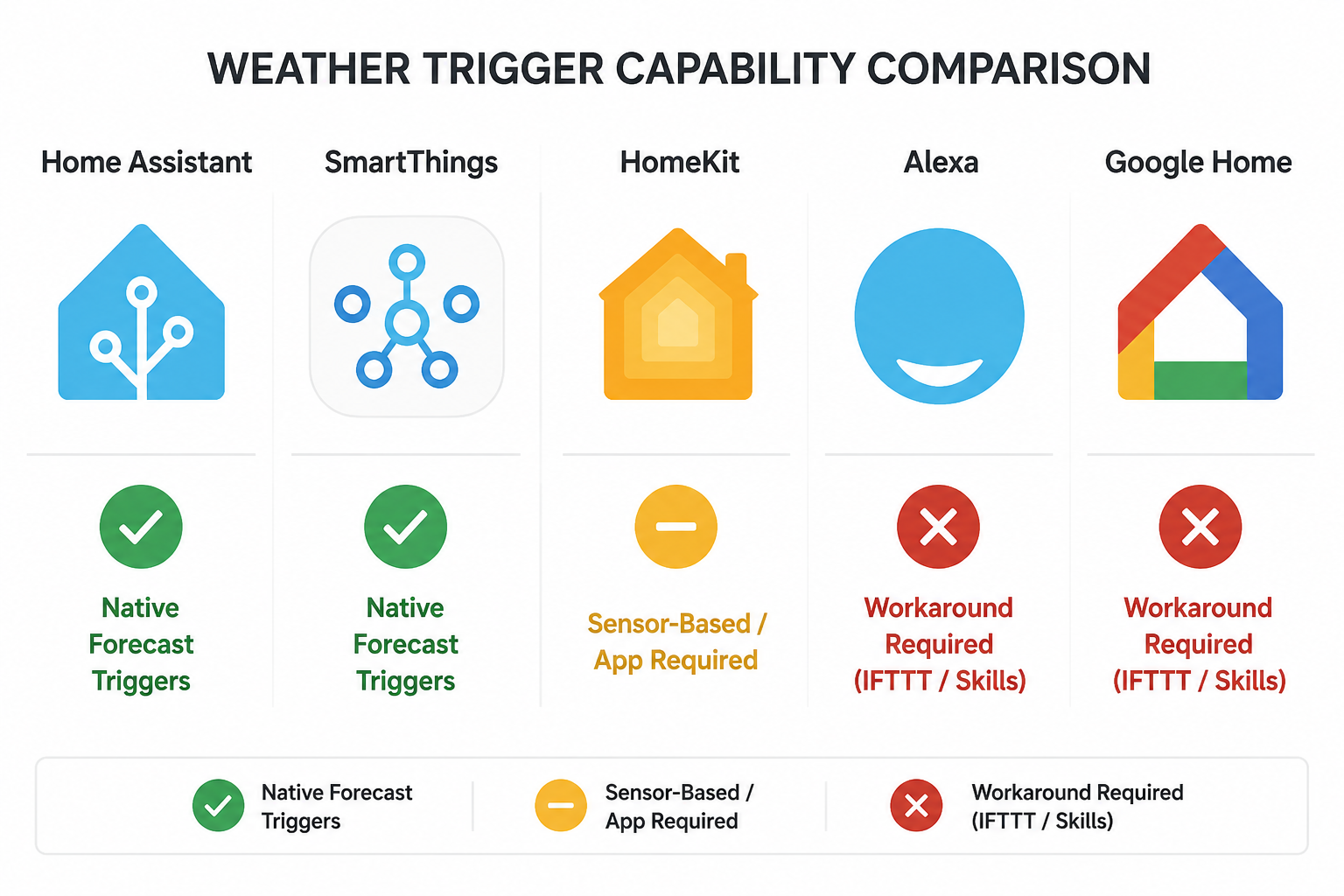
Start With Platform Reality, Not the Recipe
A weather automation has three parts: the weather input, the decision rule, and the device action. The awkward part is that platforms differ most at the first step. Turning on a lamp at sunset is easy almost everywhere. Turning on a lamp when cloud cover crosses a threshold is not.
| Platform | Best weather inputs | Main friction | Best first recipe |
|---|---|---|---|
| Home Assistant | Weather entities, forecast data, local sensors, API-backed integrations | More setup decisions; you need to choose and maintain the integration | Heat-wave blinds, rain-aware irrigation, storm escalation |
| SmartThings | Native weather and device-condition routines where supported | Less transparent than Home Assistant when troubleshooting complex logic | Rain-aware irrigation or freeze notifications |
| Apple HomeKit | Temperature and humidity sensor triggers; accessory state logic | Forecast-based triggers generally need Home+ or a bridge-style workaround; HomeKit Helper documents practical temperature automation patterns.[3] | Freeze protection or sensor-based gloomy-day lighting |
| Amazon Alexa | Routine triggers exposed by Alexa, skills, IFTTT, or Custom Triggers from skill developers | No dependable native weather-condition trigger path for ordinary routines; Custom Triggers depend on developer support.[1] | Notification-heavy storm routines or simple IFTTT weather applets |
| Google Home | Sunrise/sunset, device state, household routines, and workaround services | Native weather-condition triggers remain limited; weather recipes usually need IFTTT, an API route, or another controller | Simple notifications or routines handed off from another automation hub |
If you already run Home Assistant, the question is usually which weather source to trust and how much hysteresis to add so the automation does not chatter on and off. WeatherAPI’s own smart-home automation guidance shows the API route: pull current or forecast conditions, evaluate them against rules, then send commands to devices.[4] That is powerful, but it also makes you responsible for the boring details: API reliability, refresh intervals, and what happens when the weather provider is temporarily unavailable.
If you are in SmartThings, start with the routines the app already exposes before bolting on an external service. If you are in HomeKit, separate sensor logic from forecast logic. A real outdoor temperature sensor crossing a threshold is a different automation from tomorrow’s forecast crossing a threshold, and HomeKit is more comfortable with the former. If you are in Alexa or Google Home, assume the weather service will be the trigger source and the assistant will be the action target, not the brain of the whole recipe.
Recipe 1: Close Blinds and Ease the Thermostat Before the Room Overheats
The useful version of a heat-wave routine does not wait until the indoor room sensor is already complaining. It watches outdoor temperature, forecast temperature, or a local sensor near the sun-exposed side of the house, then closes the right blinds before the room absorbs the heat.
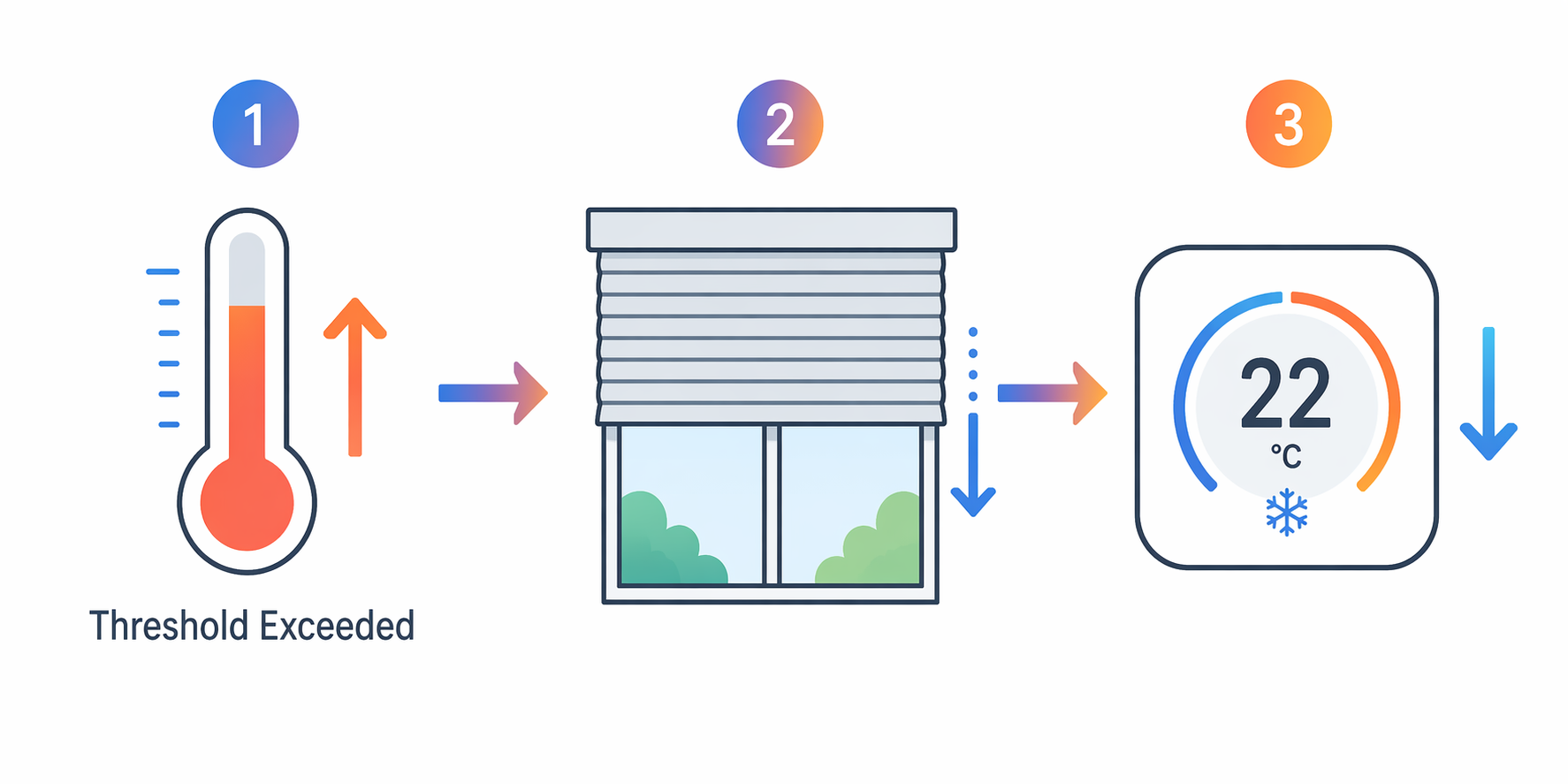
The device list is straightforward: smart blinds or shades on the sun-facing windows, a thermostat that your platform can control, and a weather or temperature input you trust. Reliant describes weather-responsive home automation in exactly this kind of comfort-and-energy context, where temperature and weather changes can drive thermostat, lighting, and shade behavior.[5] Graywind also presents automated blinds as part of managing solar heat and indoor comfort, while noting that energy results vary by home, season, window orientation, and installation.[6]
Use a threshold that matches your house, not somebody else’s utility bill. A southwest bedroom with old windows may need shade action earlier than a shaded first-floor room. Forecast temperature is better when you want to act before the heat arrives. Current outdoor temperature is better when your forecast source is noisy. Indoor temperature is safest as a backup condition: if the room is already cool enough, the thermostat does not need to chase a weather forecast.
- Trigger: outdoor temperature or forecast temperature crosses your chosen hot-weather threshold.
- Conditions: room is occupied or likely to be used soon; blinds are not already manually held open; HVAC mode is cooling or auto.
- Actions: close only the sun-facing blinds, lower glare-prone lights if needed, and make a modest thermostat adjustment.
- Stop rule: reopen on a later time, lower outdoor temperature, manual override, or sunset.
Home Assistant handles this cleanly because it can combine forecast entities, sun position, room temperature, blind position, and thermostat state in one automation. SmartThings can handle a practical version if your weather and devices are exposed to routines. HomeKit users can make a sensor-based version with an outdoor temperature sensor and compatible shades, but forecast-driven shade behavior generally needs Home+ or another controller. Alexa and Google Home users should expect to use IFTTT, a skill, or a hub that does the weather logic and then tells the assistant-side device what to do.
The mistake to avoid is letting this fight your regular morning or evening shade schedule. Put manual control above the automation. If someone opens the blinds while working from home, do not close them again two minutes later because the forecast still says hot. A simple “manual override until sunset” helper is less glamorous than another trigger, but it is the difference between automation and pestering.
Recipe 2: Pause Irrigation When Rain Is Coming or Already Here
Rain-aware irrigation is one of the least sentimental smart home recipes. The sprinkler either runs into wet weather or it does not. A fixed schedule cannot know that the yard already got watered by the sky.
The required hardware is a smart irrigation controller, or at minimum a smart valve or relay you are comfortable using outdoors. The weather input can be a precipitation forecast, a current rain condition, a rain sensor, or soil moisture hardware. IFTTT’s weather automation examples include applets that react to forecast and condition changes, which is why it remains useful for irrigation setups whose main app does not expose the trigger you need.[2]
Forecast and current condition should not be treated as the same thing. A “rain starting now” trigger is good for stopping a scheduled run that is about to begin. A “rain expected later” trigger is better for skipping the next cycle. Soil moisture, when available, is better still because it measures the yard rather than the weather report, but support depends on the controller and sensor ecosystem.
| If your input is | Use it for | Watch out for |
|---|---|---|
| Rain forecast | Skipping the next scheduled watering | Forecast uncertainty; do not pause for days unless your controller tracks the skipped cycle |
| Current rain condition | Stopping or delaying a run that would start during rain | Weather provider refresh delays |
| Rain sensor | Confirming actual rain at the property | Placement and maintenance |
| Soil moisture | Watering only when the ground needs it | Device compatibility and battery maintenance |
Home Assistant is the easiest place to combine forecast, rain sensor, soil moisture, and irrigation state. SmartThings can be practical if the controller and trigger are exposed in routines. HomeKit can participate if the irrigation controller appears as a supported accessory, but weather-driven skipping usually needs an external trigger. Alexa and Google Home are better treated as notification or voice-control layers here; let IFTTT, the irrigation controller’s own weather feature, or a hub decide whether watering should run.
The conflict to prevent is double-pausing. If the irrigation controller already has its own weather-skip feature, do not also build a platform routine that disables the same zone without a clear reset path. One brain should own the watering decision. The other platforms can announce it, log it, or expose a manual override.
Recipe 3: Brighten Gloomy Rooms Without Turning the House Into a Showroom
Gloomy-day lighting sounds like a weather recipe, but it often works better as a light-level recipe. “Cloudy” is a broad label. A lux sensor in the room tells you whether the kitchen island is actually dim.
CEDIA describes smart home routines as coordinated actions across devices, and lighting is one of the more natural places to use that coordination.[7] Vesternet’s custom automation guidance also emphasizes defining the trigger, conditions, and actions rather than just adding devices to an app.[8] For gloomy-day lighting, that means deciding which rooms should react, what level is comfortable, and when the automation should leave people alone.
- Best trigger: ambient light below your chosen comfort threshold.
- Acceptable trigger: cloud cover or weather condition from a weather integration.
- Useful condition: someone is home, the room is active, and the lights are not manually off.
- Action: raise task or ambient lighting gently, preferably with a daytime color temperature.
Home Assistant can combine cloud cover with indoor illuminance if you have both. SmartThings and HomeKit are usually cleaner with actual light sensors than with forecast labels. Alexa and Google Home can run the lights once another service decides the room is gloomy, but they are not the best place to calculate the condition.
Keep this recipe narrow. Pick one or two rooms where bad light actually bothers someone. If every lamp in the house reacts to every cloudy afternoon, the automation becomes another thing people turn off.
Recipe 4: Preheat or Notify Before Freezing Conditions
Freeze protection is less about comfort theater and more about timing. If freezing conditions are expected, the home can preheat a vulnerable area, remind someone to open cabinet doors near plumbing, or send a notification before the coldest part of the night.
Reliant includes cold-weather responses among weather-responsive automation ideas, including thermostat and notification behavior tied to changing conditions.[5] HomeKit Helper’s temperature automation guidance is also useful here because sensor-triggered temperature routines are one of HomeKit’s more realistic native paths.[3]
- Trigger: forecast or outdoor sensor crosses your freezing threshold.
- Devices: thermostat, temperature sensors in vulnerable rooms, smart plugs only where the connected device is safe for unattended use, and reliable notifications.
- Actions: raise heat modestly, notify household members, and optionally turn on approved protective devices.
- Guardrail: never rely on a smart plug for unsafe portable heating equipment.
Home Assistant is strongest when you want forecast plus room sensors plus notification escalation. SmartThings can handle a straightforward “if outside temperature drops, then notify and adjust thermostat” routine when devices are supported. HomeKit can do a solid sensor-based version, especially with indoor or outdoor temperature sensors. Alexa and Google Home are acceptable for announcements after another service triggers the event, but they should not be your only notification route if the consequence matters.
Recipe 5: Escalate the House During Storm Conditions
Storm automation is where clever routines can become genuinely useful or deeply annoying. The goal is not to make every device react dramatically to bad weather. The goal is to reduce the number of small things someone has to remember while the weather is getting worse.
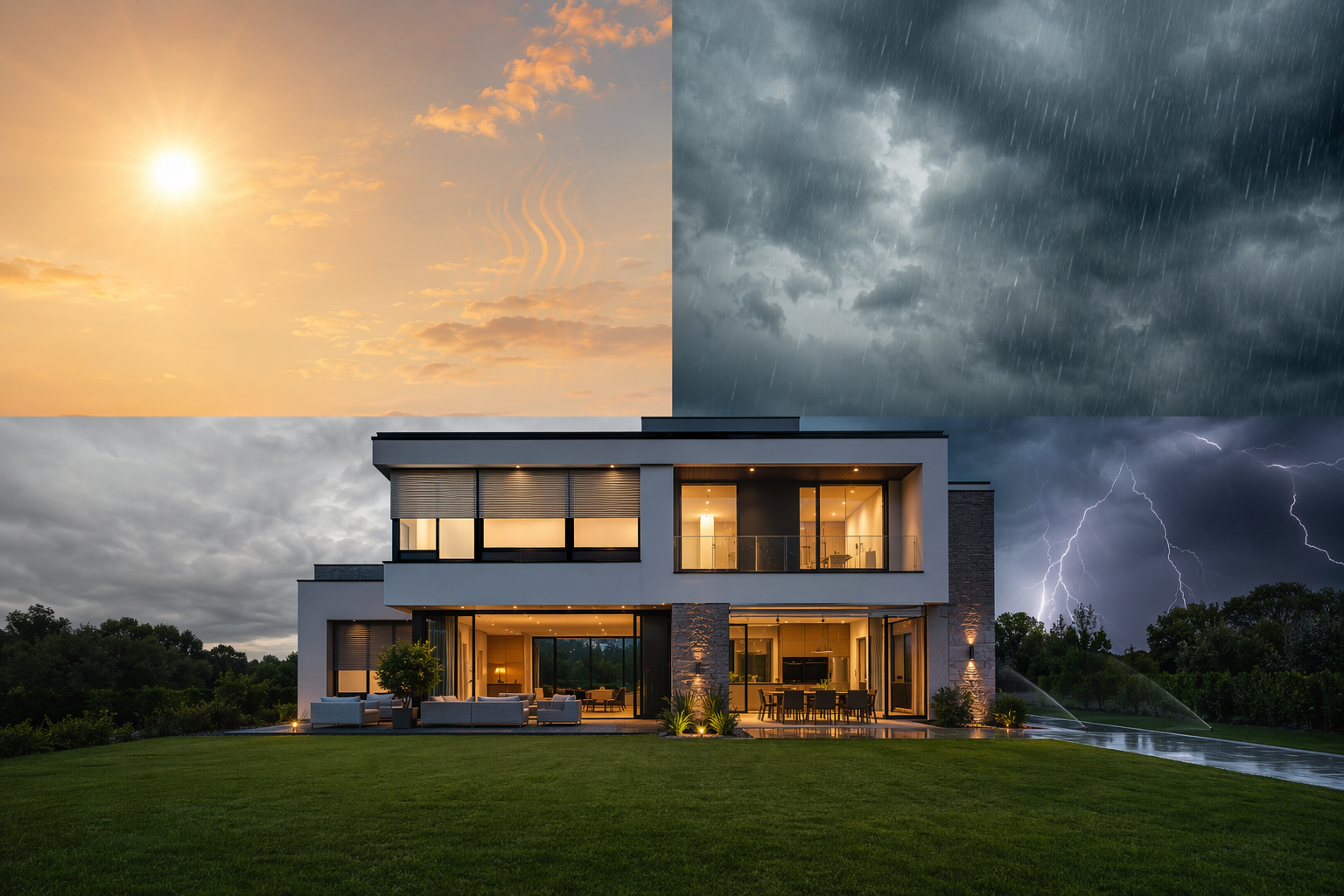
The trigger can be a severe weather alert, lightning risk from a weather provider, high wind condition, or heavy-rain forecast. IFTTT publishes weather automation examples for condition-based actions, and an API-based route can also pull alert or forecast data into a controller that then decides what to do.[2][4]
Useful storm actions are usually quiet: pause irrigation, turn on a few interior path lights if the house is occupied, make sure exterior cameras are not in a privacy-disabled state, close vulnerable shades if wind-driven rain is a concern, and send a clear notification. If your household already has a severe-weather plan, the smart home should support that plan rather than invent a new one.
| Storm condition | Reasonable automation | Bad automation |
|---|---|---|
| Severe weather alert | Notify phones and turn on selected path lights | Flash every light in the house for every advisory |
| Heavy rain | Pause irrigation and verify outdoor devices are off | Disable unrelated schedules with no reset condition |
| High wind | Close selected shades or retract compatible outdoor devices | Move devices that are not rated or designed for wind response |
| Power-loss concern | Send battery and hub status notifications where supported | Assume cloud-only routines will run during an outage |
Home Assistant is the natural home for storm escalation because it can branch by alert type, location, device state, and time of day. SmartThings can still do practical storm routines if the trigger is available. HomeKit users may need a bridge or helper app for forecast and alert triggers, though accessory-state responses remain useful. Alexa and Google Home can announce, notify, or run a scene after IFTTT, a skill, or another controller starts the chain.
For tornado-specific setups, this is the point where a general weather recipe should stop being general. A broad storm routine can notify and turn on lights; a tornado warning routine needs tighter alert handling, location filtering, and testing. If you already use Home Assistant, a dedicated tornado-warning automation is worth separating from ordinary thunderstorm behavior.
Keep the Weather Brain Small Enough to Understand
The easiest way to ruin weather automation is to let every condition control every device. A thermostat schedule, occupancy routine, utility-rate automation, vacation mode, manual override, and weather rule can all be reasonable on their own. Together, they can make the house feel haunted.
Before adding a recipe, decide which system owns the decision. If the irrigation controller already handles weather skips, do not also disable zones from three other platforms. If Home Assistant controls the blinds during heat events, let Alexa run a voice scene but not a competing weather rule. If HomeKit owns a temperature notification, avoid duplicating the same alert through a separate app unless redundancy is intentional.
- Use one weather source per critical decision unless you are deliberately building a fallback.
- Add a manual override and make it last long enough to matter.
- Prefer room sensors for room comfort and forecasts for advance action.
- Log the first week of behavior before adding more triggers.
- Do not treat vendor savings estimates as guarantees for your house.
For a first build, choose one high-friction annoyance and fix that. If the sunny room overheats, start with blinds and thermostat logic. If sprinklers run at embarrassing times, start with irrigation. If severe weather is the household pain point, build the notification and lighting routine first. The platform choice determines how elegant the setup feels, but the test is simpler: after the setup excitement fades, does the person at home have less to undo?
References
- Custom Triggers for Routines, Amazon Developer, September 2023, link
- Weather Automations, IFTTT, link
- Temperature Automations, HomeKit Helper, link
- Building Weather-Driven Smart Home Automation, WeatherAPI, link
- Weather-Responsive Home Automation, Reliant, link
- Automatic Window Blinds Guide, Graywind, link
- Smart Home Routines, CEDIA, link
- How to Create Custom Smart Home Automations: A Step-by-Step Guide, Vesternet, link
Report a step that didn't work
Tell us which step failed and on what firmware or app version — we re-verify before changing the recipe.