
Setup
How to Set Up a Smart Indoor Garden for Lettuce
Follow a verified setup sequence for smart indoor gardens — AeroGarden, Gardyn, Lettuce Grow, or Click & Grow — that covers 2.4GHz WiFi pairing, app configuration, and lettuce-specific light, temperature, and water parameters to avoid bolting, poor germination, and connectivity issues from day one.
Smart indoor garden system (AeroGarden, Gardyn, Click & Grow, or Lettuce Grow), smartphone with app, 2.4GHz WiFi network, lettuce seed pods, water, and plant food (if required)
Set the garden up in this order: assemble the base, add water and pods, power it on, pair the app on a 2.4GHz network, confirm the device settings, then change the lettuce conditions before you walk away. That sequence matters more than the brand name on the box. A lettuce pod that spends its first day under the wrong light height, wrong room temperature, or half-finished app setup can look like a seed problem when the real failure was configuration.
| Setup stage | Do this before moving on | Why it matters for lettuce |
|---|---|---|
| Placement | Choose a stable counter, away from hot appliances, cold drafts, and bedrooms if the pump is audible. | Lettuce is temperature-sensitive, and some systems cycle water often enough to be annoying nearby. |
| Assembly | Install the deck, columns, bowl, pump parts, trellis or light arm, then add water to the indicated fill line. | The app cannot fix a dry pump, crooked light, or pod seated above the water path. |
| Network | Put your phone on the 2.4GHz WiFi network before pairing. | Many smart gardens fail pairing when the phone is on 5GHz. |
| App setup | Select the exact model, finish firmware or timer setup, and confirm the light schedule. | Defaults may be built for a general garden, not lettuce. |
| Lettuce tuning | Set the light 4–6 inches above the canopy, target 55–70°F air temperature, and use a lettuce-appropriate light cycle. | This is where connected gardens still produce leggy, bitter, or bolting lettuce if left alone. |
Start with placement, not the app
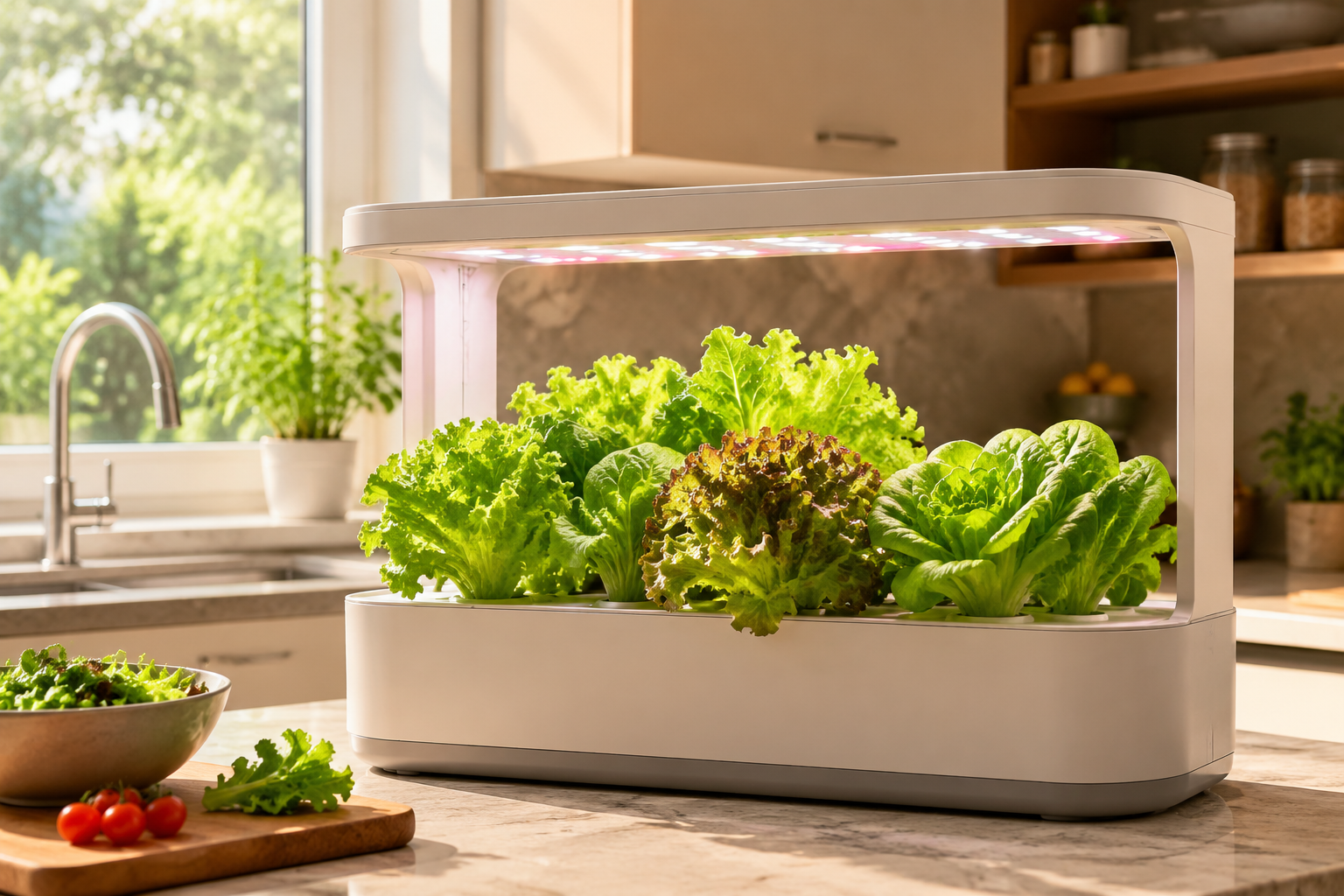
Put the garden where you can reach the water port, lift the light, and see the pods without dragging the unit forward every time. That usually means a kitchen counter, utility shelf, or bright corner with an outlet close enough that the cord does not pull on the base. Do not place it above a dishwasher vent, next to a stove, or in a sunny window that turns the reservoir into a warm box by afternoon.
Lettuce is a cool-season crop. The useful indoor target is 55–70°F, and sustained heat above 75°F increases bolting risk, so a warm shelf that works for basil can be the wrong place for romaine, butterhead, or loose-leaf lettuce.[1][2]
If you are setting up a Lettuce Grow Farmstand indoors, think about sound before filling it. WIRED’s testing noted audible continuous pump cycling on the Farmstand, and that changes where the unit belongs more than any app feature does.[3] A living room may be fine. A bedroom corner probably is not.
Assemble the garden before asking the app to find it
Build the physical system first. Seat the grow deck or tower sections, install the pump or water column parts, plug in the light arm, add the pod holders or yCubes, and fill the reservoir to the marked line. If the model uses plant food at setup, add only the amount called for by that system’s instructions. More nutrients on day one will not make lettuce germinate faster.
For AeroGarden-style pod systems, insert the lettuce pods after the reservoir is filled and the deck is seated. AeroGarden’s support material says germination varies by variety and offers a 21-day germination guarantee for seed pods, which is useful to remember before blaming a pod after two quiet days.[4] Lettuce can germinate much sooner, but the first check should be whether the pod is moist and correctly seated, not whether the app has a prettier plant profile.
For Click & Grow, make sure the capsules are fully inserted and the float indicator can move freely. For Gardyn, confirm the columns are locked and the water path is not blocked. For Lettuce Grow, finish the pump and timer wiring before adding seedlings to the tower; troubleshooting leaks is much easier without leaves in the way.
Pair on 2.4GHz WiFi, or expect the first failure here
Before opening the garden app, open your phone’s WiFi settings and connect to the 2.4GHz version of your home network. Do not assume the phone will choose correctly because it is standing next to the device. AeroGarden, Gardyn, Lettuce Grow, and Click & Grow setup materials and testing all point to the same practical issue: smart garden onboarding is built around 2.4GHz behavior, while phones often sit on 5GHz when both bands share the same router name.[3][4][5]
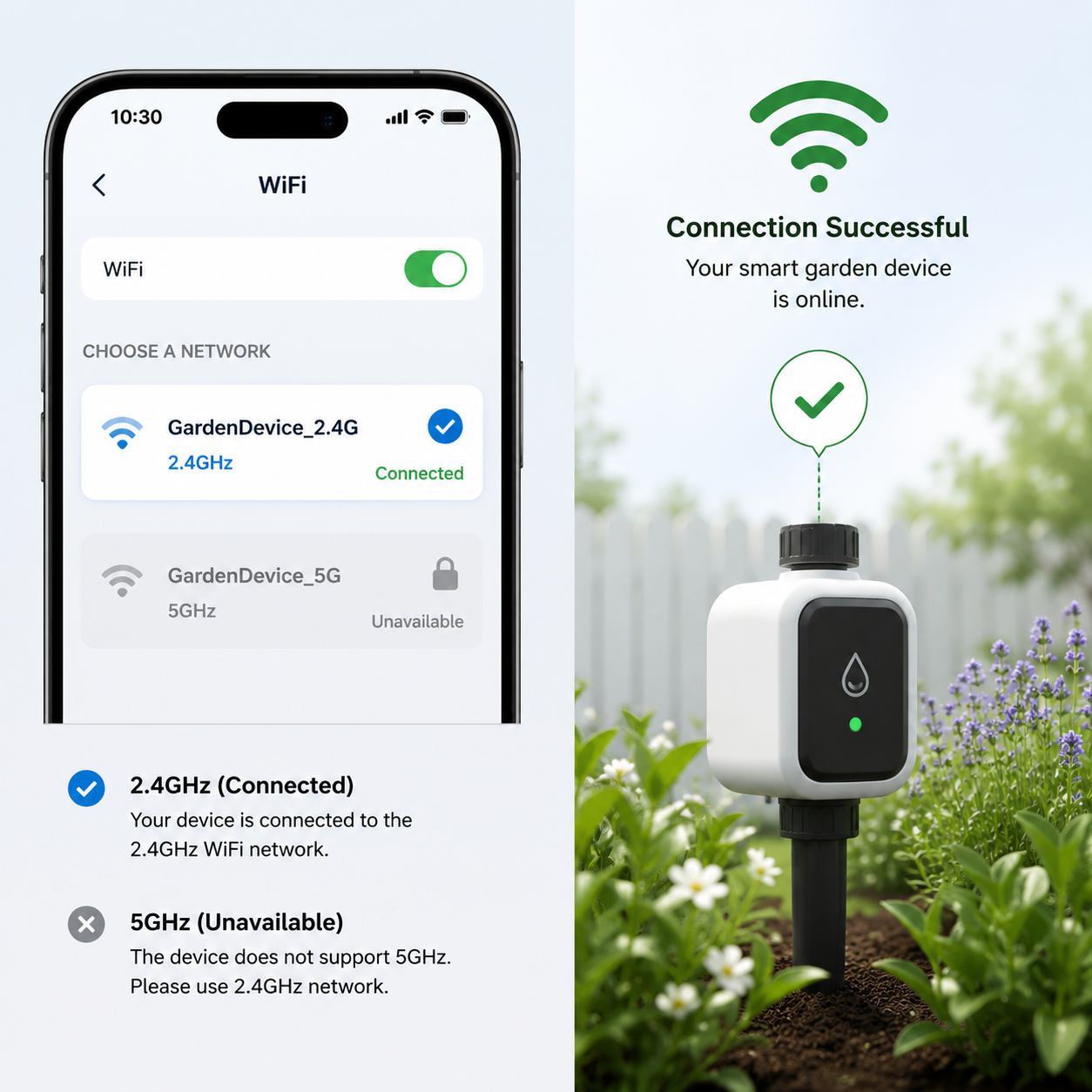
If your router shows two network names, choose the one labeled 2.4, 2G, IoT, or similar. If your router uses one combined name for both bands, temporarily separate the bands in the router app or create a dedicated 2.4GHz guest or IoT network. This is the same onboarding trap that affects many smart-home devices, not a lettuce problem; the practical fix is to make the 2.4GHz network visible long enough for pairing. For a broader explanation of why this happens, see the related guide to 2.4GHz IoT onboarding and home coverage.
Pairing is the wrong moment to test every clever network setting your router offers. Turn off VPN on the phone. Keep the phone close to the garden. Use the main household member’s account if the device will be shared. If the app asks for location or Bluetooth permission during setup, allow it for setup even if the garden ultimately uses WiFi; many apps use those permissions to discover nearby hardware.
- If pairing stalls at device discovery, power-cycle the garden and restart the app before resetting the whole unit.
- If pairing fails after password entry, recheck that the phone is not on the 5GHz network.
- If the router combines bands under one name, temporarily disable 5GHz or create a 2.4GHz-only guest network.
- If the device pairs once and then drops, move the garden closer to the router before blaming the seed pods, pump, or timer.
AeroGarden app note
Use current ScottsMiracle-Gro support instructions for AeroGarden app setup, especially if you own an older model. The current FAQ notes that some classic models, including Harvest Classic, Bounty Classic, and 2017 Farm models, are not supported in the new app.[4] If the app cannot find one of those units, that may be a compatibility limit rather than a failed WiFi password.
Click & Grow app note
Click & Grow Smart Garden 9 Pro uses Bluetooth app control rather than WiFi remote access, so the phone needs to be in range for app control.[3] That is not worse for lettuce by itself, but it changes expectations: if you want to check or adjust it away from home, Bluetooth-only control will feel limited.
Gardyn app note
With Gardyn, finish account setup and any firmware prompt before planting becomes inconvenient. Gardyn’s paid Kelby service has been described as adding AI-driven watering and monitoring features, but a subscription feature is not a substitute for completing the basic device update and water setup correctly.[6]
Lettuce Grow timer note
Lettuce Grow’s Indoor Smart Timer has a manual mode cap of 14 hours of light; custom schedules above that require app pairing.[5] If you plan to run lettuce closer to a 15–17 hour cycle, do not leave the timer in manual mode and assume it matches your target.
Set the lettuce environment immediately after the app connects
Once the garden appears in the app, stop treating it like a generic indoor garden. Lettuce needs cool air, close but not punishing light, and a schedule that matches the system’s light output. These are not cosmetic settings. They decide whether the seedlings stay compact or stretch, whether leaves stay tender or turn bitter, and whether the plant tries to flower early.
Light height: start at 4–6 inches above the canopy
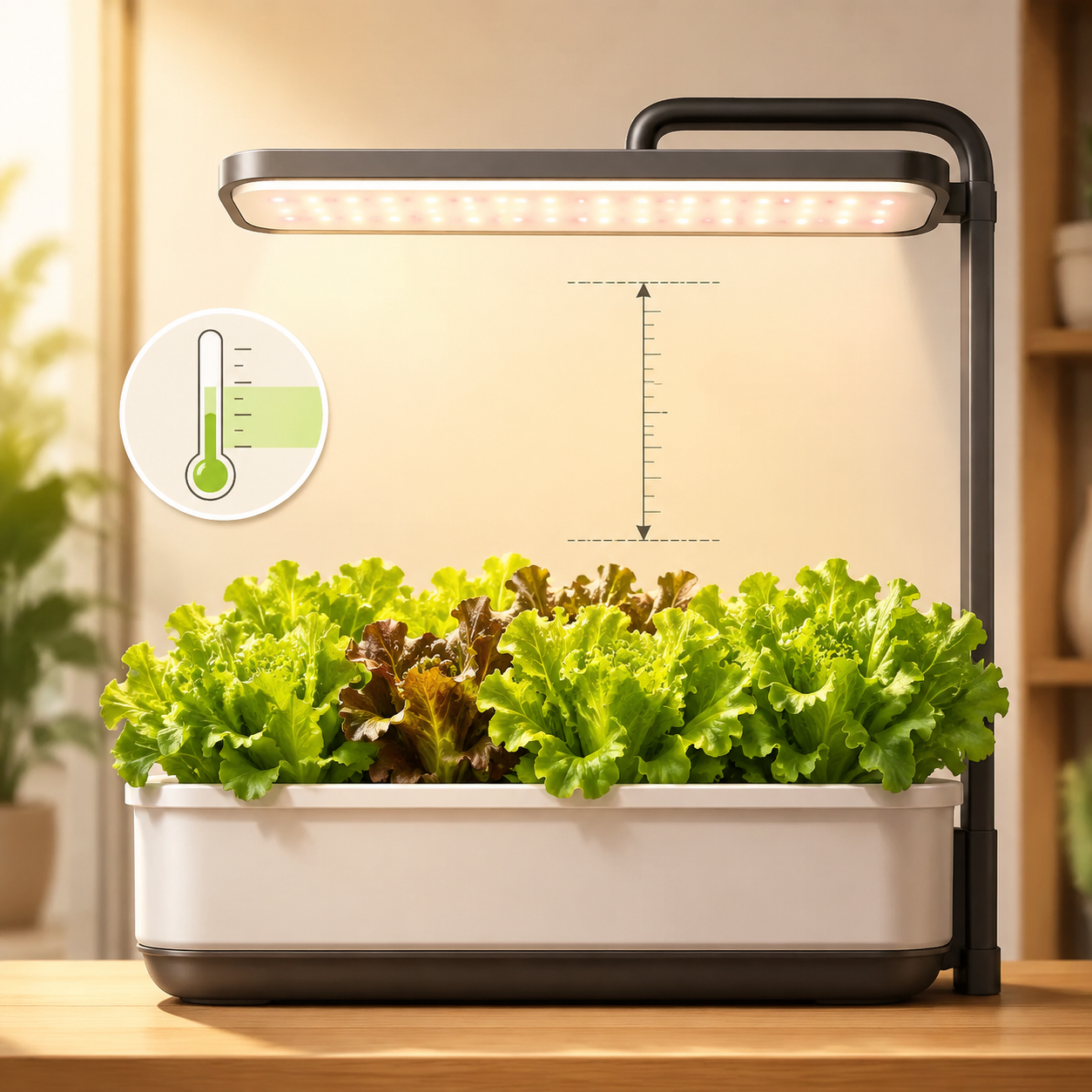
Set the grow light about 4–6 inches above the top of the lettuce canopy. ScottsMiracle-Gro’s lettuce guidance warns that lights too close can contribute to bolting or leaf burn, while lights too far away lead to leggy growth.[1] This is the adjustment people skip because the light already turns on. The light turning on is not the same as being in the right place.
For newly planted pods, follow the system’s starting height if the manufacturer specifies one, then begin measuring from the first true canopy as the seedlings rise. Raise the light as the lettuce grows; do not let the plant grow into the LEDs and do not leave the light high because it looks tidier in the kitchen.
Temperature: keep the room in the lettuce range
Use 55–70°F as the working air-temperature range. LetPot’s hydroponic lettuce guidance and ScottsMiracle-Gro’s lettuce guidance both point to cool growing conditions, and the practical warning is consistent: sustained temperatures above 75°F push lettuce toward bolting.[1][2] The reservoir does not need to feel cold to the touch, but the garden should not live beside a heat source.
If your kitchen runs warm, choose loose-leaf varieties, keep the unit out of afternoon sun, and harvest earlier. If the garden sits in a chilly basement, germination and early growth can slow. The app may still show a cheerful seedling stage either way; the plant is responding to the room.
Light cycle: use a range, not a magic number
For many pod-style systems, lettuce commonly lands around 15–17 hours of light, but that does not mean every garden should be forced to exactly 16 hours. AeroGarden guidance for lettuce sits in the 15–17 hour range, WIRED testing describes 14–16 hour use across indoor garden systems, and Lettuce Grow’s timer defaults affect what is available without app pairing.[1][3][5]
Wattage is part of the reason the numbers vary. WIRED’s 2026 testing lists different power levels across systems, including AeroGarden Bounty configurations at 48W Elite and 30W Basic, Gardyn Home at 40W, Lettuce Grow Farmstand at 96W, and Rise at 195W.[3] A lower-output countertop system often compensates with a longer day. A stronger system may not need the same schedule, and in a warm room, more light can also mean more heat stress.
| Condition | Starting target for lettuce | Adjust if you see this |
|---|---|---|
| Light height | 4–6 inches above canopy | Leggy seedlings mean the light may be too far; burned edges or heat stress mean it may be too close or too warm. |
| Air temperature | 55–70°F | Warm rooms above 75°F increase bolting risk; cold rooms can slow germination and growth. |
| Light cycle | Roughly 15–17 hours on many pod systems; 14–16 hours appears in broader system testing | Shorten or reduce heat exposure if leaves show stress in a warm room; check timer limits before assuming the app applied your setting. |
| Water movement | Use the system’s pump or timer program unless the manufacturer gives a lettuce-specific change | Check for actual water flow before changing nutrients or replacing pods. |
Water and nutrients: verify flow before adjusting recipes
After pairing and light setup, confirm that water is moving where it should. Listen for the pump. Look for wet grow sponges or flowing water in the tower. Check that the float or water-level indicator is not stuck. A dry pod under perfect LEDs is still a dry pod.
Use the nutrient amount specified for the system at startup. Lettuce does not need a strong early feeding correction unless the manufacturer calls for it. Overcorrecting nutrients on day one is a good way to create a second problem while trying to solve the first.
If your garden has a vacation or reduced-care mode, leave it off during establishment unless you are actually leaving. AeroGarden Bounty Elite and Farm support Vacation Mode with dimmed lights and reduced pump cycles for up to two weeks, which is helpful for travel but not the normal starting condition for lettuce seedlings.[4]
What to expect after setup
Do not dig into a pod on the first quiet morning. Lettuce germination in smart gardens can take 2–8 days depending on variety, and AeroGarden’s seed-pod support window is much longer than that.[4] The useful first-week checks are simple: the pod is moist, the light is close enough, the room is cool enough, and the app or timer did not revert to a generic schedule.
Once lettuce is growing, baby greens can be harvested around two weeks when plants are roughly 3 inches tall, while fuller leaves often arrive around three to four weeks in successful countertop systems.[3][7] Those timelines are not promises for every room and variety, but they are good enough to identify a setup problem. If nothing has emerged after the expected germination window and the pod has stayed moist, then it is time to use the manufacturer’s pod support rather than randomly changing every setting.
Small brand differences that actually change setup
Most setup advice should not be brand theater. Still, a few differences change what you should do while the unit is in front of you.
- AeroGarden: check app compatibility before repeated pairing attempts; some older classic models are not supported in the current app.[4]
- Gardyn: finish firmware and account setup before planting blocks easy access; subscription features such as Kelby are separate from the basic setup.[6]
- Click & Grow Smart Garden 9 Pro: expect Bluetooth-range control rather than WiFi remote access.[3]
- Lettuce Grow: pair the Indoor Smart Timer if you need custom light cycles above the 14-hour manual limit.[5]
- Farmstand placement: account for pump sound, and inspect seedlings before installation; WIRED reported a pest issue with proprietary seedlings during testing, which is a case to check against, not proof that every shipment has the same problem.[3]
If you later add sensors outside the manufacturer’s system, keep that separate from the first-day setup. Lettuce needs the built-in garden stable before it needs extra dashboards. Readers extending beyond pod gardens may want the related guide to Matter 1.5 soil sensors and smart garden monitoring, but that is an expansion step, not a rescue step for bad pairing.
The setup is done when these checks pass
- The garden is assembled, filled, powered, and physically stable.
- The phone paired the garden while connected to a 2.4GHz network, or the Bluetooth-only system is confirmed in range.
- The app shows the correct model and no unfinished firmware, timer, or setup prompt.
- The light is about 4–6 inches above the lettuce canopy or at the correct starting position for newly planted pods.
- The room is in the 55–70°F lettuce range, with no appliance heat or strong afternoon sun pushing it above 75°F.
- The light cycle is set deliberately, not left on an unknown default or a manual timer cap.
At that point, leave the settings alone. A verified 2.4GHz connection, completed app setup, close light, cool room, and confirmed water flow are what keep a new smart garden from failing before the lettuce has had a fair start.
References
- Tips for Tending to Lettuce, ScottsMiracle-Gro US
- How to Grow Lettuce Indoors Hydroponically: A Detailed Guide, LetPot
- Best Indoor Garden Systems: I've Been Testing All Year (2026), WIRED
- AeroGarden FAQs, ScottsMiracle-Gro US
- How do I set up my Indoor Smart Timer?, Lettuce Grow
- Gardyn Review: Hydroponic Gardening for the 'Lazy' Gardener, AppMyHome
- AeroGarden lettuce, Home for the Harvest
Report a step that didn't work
Tell us which step failed and on what firmware or app version — we re-verify before changing the recipe.