
Setup
Smart Home Storm Preparation Tips for Every Protocol
Learn how Matter, Zigbee, Z-Wave, Thread, and Wi-Fi devices behave during power and internet outages, and follow per-protocol setup checklists to keep your smart home running before the next storm hits. This guide covers the critical distinction between locally controlled and cloud-dependent devices, the importance of battery backups for hubs, and the specific recovery steps each protocol requires after a storm.
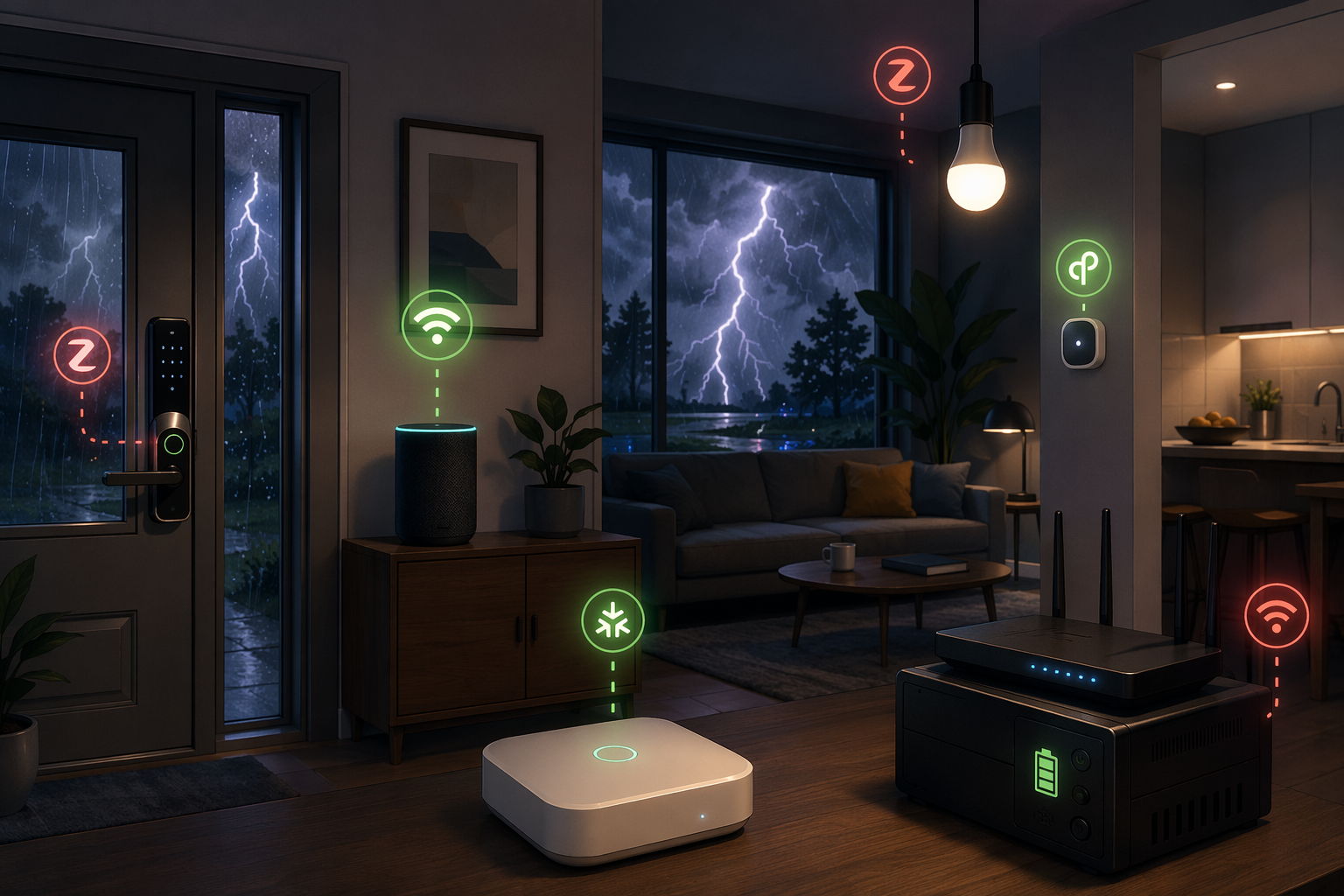
Smart home devices and hubs for each protocol, router, UPS for control path
The bad moment is not when the power goes out. It is ten minutes later, when the hallway light has power again, the phone app says the home is online, the smart lock tile is spinning, and nobody in the house can tell whether the problem is the internet, the hub, the mesh, or the cloud account behind the button.
Useful smart home storm preparation tips start by separating three events that get blurred together during a storm: loss of power, loss of internet, and restoration after power returns. A device can survive one and fail the next. A Wi-Fi plug may have electricity but no cloud path. A Zigbee motion automation may run perfectly if the hub is on battery, while the Zigbee bulb it controls stays dark because the branch circuit is off. A Thread network may look fine in the app and still take a while to rebuild after its border router went down.
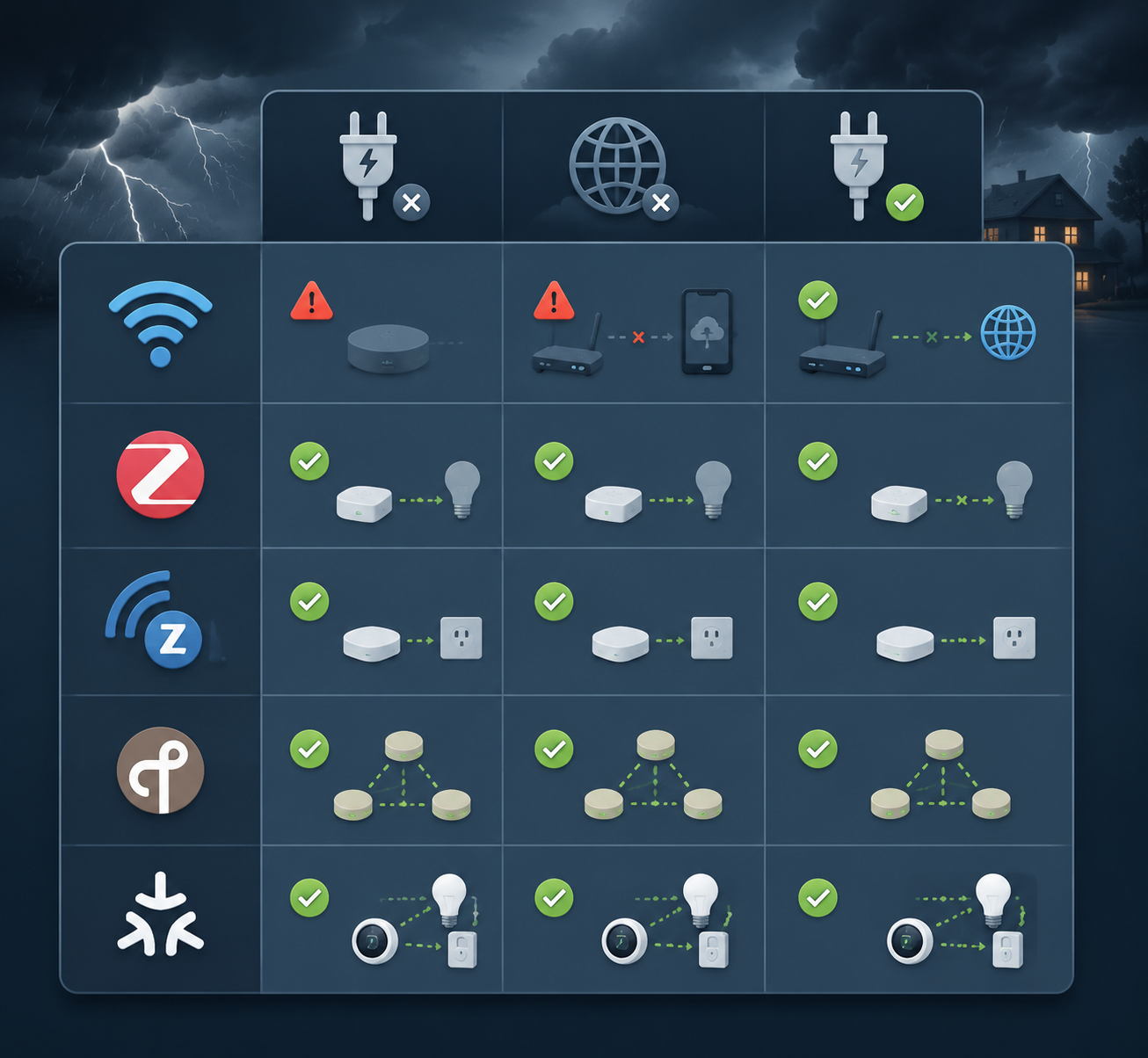
The storm behavior map
| Protocol or layer | During power loss | During internet loss | After power returns | Prep that actually matters |
|---|---|---|---|---|
| Wi-Fi smart devices | Mains-powered devices stop when their circuit is off; battery devices may stay awake but often still need Wi-Fi or cloud access. | Cloud-dependent devices controlled through services such as Alexa or Google Home may stop responding when the internet is down; locally controlled Wi-Fi devices can retain local function if the LAN is powered. [1] | Devices may reconnect unevenly as the router, access points, and cloud services come back. | Put modem/router/access points on UPS if Wi-Fi control matters; verify which devices have local control before the storm. |
| Zigbee | Battery sensors can continue sending, but mains-powered routers and bulbs are down if their circuits are out. | Local automations can continue when the local hub stays powered and the automation does not require cloud processing. [1][2] | Many Zigbee devices recover within minutes, though some systems may need a hub restart for full mesh restoration. [1][3] | Put the hub on UPS; keep critical automations local; do not assume the mesh is complete until mains-powered repeaters return. |
| Z-Wave | Battery locks and sensors may remain available to a powered hub; mains-powered switches and repeaters stop with their circuits. | Local Z-Wave automations can continue through a local hub on battery backup when the automation is processed locally. [1][2] | Some Z-Wave devices may appear dead until physically triggered or until the mesh heals. [1] | Put the hub on UPS; know which nodes are repeaters; after restoration, trigger sleepy or stubborn devices before assuming they failed. |
| Thread | Battery Thread devices may have power, but the mesh depends on powered Thread routers and border routers. | Local behavior depends on the controller and border-router arrangement; cloud features still need internet. | Thread border routers that lose power can take hours to fully restore device mesh connectivity in some observed setups. [1] | Keep at least one key border router powered if possible; after the storm, give the Thread mesh time before deleting or re-pairing devices. |
| Matter | Matter does not remove the device’s need for power, radio connectivity, and a reachable controller. | Matter devices may work locally when the controller and network path are local and powered; cloud app features may not. | Some Matter hardware combinations have been reported to have trouble re-announcing to the controller after a power outage; this is a known caveat from scattered reports, not a universal failure mode. [1] | Identify the Matter controller, keep it powered if it is part of critical control, and use a recovery sequence before factory resets. |
| Smart locks | Battery-powered locks usually keep their lock mechanism powered; hardwired accessories and bridges may not. | Remote control may fail without internet, but local keypad, fingerprint, Bluetooth, or mechanical key access may still work depending on model. [4][5] | Lock bridges, Wi-Fi modules, and automations may reconnect later than the lock itself. | Check batteries, keep the physical key or manual override available, and test non-cloud entry before storm season. |
That table is the practical split. Power determines whether the device can do anything. Internet determines whether cloud control can reach it. The hub, controller, border router, or access point determines whether local control has a path. Those are separate dependencies, and storm failures usually become confusing when they are treated as one dependency called “the smart home.”
Wi-Fi: powered is not the same as controllable
Wi-Fi smart devices are often the first disappointment in an internet outage because many of them were sold through a polished app, voice assistant integration, or cloud account rather than through a promise of local control. If the device relies on Alexa, Google Home, or a vendor cloud path for routine commands, a working light switch icon in the app does not mean a usable command path exists when the WAN connection is gone. HomeTechHacker’s outage guidance makes this distinction plainly: cloud-dependent Wi-Fi devices can stop responding entirely during an internet outage, while locally controlled devices can retain function if the local network remains powered. [1]
The uncomfortable part is that both kinds of devices may look identical on the shelf. A Wi-Fi plug that accepts local LAN commands and a Wi-Fi plug that depends on a vendor cloud may both say “works with Alexa.” That badge says very little about storm behavior. The pre-storm task is to test the dependency, not read the front of the box.
Wi-Fi setup check before the next storm
- Unplug the WAN cable or disable the internet connection temporarily while keeping the router powered, then test the devices that matter: entry lights, security lighting, garage access, leak alarms, and any outlet controlling essential equipment.
- Separate “local app works on the home network” from “voice assistant works.” Voice assistants may depend on cloud services even when the device itself is on the same LAN.
- Put the modem, router, and any necessary access points on a UPS if Wi-Fi control during an outage matters. If the internet line itself is down, the UPS still preserves LAN control for devices that support it.
- Do not waste UPS capacity on a device whose controlled load has no power. A backed-up router does not make a mains-powered lamp circuit live.
- Label the power bricks for the modem, router, access points, and hubs. During restoration, the wrong brick pulled from a crowded power strip can make troubleshooting look like a protocol problem.
If a Wi-Fi device fails the no-internet test and has no manual control worth using, classify it honestly. It may still be a good convenience device. It should not be the only way to turn on a stair light, unlock an entry path, or silence a device that could create a bigger problem while everyone is standing around with phones.
Zigbee and Z-Wave: local hubs help, but only inside their real limits
Zigbee and Z-Wave are the protocols that most often reward advance planning. When devices are joined to a hub that can process automations locally, and that hub is on battery backup, automations can continue during an internet outage. HomeTechHacker and EVVR both describe this local-hub advantage for outage behavior. [1][2]
The phrase “local hub” needs pressure-testing. Some platforms process some automations locally and others in the cloud. Some hubs changed behavior across generations or firmware. A hub sitting on a UPS is useful only for the automations it can actually run without the internet, and only for devices that still have power or batteries.
This is where the planning gets more physical than most app screens admit. Zigbee and Z-Wave meshes rely on powered repeaters. Many plug-in modules, wall switches, dimmers, and bulbs are not just endpoints; they help carry messages. When part of the house loses power, the mesh may no longer have the same shape. A hub on UPS can keep thinking clearly while half its roads are closed.
Zigbee setup check
- Put the Zigbee hub or controller on UPS, along with the router or network gear it needs for your local dashboard.
- Confirm that critical automations are local. A motion sensor turning on a hall light should not need a cloud routine if it is part of storm access.
- Identify which Zigbee devices are mains-powered routers. If the garage, hallway, or stair repeaters lose power, battery sensors beyond them may be temporarily unreachable.
- After power returns, wait a few minutes for the mesh to settle before restarting everything. Zigbee devices commonly recover within minutes, but some setups may need a hub restart to fully restore the mesh. [1][3]
Z-Wave setup check
- Put the Z-Wave hub on UPS and verify which automations run locally.
- Know which Z-Wave devices are battery-powered and which are repeaters. Battery devices may sleep; repeaters vanish when their circuits lose power.
- After restoration, physically trigger important Z-Wave locks, sensors, or switches that appear dead before excluding and re-pairing them. HomeTechHacker notes that some Z-Wave devices may appear dead until physically triggered or until the mesh heals. [1]
- Avoid aggressive repair steps while power is still unstable. A mesh repair run while repeaters are still missing can create a second problem.
The best Zigbee or Z-Wave storm setup is not the one with the most devices. It is the one where the hub, the local automation engine, and the essential repeaters have been identified before the weather alert arrives.
Thread: plan for the border router, then wait longer than feels reasonable
Thread’s storm surprise is not always the outage itself. It is the recovery lag. Thread devices build a low-power mesh, but access to the rest of the smart home depends on Thread border routers. If those border routers lose power, HomeTechHacker reports that the Thread mesh can take hours to fully restore device connectivity after power returns in some setups. [1]
That delay is easy to misread as user error. A light does not respond, the controller still exists, the device still has a battery, and the app may not explain that the mesh is still rebuilding. The temptation is to reset the device. That is usually the most destructive first move.
Thread setup check
- Identify every Thread border router in the home. It may be a smart speaker, display, hub, streaming box, or dedicated router rather than a device labeled only as “Thread.”
- If Thread devices are part of entry, lighting, or alert routines, put at least one key border router and the network gear it depends on onto UPS.
- After an outage, restore power to network gear and border routers first, then wait for Thread devices to rejoin before deleting them from the controller.
- Keep a note of which automations require Thread devices so a delayed mesh looks like a known recovery state, not a mystery failure.
Matter is an overlay, not storm insurance
Matter can improve interoperability, but it does not erase the lower layers. A Matter-over-Wi-Fi device still needs Wi-Fi. A Matter-over-Thread device still needs Thread and a border router. A Matter controller still has to be reachable. If a storm removes power from the device, the controller, the access point, or the border router, the Matter logo does not change the physics of the setup.
There is also a narrower recovery caveat worth keeping in the checklist without turning it into panic: some Matter device and controller combinations have been reported to fail to re-announce properly after a power outage. The available material supports treating this as a known caveat from scattered reports and synthesis, not as a settled universal Matter failure. [1]
Matter setup check
- Write down the actual transport for each important Matter device: Wi-Fi or Thread.
- Write down the controller that owns the device: a hub, speaker, display, app platform, or home server.
- Put the controller, required network gear, and required Thread border router on UPS if the Matter device is part of a critical routine.
- After a storm, restart in layers before factory-resetting: network gear, controller, border router if applicable, then the device.
- If a Matter device remains missing, check whether it is reachable through another commissioned controller before removing it from the home.
Smart locks need a non-smart answer
A smart lock is the one device category where “the app should come back soon” is not a plan. Battery-powered smart locks can often continue local operation when house power is out, but the bridge, Wi-Fi module, remote unlock path, or automation around the lock may fail with power or internet loss. Schlage’s storm guidance emphasizes protecting electronics and retaining access methods, while smart-lock outage guidance from KeyPlusYS highlights the importance of mechanical override and battery-dependent operation. [4][5]
- Replace weak lock batteries before storm season, not after the first low-battery warning during a weather alert.
- Confirm that the keypad, fingerprint reader, Bluetooth path, or local unlock method works without internet.
- Keep the physical key accessible to the people who may need it. Do not store the only key behind another powered or cloud-dependent device.
- If the lock depends on a bridge for automations, label that bridge and decide whether it belongs on UPS.
The UPS plan: back up the control path, not the whole house
For the smart-home layer, a UPS is most useful when it keeps the control path alive: modem if the service line still works, router, essential access point, local hub, home server if it runs automations, and Thread border router if Thread devices are critical. Battery backup for these small devices can buy enough time for a short outage and can keep local automations from collapsing just because the hub blinked.
This does not make the house storm-proof. A UPS under the network shelf will not power a hardwired smart switch on a dead circuit. It will not restore a missing mesh router in another room. It will not make a cloud-only device local. The UPS keeps the brain and network path alive where that path is already capable of local operation.
| Put on UPS first | Why it matters | When it is not enough |
|---|---|---|
| Router and core access point | Preserves local Wi-Fi/LAN control for devices and dashboards that can work without internet. | Cloud-only devices still fail if the WAN is down. |
| Modem or ONT | Keeps internet available during short outages if the ISP path remains live. | A neighborhood or upstream outage still removes internet. |
| Local smart-home hub | Allows local Zigbee, Z-Wave, and some platform automations to continue during internet loss. [1][2] | Cloud-processed routines and unpowered endpoint devices still fail. |
| Home Assistant or local automation server | Keeps local dashboards and automations available if that server is the controller. | It still needs the relevant radios, hubs, and network path. |
| Thread border router | Reduces the chance of a Thread mesh rebuild delay after power returns. | Other Thread routers and powered endpoints may still drop if their circuits lose power. |
Power restoration is a different failure class
Keeping devices operational during an outage and preventing damage when power returns are related, but they are not the same job. The first is about batteries, local control, and dependency mapping. The second is about surge protection and the way large loads and utility restoration can push voltage spikes through equipment.
It’s Electric Charlotte argues that restoration surges and in-home HVAC cycling damage smart devices more frequently than direct lightning strikes, and describes a seasonal pattern in which smart-device failures rise after months of summer compressor cycling in the Charlotte area. That is useful as field context, not a national frequency measurement. [6]
Whole-home surge protective devices are the sturdier defense than relying only on plug strips. Bad Wolf USA discusses 2026 NEC surge-protection updates, while Schneider Electric describes earlier NEC changes around surge protection; adoption and enforcement still vary by jurisdiction, so the practical step is to ask a licensed electrician what your local code and panel support rather than assuming a national rule applies identically everywhere. [7][8]
Plug-in surge strips still have a place for electronics at the rack, desk, or media cabinet. Consumer Reports’ storm guidance emphasizes that unplugging electronics remains the most reliable way to protect them from severe lightning-related surge risk, with surge protectors as a mitigation rather than a guarantee. [9]
- Use a whole-home SPD where the panel and local code support it.
- Use quality plug-in surge protection for network racks, media cabinets, hubs, and bridges.
- If severe lightning is close, unplug nonessential expensive electronics when it is safe to do so.
- Do not confuse a surge strip with a UPS. One is mainly for voltage spikes; the other is for runtime during power loss. Some units combine both functions, but the jobs are still different.
The pre-storm routine
Do this on a normal day, not while wind is already pushing rain under the door. The test should be boring. Boring is the point.
- List the devices that matter during an outage: entry locks, path lighting, leak sensors, sump or equipment alerts, garage access, cameras if they are truly needed, and any medical or accessibility-related controls.
- For each one, write down the protocol: Wi-Fi, Zigbee, Z-Wave, Thread, Matter-over-Wi-Fi, or Matter-over-Thread.
- Write down the controller path: cloud app, voice assistant, local hub, home server, Thread border router, bridge, or direct local control.
- Run a no-internet test. Keep local power on, disconnect the internet path, and see which automations and controls still work.
- Move the right control-path devices to UPS: router, access point, modem or ONT if useful, local hub, home server, and important Thread border router.
- Check smart-lock batteries and manual overrides.
- Label hubs, bridges, border routers, and network power bricks.
- Save the recovery notes somewhere available without the internet: printed, in a local notes app, or on the inside of the network cabinet door.
The post-restoration routine
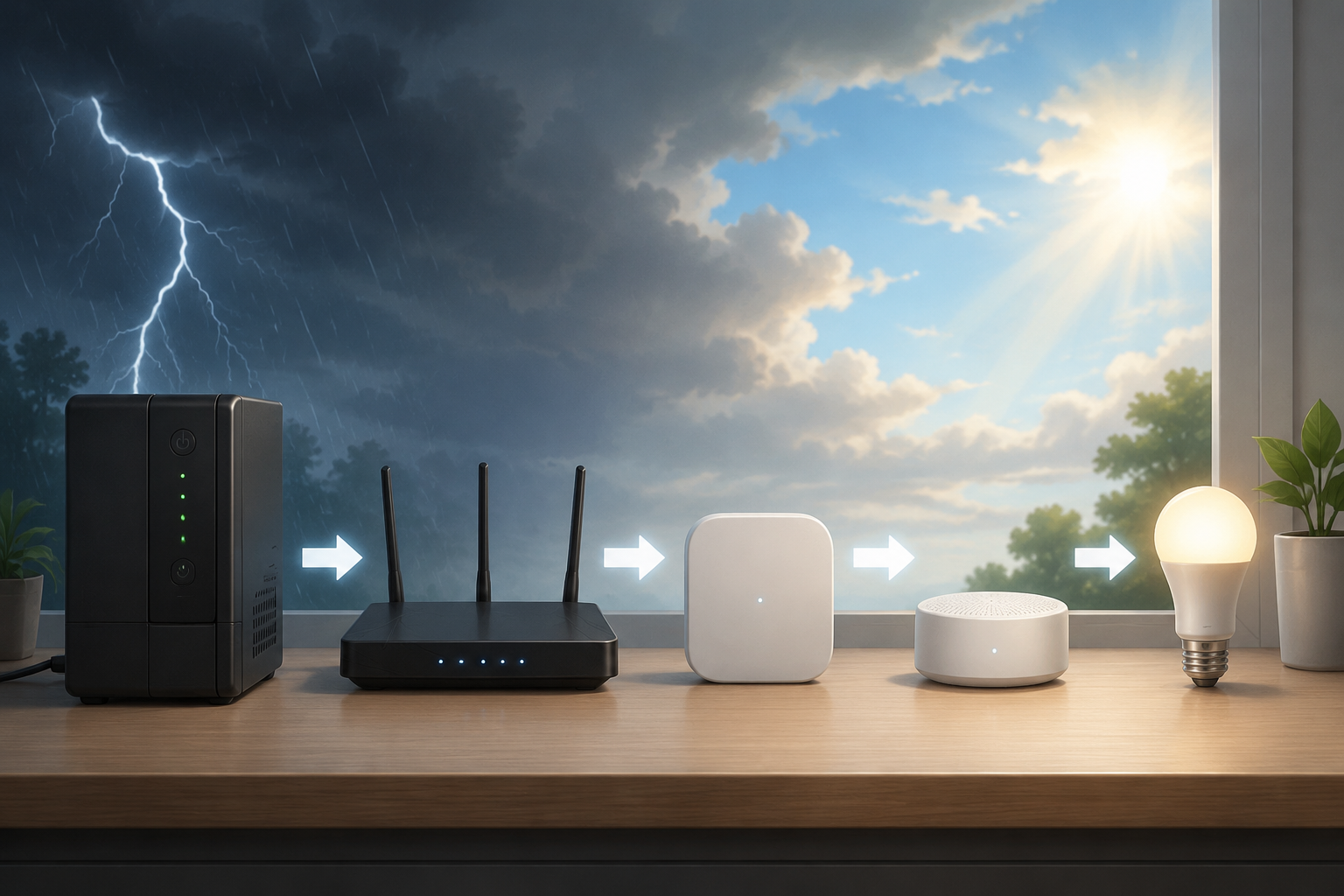
When power returns, the fastest-looking fix is often the one that creates extra work: rebooting everything repeatedly, deleting devices, or factory-resetting anything that looks absent. A cleaner recovery order gives the layers a chance to come back in the order they depend on each other.
- Stabilize power first. If lights are still flickering or large loads are cycling hard, wait before restarting sensitive gear where possible.
- Bring up modem or ONT, router, and core access points.
- Bring up the local hub or automation server.
- Bring up Thread border routers and bridges.
- Wait for Zigbee and Z-Wave meshes to settle. Zigbee may recover within minutes; Z-Wave devices that appear dead may need a physical trigger or time for mesh healing. [1][3]
- Give Thread more patience than Wi-Fi. If a border router lost power, the mesh may not look complete immediately. [1]
- For Matter devices that remain missing, restart the controller path and check alternate controllers before removing or factory-resetting the device.
- Once everything is stable, update the notes with what actually failed. The storm just gave you a dependency audit.
The house does not need every smart feature during a storm. It needs the few important ones to degrade predictably: locks with manual access, lights with a local path or a dumb fallback, sensors that can still report to a powered hub, and a recovery sequence that does not turn a temporary outage into an evening of re-pairing.
References
- Preparing Your Smarthome for Outages — HomeTechHacker
- What Happens To Smart Devices During A Power Outage — EVVR
- Prepare for Outages: Essential Tips to Keep Your Smart Home Running During Power Failures — WRAL, Jan 2026
- How to Protect Electronics During a Storm or Natural Disaster — Schlage
- What Happens to Smart Locks When the Power Goes Out? — KeyPlusYS
- Are Smart Homes More Vulnerable to Power Surges? — It's Electric Charlotte
- 2026 NEC Updates for Surge Protection — Bad Wolf USA
- NEC Updates on Surge Protection for Electrical Safety — Schneider Electric
- How to Protect Electronics from Lightning Strikes and Power Surges — Consumer Reports
Report a step that didn't work
Tell us which step failed and on what firmware or app version — we re-verify before changing the recipe.