
Setup
Set Up Severe Weather Notifications on Any Smart Home Hub
Get dated, copyable recipes for configuring severe weather alerts on Home Assistant, SmartThings, Alexa, Google Home, and Apple HomeKit. Each platform requires a different integration or workaround — find exactly what works for your hub right now.
An internet-connected smart home hub; platform-specific tools (e.g., HACS, Homebridge, IFTTT) may be required.
Last verified: July 22, 2026. These recipes are for smart home severe weather notifications delivered through internet-connected hubs and cloud services. They are useful as extra warnings, especially for lights, speakers, and remote phone alerts, but they do not replace a NOAA Weather Radio with SAME decoding or local emergency instructions.
| Hub | Status in Q3 2026 | Weather source or bridge | Realistic notification depth |
|---|---|---|---|
| Home Assistant | Confirmed custom-integration path | NWS Alerts custom integration or Weather Alerts custom integration | Push notifications, conditional automations, light flashing, speaker text-to-speech, dashboards |
| Amazon Alexa | Confirmed limited native path | Alexa proactive severe weather alerts | Alexa announces severe weather alerts, but does not expose a full multi-step automation pipeline |
| SmartThings | Legacy workaround | Groovy-era Severe Weather Alert SmartApp | Push or device actions are possible, but hourly repeats and platform age need careful handling |
| Google Home | Third-party workaround | AccuWeather plus IFTTT-style applet flow | Phone or smart-home actions depend on outside services; native proactive hub alerting is not confirmed here |
| Apple HomeKit | Community workaround | Homebridge Weather Plus plugin plus Shortcuts automation | HomeKit can react indirectly, but the chain is fragile and plugin-dependent |
| CAP Alerts integration | Beta/emerging option | seevee/cap_alerts | Promising event-driven architecture, not the main recommendation yet |
The useful question is not whether a hub can show weather. It is whether a warning can become an input: tornado warning arrives, hallway lights flash, bedroom speaker reads the alert, phones get a push, and nobody has to remember to open an app while the sirens are already going. On that test, the platforms separate quickly.
Start With The Hub You Already Own
If you only want the fastest path, use this matrix first, then jump to the recipe that matches your system. The split matters because severe-weather data rarely comes from the radio side of the house. It comes from an online source, then the hub decides how much of that alert can be turned into action.
| If you own | Use this path | Good for | Watch out for |
|---|---|---|---|
| Home Assistant | Install NWS Alerts or Weather Alerts through HACS/custom integrations | The richest local automation logic around NWS-style alert entities | Still internet-dependent; custom integrations need maintenance |
| Alexa | Say: “Alexa, tell me about severe weather alerts” | Quick setup for households that already use Echo speakers | Limited control over downstream automations |
| SmartThings | Use the legacy Severe Weather Alert SmartApp path where still available | Existing SmartThings homes that need basic alert-driven behavior | Hourly repeat fatigue; Groovy-era fragility |
| Google Home | Use AccuWeather plus IFTTT as the trigger chain | Households already committed to Google speakers and displays | No confirmed native proactive weather-alert automation path in the materials here |
| HomeKit | Bridge Weather Plus through Homebridge, then trigger Shortcuts/HomeKit actions | Apple-first homes willing to run a bridge | Community plugin and OS-update dependency |
Home Assistant: The Most Complete Severe-Weather Pipeline
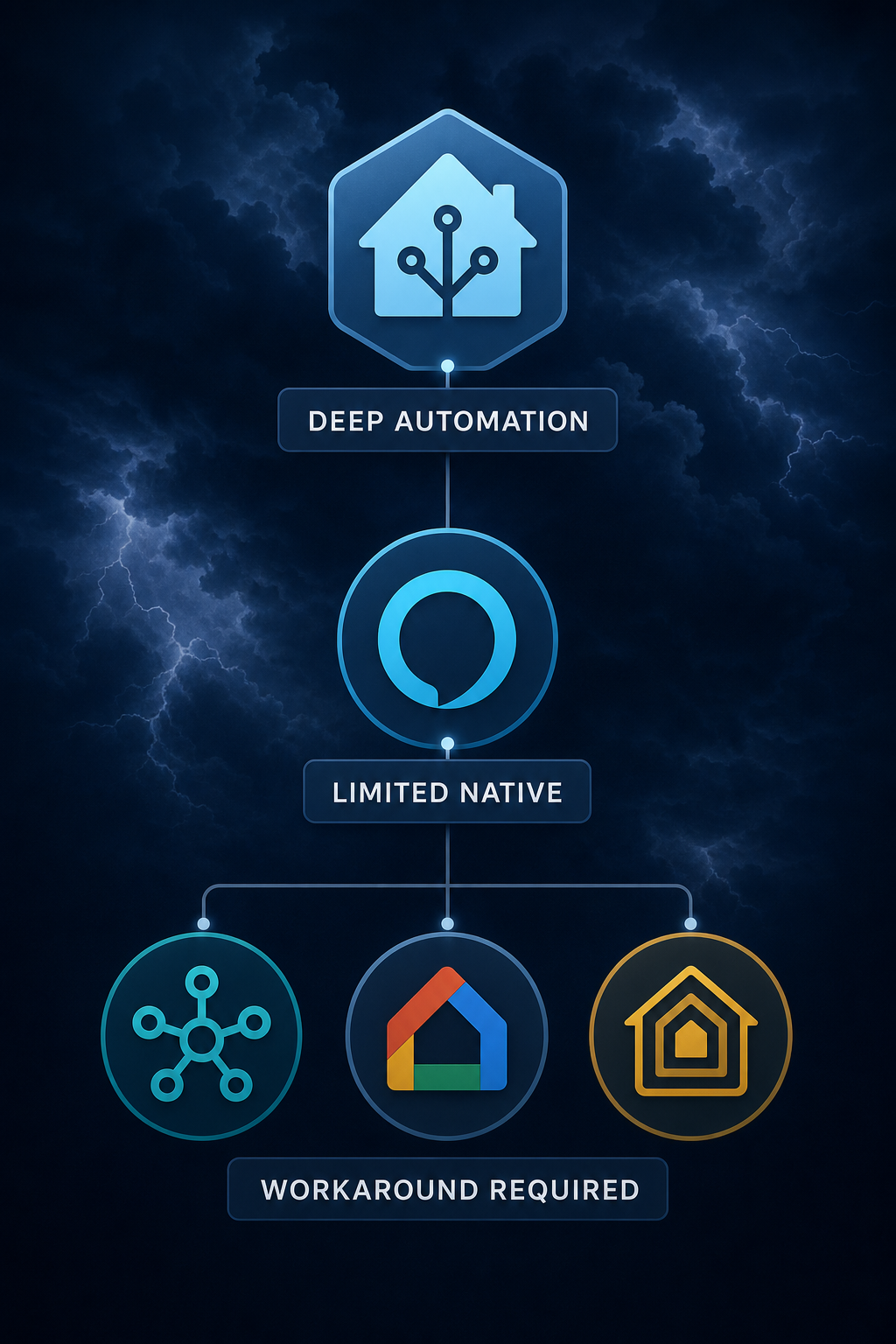
Home Assistant is the platform here that can treat a severe weather alert like a serious automation source instead of just a notification. The NWS Alerts custom integration from finity69x2 polls every 1 minute, which makes it practical for automations that need to react quickly once the online alert source updates.[1] The Weather Alerts custom integration is another Home Assistant path, with a documented 90-second default polling interval.[2]
The recipe below assumes you want alerts for events such as tornado warnings, flash flood warnings, and severe thunderstorm warnings. Adjust the event names for your county, region, or risk profile; do not copy someone else’s exact list unless their alert area and household needs match yours.
- Install HACS if your Home Assistant setup does not already use it.
- Add either the NWS Alerts custom integration or the Weather Alerts custom integration.
- Configure the integration for your alert area, then confirm that alert entities appear in Home Assistant.
- Create an automation that triggers when a relevant alert entity changes into an active state.
- Filter the automation by event name so routine statements do not use the same behavior as tornado, flash flood, or severe thunderstorm warnings.
- Send the alert to at least two channels: a phone push notification and an in-home signal such as lights, sirens, or speaker text-to-speech.
A practical Home Assistant notification should make the alert harder to miss without turning every weather statement into a household panic drill. For a sleeping household, I would start with a phone critical-style push where supported, a bedroom or hallway light pattern, and a speaker announcement that reads the event and area. For a distracted household, the light change matters because a voice announcement can get buried under a dishwasher, a television, or children already making noise.
alias: Severe weather warning alert
mode: single
trigger:
  - platform: state
    entity_id: sensor.nws_alerts
condition:
  - condition: template
    value_template: >
      {{ trigger.to_state.state | lower in [
        'tornado warning',
        'flash flood warning',
        'severe thunderstorm warning'
      ] }}
action:
  - service: notify.mobile_app_parent_phone
    data:
      title: "Severe weather warning"
      message: "{{ trigger.to_state.state }} is active. Check the alert details now."
  - service: light.turn_on
    target:
      entity_id:
        - light.hallway
        - light.bedroom_lamp
    data:
      brightness_pct: 100
      flash: long
  - service: tts.speak
    target:
      entity_id: tts.home_speaker
    data:
      message: "Severe weather warning. Check your phone or weather radio now."
Treat that YAML as a pattern, not a drop-in file. Entity names vary, text-to-speech services vary, and some lights ignore flash commands. The test is not whether the automation editor saves. The test is whether the person who needs the warning notices it from a bedroom, shower, garage, or backyard.
If you want to build a narrower weather workflow first, start with Automate Tropical Depression Warnings in Home Assistant. If the basic pipeline is already working, the follow-up 5 AI-Enhanced Weather Alert Automations Beyond Phone Alerts is the better place to add smarter routing, summaries, or household-specific escalation.
Home Assistant test checklist
- Trigger a safe test event or temporary test automation before storm season.
- Confirm phone push, light behavior, and speaker announcement separately.
- Check what happens when one device is offline, muted, or in Do Not Disturb.
- Keep the weather radio in the plan, especially overnight.
Alexa: The Easiest Native Setup, With A Ceiling
Alexa has the shortest confirmed setup path: say, “Alexa, tell me about severe weather alerts.” Gearbrain documented this proactive-alert command as the way to enable Alexa severe weather alerts.[3] For an Echo-heavy home, that is useful. It is also the least fussy option for someone who will never maintain a custom integration.
- Stand near the Echo device tied to the household account.
- Say: “Alexa, tell me about severe weather alerts.”
- Follow Alexa’s prompts to enable alerts for the relevant location.
- Wait for confirmation, then verify the location in the Alexa app if available.
The ceiling is automation depth. The materials here support Alexa as a native proactive alert path, not as a rich severe-weather automation engine. If your goal is simply to have Echo speakers announce severe weather, Alexa is reasonable. If your goal is to branch actions by alert type, flash specific lights, notify different people, and log the alert, Home Assistant remains the better fit.
SmartThings: Useful If You Already Have It, Fragile If You Are Starting Fresh
SmartThings deserves a careful answer because many households still have good SmartThings installations, and shaming those owners into a rebuild is not useful. The known path is the legacy Severe Weather Alert SmartApp discussed in the SmartThings community. That thread also documents the problem that makes weather automations maddening in real homes: repeated alerts every hour until the warning ends.[4]
The same discussion points to a cron adjustment as the practical fix for repeat fatigue, changing the scheduled behavior so the SmartApp does not keep announcing the same active warning every hour.[4] That matters because false urgency trains people to ignore the next alert. A notification that wakes the house six times for one warning can be worse than a quieter setup that escalates once and then updates only when the alert changes.
| SmartThings setup point | Recommended handling |
|---|---|
| Alert source | Use the Severe Weather Alert SmartApp only where your SmartThings environment still supports it. |
| Repeat behavior | Check for hourly repeats during a safe test or low-risk alert period. |
| Cron adjustment | Modify the schedule as described in the community workaround if the SmartApp repeats too often. |
| Newer platform risk | Do not assume a Groovy-era SmartApp is future-proof on newer Edge/Lua-based SmartThings setups. |
For SmartThings, I would keep the automation plain: one urgent phone notification, one obvious light behavior, and no elaborate scene choreography until the repeat problem is solved. If the SmartApp path is already brittle in your account, do not build your household warning plan around it.
Google Home: Use A Third-Party Trigger Chain
Google Home is the awkward one in this guide. The setup path available from the materials is not a clean native Google Home severe-weather alert feature. It is a third-party workaround that uses an external weather source such as AccuWeather and an IFTTT-style automation chain to push an action into the smart home.
- Create or sign in to the third-party automation service you plan to use.
- Choose a weather trigger from AccuWeather or another supported weather service.
- Limit the trigger to the severe events you actually want to act on.
- Set the action to notify a phone, run a Google-compatible routine where supported, or activate a connected device.
- Test the chain end to end, including account permissions and service delays.
Because this route depends on several services agreeing with each other, keep expectations modest. It may be enough for a visible lamp change or an extra phone notification. I would not treat it as the only alert path for overnight tornado or flash flood warnings.
HomeKit: Bridge Weather Into Apple’s World
HomeKit does not have the clean native path many Apple households would expect. The documented workaround discussed on Automators Talk uses the Weather Plus Homebridge plugin, then relies on automation through Shortcuts or HomeKit once the weather condition is exposed.[5]
- Run Homebridge on a device you are willing to keep maintained.
- Install and configure the Weather Plus plugin.
- Expose the relevant weather condition or alert-like state to HomeKit.
- Use Shortcuts or a HomeKit automation to react with lights, notifications, or scenes.
- After major iOS, macOS, or Homebridge updates, retest the chain.
This can be perfectly serviceable for an Apple-first home that already runs Homebridge. It is not the path I would recommend to someone who wants the fewest moving parts before storm season. The weak point is not HomeKit lighting; it is getting reliable, timely severe-weather data into HomeKit in the first place.
What To Test Before You Trust Any Of This
A severe-weather automation test should be a household test, not just a hub test. Stand where people actually are at the wrong moment: asleep, upstairs with a fan on, in the garage, cooking, or outside with a phone in a pocket. Then decide whether the setup is noticeable enough without becoming so noisy that everyone disables it.
- Phone path: confirm who receives the alert, whether Do Not Disturb blocks it, and whether remote family members get it.
- Speaker path: confirm volume, room coverage, and whether announcements work at night.
- Light path: use a pattern that is unusual enough to be recognized as weather-related.
- Repeat path: make sure the same warning does not fire so often that people ignore it.
- Failure path: decide what you will rely on when internet, power, cloud services, or the hub are down.
For heat-related automation, where the household response is different from a tornado or flash flood warning, see Smart Home Automation for Heat Advisory vs Extreme Heat Warning. The point is not to make every weather product behave the same way; it is to reserve the most disruptive alerts for conditions where interruption is justified.
Emerging Option: CAP Alerts Beta
The CAP Alerts integration from seevee/cap_alerts was released in May 2026 and is currently marked as beta.[6] Its appeal is architectural: CAP is a common alerting format, and an event-driven alert integration could eventually reduce some of the polling-and-parsing awkwardness in today’s recipes.
For now, I would treat it as something to watch or test in a non-critical automation, not the main severe-weather warning path for a household. Beta weather-alert code is interesting. A sleeping family does not care that the architecture is elegant if the alert does not arrive.
FAQ
Do Matter, Thread, Zigbee, or Z-Wave change severe-weather alerting?
Not in the part that matters most here. Those protocols can affect how lights, plugs, sensors, and sirens behave after an automation fires. They do not create the severe-weather warning data. If you are choosing protocols for reliability and long-term cost, use How to Choose Smart Home Protocols That Avoid Subscription Fees for that decision, then come back to the weather source separately.
Which hub is best for smart home severe weather notifications?
Home Assistant is the best choice for rich, multi-device severe-weather automation. Alexa is the easiest limited native option. SmartThings, Google Home, and HomeKit can participate, but the supported paths here depend on aging SmartApps, third-party services, or community bridges.
Can I use only smart speakers for tornado warnings?
Use smart speakers as an extra channel, not the only one. A speaker can be muted, offline, assigned to the wrong account, or too quiet for the room. Severe-weather warning systems need redundancy, especially overnight.
Should every alert flash lights?
No. Reserve the most disruptive actions for warnings that require attention now. If every watch, advisory, and routine statement uses the same light pattern, the pattern stops meaning anything.
References
- NWS Alerts, GitHub
- Weather Alerts, GitHub
- How to set up Alexa severe weather alerts, Gearbrain
- SmartApp: Severe Weather Notifications Help Needed, SmartThings Community
- Trigger HomeKit on NWS Severe Weather Alert, Automators Talk
- CAP Alerts, GitHub, May 2026
Report a step that didn't work
Tell us which step failed and on what firmware or app version — we re-verify before changing the recipe.