
Setup
Automate Legionella prevention with Home Assistant's rolling max sensor
Learn how to configure Home Assistant to monitor your hot water tank's maximum temperature over a rolling 7-day window and automatically run an electric disinfection cycle only when free heat sources haven't already killed Legionella, saving energy while maintaining safety.
Home Assistant, ESPHome, DS18B20 temperature probe, ESP32, relay/contactor for boiler, Wi-Fi network
The annoying moment is not when the boiler fails to run. It is when the weekly disinfection schedule is about to fire, the tank has already spent part of the week above the Legionella kill threshold, and Home Assistant is still preparing to burn electricity because the calendar says Sunday.
That is the specific problem this setup solves: do not ask whether it is time for a disinfection cycle; ask whether the stored hot water has already reached the temperature that made the cycle unnecessary.
A documented Mastori deployment makes the waste visible. Over a 30-day summer period, solar thermal alone pushed the tank above 70°C, so scheduled electric disinfection cycles during those periods were not adding useful heat; they were just adding cost.[1]
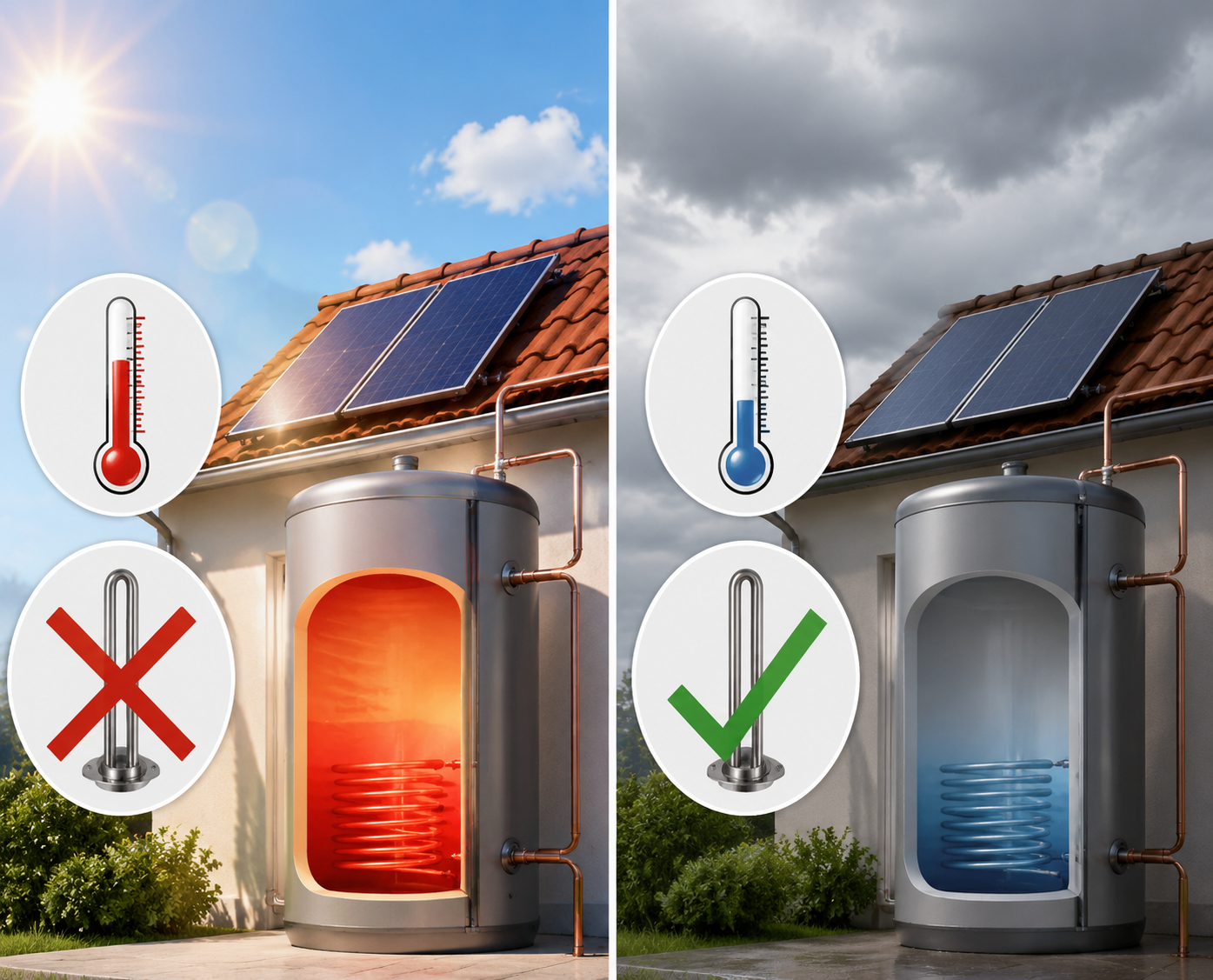
The better control rule is simple: keep measuring the tank, remember the highest stored-water temperature reached during the last seven days, and only run the electric disinfection relay if that rolling maximum stayed below 60°C / 140°F.
The One Temperature That Matters Is Not The Temperature Right Now
A current tank temperature sensor is useful, but it answers the wrong question for weekly disinfection. At 6:00 a.m. on Sunday the tank might be 48°C because everyone showered the night before. That does not mean it failed disinfection if solar thermal pushed the stored water above 60°C on Thursday afternoon.
The rolling maximum answers the audit question: what was the hottest measured stored-water temperature in the last seven days? If that number crossed the chosen threshold, the weekly electric cycle can be skipped. If it did not, the relay runs.
This distinction matters because solar thermal and heat pump systems often produce uneven heat. They do not care about your weekly automation time. A fixed schedule ignores free heat that arrived earlier; a rolling maximum uses it.
Use A Real Tank Probe, Not A Guess
The sensor path is the part to get boringly right. A DS18B20 waterproof probe connected through ESPHome is cheap, easy to replace, and accurate enough for this job: ESPHome documents Dallas temperature sensors with ±0.5°C accuracy, and the hardware is commonly available for under $15 per measurement point.[2]
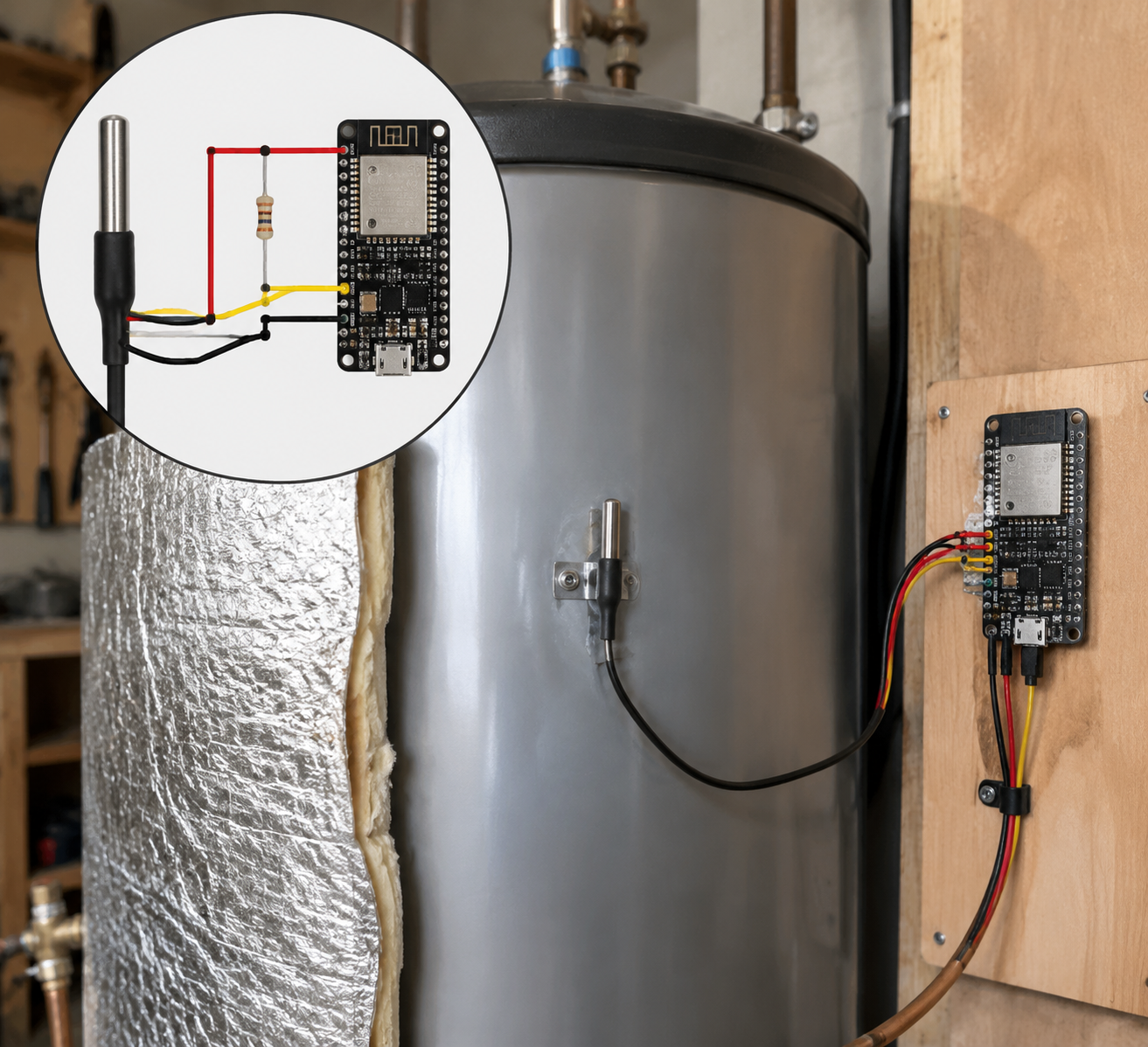
Mount the probe where it measures the stored tank temperature, not the temperature of a pipe that only gets hot during circulation. On many cylinders that means sliding the probe into an existing sensor pocket. If that is not available, clamp it firmly against the tank wall under insulation with thermal paste, then treat the reading as something to verify against the cylinder’s own thermometer or controller.
The wiring is the usual DS18B20 layout: red to 3.3V, black to ground, yellow data to a GPIO pin, and a 4.7 kΩ pull-up resistor between data and 3.3V. The resistor is not decoration; without a stable 1-Wire bus, the rolling maximum becomes a record of sensor glitches instead of tank heat.
| DS18B20 wire | ESP32 connection | Purpose |
|---|---|---|
| Red | 3.3V | Sensor power |
| Black | GND | Common ground |
| Yellow | GPIO pin, for example GPIO4 | 1-Wire data |
| 4.7 kΩ resistor | Between yellow data and 3.3V | Pull-up for stable readings |
Here is a minimal ESPHome configuration for the probe. Change the board, Wi-Fi details, GPIO pin, and address to match your device. ESPHome can usually discover the DS18B20 address in the logs after the first flash.
esphome:
  name: dhw-tank-sensor

esp32:
  board: esp32dev
  framework:
    type: arduino

wifi:
  ssid: !secret wifi_ssid
  password: !secret wifi_password

api:
ota:
logger:

one_wire:
  - platform: gpio
    pin: GPIO4

sensor:
  - platform: dallas_temp
    address: 0x1234567890abcdef
    name: "DHW Tank Temperature"
    id: dhw_tank_temperature
    update_interval: 60s
    accuracy_decimals: 1
After ESPHome is added to Home Assistant, the important entity is the live tank temperature. In the examples below it is named sensor.dhw_tank_temperature. Use your actual entity ID.
Turn The Live Reading Into A 7-Day Rolling Maximum
Home Assistant’s statistics sensor can watch the tank-temperature entity and expose the maximum value seen over a moving time window. That is the whole trick: the automation will not decide from the current temperature; it will decide from this derived maximum.
sensor:
  - platform: statistics
    name: "DHW Tank Max Temperature 7 Days"
    entity_id: sensor.dhw_tank_temperature
    state_characteristic: value_max
    max_age:
      days: 7
    sampling_size: 10080
The max_age setting makes old readings fall out of the calculation. The sampling_size value should be large enough to hold the samples created during that window. With a 60-second ESPHome update interval, seven days produces 10,080 samples.
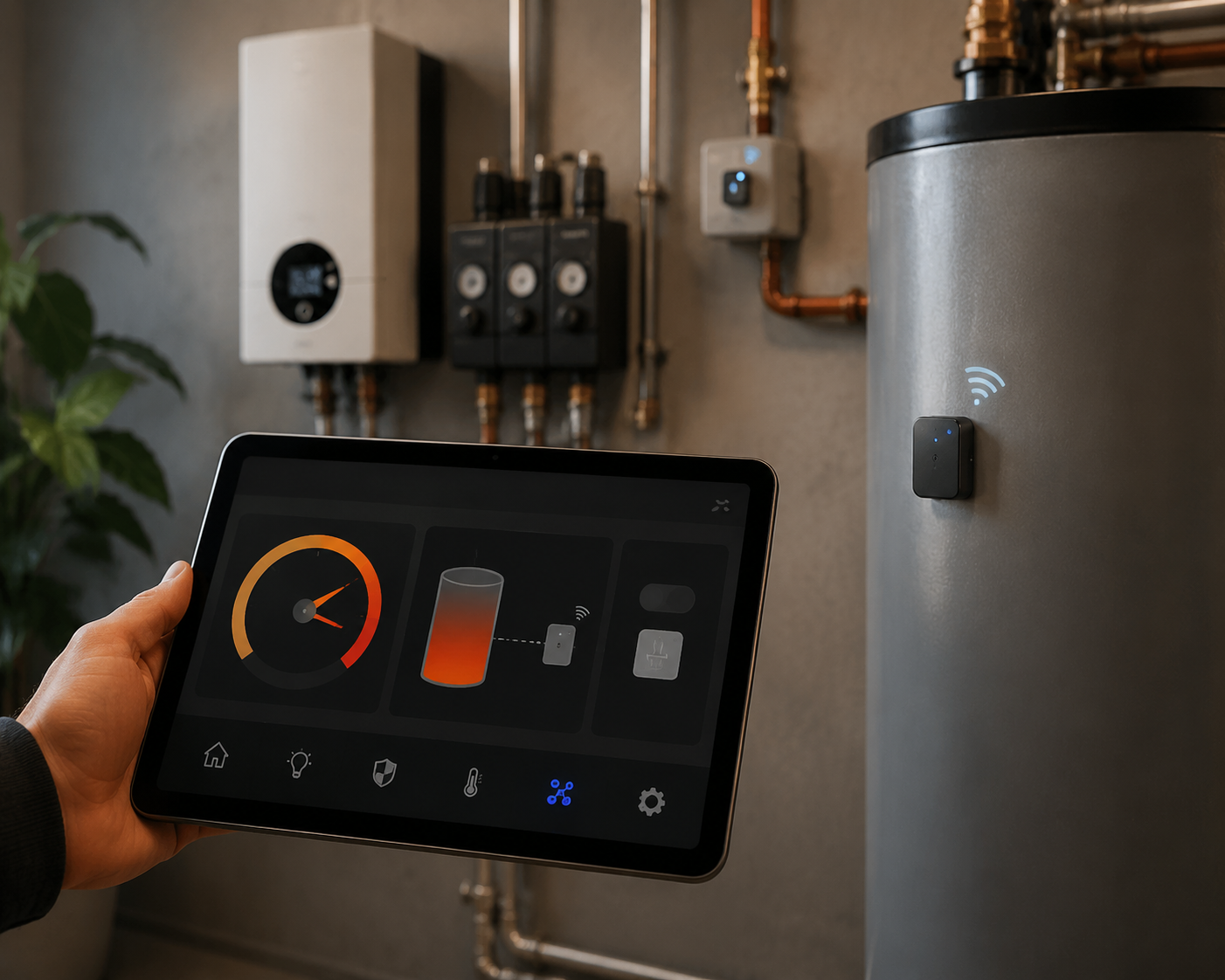
Once Home Assistant restarts, you should have a new entity similar to sensor.dhw_tank_max_temperature_7_days. Put both the live tank temperature and the rolling maximum on a dashboard for a week before letting anything switch automatically. The graph should make physical sense: the live value moves up and down; the rolling maximum holds the highest recent peak, then drops only when that peak ages out of the seven-day window.
Anchor The Automation Threshold Before Writing The Automation
The CDC potable water systems toolkit, referencing ASHRAE-style control guidance, gives the useful numbers for this recipe: store hot water above 60°C / 140°F; Legionella multiplies most rapidly in the 20–45°C range; and at 65°C, about 90% of Legionella dies in roughly 10 seconds.[3]
That does not mean a DIY relay box is now a public-health-certified control system. It means the automation threshold should be conservative and traceable. For this Home Assistant setup, the skip condition is only allowed when the rolling seven-day maximum is at or above 60°C / 140°F.
This is thermal pasteurization logic: the stored water has already reached a high enough control temperature, so the extra electric cycle is skipped. It is not thermal shock. The CDC explicitly says thermal shock is not recommended for potable water systems, so do not turn this into a “blast it above 70°C and flush every outlet” routine.[3]
The Weekly Skip-Or-Run Automation
This automation checks once per week. If the rolling maximum is below 60°C, it turns on the boiler disinfection relay. If the tank has already crossed 60°C during the last seven days, it logs a skip and leaves the relay off.
Map these entity IDs before copying:
| Example entity | Replace with |
|---|---|
| sensor.dhw_tank_temperature | Your live DS18B20 tank-temperature sensor |
| sensor.dhw_tank_max_temperature_7_days | Your Home Assistant statistics rolling maximum sensor |
| switch.dhw_boiler_relay | Your relay, contactor, or smart switch controlling the electric disinfection heat source |
| notify.mobile_app_your_phone | Your notification service, or remove the notify action |
alias: DHW weekly legionella prevention check
mode: single

trigger:
  - platform: time
    at: "06:00:00"

condition:
  - condition: time
    weekday:
      - sun

action:
  - choose:
      - conditions:
          - condition: numeric_state
            entity_id: sensor.dhw_tank_max_temperature_7_days
            below: 60
        sequence:
          - service: switch.turn_on
            target:
              entity_id: switch.dhw_boiler_relay
          - service: logbook.log
            data:
              name: "DHW legionella prevention"
              message: >-
                Electric disinfection started because the 7-day rolling maximum
                stayed below 60 C.
          - service: notify.mobile_app_your_phone
            data:
              title: "DHW disinfection started"
              message: >-
                7-day max is {{ states('sensor.dhw_tank_max_temperature_7_days') }} C,
                so the boiler relay has been turned on.
    default:
      - service: switch.turn_off
        target:
          entity_id: switch.dhw_boiler_relay
      - service: logbook.log
        data:
          name: "DHW legionella prevention"
          message: >-
            Electric disinfection skipped because the 7-day rolling maximum
            reached {{ states('sensor.dhw_tank_max_temperature_7_days') }} C.
      - service: notify.mobile_app_your_phone
        data:
          title: "DHW disinfection skipped"
          message: >-
            7-day max is {{ states('sensor.dhw_tank_max_temperature_7_days') }} C,
            so no electric disinfection cycle was needed.
That version deliberately separates the decision from the heating program. In a tidy setup, the relay energizes an existing boiler input, immersion timer, or manufacturer-supported disinfection mode that already has its own thermostat and over-temperature protection. Home Assistant is deciding whether to request the cycle, not replacing the appliance’s safety controls.
If your relay directly controls an electric element, stop and add independent protection before treating this as finished: a proper contactor if the load requires it, an appliance thermostat, an over-temperature cutoff, and electrical work that matches your local code. A YAML condition is not a safety device.
Optional: Turn The Relay Off After The Tank Crosses The Target
If the relay starts a heating cycle that Home Assistant must later stop, use a second automation that waits for the live tank probe to confirm the tank has reached 60°C. Keep any hold time, timeout, and high-limit behavior aligned with the appliance manual and the rules that apply where the system is installed.
alias: DHW stop disinfection relay at target temperature
mode: single

trigger:
  - platform: numeric_state
    entity_id: sensor.dhw_tank_temperature
    above: 60

condition:
  - condition: state
    entity_id: switch.dhw_boiler_relay
    state: "on"

action:
  - service: switch.turn_off
    target:
      entity_id: switch.dhw_boiler_relay
  - service: logbook.log
    data:
      name: "DHW legionella prevention"
      message: >-
        Boiler relay turned off after live tank temperature reached
        {{ states('sensor.dhw_tank_temperature') }} C.
This second automation should not be your only off mechanism. Sensors fail, Wi-Fi drops, ESP boards reboot, and Home Assistant databases get busy at exactly the wrong time. The appliance should still be able to stop heating without Home Assistant.
What To Verify Before Letting It Run Unattended
- Sensor placement: compare the DS18B20 reading with the tank controller or a trusted thermometer during a normal heat-up.
- Rolling maximum behavior: confirm the 7-day max rises when the tank heats and does not reset unexpectedly after Home Assistant restarts.
- Skip path: manually set the automation time after the rolling maximum is above 60°C and confirm the relay stays off.
- Run path: test with a temporary higher threshold or a test helper so you can see the relay request a cycle without waiting a week.
- Logging: check that the logbook records both skipped and started cycles with the measured rolling maximum.
- Fallback: decide what happens if the sensor is unavailable, stale, or clearly wrong; the conservative answer is to run the normal disinfection program.
For the fallback case, add an availability check if your installation is prone to sensor dropouts. A missing rolling-maximum value should not silently skip disinfection.
condition:
  - condition: template
    value_template: >-
      {{ states('sensor.dhw_tank_max_temperature_7_days') not in
         ['unknown', 'unavailable', 'none'] }}
Use that kind of check to block the skip logic, not to block safety behavior. If Home Assistant cannot prove the tank got hot enough during the week, the boring safe default is to run the existing cycle.
Where Built-In Water Heater Controls Fit
Some heat pump water heaters expose controls through Home Assistant’s water_heater integration. If your appliance already has a manufacturer-supported legionella or bacteria-prevention cycle, prefer requesting that mode over switching raw power to an element.[4]
The same rolling-maximum decision still helps. Instead of turning on switch.dhw_boiler_relay, the action can call the service or script that starts the appliance’s own high-temperature program.
action:
  - choose:
      - conditions:
          - condition: numeric_state
            entity_id: sensor.dhw_tank_max_temperature_7_days
            below: 60
        sequence:
          - service: script.turn_on
            target:
              entity_id: script.start_water_heater_legionella_cycle
    default:
      - service: logbook.log
        data:
          name: "DHW legionella prevention"
          message: "Built-in cycle skipped because the 7-day max reached target."
If you do not run Home Assistant at all, a thermostat or water-heater controller with a built-in bacteria-prevention mode is simpler. It will be less transparent than a rolling-max dashboard, but it avoids a DIY relay path.
This Is Not A Fringe Control Idea, But It Is Still DIY
Conditional disinfection is not just a forum trick. Loxone describes a commercial building-automation approach using 1-Wire temperature probes and intelligent legionella prevention logic that heats only when required, which is the same broad control idea: measure, decide, then heat.[5]
That comparison should make the Home Assistant version feel less weird, not more official. A homeowner automation with ESPHome and YAML is not the same thing as a designed, commissioned, documented commercial water-safety system.
The risk context also needs proportion. Heat Geek’s domestic-hot-water discussion says it found no recorded cases of Legionnaires’ disease contracted from a UK domestic property.[6] That is useful perspective, especially for normal domestic systems with regular water turnover. It is not a reason to disable a disinfection program on a storage tank with stagnation-prone pipework, long absences, low-temperature operation, or vulnerable occupants.
Compliance Boundaries To Keep Straight
For a private homeowner, automated logs are mostly there so the future version of you can understand what happened. Six months later, you want to see why the boiler skipped on a sunny week and why it ran during a cold, cloudy one.
Rental, commercial, and public buildings are different. UK HSG274 and ACoP L8 frameworks are not the same as US CDC/ASHRAE guidance, and commercial or rental properties may require formal records and monthly temperature checks; an IoT logging system can support that monitoring, but it does not magically create compliance on its own.[7]
So keep the claim narrow. This setup can reduce unnecessary electric disinfection cycles when the tank has already crossed a conservative temperature threshold. It can produce useful logs. It can make your weekly schedule less wasteful. It is not a certification, a legal guarantee, or a substitute for whatever water-safety process applies to a regulated property.
The Practical Setting I Would Use
For a normal Home Assistant-controlled storage tank, the bounded recipe is this: measure stored-water temperature continuously with a DS18B20 probe, expose a 7-day rolling maximum with the statistics integration, and let the weekly disinfection automation skip only when that maximum is at least 60°C / 140°F.
If the rolling maximum is below that threshold, run the appliance’s normal disinfection program or energize the relay path you have already made electrically safe. Log both outcomes. Keep the threshold conservative. Do not hide missing sensor data. And do not present the result as a certified commercial Legionella-control system.
References
- Automated Legionella Prevention — Mastori
- Dallas Temperature Sensor — ESPHome
- Potable Water Systems Module — CDC
- Water heater — Home Assistant
- Automated Intelligent Legionella Prevention — Loxone
- Hot Water Temperature, Scalding and Legionella — Heat Geek
- Legionella Prevention in Smart Buildings: Meeting Compliance Through IoT Technology — Forest Rock
Report a step that didn't work
Tell us which step failed and on what firmware or app version — we re-verify before changing the recipe.