
Setup
Can ChatGPT Voice-Control Your Streaming Apps?
Wondering if ChatGPT can voice-control your streaming apps? This guide explains the two real options in 2026: the official Spotify integration and the Home Assistant DIY path for everything else, with honest trade-offs to help you decide.
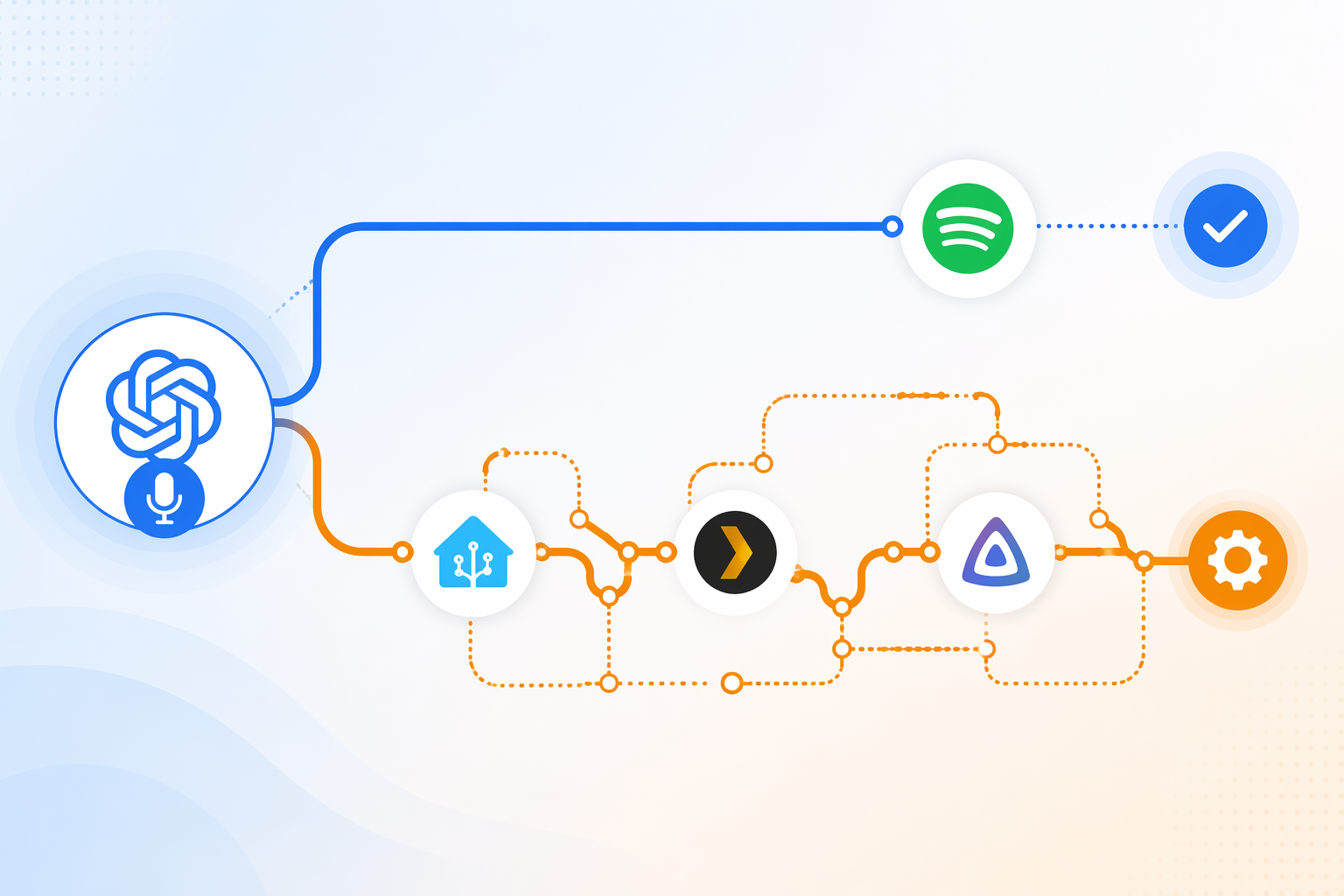
Yes, ChatGPT can voice-control streaming apps in 2026, but the honest answer is narrower than the headline usually sounds: Spotify has the clean official path, and almost everything else belongs in Home Assistant DIY territory. If you want to say “play my dinner playlist” and have Spotify respond inside ChatGPT, that is now a supported app integration. If you want Plex, Jellyfin, YouTube, Netflix, Apple TV, Roku, or Twitch, you are not looking at a polished native ChatGPT streaming-control layer. You are looking at Home Assistant, conversation agents, community components, device routing, and some willingness to maintain the thing later.
| Route | Best for | Streaming support | Setup burden | Support status |
|---|---|---|---|---|
| Official ChatGPT app integration | People who mainly want Spotify voice control | Spotify only as the official streaming app path in this context | About 10 minutes | Official app integration; available across Free, Plus, and Pro plans in 145 countries |
| Home Assistant DIY route | People who want broader media control and already tolerate smart-home projects | Spotify, Spotify Connect devices, Plex, Jellyfin, and other targets only where Home Assistant integrations, blueprints, or community work make them controllable | Weekend project, depending on the house and existing setup | Mixed: Home Assistant core features, official docs, third-party integrations, YAML, and community projects |
That split matters because the two options fail in different ways. The official Spotify route is limited, but it is easy to explain and easy to recover from. The Home Assistant route can reach much farther, but once a voice command passes through ChatGPT, an integration, a media player entity, a device target, and maybe a community script, the household has more places where “it stopped working” can mean five different things.
The clean path: ChatGPT with Spotify
Spotify is the simple case. OpenAI’s Spotify app integration launched in October 2025 and supports voice-mode use, with actions including playback, playlist creation, playlist editing, and library management. The reported availability is broad: 145 countries, across ChatGPT Free, Plus, and Pro plans.[1]
In practice, the interaction is meant to stay inside the ChatGPT app experience. You connect Spotify, ask for music in normal language, and ChatGPT can hand the request to Spotify rather than making you build a bridge with scripts or automations. TechCrunch’s walkthrough of ChatGPT apps describes this broader Apps SDK model as an in-chat app experience where users can call services such as Spotify directly from ChatGPT.[2]
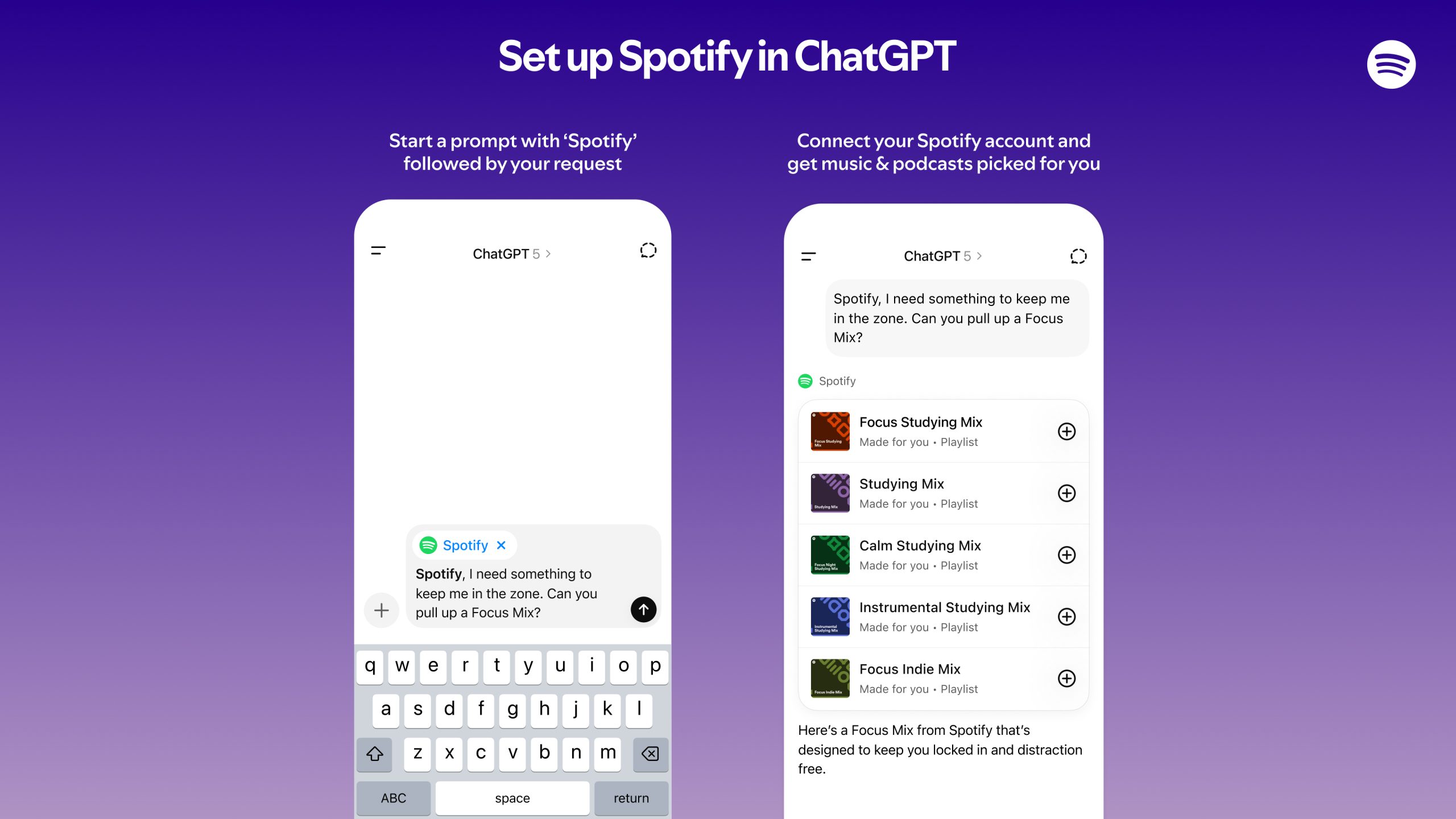
This is the route to choose if your real goal is Spotify and you want the lowest-drama version of ChatGPT voice control for streaming. It is not the route to choose if “streaming apps” means the TV stack in the living room. Spotify gets the official app treatment; Netflix, YouTube, Twitch, Apple TV, and Roku do not become native ChatGPT-controlled streaming apps just because ChatGPT has voice mode.
What changes when you leave the official path
The moment the target is not Spotify through the official integration, ChatGPT stops being the streaming remote and becomes one part of a control pipeline. The practical route is Home Assistant: ChatGPT interprets the request, Home Assistant exposes the devices and services, and the media-control layer decides what can actually play where.
A typical Home Assistant version has a few moving parts: the Extended OpenAI Conversation integration for ChatGPT-style intent handling, Home Assistant Assist for voice pipelines, media player entities for speakers or screens, and service-specific components or blueprints for targets such as Spotify, Plex, or Jellyfin. JuanMTech’s Home Assistant Voice PE guide is a useful base setup reference for adding ChatGPT to Home Assistant before layering streaming-specific controls on top.[3]
Home Assistant’s own voice-control documentation is the more grounded place to look for what Assist can do in a media setup. It documents voice pipelines and blueprints, including media-server playback patterns for Plex and Jellyfin through Home Assistant conversation agents.[4]
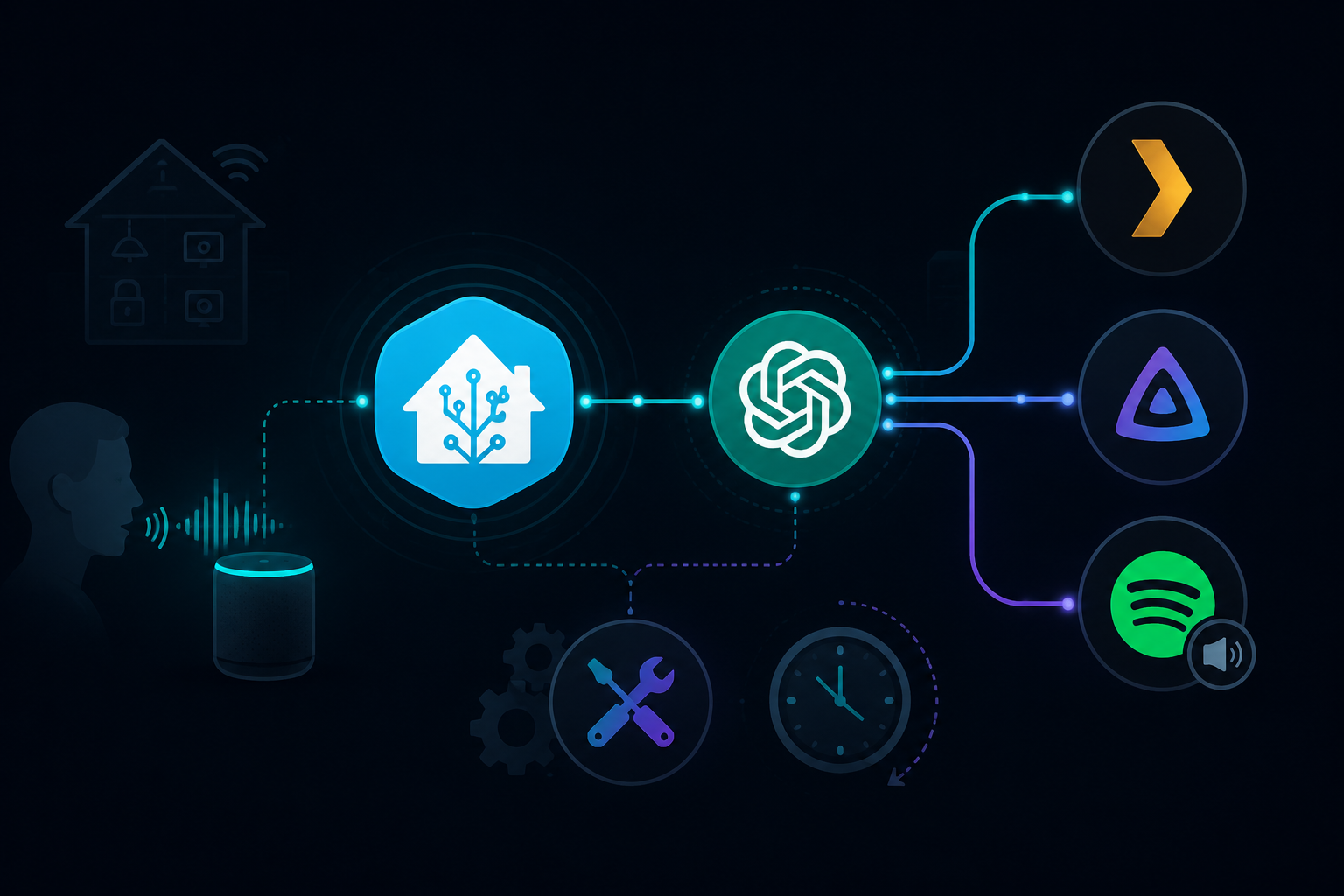
This is where the phrase “ChatGPT can control streaming apps” needs careful handling. Home Assistant may be able to control a media player, a Spotify Connect target, a Plex library, or a Jellyfin playback action. That is not the same as ChatGPT having native, officially supported control of every streaming service. The difference shows up the first time a token expires, a YAML template breaks, a media player entity changes name, or a community integration stops matching the upstream API.
A Spotify DIY setup is more capable, but also more yours to own
The cauld/spotify-voice-assistant project shows what the Home Assistant version of Spotify control really looks like. It is not just “turn on ChatGPT and ask for a song.” The repository includes YAML configuration, function-calling templates, Spotify Connect device handling, and notes about routing playback to supported devices. It is also a third-party community project, not an official Spotify, OpenAI, or Home Assistant product; the research snapshot lists 11 stars and 27 commits.[5]
That small footprint is not an insult. A lot of useful Home Assistant work begins exactly this way: one person solves a specific household problem, publishes the working pieces, and other people adapt them. It does mean the risk is different from the official Spotify app integration. If the integration needs maintenance, the maintainer may be you.
- Use the official ChatGPT-Spotify app if you want simple Spotify playback, playlists, and library actions.
- Use Home Assistant if you need Spotify Connect device routing or want Spotify voice control tied into rooms, scenes, sensors, and automations.
- Avoid the DIY route if the household expectation is that voice music control should recover like a normal consumer app after an update.
Plex and Jellyfin are better Home Assistant targets than most video apps
Plex and Jellyfin fit the Home Assistant route more naturally than locked-down video streaming services because Home Assistant can see media-server entities and work through documented voice-control patterns. The Assist documentation points to voice blueprints for media-server playback, which is a much better foundation than pretending ChatGPT can directly operate every commercial video app.[4]
The maintenance question still applies. A media-server voice command has to resolve the spoken request, find the media item, choose the playback device, and start playback through the right Home Assistant service. If the library metadata is messy or the target player is asleep, ChatGPT’s conversational polish will not magically remove those local problems.
Netflix, YouTube, Twitch, Apple TV, and Roku need a reality check
There is visible demand for broader streaming control. An OpenAI Developer Community feature request asks for integrations with services including Netflix, YouTube, and Twitch, but that request is not the same as shipped support. As of Q3 2026, this demand has not turned into an official ChatGPT streaming-control layer for those apps.[6]
Could a determined Home Assistant user build partial control around a TV, browser, casting device, remote entity, or automation? Sometimes, depending on the hardware and the app. But that is device control around a streaming service, not native ChatGPT control of Netflix or YouTube. It should be described as a project, not a feature.
Latency is the trade-off people notice after the demo
The appeal of putting ChatGPT in the loop is obvious when the request is vague. “I’ve had a rough day, play something relaxing” is the kind of sentence an LLM can interpret more gracefully than a brittle command parser. The cost is time. The cauld/spotify-voice-assistant project notes 2–10 seconds of LLM processing latency, with user reports extending beyond that range; those figures are project notes and user reports, not controlled benchmarks.[5]
That delay changes how voice control feels in a room. A one- or two-second local Home Assistant pipeline can feel like a normal assistant. A multi-second LLM round trip can feel like the house is thinking, or stuck. If the command is “start the playlist before guests walk in,” a longer response may be acceptable. If the command is “pause this now,” it may not be.
Performance also depends on the model, the local hardware, the Home Assistant voice pipeline, the media integration, and the target playback device. A fast setup in one house does not prove the same result in another. That is why the latency numbers should be treated as a planning range, not a promise.
How to choose without overbuilding
Start with the streaming service, not the AI feature. If Spotify is the main target, the official ChatGPT integration is the sensible first stop. It supports the core music actions most people want, works in voice mode, and avoids putting a Home Assistant maintenance layer between a normal sentence and a song.[1][2]
Choose Home Assistant when the streaming request is really part of a larger house-control problem: route music to a specific speaker group, play a Plex movie on a particular device, combine media playback with lighting, or expose a Jellyfin library through Assist. If you still need the base OpenAI-and-Home-Assistant groundwork, start with the site’s guide to setting up ChatGPT to control your smart home, then come back to the streaming-specific pieces.
| If your goal is... | Choose... | Why |
|---|---|---|
| Voice control for Spotify music with minimal setup | Official ChatGPT Spotify integration | It is the supported path and covers playback, playlists, editing, and library actions. |
| Spotify routed to specific Home Assistant devices or rooms | Home Assistant | You need device entities, Spotify Connect routing, and possibly custom templates. |
| Plex or Jellyfin voice playback | Home Assistant Assist | Home Assistant has documented voice-control patterns and blueprints for media-server playback. |
| Netflix, YouTube, Twitch, Apple TV, or Roku control | Only a custom Home Assistant/device-control project, if feasible | There is no official native ChatGPT streaming-app control for these services as of Q3 2026. |
| A setup other household members can depend on without troubleshooting | Official integration where possible | Fewer moving parts usually means easier recovery. |
The practical cutoff is maintenance tolerance. Official Spotify is the 10-minute answer. Home Assistant is the weekend answer. It can be more powerful, more personal, and more satisfying, but it also creates a system someone has to understand when the voice command that worked last month suddenly stops finding the living-room player.
Use the official ChatGPT integration if Spotify is the streaming app you care about. Use Home Assistant if broader control is worth slower responses, community components, and ongoing upkeep. There is no polished middle tier hiding between those two.
References
- ChatGPT Now Lets You Control Spotify With Your Voice, Technology Org, October 13, 2025
- How to use ChatGPT apps: DoorDash, Spotify, Uber, and more, TechCrunch, April 6, 2026
- Enhance the Home Assistant Voice PE with the ChatGPT integration, JuanMTech
- Voice control, Home Assistant
- spotify-voice-assistant, GitHub
- Feature Suggestion: Integration and Control of Streaming Apps, OpenAI Developer Community
Report a step that didn't work
Tell us which step failed and on what firmware or app version — we re-verify before changing the recipe.