
Your Smart Home Tornado Warning Safety Checklist for Ohio
An Ohio tornado safety checklist that treats the smart home as one optional layer over the alerting core that must never fail: WEA on your phone, a NOAA Weather Radio, and a pre-chosen shelter room. It separates what a smart home can genuinely add before, during, and after a tornado warning from what it can never replace — and what must be configured and tested before the season starts.
An Ohio smart home tornado warning safety checklist has to start with the part that is not smart-home at all. NOAA puts the current average tornado warning lead time at about 13 minutes, which is not enough time to find an app setting, pair a speaker, wonder why a routine did not fire, or explain to a half-awake household where the safest room is. [1]
Ohio has also had enough recent tornado activity that this should not be treated as a once-in-a-generation chore. The National Weather Service Wilmington year-by-year series lists 74 tornadoes in Ohio in 2024, 60 in 2023, and 28 in 2025, with recent-year counts subject to the normal finalization process on the climatology page. [2]

The first-screen checklist
If nothing else gets configured this week, these are the pieces that should already work before the next warning:
- Wireless Emergency Alerts enabled on every household phone, including the phone that sleeps on the nightstand.
- A NOAA Weather Radio placed where it can wake people, with batteries installed and the alert function tested.
- One pre-chosen shelter area: a basement, storm shelter, or small interior room on the lowest level, away from windows.
- Household agreement that when a tornado warning arrives, people move first and troubleshoot nothing.
Only after that core is in place does the smart-home layer earn attention:
- Smart speaker weather announcements, if the platform supports them and they have been tested.
- A shelter-path lighting scene that turns on useful lights without forcing anyone to look at a screen.
- Battery backup for the internet gear, hub, selected lamps, weather radio, and phone charging.
- Optional automations that announce, illuminate, or log events, but never replace the official alert path.

Why the core alert stack matters indoors
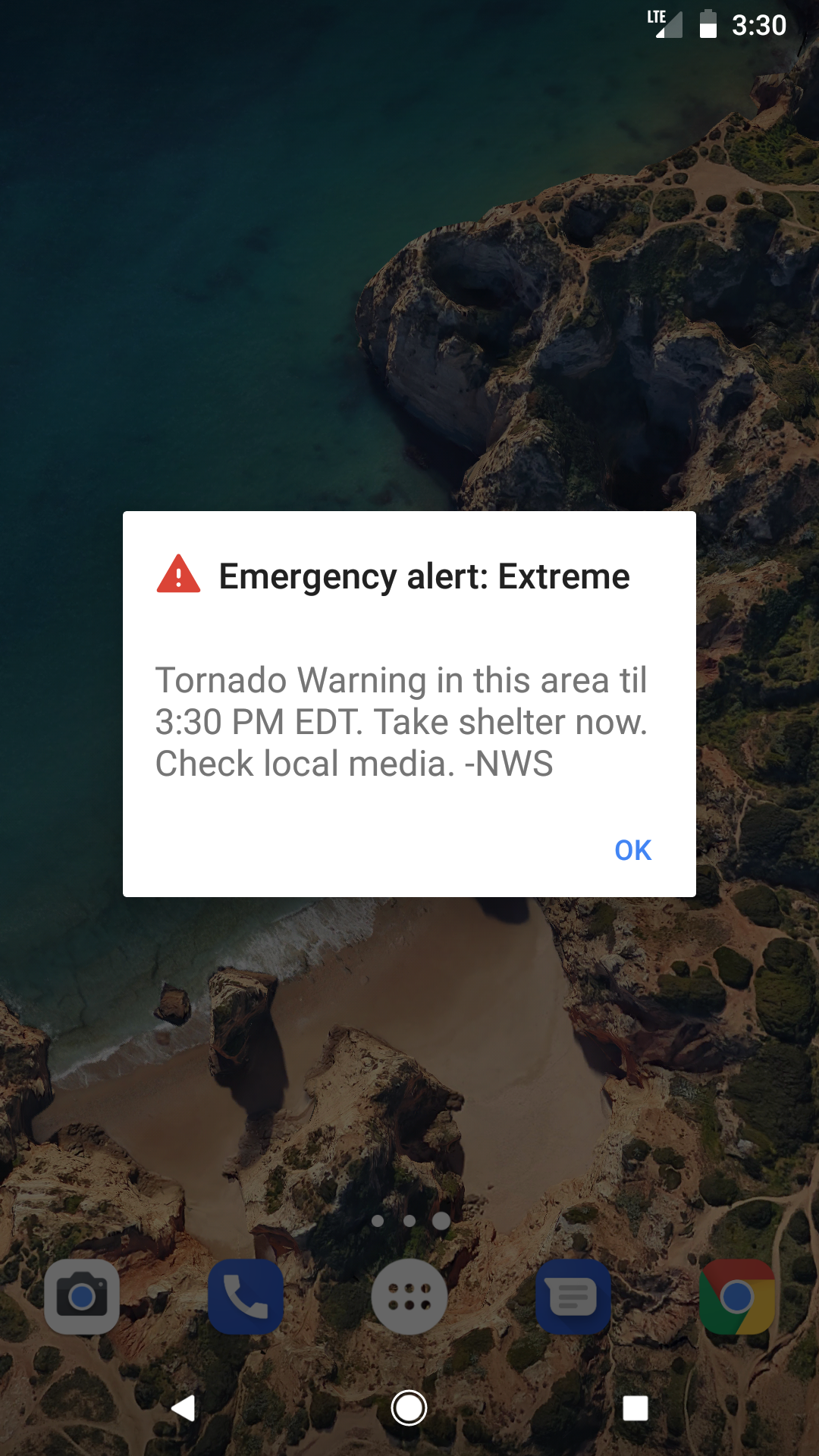
Wireless Emergency Alerts deserve a top slot because tornado warnings require no signup, are free, arrive with a special tone and vibration repeated twice, and are not affected by network congestion. The caveat is worth checking now: users can opt out of imminent-threat alerts on their phones, so the setting should not be assumed. [3]
A NOAA Weather Radio fills a different gap. It broadcasts official warnings 24/7 from more than 1,000 transmitters on 162.400 to 162.550 MHz, and it is independent of internet and cellular networks. [4] That independence is exactly why it still belongs on a smart-home checklist. It is not prettier than a dashboard, but it is still there when the dashboard has become a decoration.

Outdoor sirens should not be promoted to indoor warning duty. Ohio’s severe-weather guidance says outdoor warning sirens are “designed to be heard outdoors,” and siren activation is local rather than a uniform statewide indoor alert service. [5] If one wakes you, fine. If it does not, that is not a failure of the siren system so much as a bad household plan.
Before the season: configure what must already be working
The useful work happens on a quiet afternoon, not while the warning polygon is already over your county. Put the phone, radio, shelter room, and smart-home pieces through one boring test while everyone is calm enough to notice the annoying details.
1. Confirm WEA on every phone
Open the emergency alert settings on every household phone and confirm that imminent-threat or emergency alerts are enabled. Do not stop at the main phone account owner’s device. Check the older phone plugged in upstairs, the teenager’s phone, the work phone that may be on Do Not Disturb, and the spare device that still receives alerts.
Then decide where the phone sleeps. A tornado warning that lands at 2 a.m. has to be loud or close enough to wake someone. A phone face-down under a pillow, in another room, or with critical alert settings disabled is not much of a layer.
2. Place and test the NOAA Weather Radio
The radio should live where its alert can be heard from sleeping areas, not where it looks tidy next to the router. Install fresh batteries, plug it into mains power for normal use, extend the antenna, and confirm reception. If the radio supports county programming, set it for your county and any neighboring county that matters to your commute, school pickup, or family care routine.
This is also where false confidence shows up. A weather radio with no batteries, a muted alert tone, or bad reception is not a redundant channel. It is a prop.
3. Pick the shelter room and remove decision-making
Name the room out loud: “basement under the stairs,” “interior first-floor bathroom,” “center hallway,” or whatever is actually safest in the home. The point is not to debate the perfect spot after an alert. The point is to have a place everyone can reach in the dark.
Walk the route once with lights off. Notice the laundry basket on the basement stairs, the locked pet gate, the flashlight with corroded batteries, the extension cord across the path, and the smart bulb that comes back at 1% brightness after a power flicker. These are the failures that matter because they are small enough to fix before they become part of the warning.
4. Add Alexa only as a configured layer
Amazon’s Alexa path is straightforward enough to be useful if you already have Echo devices in the house: say, “Alexa, tell me when there’s a severe weather alert,” or enable weather notifications in the Alexa app under Settings > Notifications > Weather. [6] After enabling it, wait for a testable weather notification or use your next drill to confirm which devices announce, how loud they are, and whether the announcement reaches the sleeping areas.
Do not count a kitchen Echo as a bedroom warning device unless it can wake someone in the bedroom. Do not count an Alexa notification if the device is unplugged every night because the outlet is needed for a charger. Smart speakers are good at whole-house nudges; they are poor substitutes for the phone and radio that should already be screaming.
5. Treat Google Nest speakers as workaround-only unless re-verified
Reviewed’s emergency smart-speaker guide, updated in February 2022, reported that Google Nest speakers and displays did not natively support severe weather alerts in the same way. [7] That status should be re-checked at setup time and again before each household drill, because platform features change. Until you personally confirm native severe-weather announcements on your exact devices, label Google Nest as Workaround.
A workaround might still help: a routine that turns on shelter-path lights when you say a command, a broadcast command used after WEA arrives, or a third-party service that announces alerts. But a workaround that needs a person to speak, tap, or diagnose something during a warning is not an alert channel. It is a convenience after the official alert has already done the hard part.
6. Build one shelter-path lighting scene
This does not need to be theatrical. Pick the few lights that help people move: bedroom lamp, hallway, stair light, basement entry, shelter-room light. Set them to a usable brightness and a color that does not destroy night vision. If the house uses smart bulbs at critical fixtures, confirm their behavior after power loss. A bulb that defaults off after an outage is not helpful on the stairs.
Name the scene something plain enough that anyone can remember it. “Tornado shelter” is better than a clever routine name. If voice control is part of the plan, test the phrase with background noise, a tired voice, and the door to the bedroom closed.
7. Give the important pieces backup power
Battery backup is not only for the router. Start with phone charging, the NOAA Weather Radio’s batteries, flashlights, and any medical device that matters to the household. If you add a small UPS, decide what it powers: modem, router, hub, and perhaps one low-draw lamp. Do not plug a random power strip into it and hope it lasts.
After the alert layers are configured, stock the shelter area or the nearby emergency kit. Red Cross tornado guidance calls for a Go-Kit with at least 3 days of supplies, a Stay-at-Home Kit with at least 2 weeks of supplies, a month of medication, a backup way to charge phones, and a battery-powered radio. [8]
| Layer | What it should do | Failure it should survive |
|---|---|---|
| WEA on phones | Wake or alert people with the official tornado warning | No app installed, no account signup, cellular congestion |
| NOAA Weather Radio | Provide official 24/7 warning audio | Internet outage, router outage, cellular problems |
| Chosen shelter room | Remove debate about where to go | Darkness, fear, half-awake decision-making |
| Smart speaker alert | Add a whole-house announcement | Only if configured, powered, connected, and audible |
| Shelter lighting scene | Guide movement without opening an app | Only if bulbs, switches, hub, and power behave as tested |
| Battery backup | Keep critical alert and movement tools alive longer | Short power outage or tripped circuit |
When the tornado warning hits
This is the sequence to practice. It is intentionally short because the warning window is short.
- WEA, NOAA Weather Radio, a trusted weather app, local broadcast, or a configured smart speaker announces the tornado warning.
- Someone says the plain command if needed: “Tornado shelter.” If an automation fires automatically, let it help; if it does not, move anyway.
- People go to the pre-chosen shelter room immediately. Shoes, phones, pets, glasses, medications, and the emergency kit come only if they are already within reach.
- Shelter-path lights and speaker announcements can guide movement, but nobody stops to fix a bulb, reconnect Wi-Fi, ask why Alexa was quiet, or open a dashboard.
- Inside the shelter area, protect heads and necks, keep the phone and radio close, and wait for reliable updated information before leaving.
A smart home is useful here only if it reduces hesitation. The good version is boring: lights come on, a speaker announces, a hallway is easier to navigate, and the household is already moving. The bad version is familiar to anyone who has tested automations long enough: someone stands in the kitchen repeating a voice command while the phone is already telling them what to do.
After the warning: recover, then note what failed
After the immediate danger has passed, the smart-home work is not to declare success. It is to find the weak spots while they are still fresh. Which alert woke people first? Which device was too quiet? Did the shelter lights actually help? Did the weather radio have batteries? Did the router or hub stay up? Did anyone know what to do without asking the app?
If power is out, preserve phone battery and use the NOAA Weather Radio, local official information, and emergency guidance rather than refreshing camera feeds or dashboards. If damage occurred, avoid hazards and follow local instructions. The checklist can wait until people are safe.
Power-user note: Home Assistant can help, but keep it in its lane
Home Assistant users can build a cleaner local sequence than most cloud-only homes, especially for lights, sirens inside the house, dashboard notices, and notification routing. The official Home Assistant National Weather Service integration is for NWS forecast data. [9] A separate community integration, nws_alerts, exposes active alert counts and refreshes every minute, which can be used to trigger automations. [10]
That distinction matters. A community sensor is not the same thing as an official warning receiver, and a home automation server is still subject to its own power, network, hardware, and maintenance problems. If Home Assistant announces a tornado warning and turns on the basement path, excellent. If it is updating, offline, or waiting on an integration change, WEA and the NOAA Weather Radio should already be doing their jobs.
| Smart-home claim | Status to use in this checklist | Verification note |
|---|---|---|
| Alexa severe-weather notifications | Configured smart-home layer | Checked on Aug. 25, 2026 against available Alexa severe-weather alert documentation; re-test on the household’s own Echo devices. |
| Google Nest native severe-weather alerts | Workaround unless personally re-verified | Reviewed’s 2022 guidance reported no native support; update the label if Google ships and documents the feature. |
| Home Assistant NWS | Power-user layer | Distinguish the official NWS integration from the community nws_alerts sensor before building automations. |
Use the March Ohio drill as the household test
Ohio’s severe-weather awareness materials point to an annual statewide tornado drill in March. The current state page lists the 2027 statewide tornado drill for Wednesday, March 24, 2027, at 9:50 a.m., with sirens sounding for about three minutes in place of the regular Wednesday noon test. [5] Because the date changes each year, verify the exact drill date when you print or share the checklist.
The drill is the right time to run the house, not just read the plan. Put phones where they normally sleep. Turn on the weather radio. Trigger the shelter lighting scene. Have everyone walk to the shelter area. Check whether the smart speaker can be heard from bedrooms and the basement. Time how long it takes without rushing.
Then fix only what failed. Raise the speaker volume. Move the radio. Replace batteries. Rename the routine. Clear the basement stairs. Add a charger to the shelter kit. Retest after changing routers, hubs, phones, voice assistants, or smart bulbs, and again before the next March drill.
In Ohio, a smart home can help people hear, move, and recover faster during a tornado warning. It earns that role after the official alerting core and shelter plan are already in place.
References
- Tornadoes 101, NOAA, https://www.noaa.gov/stories/tornadoes-101
- Yearly Tornadoes Since 1950, National Weather Service Wilmington, https://www.weather.gov/iln/tornado_climatology
- Weather warnings on the go!, National Weather Service, https://www.weather.gov/wrn/wea
- NOAA Weather Radio, National Weather Service, https://www.weather.gov/nwr/
- Severe Weather Awareness Week, Ohio Committee for Severe Weather Awareness, https://weathersafety.ohio.gov/weather-safety/awareness-campaigns/severe-weather-awareness-week
- How to use Alexa to get severe weather alerts, GearBrain, https://www.gearbrain.com/alexa-proactive-severe-weather-alerts-2645436767.html
- How Amazon Echo and Google Home can help you in an emergency, Reviewed, February 2022, https://www.reviewed.com/smarthome/features/how-amazon-echo-and-google-home-can-help-you-in-an-emergency
- Tornado Safety, American Red Cross, https://www.redcross.org/get-help/how-to-prepare-for-emergencies/types-of-emergencies/tornado.html
- National Weather Service (NWS), Home Assistant, https://www.home-assistant.io/integrations/nws/
- nws_alerts, GitHub, https://github.com/finity69x2/nws_alerts