
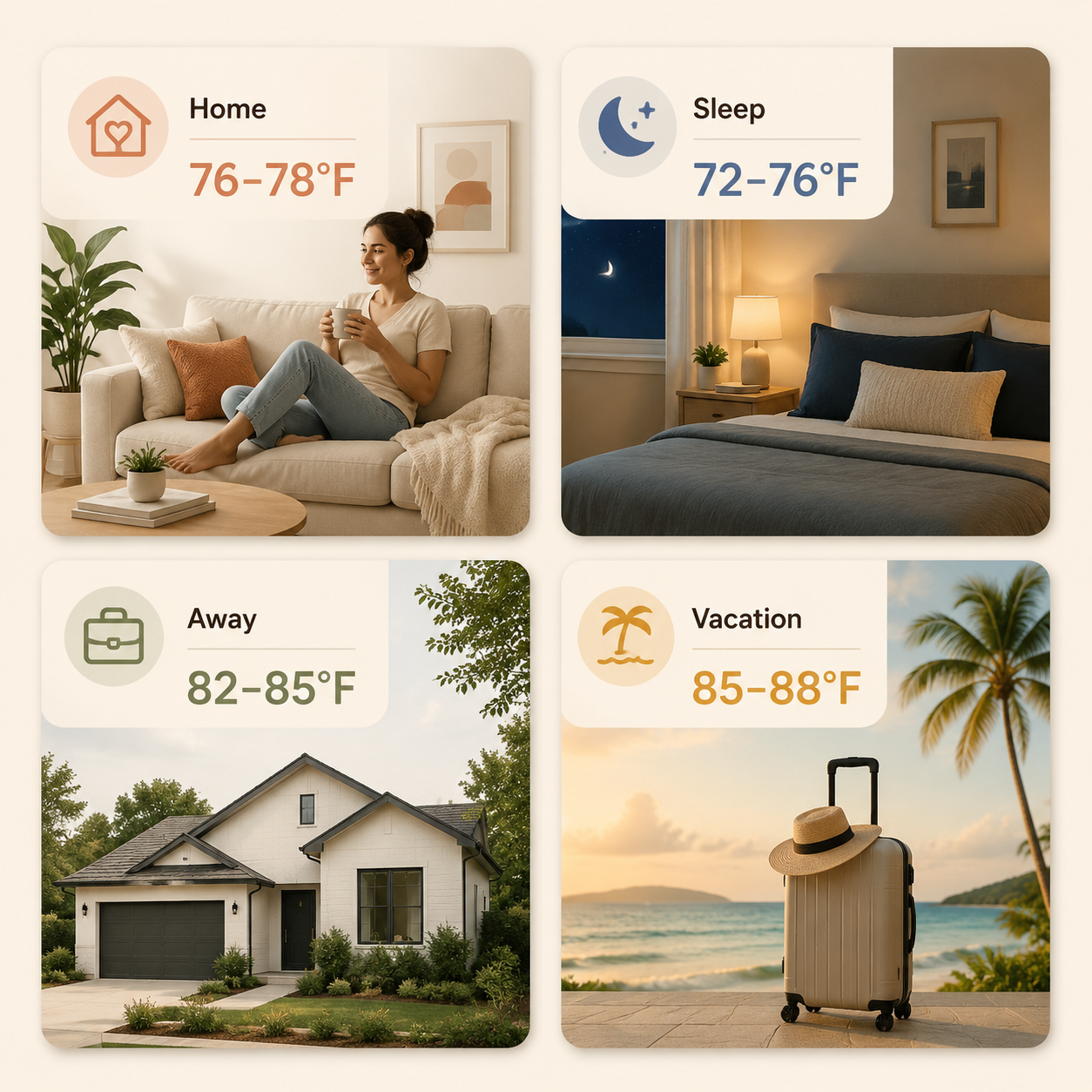
If you want to lower your AC bill with a smart thermostat, start with the schedule, not the brand menu. For most homes in summer, the practical targets are: 76–78°F when home, 72–76°F for sleep if needed, 82–85°F when away, and 85–88°F on vacation. Used consistently, that puts the expected savings in a realistic 8–15% band for many households, with results moving up or down based on climate, insulation, prior habits, equipment, and how often people are actually home.
| Situation | Summer cooling setting | What to program |
|---|---|---|
| Home | 76–78°F | Use 78°F as the starting point, then lower only as much as needed for real comfort. |
| Sleep | 72–76°F | Set the bedroom comfort period separately instead of letting daytime eco settings make the house sticky overnight. |
| Away | 82–85°F | Let the house warm up while empty without shutting cooling off completely. |
| Vacation | 85–88°F | Protect humidity-sensitive rooms and avoid paying to cool an empty house like a lived-in one. |
Those targets line up with the two best guardrails available to homeowners. ENERGY STAR says certified smart thermostats save an average of 8% on heating and cooling bills, about $50 per year, based on EPA field data from real homes across all climate zones.[1] The U.S. Department of Energy’s setback rule is the other anchor: setting the thermostat back 7–10°F for 8 hours a day can save up to 10% annually on cooling.[2]
That does not mean every house gets the same number. A thermostat that was already programmed well has less waste to remove. A house that used to hold 72°F all day while everyone was gone has more room to improve. The useful move is to give the thermostat firm boundaries and then let its smart features help hold them.
Set the Home Temperature First
For occupied hours, program 76–78°F. The DOE-recommended summer starting point is 78°F when home, and that is a good place to begin if the house has decent airflow and people are dressed for summer.[3] In real homes, 78°F can be perfectly fine in the living room and annoying in an upstairs bedroom, so treat 76–78°F as the working range rather than a test of character.
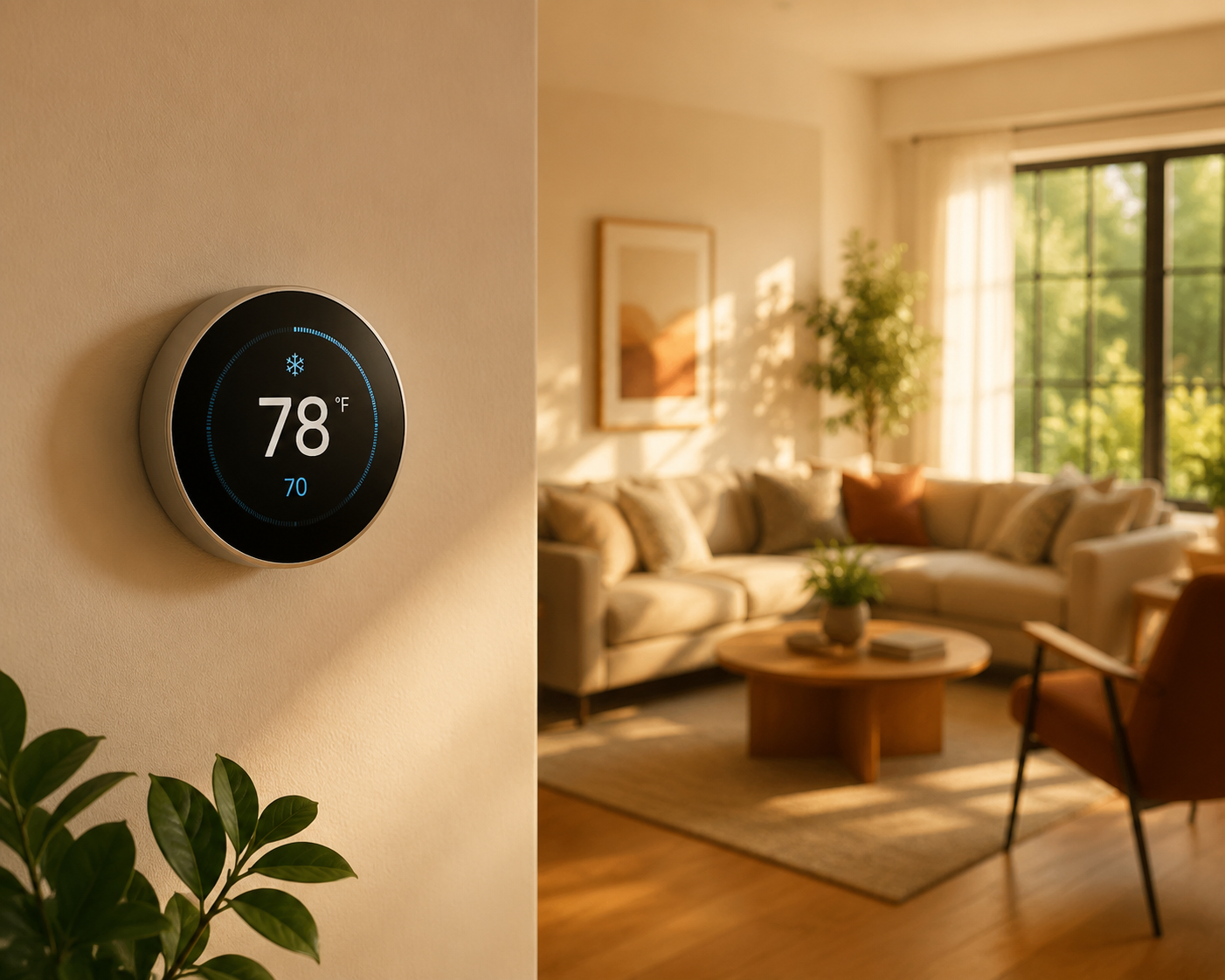
The first adjustment I make for neighbors is usually boring: stop letting the thermostat guess at comfort from scattered manual changes. Pick the occupied temperature, put it into the weekday and weekend schedule, and watch whether people complain at the same time of day. If the house is fine at 78°F until dinner, the answer may be a short comfort block at 76°F around cooking time, not running 76°F from morning to night.
A helpful mental model is the rough 3%-per-degree rule: each degree you raise the thermostat can save about 3% on cooling costs.[4] It is a rule of thumb, not a utility-bill promise, but it makes small choices easier. Moving from 74°F to 77°F is not a cosmetic change; it is a real reduction in how hard the AC has to work.
Give Sleep Its Own Setting
Sleep is where many smart thermostat schedules go wrong. A thermostat that saves money beautifully from noon to 4 p.m. can still make the house miserable at midnight if the bedroom is warmer than the hallway or the system stops cooling too early.
Program a separate sleep block, usually 72–76°F. Start at the highest temperature that lets people sleep comfortably, then adjust by one degree after a few nights. If the thermostat supports room sensors, use the bedroom sensor for the sleep period instead of letting a hallway thermostat decide that everyone upstairs is comfortable.
This is also where household politics matter. If one person keeps lowering the thermostat manually at 2 a.m., the schedule is not finished. Put that reality into the sleep block, then recover savings during away hours and vacation periods instead of pretending nobody noticed the room was sticky.
Use Away Settings Instead of Turning Cooling Off
For normal workdays, errands, school runs, and several-hour gaps, set Away to 82–85°F. That range creates a meaningful setback from the home setting while avoiding the common mistake of shutting the system off and asking it to rescue the house later.
The point of an away setback is to reduce run time while the house is empty. It is not to let indoor temperature drift so far that the AC has to grind through the hottest part of late afternoon. Summer savings come from hours of reduced cooling, not from making the house punish everyone when they walk back in.
For many homes, 82–85°F also strikes a better balance with humidity control and recovery time than an extreme shutoff strategy.[3][5] Homes in humid climates, poorly insulated houses, and upstairs-heavy layouts may need the lower end of that away range.
A Simple Weekday Cooling Schedule
| Time block | Suggested setting | Why it works |
|---|---|---|
| Wake-up and morning | 76–78°F | Keeps the occupied part of the day comfortable without starting too low. |
| Empty house period | 82–85°F | Captures the main setback hours while nobody is there. |
| Return-home window | 76–78°F | Lets the home recover before people settle in, without deep pre-cooling. |
| Sleep | 72–76°F | Handles bedroom comfort separately from daytime savings. |
The return-home window deserves a little restraint. If your thermostat has Smart Recovery, Early-On, adaptive recovery, or a similar feature, it may start cooling before the scheduled time so the house reaches the target when you arrive. That is useful when the target is reasonable. It becomes wasteful when the schedule demands a dramatic drop before anyone is home, because aggressive pre-cooling can burn through the savings the away period created.[6]
Set Vacation Higher, But Keep Humidity in Mind
For trips, set vacation cooling to 85–88°F. The house does not need to feel comfortable for an empty living room, but it still needs some protection against heat buildup and humidity, especially in climates where closed-up rooms can get damp.
The exact vacation number depends on the house. I would rather see a humid home held at 85°F than proudly set to a higher number that creates musty bedrooms or makes the system claw back for hours before everyone gets home. If the thermostat lets you set a vacation end time, schedule the return to normal comfort shortly before arrival instead of cooling the house for an entire final day.
Then Turn On the Brand Features That Enforce the Plan
Nest, Ecobee, Honeywell, and Amazon all have features that can help, but they should be working under your temperature plan. If the feature changes the schedule in a way nobody understands, it is not optimized; it is just taking the blame later.
| Thermostat | Feature to check | How to use it for summer savings |
|---|---|---|
| Nest | Eco Temperatures | Set cooling Eco Temperatures in the 82–85°F range for normal away periods, then check that Auto-Schedule has not learned unwanted manual overrides. |
| Ecobee | Smart Home & Away | Let occupancy detection adjust empty-house periods, but keep the scheduled Home, Sleep, and Away comfort settings inside your chosen ranges. |
| Honeywell Home | Geofencing | Use phone location to trigger Away and Home changes, especially for households with irregular schedules. |
| Amazon Smart Thermostat | Comfort & Savings mode | Use it to support the schedule, then verify that Alexa routines are not pre-cooling too early or overriding sleep comfort. |
Nest savings claims are higher than the ENERGY STAR average: Google research cited by CNET found Nest Learning Thermostat users saved an average of 12–15% per year, or $131–$145.[7] That is useful evidence that a well-used smart thermostat can matter, but it is still an average tied to a specific product and research set, not a guarantee that every Nest on a wall is saving money.
Ecobee’s numbers tell the same story from a different angle. Reported savings can reach up to 26% in optimal conditions, while typical figures are closer to 9% on heating and 12% on cooling.[4][7] The important phrase is “optimal conditions.” A thermostat cannot save what the schedule never asks it to save.
Nest: Pin Down Eco Temperatures
On Nest, open the cooling Eco Temperature and choose a number that matches the plan, usually 82–85°F. If Eco is set too low, the house keeps cooling like someone is home. If it is set too high for your climate or house, the AC may spend the evening recovering.
Also review the learned schedule. Nest can be helpful, but summer schedules often get polluted by one-off manual changes: a party, a sick day, a heat wave, or someone tapping the dial while annoyed. Delete the odd temperature points and keep the repeating Home, Away, and Sleep blocks clean.
Ecobee: Make Sensors Serve the Room People Use
On Ecobee, Smart Home & Away is most useful when the comfort settings are already sensible. Set Home around 76–78°F, Away around 82–85°F, and Sleep around the bedroom temperature people can tolerate.
If you use room sensors, check which sensors participate in each comfort setting. A sensor in a sunny office should not control the whole house overnight. A bedroom sensor may be exactly what you want during Sleep, even if the hallway thermostat thinks the house is fine.
Honeywell: Use Geofencing for Messy Schedules
Honeywell geofencing is handy when the house does not follow a neat 9-to-5 pattern. Set the away temperature to 82–85°F and the home temperature to 76–78°F, then let the location trigger move between those modes.
The setting to watch is the radius or trigger behavior. If the thermostat returns to Home mode while you are still across town, it may cool too early. If it waits until the front door opens, the house may feel hot for too long. Adjust the geofence based on actual drive time and recovery time, not on the default alone.
Amazon Smart Thermostat: Check Alexa Routines
Amazon Smart Thermostat users should check Comfort & Savings mode and any Alexa routines that touch the thermostat. A routine that says “I’m home” and drops cooling to 72°F will overpower a careful schedule every time.
Keep routines simple: occupied comfort, away setback, sleep comfort, vacation hold. If several automations change the same thermostat, write down which one wins. Most bad smart thermostat schedules are not technically complicated; they are just full of invisible overrides.
What Savings Range Is Actually Fair to Expect?
A fair expectation is 8–15% for many households that actually use schedules, setbacks, and away modes. ENERGY STAR’s 8% average is the conservative public-agency anchor.[1] Nest’s 12–15% and Ecobee’s typical cooling savings around 12% show that higher results are possible when the thermostat has meaningful waste to remove.[4][7]
The bigger 26% figure sometimes attached to Ecobee should be treated as an optimal-condition result, not the normal bill-cutting promise for every house.[4] A family that is home all day, keeps a low sleep setting for medical or comfort reasons, or lives in a leaky house may see less. A household that used to cool empty rooms all afternoon may see more.
- Climate zone changes how hard the AC works and how much humidity matters.
- Previous habits matter because savings are measured against what you used to do.
- Insulation, air sealing, duct condition, and window heat gain can erase some of the benefit.
- HVAC type and age affect recovery time and whether aggressive setbacks are comfortable.
- Occupancy patterns matter because a house that is rarely empty has fewer setback hours.
Compatibility also belongs in the caveats, not the center of the job. Some older HVAC systems, heat pumps, and installations without a C-wire can limit which thermostat features work reliably. That may affect automation, but it does not change the basic cooling targets if your thermostat can hold a schedule.
Final Check Before You Leave the Thermostat Alone
Once the schedule is programmed, do one last pass from the thermostat app, not just the wall display. Confirm that Home is 76–78°F, Sleep is 72–76°F, Away is 82–85°F, and Vacation is 85–88°F. Check that eco, geofencing, learning, recovery, and Alexa or app routines are supporting those numbers instead of fighting them.
- Delete random learned temperature points that came from one-time manual changes.
- Avoid deep pre-cooling before arrival; use a reasonable return-home target.
- Use bedroom sensors or sleep blocks where nighttime comfort is the real complaint.
- Review the next one or two utility cycles before judging the savings.
Most homeowners do not need a different thermostat before they can lower the AC bill. They need the one already on the wall to stop improvising and start holding sane summer targets consistently.
References
- Smart Thermostats FAQ, ENERGY STAR
- How Smart Thermostats Help You Save on Energy Bills, Honeywell Home
- The 1 Thermostat Trick That Beats the Heat and High Energy Bills, CNET
- Smart Thermostat Savings: Cut Energy Bills 8–26% in 2026, ElectricRates.org
- Best AC Temperature for Summer Savings, Reliant Energy
- Smart Thermostat Settings for Lower Cooling Bills, Summers PHC
- We Do the Math: How Much Money a Smart Thermostat Will Save Over Time, CNET