
Devices
How Smart Thermostats Turn NOAA Weather Data Into Energy Savings
This article explains the three-stage pipeline through which smart thermostats acquire free NOAA forecast data, process it algorithmically, and adjust HVAC settings to achieve 8–15% energy savings. It also clarifies why Nest uses Google Weather and ecobee uses Apple Weather rather than connecting directly to the NWS API.
Local control & certification
Local vs. cloud control is not yet documented for this device.
The useful version of the claim that smart thermostats use NOAA weather forecasts to save energy starts with a correction: in most homes, the thermostat is not reaching straight into the National Weather Service API every few minutes. NOAA and the NWS provide the public weather-data foundation, but Nest and ecobee document their weather inputs through their own platform services. Nest features refer to weather data through Google’s thermostat software, while ecobee’s current weather stack uses Apple Weather rather than a documented direct thermostat-to-NWS connection.
That distinction matters because the energy-saving mechanism is real, but it is mediated. Public forecast data can enter a commercial weather service, get blended with other observations or interpolated for a specific address, then feed a thermostat algorithm that decides whether to pre-heat, pre-cool, delay recovery, or soften a setpoint. The HVAC savings do not come from the forecast itself. They come from acting on the forecast early enough that the compressor or furnace avoids a worse, less efficient recovery later.
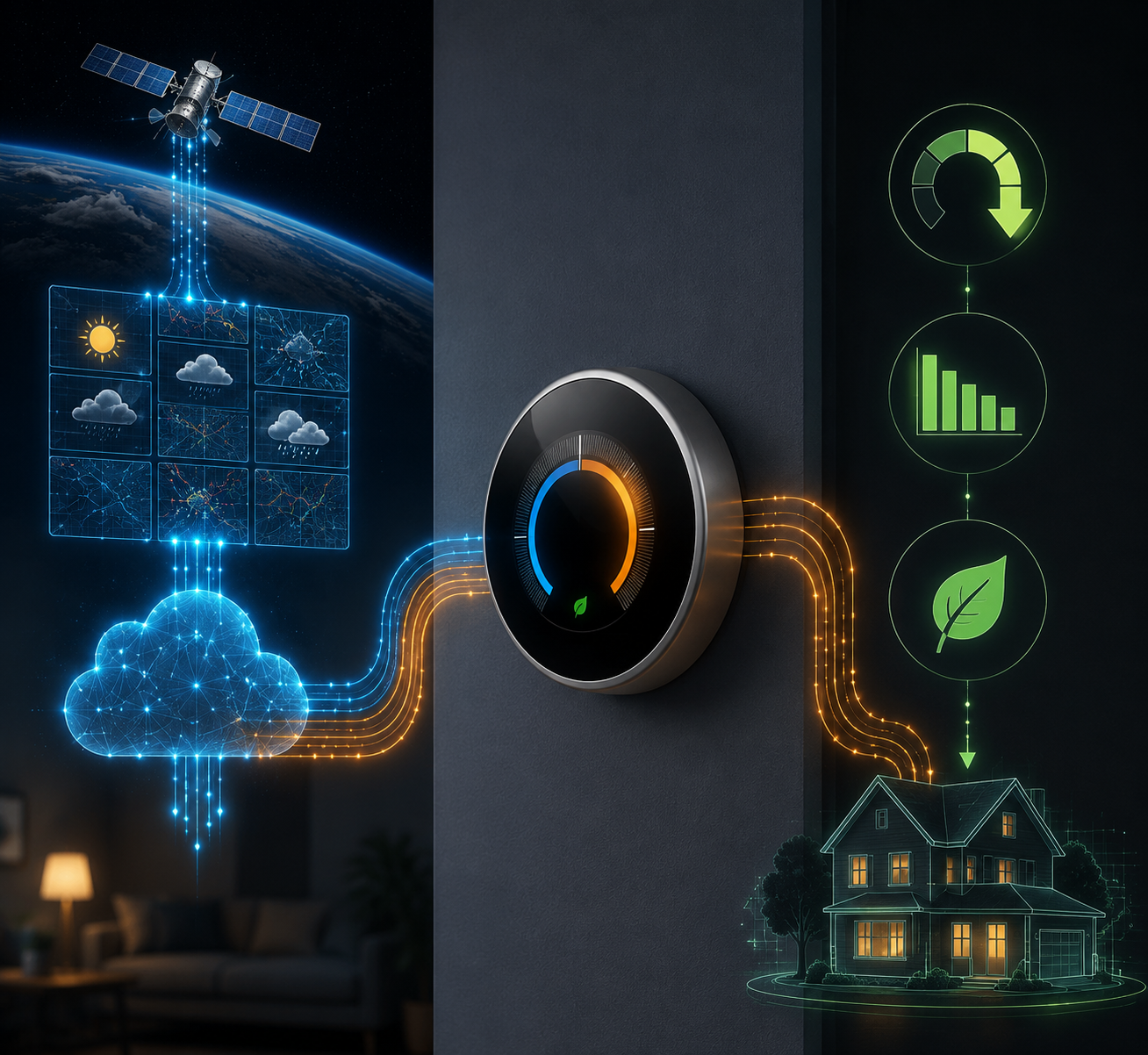
The Pipeline Is Weather Data, Then Thermostat Judgment, Then HVAC Action
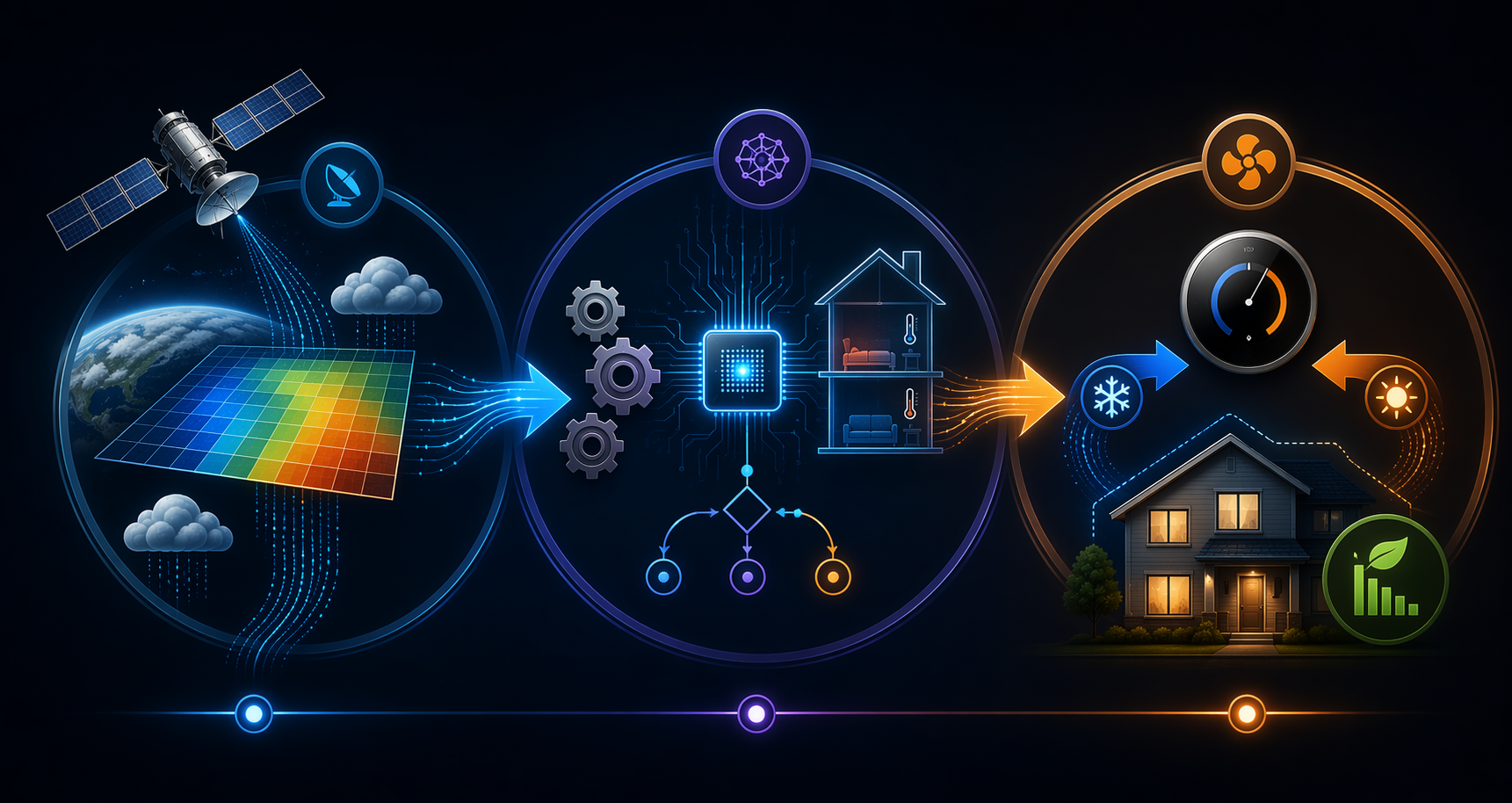
A weather-aware thermostat has three jobs before any energy savings appear on a bill or runtime report. First, it needs local forecast inputs. Second, it has to translate those inputs into a prediction about the house: how fast the indoor temperature will drift, how long recovery will take, and whether humidity or occupancy changes the comfort target. Third, it has to actuate the HVAC system differently than a static schedule would.
| Stage | What enters | What the thermostat or cloud service decides | What changes in the HVAC system |
|---|---|---|---|
| Data acquisition | Forecasts, observations, alerts, and outdoor temperature data | Which outdoor conditions matter for this address and time window | Nothing yet; this stage only supplies context |
| Algorithm processing | Forecast plus learned thermal behavior, occupancy, humidity, or utility signals where supported | Whether to start early, coast longer, moderate Eco settings, or avoid a steep recovery | A new timing or setpoint plan is prepared |
| Actuation | The selected control decision | When to call for heating or cooling and how aggressively to recover | Runtime shifts earlier, decreases, or moves away from peak demand periods |
This is why a thermostat that “uses NOAA weather” should not be imagined as a little wall-mounted weather station with an NWS badge. The thermostat is a control endpoint. The weather service is an input layer. The interesting part is the middle: the software that decides whether tomorrow afternoon’s heat, tonight’s cold front, or today’s humidity changes the cheapest comfortable path through the next few hours.
What NOAA and the NWS Actually Provide
The National Weather Service API is a free public web service with no API key requirement. Its forecast data is grid-based, with approximately 2.5 km resolution, and includes forecast structures such as 7-day forecasts, hourly forecasts, 12-hour forecast periods, observations, and alerts.[1] That is a serious public substrate for home-energy software because HVAC demand is highly sensitive to outdoor temperature, humidity, and weather swings.
For a thermostat company, raw public weather data is rarely the final product. A brand may use a commercial weather provider that aggregates government observations, station data, private sources, and model outputs, then normalizes that into the location-specific feed used by an app. The homeowner sees “weather” in the thermostat interface, but the back end may be several layers removed from weather.gov.
That layered sourcing does not make the forecast meaningless. It does mean that “NOAA-powered” is usually too blunt. A better description is that NOAA/NWS data helps form the open public weather foundation that commercial weather services and thermostat platforms can build on. The device on the wall normally receives a platform decision, not a raw government forecast grid.
Nest: Weather Data Becomes Recovery Timing
Nest’s clearest weather-to-HVAC mechanism is Early-On. Instead of waiting until the scheduled time to begin heating or cooling, the thermostat estimates how long the home will take to reach the target temperature, using learned thermal behavior and weather data, then starts early enough to arrive near the requested setpoint at the requested time.[2]
The important detail is that weather is not treated as decoration. If the house usually needs 45 minutes to warm up on a mild morning but longer during a colder one, a simple clock schedule is the wrong control method. Early-On is a recovery-time feature: it uses outside conditions and prior performance to decide when recovery should begin. The energy implication depends on whether that earlier, smoother recovery avoids inefficient catch-up operation, overshoot, or unnecessary runtime later.
Newer Nest behavior adds a sharper comfort boundary. Adaptive Eco, documented for the 4th gen Nest Learning Thermostat, uses outdoor temperature to adjust Eco Temperature behavior so the home can recover within about 1 hour when someone returns.[3] That is a more precise use of weather than simply lowering or raising the setpoint while the house is empty. The thermostat has to decide how far it can drift without making the occupied recovery unpleasant.
This is also where model generation matters. A homeowner comparing Nest features should not assume that every Nest thermostat supports every weather-aware behavior in the same way. Early-On and Adaptive Eco are related by logic, but they are not the same feature and do not apply identically across the lineup. If the practical question is feature support rather than theory, a model-by-model reference such as the Nest thermostat models guide is the better next stop.
ecobee: Weather Joins Humidity, Occupancy, and Grid Signals
ecobee’s eco+ system is broader than a forecast lookup. ecobee describes eco+ as using weather data along with factors such as occupancy, humidity, and grid-related signals to make energy-saving adjustments.[4] That makes the control problem more complicated, but also more realistic: the same outdoor temperature can feel different indoors depending on humidity, and the same setpoint change has different consequences when the house is empty versus occupied.
In that kind of system, the forecast helps answer a limited but important question: how expensive will comfort be if the thermostat waits? If a hot afternoon is coming, pre-cooling before the peak may reduce compressor strain later. If the forecast is mild, the thermostat can coast longer. If humidity is high, a small temperature change may not preserve comfort, so the algorithm has less room to maneuver.
The demand-response evidence is unusually concrete. In an ecobee eco+ pilot using a 2019–2020 Randomized Encouragement Design across about 240,000 thermostats, ecobee reported average demand reductions of 0.91 kW per opt-in thermostat in 2019 and 1.12 kW in 2020 during demand-response events.[5] That finding is about event-period demand reduction for participating thermostats, not a universal promise that every ecobee will cut household energy use by the same amount every day.
Where the Savings Show Up
The most defensible baseline is ENERGY STAR certification, because it is built around field data rather than a single lab scenario. ENERGY STAR requires certified smart thermostats to demonstrate at least an 8% reduction in heating runtime and a 10% reduction in cooling runtime, using a methodology that accounts for climate zones and weather-normalized performance.[6]
That 8–10% threshold is not as flashy as the biggest manufacturer savings claims, but it is a better anchor for expectations. It says that a thermostat can earn certification only after showing a measurable reduction in actual heating and cooling runtime. It does not say that weather data alone caused the savings, and it does not say every home will land at the same number.
Manufacturer figures can still be useful if read with their methods attached. Nest has reported estimated savings of 10–12% on heating and 15% on cooling, equal to about $131–$145 per year in its published savings materials, based on analyses that include comparison methods rather than a single universal field result. ecobee markets savings up to 26% and up to $284 per year, with its own assumptions and product-specific eco+ settings.[4] Those numbers belong in the conversation, but they should not replace the more conservative ENERGY STAR runtime threshold.
An independent academic view points in the same general direction without turning weather awareness into magic. MIT News described research on making smart thermostats more efficient by improving how they account for building behavior and weather-related thermal dynamics.[7] The point is familiar to anyone who has watched a thermostat recover badly after a cold night: the forecast is only valuable if the control model understands the house it is controlling.
The Algorithm Layer Is Where the Real Work Happens
A raw forecast might say that outdoor temperature will rise quickly after noon. A useful thermostat has to turn that into a household-specific decision. How fast does this house gain heat? How much does afternoon sun matter? How long does the air conditioner usually take to pull the temperature down by a few degrees? Is anyone home? Is the humidity high enough that a warmer indoor setpoint will feel worse than the number suggests?
The thermostat learns some of that from past cycles. If it repeatedly sees that a home cools slowly on hot afternoons, it can begin earlier or avoid letting the temperature drift too far. If a home recovers quickly in mild weather, it can wait longer. The same forecast therefore produces different actions in different buildings. A tight, shaded house and a leaky, west-facing house should not receive the same pre-cooling plan just because the outdoor forecast is identical.
This is also the point at which comfort constraints should stop the algorithm from overreaching. Energy savings that depend on a miserable recovery period are not good control; they are just deferred discomfort. Adaptive features are most useful when they keep the home inside a tolerable recovery window, especially after occupancy changes. The thermostat has to know not only how much runtime it can avoid, but when avoidance becomes a comfort penalty.
Actuation Is Usually Less Dramatic Than the Marketing
Once the algorithm chooses a path, the physical action is ordinary: the thermostat calls for heating or cooling earlier, later, less often, or at a moderated setpoint. In a pre-cooling case, the air conditioner may run before the hottest part of the day, then coast longer when outdoor temperature and grid demand rise. In a recovery case, the furnace may start before the scheduled wake time because the forecast says the house will need more time than usual.
The savings can appear in two related places. Over normal days, they appear as reduced runtime compared with less adaptive control. During utility demand-response events, they can appear as reduced peak demand for a defined period, as in the ecobee pilot’s event reductions.[5] These are different measurements. Runtime savings, bill savings, and peak kW reductions should not be collapsed into one generic “saves energy” claim.
HVAC compatibility also matters. A thermostat can only issue the control commands the connected system supports. Staged heating, heat pumps, auxiliary heat, and conventional single-stage systems do not behave the same under pre-conditioning or setback recovery. If the weather-aware feature sounds right but the system type is uncertain, the compatibility check is not a footnote; it is part of whether the algorithm can act cleanly.
Why Direct NOAA Access Is the Wrong Test
A thermostat does not become smarter merely because it touches a government API directly. Direct access might be attractive to a technically curious homeowner, but the performance question is different: does the thermostat receive accurate enough local weather input, combine it with a good home model, and make control decisions that preserve comfort while reducing unnecessary runtime?
Commercial weather layers can add value by cleaning, interpolating, and combining sources. They can also add opacity, because the homeowner may not know exactly which observations or models influenced a given decision. That is the trade-off hidden inside many “NOAA-powered” descriptions. The public data foundation is open and technically impressive; the thermostat behavior is proprietary and product-specific.
For readers comparing products, the brand distinction matters less as a purity contest and more as a feature question. Nest’s documented examples emphasize recovery timing and Eco moderation. ecobee’s eco+ emphasizes multi-factor optimization that can include humidity, occupancy, and grid signals. A broader Nest-versus-ecobee comparison can help with product choice, but the weather-data mechanism should be judged on feature behavior, not on the assumption that one wall device is personally querying NOAA while another is not.
A Bounded Answer
Smart thermostats can turn NOAA/NWS weather intelligence into HVAC savings, but usually through an indirect chain: public forecast and observation data feed the broader weather ecosystem; brand cloud services such as Google Weather or Apple Weather supply thermostat platforms; thermostat algorithms combine that weather with learned home behavior and other signals; then the device changes HVAC timing or setpoints.
The measured savings case is strongest when kept in the 8–15% range supported by field-oriented certification thresholds and major manufacturer studies, with ecobee’s demand-response pilot adding a narrower but concrete example of event-period kW reduction.[5][6] Results still depend on thermostat model, firmware, utility enrollment, climate, HVAC equipment, and the household’s tolerance for recovery time. Weather data helps the thermostat look ahead; it does not remove the physics of the house.
References
- NWS API Web Service, National Weather Service.
- Learn about Early-On, Google Nest Help.
- Learn about Adaptive Eco, Google Nest Help.
- eco+, ecobee.
- eco+ Pilot Report, ecobee.
- Smart Thermostats FAQs, ENERGY STAR.
- Making smart thermostats more efficient, MIT News, December 18, 2020.
Known issues
No known issues summary recorded for this device.
No open Troubleshooting entries are currently tracked for this device.
Spot something outdated?
Flag anything that no longer matches current firmware, app, or spec behavior. This is recorded for internal review, not published automatically.