A hurricane does not have to destroy a smart home to make it useless. It only has to remove the two assumptions most smart devices quietly depend on: grid power and home internet.
That is why the best smart home devices for hurricane alerts are not simply the loudest, newest, or most app-connected devices. After Hurricanes Helene and Milton in 2024, power outages commonly stretched 4 to 7 days, and most Wi-Fi-only smart home devices went dark within 30 minutes of grid failure.[1] A device that works beautifully during a normal thunderstorm can become a decoration during the part of the storm season that actually tests it.
NOAA’s 2026 Atlantic hurricane outlook calls for a below-normal season, with 13 named storms, 6 hurricanes, and 2 major hurricanes.[2] That is useful planning context, not permission to relax. A seasonal count does not tell a homeowner in Florida, Texas, Louisiana, or the Carolinas whether one storm will take the wrong path toward their street.
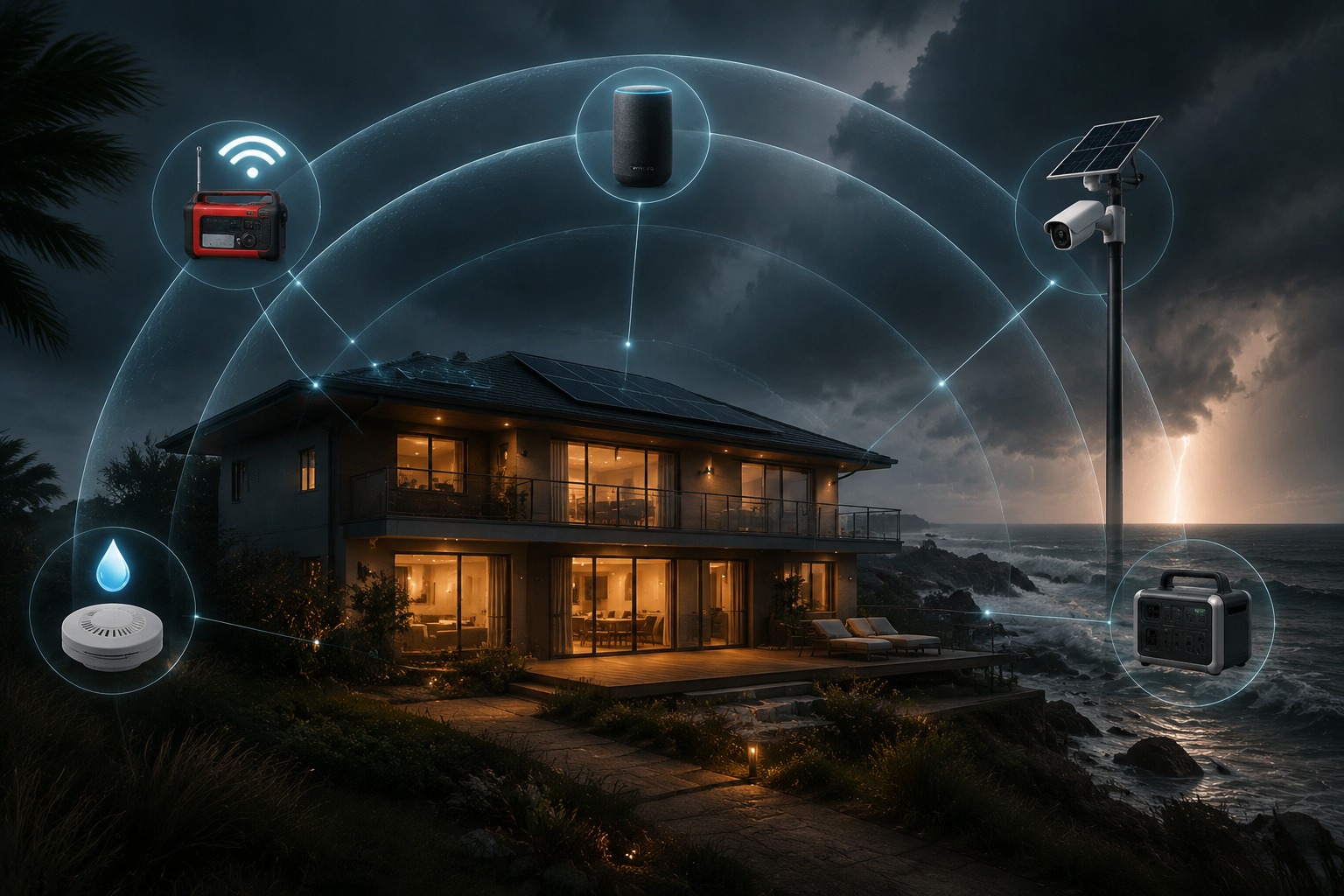
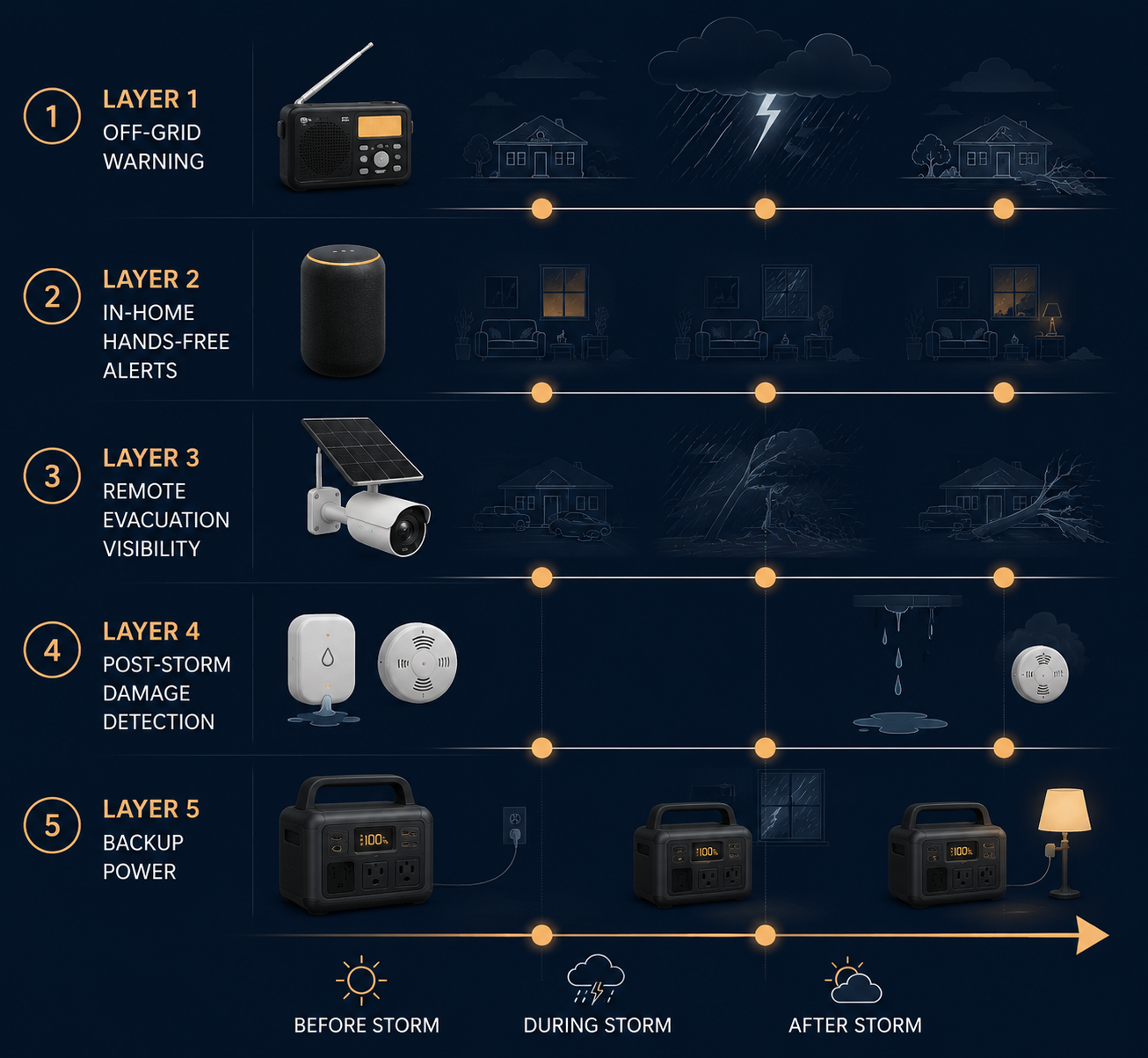
The practical answer is a layered alert stack. One device warns you before the storm. Another helps while internet service still works. Another verifies conditions when you have evacuated. Sensors catch water, smoke, and carbon monoxide problems after impact. Backup power keeps the useful parts alive long enough to matter.
The Five Layers That Cover the Hurricane Timeline
The stack is easier to judge by failure mode than by product category. Ask what the device can still do when the previous assumption fails.
| Storm phase | Device layer | What it still does when things fail |
|---|---|---|
| Before the storm | NOAA SAME emergency radio | Receives official weather alerts without Wi-Fi, cellular service, or household power |
| While service still works | Smart speakers | Makes alerts audible and hands-free inside the home, but stops being dependable when internet drops |
| During evacuation | Cellular solar security camera | Shows whether the driveway, entry, or low area is still visible when home Wi-Fi is gone |
| After impact | Water leak and smoke/CO sensors | Sounds local alarms and, when connectivity survives, sends app alerts about damage or hazards |
| Across the outage | Portable power station | Keeps the router, phones, sensors, camera hub, and essential lights running for days instead of minutes |
Layer 1: Start With an Off-Grid NOAA SAME Radio
The first purchase should not need an app. It should wake up for the right county, make enough noise to interrupt the house, and keep receiving official alerts when the cable modem, router, and cellular tower are no longer dependable.
That points to a NOAA SAME emergency radio. SAME alerts matter because they can be programmed for specific counties instead of treating every regional bulletin as equally urgent. During hurricane season, that distinction cuts through the alert fatigue that makes people silence devices at the worst possible time.
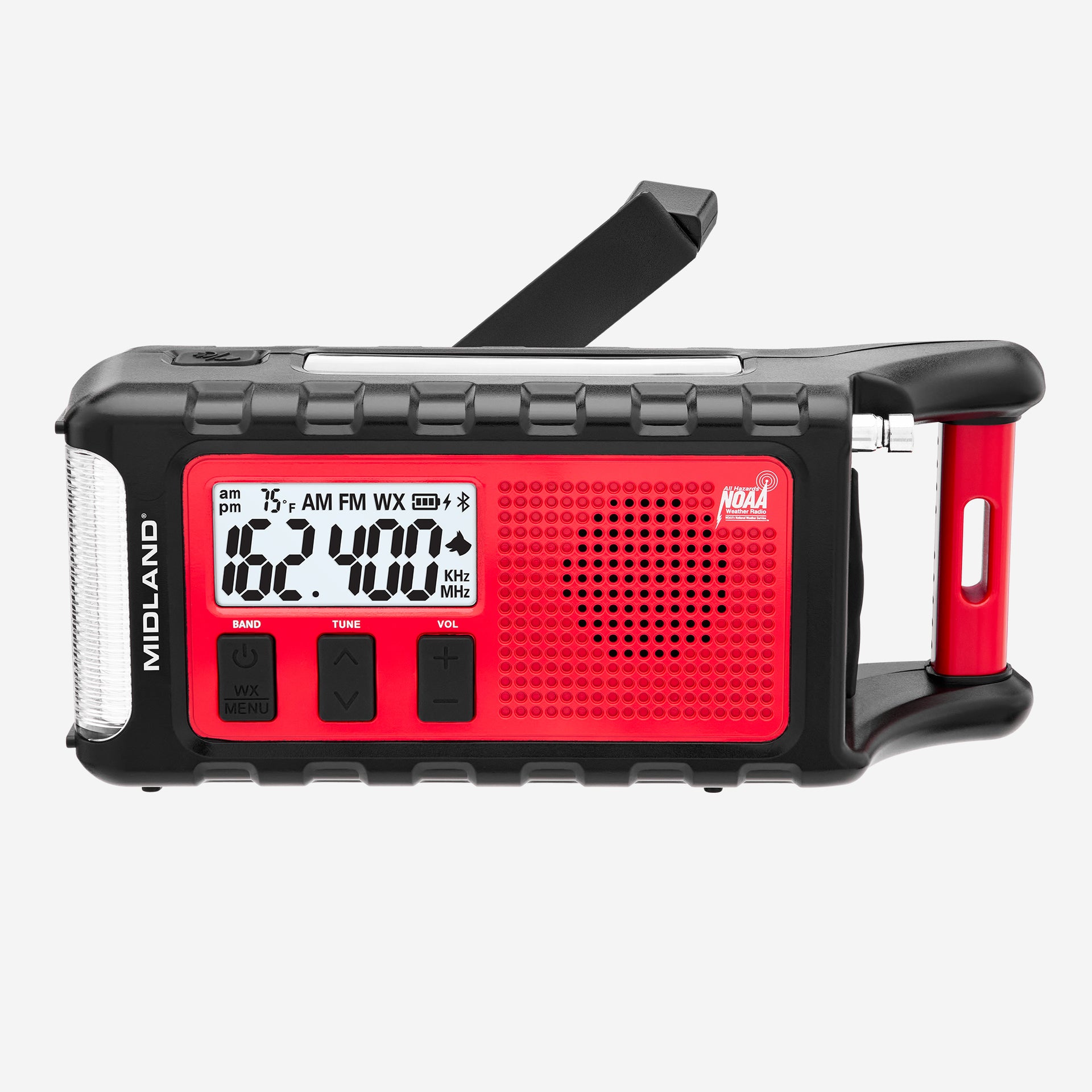
The Midland ER310PRO is the strongest example in this layer for 2026. Wirecutter reports that its 10,000 mAh battery lasted more than six weeks in testing, and the radio also includes NOAA SAME alerts, solar and hand-crank backup charging, and a design that survived a 7-foot drop.[3]
There is one caveat worth keeping visible: the ER310PRO is a newer 2026 model. Its predecessor has the deeper long-term track record, so buyers who value years of field history over the newest battery and feature set should compare both before buying. The point is not that one model magically solves hurricane alerts. The point is that this layer must work before the internet enters the conversation.
Layer 2: Use Smart Speakers for Convenience, Not Survival
Alexa and Google Home devices can be useful before a hurricane knocks service out. They make alerts audible in kitchens, bedrooms, and living rooms. They can answer basic forecast questions hands-free while someone is boarding windows, moving patio furniture, or packing medications.
They are not the backbone of a hurricane alert system. Once the router loses power or the internet connection fails, a smart speaker loses the feature that made it smart. If it sits behind an unpowered Wi-Fi network, it cannot be trusted to deliver the warning that tells you conditions have changed.
That does not make smart speakers worthless. It makes them a convenience layer. Use them to spread alerts while the house is still connected, but do not count them as your off-grid warning method. If the buying decision comes down to a smart speaker or a SAME radio, buy the radio first.
Layer 3: Add Cellular Camera Coverage Where Remote Verification Matters
The hardest minutes often arrive after evacuation, when no one can safely check the property and every neighbor is dealing with their own roof, trees, and water. A normal Wi-Fi camera is fragile in that moment. It needs the home network, the modem, the router, and power at the outlet. Break any one of those, and the camera stops answering.
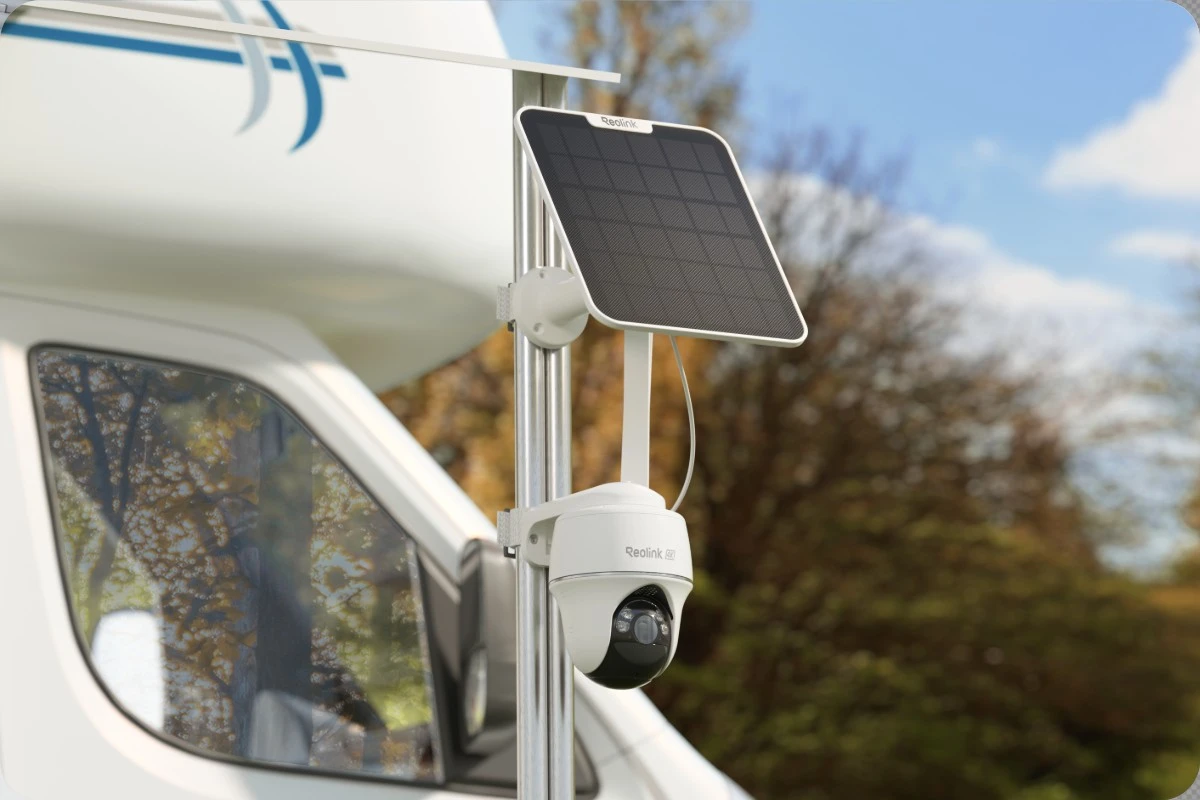
A cellular camera with a solar panel solves a narrower but real problem: seeing a key view when home Wi-Fi and grid power are gone. The Reolink Go PT Ultra is the clearest example in the research set because it uses native 4G LTE with an included SIM and a solar panel, and SmartHomeExplorer gives it a Resilience Score of 8.9 out of 10.[1] That score is SmartHomeExplorer’s own metric, not an independent industry standard, but the underlying design choice matters: the camera is not waiting for the home router to come back.
The word “solar” also needs adult supervision. Solar does not mean every camera runs forever through every storm. It means the camera has a way to recover and extend runtime when sunlight returns and the panel is positioned well. Shaded eaves, debris, salt spray, and several dark days can all reduce the benefit. For a hurricane camera, solar is a resilience feature, not a promise that physics has been suspended.
There is also the monthly bill. Consumer Reports and Wirecutter have identified cellular-fallback smart home devices as costing about $5 to $15 per month extra, while also noting that these are the devices that remain functional after the grid drops.[4] That subscription is not worth paying for every camera angle. It is worth considering for one view that answers a high-stakes question: Is water at the door? Is the garage still closed? Is there obvious damage before someone drives back?
Layer 4: Use Sensors for the Damage You Cannot See
Cameras show what is in their frame. They do not tell you that water is spreading under a water heater, that a washing machine pan is filling, or that carbon monoxide is building after someone runs equipment in the wrong place. Sensors belong in the stack because hurricanes leave behind indoor problems that are quiet at first.
Leak Sensors
A good leak sensor for storm season should make noise locally, not only send a push notification. The YoLink Water Leak Sensor 4 has a 105 dB built-in alarm and uses LoRa with a range of up to 1/4 mile; Wirecutter also tested YoLink sensors working in detached garages 125 feet from the hub.[5] That range matters in coastal homes with garages, detached storage, pool equipment, or utility rooms that sit beyond the comfortable reach of ordinary Wi-Fi.
Place leak sensors where one missed hour becomes expensive: near the water heater, washing machine, dishwasher, under sinks that back up during heavy rain, and near low doors or slab transitions where wind-driven rain has entered before. If internet service survives, the app alert helps. If it does not, the built-in alarm can still help anyone inside or a neighbor checking the house.
Smoke and Carbon Monoxide Sensors
Smoke and CO detection becomes more important, not less, after landfall. Generators, damaged wiring, wet appliances, and improvised cooking or charging setups can create hazards after the weather headline has moved on.
The First Alert SC5 SMCO600NV fits this layer because it has a 10-year sealed lithium battery and an 85 dB local alarm that still fires regardless of Wi-Fi, grid power, or cloud status. Its cloud push notifications pause without internet, but the local alarm continues to work.[1] That is the right tradeoff to notice: the smart feature is helpful, but the safety function cannot depend on the app.
Whole-Home Water Shutoff
A leak sensor tells you water is present. A smart shutoff valve can sometimes reduce what happens next. Phyn Plus 2nd Gen uses ultrasonic flow sensing with no moving parts in the sensor path, is described as able to withstand post-storm pressure surges, and offers an optional $79 cellular add-on for remote shutoff during evacuation.[1]
That add-on is only valuable if remote shutoff is a realistic need for the property. For a frequently evacuated second home, it may be easier to justify. For a primary home where someone always shuts the water before leaving, a few well-placed leak sensors may deliver more value per dollar.
Layer 5: Size Backup Power for Days, Not an Evening
Backup power is where many smart hurricane plans quietly fall apart. A small battery can keep a phone alive overnight. That is useful. It is not the same as keeping a router, camera, sensor hub, lights, and basic household load running through a 4-to-7-day outage window.
For a full-home emergency layer, the EcoFlow Delta Pro 3 is the heavy option in the research set. It has a 4,096 Wh LiFePO4 battery, and SmartHomeExplorer estimates it can run a fridge, phones, router, and lights for 5 to 7 days at a typical hurricane load of 150 to 250 W average. The same source lists more than 3,500 charge cycles, roughly a 10-year lifespan.[1]
That kind of capacity costs real money. The EcoFlow Delta Pro 3 was listed at $2,599 as of May 2026, so it belongs in the full-stack category, not the impulse-buy category.[1] If the budget is focused only on alert infrastructure, the Anker SOLIX C800 is the smaller alternative: a 768 Wh LiFePO4 unit listed at $619 in May 2026, with 58-minute charging from a 1,200 W AC input.[6]
The buying question is not “How big a battery can I afford?” It is “What must stay alive?” A refrigerator changes the math. A medical device changes it more. If the goal is strictly hurricane alerts, the load may be a router, phone chargers, a sensor hub, a radio, and one or two lights. If the goal is household continuity, the power station has to be sized around actual wattage and the outage window hurricanes have already produced.
Three Realistic Buying Paths
Not every homeowner is going to buy five categories of gear before the next storm. That does not make partial upgrades pointless. The stack works as a priority order.
| Tier | What to buy first | Best fit |
|---|---|---|
| Essential | NOAA SAME radio plus one high-value sensor | Homeowners replacing app-only alerts with something that still works locally |
| Mid | NOAA radio, smart speaker alerts, and one cellular solar camera | Evacuation-prone households that need remote visual confirmation |
| Full | All five layers, including leak/smoke/CO sensors and portable power | Coastal homes preparing for multi-day outage and post-storm hazard detection |
Essential: Radio Plus One Sensor
The Essential tier is not a consolation prize. A NOAA SAME radio plus one properly chosen sensor is a real upgrade over a phone full of apps that all depend on the same failing network. For many homes, the first sensor should be a leak sensor near the most likely water source. For homes with generator use nearby, older appliances, or attached garages, smoke/CO detection may deserve first position.
Mid: Add Convenience and One Remote View
The Mid tier adds smart speakers for in-home convenience and one cellular solar camera for evacuation. This is the right level for someone who leaves before landfall and wants one dependable answer from the property afterward. Do not spread the budget across several Wi-Fi cameras if none of them can work without the home network.
Full: Build for the Long Outage
The Full tier adds the missing hard parts: multiple sensors and backup power sized for days. This is where the stack stops being a collection of alert gadgets and starts behaving like storm-season infrastructure. It costs more upfront, and prices listed in May 2026 should be checked again before purchase, especially for power stations and subscription-based cellular devices.
What to Buy for Q3 2026 Storm Prep
Buy the off-grid alert layer first. A NOAA SAME radio is the piece least impressed by your router, your app ecosystem, or your broadband provider. It covers the warning job when ordinary smart home gear is already exposed.
Add internet-dependent convenience with clear expectations. Smart speakers are useful when the house is still connected. Push notifications are useful when the network path survives. Neither should be treated as the final warning method during a hurricane.
Pay for cellular only where remote verification truly matters. One cellular solar camera watching the right approach, door, garage, or low-water area can be more valuable than several cheaper cameras that all fail with the same router. The subscription cost is part of the product, not an afterthought.
Then size backup power around the outage you are preparing for, not the outage you wish you had. A normal evening blackout and a 4-to-7-day hurricane outage are different buying problems. The best smart home devices for hurricane alerts are the ones that cover different failure modes together: official warnings without internet, local alarms without cloud service, remote visibility without home Wi-Fi, and power that lasts beyond the first night.
References
- Hurricane Prep Smart Home 2026, SmartHomeExplorer.
- NOAA predicts below-normal 2026 Atlantic hurricane season, NOAA.
- The Best Emergency Weather Radios, Wirecutter.
- How Smart-Home Technology Can Help During a Natural Disaster, Wirecutter.
- The Best Smart Water-Leak Detector, Wirecutter.
- Hurricane Forecast 2026, Anker SOLIX.