Devices
How to Set Up Smart Home Heat Alerts for Caregivers
This guide shows adult children and remote caregivers how to configure smart thermostats and dedicated temperature sensors to get real-time heat alerts for an elderly relative's home. It explains why indoor monitoring is critical during heat advisories and how to override energy-saving defaults for safety.
Local control & certification
Local vs. cloud control is not yet documented for this device.
A heat advisory tells you the weather is dangerous somewhere outside. It does not tell you whether an older relative’s bedroom has been sitting near 88°F since lunch, whether the living room cooled down after the AC started, or whether anyone in the house noticed. That is the gap smart home heat alerts for caregivers can fill: they measure the home itself and send a warning to the person who can check in, adjust cooling, or call for help.
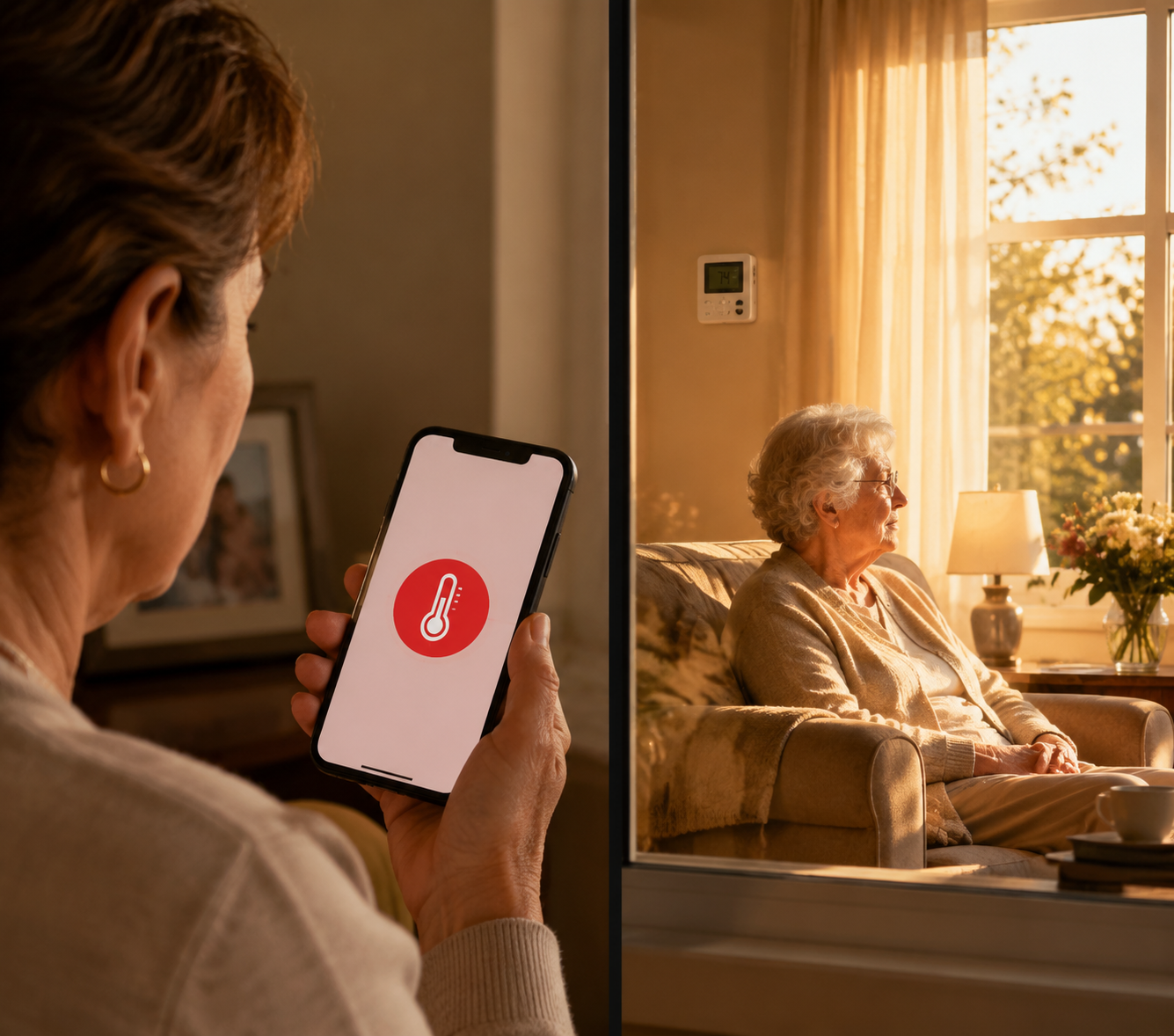
That distinction matters because most heat health warning systems are built from outdoor temperature and mortality relationships. A 2025 systematic review found that most government heat health warning systems rely solely on outdoor temperature-mortality relationships, with Germany identified as the only system in the review that incorporates indoor temperature estimates.[1] Public alerts still matter, but they are not room-by-room information.
Indoor conditions can also stay risky after the outside temperature looks less dramatic. In a community housing study using ecobee thermostats in 70 homes in Vancouver and Ottawa, researchers found indoor temperatures above 26°C, an elevated-risk threshold, and above 31°C, a hyperthermia-risk threshold, persisted even during a milder-than-normal heatwave season.[2] In Fahrenheit, that puts the higher threshold just under 88°F. For a remote caregiver, that is the number that matters more than whether the city alert sounded urgent enough.
What a Useful Heat Alert Has to Do
A useful setup does not need to be elegant. It needs to answer four questions before the next hot afternoon:
- What is the actual indoor temperature in the room that matters?
- Who receives the alert if that temperature crosses the chosen threshold?
- Can cooling start automatically, or does someone have to act?
- Can an energy-saving mode, app permission problem, dead battery, or WiFi outage quietly defeat the plan?
The best evidence that personalized alerts can change behavior comes from a research system, not a consumer thermostat. In the Ethos study, 78 older adults in Southeast Queensland received 2,346 yellow alerts and 88 red alerts over one summer. After using the system, heat preparedness increased 3.4 times; 94% of red alerts and 90% of yellow alerts resulted in a cooling action.[3]
That does not mean a Nest, ecobee, Temp Stick, Aqara sensor, or TP-Link Tapo sensor can reproduce Ethos. The Ethos system was built for research, in a specific Australian climate, with capabilities beyond normal consumer gear. It is useful here for a narrower reason: it shows that personalized heat notifications can lead older adults to take cooling action. A consumer setup should be treated as an early-warning layer, not as a medical heat-risk model.
Start With the Thermostat If It Already Controls the Cooling
If the home already has a smart thermostat connected to central AC, start there. The thermostat has one advantage a loose sensor does not: it may be able to do something about the heat, not just report it. That matters when the person in the house is asleep, confused by the app, trying not to “waste electricity,” or simply unaware that the room has climbed into unsafe territory.
Nest: Configure Safety Temperature and caregiver access
Google Nest’s Safety Temperature feature can send a phone notification and start cooling when the indoor temperature rises above the configured safety threshold, even if the thermostat is set to Off.[4] That “even if Off” detail is not a small feature. In an older person’s house, Off may mean someone was trying to save money, pressed the wrong setting, or turned off the system during a cooler morning and forgot about the afternoon.
For a caregiver setup, the practical sequence is:
- Open the Google Home app for the home where the Nest thermostat is installed.
- Set a high Safety Temperature that reflects a health-protection threshold, not just an energy preference.
- Confirm that cooling is allowed to start when the Safety Temperature is exceeded.
- Add the caregiver as a Google Home member so the caregiver can monitor the home remotely.
- Test the notification path on the caregiver’s own phone, including lock-screen notifications and Do Not Disturb exceptions if needed.
The threshold deserves a real conversation, not a casual default. A number chosen to trim a utility bill is not the same as a number chosen to protect an 82-year-old during a heat advisory. If the person has medical conditions, takes medications that affect heat tolerance, or has had prior heat illness symptoms, the alert threshold belongs in a care plan discussed with a clinician. The thermostat cannot know those factors.
Ecobee: Use high-temperature alerts, then verify who receives them
Ecobee thermostats support user-configurable alerts when the indoor temperature exceeds a defined level.[5] That makes them useful for caregiver monitoring, especially in homes where the thermostat is already installed and connected to the HVAC system.
The setup goal is similar: choose a high-temperature alert threshold, make sure notifications are enabled, and test the alert on the phone that will actually be responsible for responding. The caveat is multi-user alerting. Ecobee’s high-temperature alert feature is documented, but caregiver-specific multi-user alert behavior should be verified in the app for the particular home and account setup before anyone relies on it.
That verification should be boring and explicit: sign into the caregiver’s phone, confirm the home is visible, confirm alerts are enabled, and run a controlled test if the device and season allow it. A feature that only notifies the account owner inside the house is not a caregiver alert plan.
| Thermostat Question | Why It Matters |
|---|---|
| Can it send high-temperature alerts? | The caregiver needs a push notification before heat becomes an emergency. |
| Can it start cooling automatically? | An alert is better when the system can also reduce indoor temperature. |
| Who receives the alert? | A notification trapped on the older adult’s phone may not solve the remote-care problem. |
| Does an Off or eco setting block protection? | Energy-saving logic should not override the safety plan. |
| Is the thermostat in the risky room? | A hallway thermostat may miss a hot bedroom, sunroom, or upstairs space. |
Add a Dedicated Sensor When the Thermostat Is Not Enough
A thermostat is not always the best measuring point. It may be in a hallway, near a return vent, or on the cooler side of the house. It may average comfort for the HVAC system while the bedroom, upstairs room, enclosed porch, or kitchen gets much hotter. And some older adults do not have central AC at all.
That is where a dedicated temperature sensor earns its place. It does not need permission to run the air conditioner. It just needs to sit where heat risk is most likely and alert the right people.
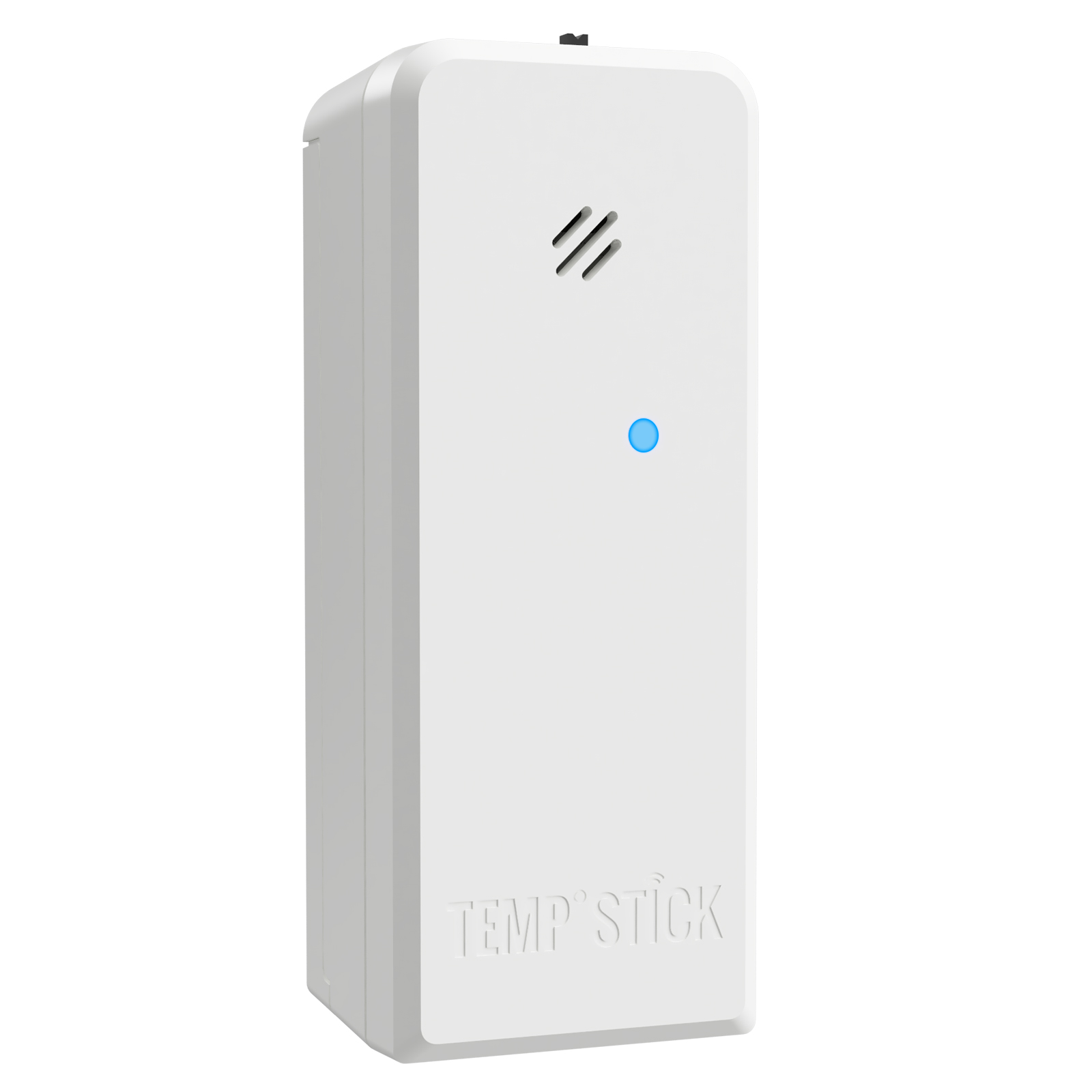
Temp Stick is the most straightforward example in this category. It is a WiFi temperature and humidity monitor with unlimited multi-user text, email, and push alerts, no subscription, a stated battery life of more than one year, and a stated operating range from -40°F to 140°F.[6] For caregiver use, the important part is not the temperature range; it is the multi-user alerting. More than one adult child, neighbor, or backup contact can be placed in the path of the alert.
Aqara and TP-Link Tapo sensors also show up in smart-home sensor recommendations, including Wirecutter coverage of smart sensors and aging-in-place device categories.[7] They may make sense when the home already uses the same ecosystem or when the caregiver wants lower-profile room monitoring. Before buying one for heat safety, check three things that matter more than brand polish: whether it sends remote alerts without someone opening the app, whether multiple people can receive those alerts, and whether the sensor depends on a hub, subscription, or platform setting that could complicate support.
Placement is not decoration. Put the sensor where the person spends time during heat: the bedroom, living room chair area, or upstairs room that traps afternoon sun. Avoid direct sunlight, stove heat, window AC exhaust, and spots right beside vents. If the relative uses a favorite chair because it is near the television or phone, that room may matter more than the neat central hallway.
Use more than one alert path when the stakes are high
A single app account is a fragile safety plan. Phones get silenced. Passwords expire. App permissions get denied after an operating-system update. WiFi routers blink for mysterious reasons. If the sensor allows text, email, and push alerts, use more than one. If it allows multiple users, add at least one backup person who is actually willing to act.
The message should also be understandable at a glance. “Living room is above heat threshold” is better than a vague device notification. If the app allows device naming, name the sensor by room and home: “Mom Bedroom Heat Sensor” is not pretty, but it is hard to misread.
Choose the Minimum Setup That Covers the Real Risk
The right setup depends less on gadget categories than on the house.
| Home Situation | Minimum Sensible Setup |
|---|---|
| Smart thermostat controls central AC and is near the main living area | Configure high-temperature alerts, caregiver account access, and safety cooling behavior. |
| Thermostat is in a hallway but the bedroom or upstairs room overheats | Keep thermostat alerts, then add a dedicated sensor in the risky room. |
| No central AC or cooling depends on window units, fans, or human action | Use dedicated temperature and humidity sensors with multi-user alerts and a written response plan. |
| Caregiver lives far away or multiple relatives share responsibility | Prioritize devices that support more than one alert recipient and more than one alert channel. |
| The older adult dislikes apps or changes settings often | Keep the resident’s controls simple and put the caregiver alert logic behind the scenes. |
Voice assistants can be useful around the edges: reminders to drink water, spoken prompts, or routines that turn on a fan connected to a smart plug. They should not be the center of the heat alert plan unless they change who gets notified and how quickly. A voice announcement inside the house does not help much if the person is napping, hard of hearing, or already heat-stressed.
The same caution applies to smart-home ecosystem features. Matter support, automations, dashboards, and elegant platform design are useful only if they make the heat plan more reliable. For this job, a plain sensor that texts three people may be more protective than a beautiful dashboard no one checks during a workday.
Set Thresholds Before the Weather Turns Dangerous
Do not wait for the first heat advisory to decide what number matters. The ecobee housing study used 26°C as an elevated-risk indoor threshold and 31°C as a hyperthermia-risk threshold.[2] Those numbers are useful reference points, not personal medical advice. The safer threshold for one home may depend on age, health conditions, medications, humidity, nighttime cooling, and whether someone can respond quickly.
A practical caregiver setup often uses at least two levels:
- Early warning: the room is getting too warm, so someone checks in, confirms AC or fans are working, and reminds the resident to start the cooling plan.
- Urgent warning: the room has crossed the family’s danger threshold, so the caregiver calls immediately, contacts a neighbor, or escalates according to the care plan.
If the device allows both temperature and humidity alerts, use both carefully. Humidity can make heat harder on the body, but a consumer sensor is still measuring the room, not the person’s core temperature. No normal smart thermostat or consumer room sensor can account for diuretics, beta-blockers, dehydration, chronic illness, mobility limits, or whether the person actually drank water and cooled down.
Test the Caregiver Alert Path, Not Just the Device
A heat alert that works in the installer’s hand is not finished. Test the path that will exist on a bad day.
- Confirm the sensor or thermostat is online from outside the home’s WiFi.
- Confirm the caregiver receives the alert on their own phone, not only inside the resident’s account.
- Check lock-screen notifications, sound settings, focus modes, and email spam filtering.
- Write down who responds first, who is backup, and when to call a neighbor, building manager, clinician, or emergency services.
- Place the neighbor’s number somewhere boring and findable, not only in one person’s phone.
The response plan should include what not to assume. Do not assume the older adult saw the same notification. Do not assume the AC is running because the app says cooling is scheduled. Do not assume a falling temperature in the hallway means the bedroom cooled. If the alert says the risky room is still hot, the plan has not worked yet.
There is a reason public agencies are moving toward more individualized monitoring for heat-vulnerable older adults. In Rome, a 2026 municipal smart bracelet program reported by Reuters covered about 700 elderly people as part of a €400 million effort, monitoring heart rate, sleep, falls, and movement during a heatwave.[8] That is not a consumer buying recommendation, and it is not the same as indoor temperature monitoring. It is a signal that serious heat-safety programs are looking beyond citywide forecasts toward person- and home-level information.
What This Setup Can and Cannot Promise
Smart home heat alerts are useful because they make an invisible household condition visible to someone outside the house. They can show that the bedroom is hot, that cooling did or did not start, or that a sensor stopped reporting. They can create a reason to call before the situation becomes a crisis.
They cannot decide whether a specific person is medically safe. They cannot diagnose heat exhaustion. They cannot know whether someone is dizzy, confused, dehydrated, or unable to get to a cooler room. They also cannot replace check-ins during heat advisories, medical guidance for high-risk conditions, or emergency response when symptoms appear.
For most caregiver households, the safe, bounded recommendation is simple: configure the existing smart thermostat if it can send high-temperature alerts and safely start cooling; add a dedicated room sensor where the thermostat may miss risk; share alerts with the people who will actually respond; and test the whole path on the caregiver’s phone before the next advisory.
References
- Heat-health warning systems and public health responses: a systematic review, PMC, 2025.
- The case for indoor temperature in heat-health warning systems: deployment of a real-time indoor temperature monitoring network in community housing, Population Medicine, 2023.
- Ethos: A personalized heat-health warning system for older adults, PMC, 2025.
- Learn about Safety Temperatures and how to change settings, Google Nest Help.
- How to set Reminders & Alerts on your ecobee thermostat, ecobee Support.
- Temp Stick, Ideal Sciences.
- The Best Smart Home Sensors for Alexa, Wirecutter, The New York Times, 2026.
- Heatwave watch: smart tech helps keep Rome's elderly safe, Reuters, June 28, 2026.
Known issues
No known issues summary recorded for this device.
No open Troubleshooting entries are currently tracked for this device.
Spot something outdated?
Flag anything that no longer matches current firmware, app, or spec behavior. This is recorded for internal review, not published automatically.