
Only the Z Fold 8 Ultra Works as a Smart Home Dashboard
Choosing between the Z Fold 8 and Z Fold 8 Ultra for smart home control? Only the Ultra's Flex Mode allows hands-free propped dashboard use with SmartThings and device controls—the Fold 8 lacks this entirely. Here's why that matters and where the extra $200 goes.
Last updated
A foldable that can open SmartThings is one thing. A foldable that can stay open on the kitchen counter while someone else taps the porch light, checks a camera tile, or runs the bedtime routine is a different job entirely. In a Galaxy Z Fold 8 vs Fold 8 Ultra smart home control setup, that physical difference matters more than the shared app list.
Both phones run the same basic smart-home software path: One UI 9 on Android 17, the SmartThings app, the Google Home app, Quick Settings device controls, and cover-screen widgets are available on both models according to Samsung's official Fold8 launch materials.[1] That means the standard Fold 8 is not locked out of smart-home control. It can still turn things on, open routines, and surface device shortcuts while you are holding it.
The split is posture. The Z Fold 8 Ultra keeps the Flex Mode behavior that lets the phone sit partly folded and usable hands-free. The standard Z Fold 8, as reported by SamMobile and Android Authority, lacks the Flex Mode settings menu and does not hold intermediate hinge angles in the same way.[2][3] For a shared dashboard, that is not a small omission. It changes the device from something you can leave open into something someone has to pick up.
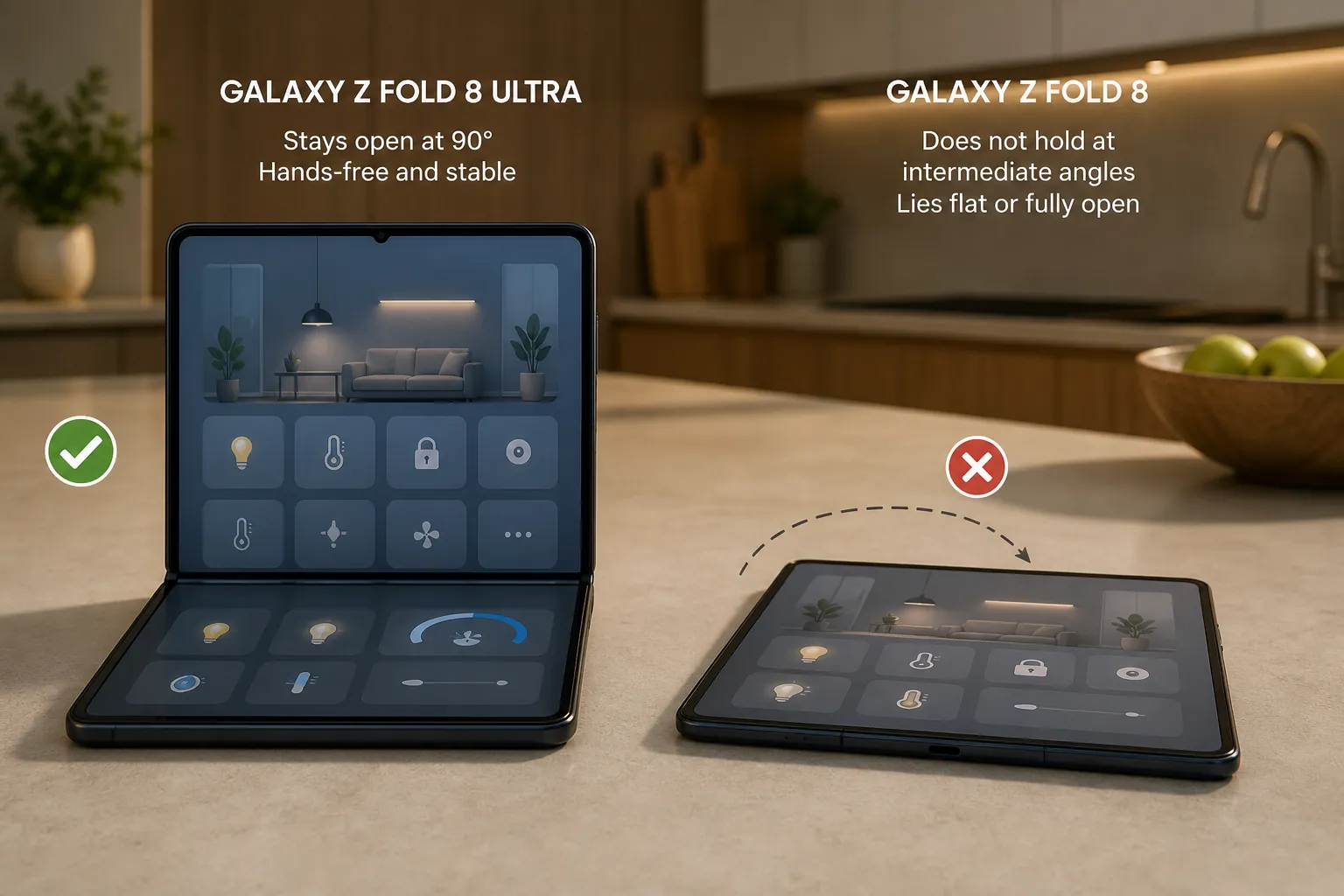
A Smart Home Dashboard Has to Stand There
For this use case, “smart-home control” does not mean opening an app once in a while. It means the device can sit where the household already pauses: near the coffee maker, beside a monitor, on a nightstand, maybe by the door where lights and locks are checked before leaving.
That setup has three basic requirements. The screen has to be visible without being held. The controls have to be reachable without balancing the phone in one hand. The hinge has to repeat the same position tomorrow, because nobody wants to learn a new little folding trick just to dim the dining room.
This is where “same software” becomes a lazy comparison. A Quick Settings Device Control tile on a handheld Fold 8 and a propped-open Ultra showing SmartThings are both technically smart-home access. They are not the same household experience. One is a personal remote. The other can become a small shared control surface.
The Fold 8 Loses the Posture That Makes the Dashboard Work
The most important Fold 8 detail is not buried in the processor, camera, or AI section. It is the hinge. SamMobile reported that the Galaxy Z Fold 8 does not include Flex Mode support and does not show the Flex Mode settings menu.[2] Android Authority likewise reported that the standard Fold 8 drops Flex Mode, with the hinge popping toward about 100 degrees rather than staying confidently at intermediate angles.[3]
Samsung's own support page points in the same direction from the official side. The page lists Flex Mode support for Galaxy Z Fold3 through Fold7 and multiple Flip models, but it does not list the Fold8 among supported devices.[4] That matters because Flex Mode is not just a vague “foldable feature.” It is the software-and-hinge behavior that lets supported apps use the upper and lower halves of the screen differently while the device sits partially folded.
CNET's hands-on comparison also described a real hinge-behavior difference between the Fold 8 and Fold 8 Ultra after trying both phones, reinforcing that this is not merely a menu-placement quirk.[5] Samsung has not published an official explanation for why the standard Fold 8 dropped this behavior. Android Authority mentions a second-hand YouTuber report about crease control, but that remains unconfirmed by Samsung and should not carry the buying decision.[3]
The practical result is simple: the standard Fold 8 can still be a very capable foldable phone, but it is the wrong shape for an unattended smart-home dashboard. If it cannot reliably sit at a usable angle, the household is back to picking it up, unfolding it, tapping, and putting it down again.
What the Ultra Actually Enables
On the Z Fold 8 Ultra, Flex Mode gives the smart-home setup a useful physical layout. The upper half can hold the live context: SmartThings device status, a room view, a camera feed, or a routine screen. The lower half can become the area where taps, scrolling, or touchpad-style interactions happen while the phone stays planted.
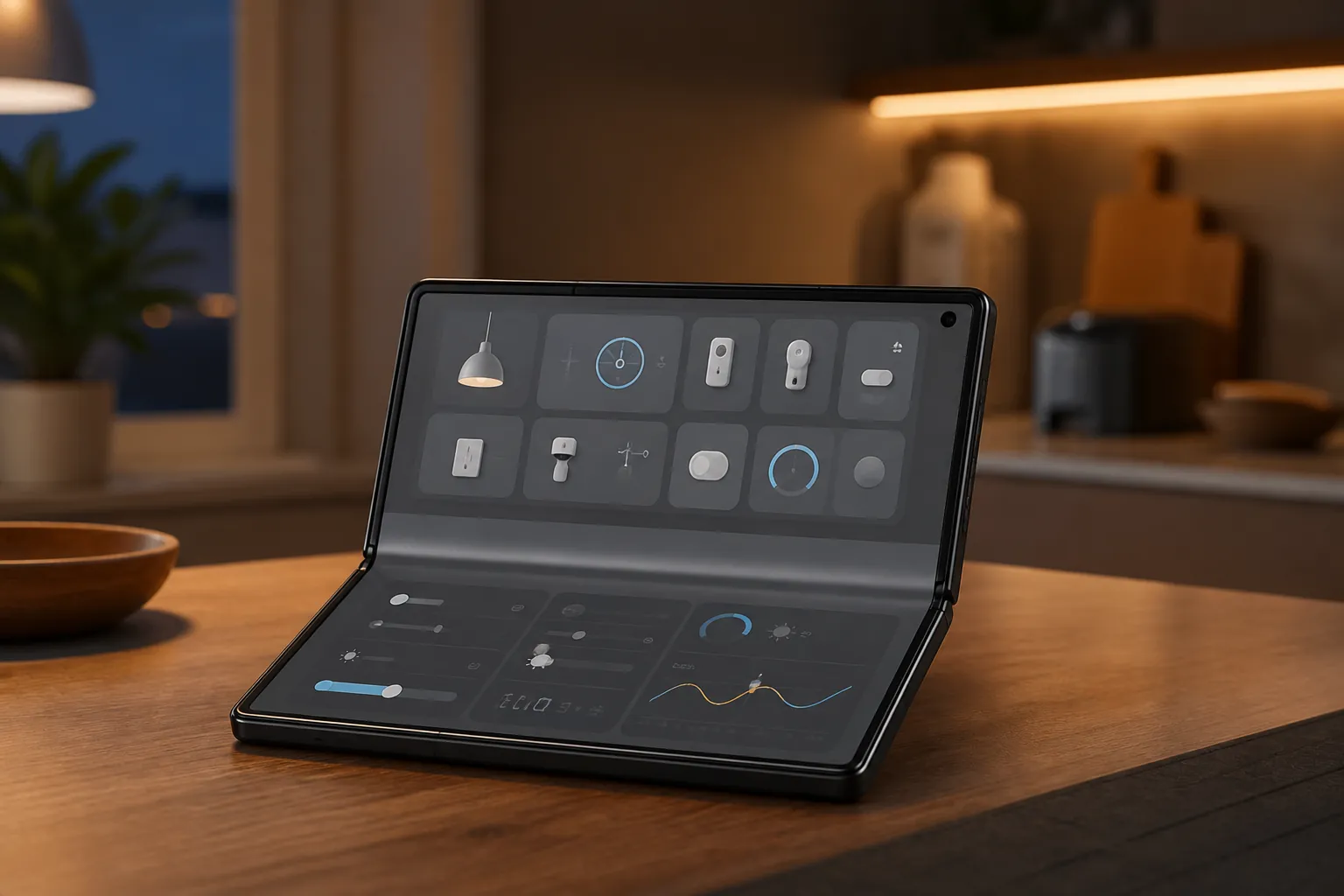
That layout sounds like a luxury until it becomes part of a routine. Someone walks into the kitchen and checks whether the back door is locked. Someone else taps a lighting scene without hunting through a phone. A desk setup keeps device status visible while work continues on a larger monitor. The Ultra is not doing magic; it is removing the need for a person to hold the control panel.
The distinction also corrects a common assumption in foldable smart-home guides. Our existing guide to controlling smart-home devices with the Galaxy Z Fold 8 covers the standard model as a control device, but the Flex Mode assumption needs this correction: the Fold 8 can control devices, while the Fold 8 Ultra is the one suited to propped dashboard use.
This Does Not Make Either Phone a SmartThings Hub
It is tempting to call the Ultra the better smart-home hub. That is the wrong label. Neither the Z Fold 8 nor the Z Fold 8 Ultra has a built-in SmartThings hub. Samsung's “Hub Everywhere” push names TVs, monitors, Family Hub refrigerators, and soundbars as places where SmartThings hub functionality can live; phones are not listed as hub devices in that explanation.[6]
So the Ultra's advantage is interface, not infrastructure. It is a better surface for touching and viewing a smart home that is already connected through SmartThings, Matter, Thread, Zigbee bridges, or another controller path. If the home needs a real SmartThings hub, look at devices that actually provide that role; our Samsung Frame TV smart-home integration guide is a better place to separate display control from hub capability.
Cover Screen, Battery, and AI Are Secondary
The Ultra also has the more comfortable cover-screen shape for quick smart-home glances. Samsung lists the Z Fold 8 Ultra with a 6.5-inch, 21:9 cover screen, while the standard Fold 8 uses a 5.5-inch, 10:16 cover screen.[1] It is reasonable to infer that the larger, wider Ultra display should make widget scanning easier, especially for room shortcuts or device tiles. Without a verified side-by-side widget tile count, that remains an inference rather than a tested claim.
Battery is less decisive than it may look on a spec sheet. Samsung lists a 5,000 mAh battery for the Ultra and a 4,800 mAh battery for the Fold 8.[1] The Ultra has a small capacity advantage, but that is not enough to promise an always-on countertop dashboard. If the plan is to leave a screen awake for long stretches, power placement, screen timeout behavior, heat, and charging habits matter more than the 200 mAh gap.
Gemini Intelligence is also not the deciding factor for this particular setup. Samsung's launch materials tie some Gemini Intelligence availability to the United States and Korea at launch, which makes it a regional bonus rather than the foundation of a universal smart-home dashboard recommendation.[1] Voice and AI shortcuts can be useful, but they do not solve the problem of whether the phone can sit open where people can touch it.
Where the Extra $200 Goes
At 256GB, Samsung's U.S. pricing puts the Z Fold 8 at $1,900 and the Z Fold 8 Ultra at $2,100, a $200 difference.[1] For a normal phone comparison, that gap would get weighed against the whole pile: display, design, camera, battery, and long-term value. For smart-home dashboard use, the math is narrower.
The $200 is not buying a better SmartThings app. It is not buying a built-in hub. It is buying the hinge-and-Flex-Mode behavior that lets the device become a hands-free control surface. If that is the job, the cheaper model does not perform the same job slightly worse; it misses the defining requirement.
If smart-home control means occasional handheld access to SmartThings, Google Home, Quick Settings device controls, or cover-screen widgets, choose the standard Z Fold 8 and keep the $200. It still runs the same control apps and still fits into a Samsung-heavy home. If the device is meant to sit open on a counter, desk, or bedside table as a repeatable shared dashboard, choose the Z Fold 8 Ultra. For this setup, Flex Mode is not a bonus feature. It is the setup.
References
- Samsung Galaxy Z Fold8 Ultra, Fold8 and Flip8: Foldables Perfected for Every Way of Living, Samsung Newsroom
- Samsung Galaxy Z Fold 8 lacks Flex Mode support, SamMobile
- Galaxy Z Fold 8 drops Flex Mode, Android Authority
- Use Flex Mode and Multi Window on your Galaxy foldable phone, Samsung Support
- Samsung Galaxy Z Fold 8 vs. Z Fold 8 Ultra: The Big Differences After Trying Out Both Foldable Phones, CNET
- Samsung SmartThings: Where Did Smart Home Hubs Go? Everywhere, Samsung Newsroom
Known issues with this device / protocol
Spec-version history
For active regressions on this protocol, see Update Watch.
No linked Update Watch entries yet.