
Can Snap Spectacles AR glasses control your smart home?
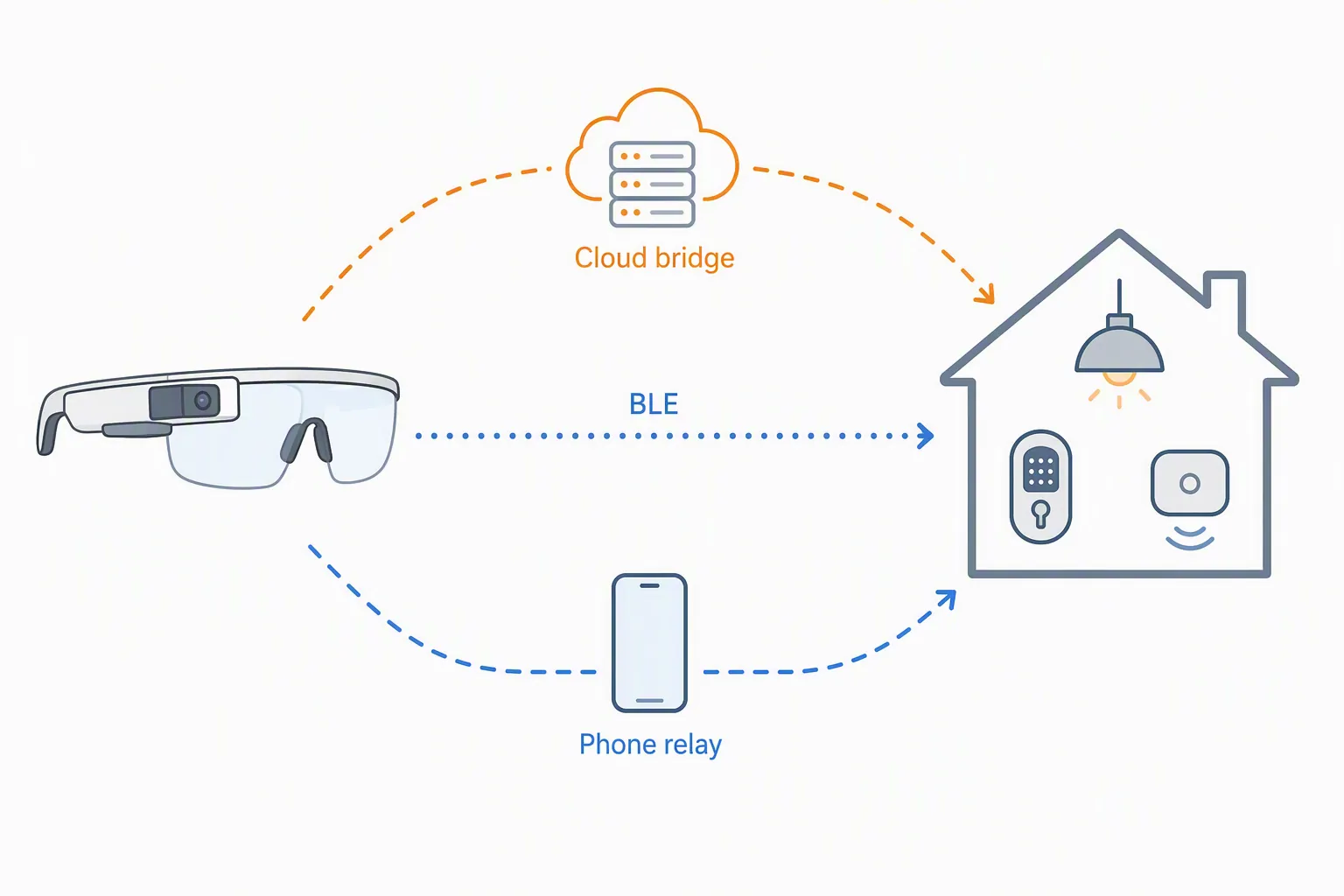
Snap's Spectacles ship with no native smart-home control — no Matter, HomeKit, Alexa, or Google support, and only Bluetooth and Wi-Fi on board. This dated pre-purchase check covers the three developer-built control paths and what is genuinely compatible as of August 2026.
Last updated
As of August 5, 2026, the compatibility verdict is plain: Snap Spectacles and the upcoming Snap Specs do not provide native smart-home control. In the checked public materials, Snap OS does not ship Matter, HomeKit, Alexa, or Google smart-home integration, and no Thread, Zigbee, or Z-Wave control path appears; the publicly documented on-device radios are Bluetooth and Wi-Fi. That is a verified absence in the reviewed sources, not an explicit vendor denial from Snap.[1][2][3]
For anyone checking whether Snap Spectacles AR glasses can control a smart home before spending money, the important distinction is this: looking at a lamp and gesturing at it is an interface demo; actually turning that lamp on requires a bridge, an API, permissions, credentials, and someone to maintain the path after the video ends.
| Control path | Status | What is documented | What it does not prove |
|---|---|---|---|
| Bluetooth Low Energy GATT | Experimental | Snap documents a Bluetooth API for Spectacles, explicitly names smart-home appliances as a target, and includes a Hue color lamp characteristic write example.[4] | It does not make Spectacles a Matter controller, a universal Hue controller, or a public-ready smart-home platform. |
| WebSocket bridge to a vendor API | Workaround / not independently confirmed | A community proof of concept gesture-controls Tuya devices through a Python tinytuya server, ngrok, and Snap’s Remote Service Module WebSocket path.[5][6] | It is a single published project, not native Tuya support, not Snap-certified smart-home compatibility, and not independently reproduced here. |
| Phone companion relay | Investigating | A third-party platform overview references a Snap ecosystem path involving a companion-style approach.[7] | The available material does not show a reproduced smart-home implementation or a worked compatibility claim. |
Device context: 2024 Spectacles versus 2026 Specs
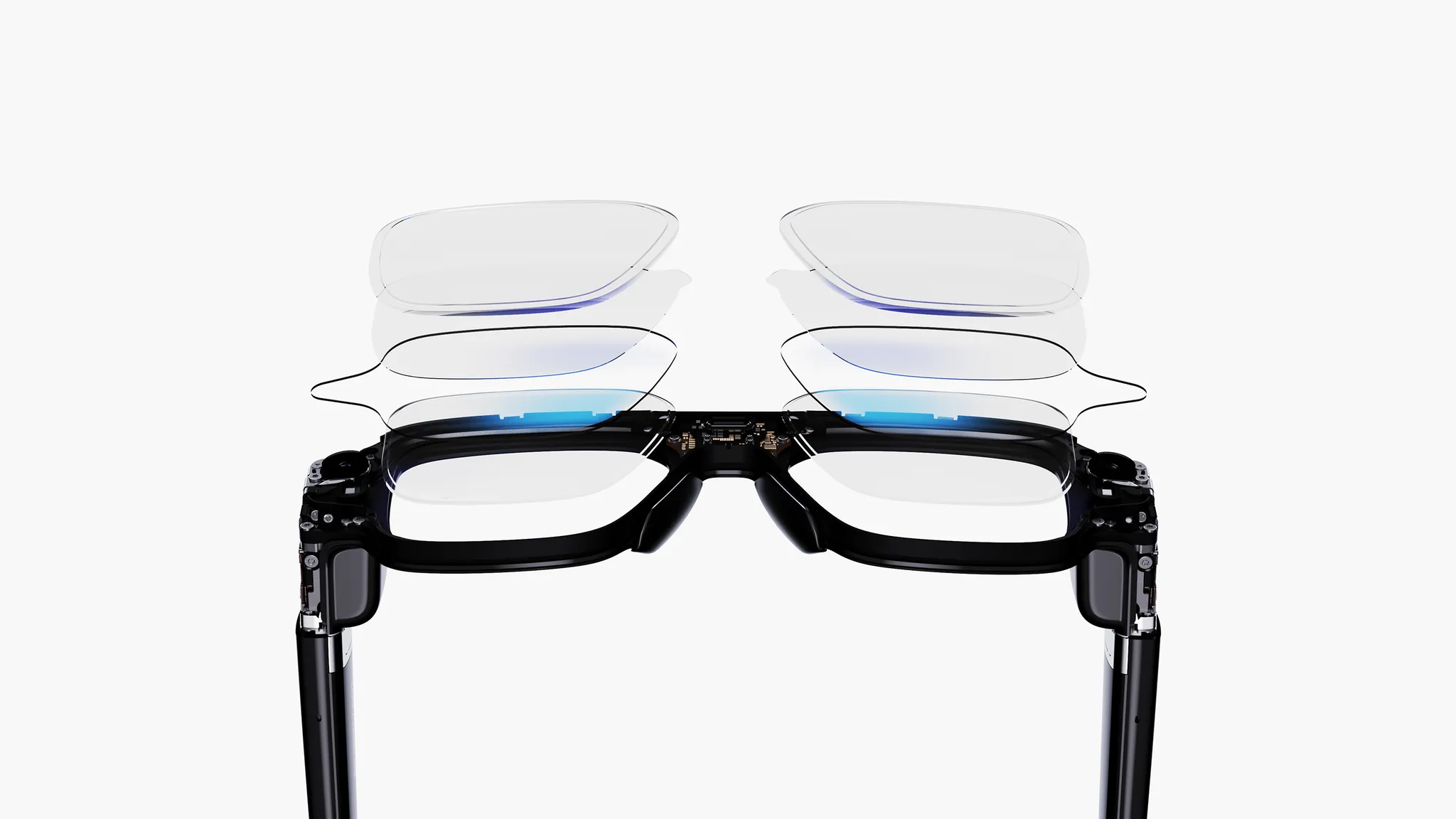
There are two Snap hardware conversations that easily get blurred. The 2024 Spectacles are developer hardware. The 2026 Specs are the consumer-facing glasses now open for pre-order at $2,195, with Snap saying they will ship in Fall 2026 in the US, UK, and France.[1][2] The smart-home answer above applies to the checked public platform evidence, but the buying risk is different for each device.
| Hardware | What matters for smart-home control | Compatibility caution |
|---|---|---|
| 2024 developer Spectacles | Developer hardware used for Lens-based AR experiments. CNET reported roughly 45 minutes of AR battery life in hands-on use.[10] | Useful for building and testing, but not evidence that a finished smart-home controller exists. |
| 2026 Snap Specs | Vendor-declared product details include $2,195 pre-order pricing, Fall 2026 shipping in the US/UK/France, 51° field of view, dual Snapdragon processors, a 7ms latency claim, up to 4 hours of mixed-use battery, 47mm and 52mm sizes, and 132g/136g weights.[1][2][8][9] | Specs have not shipped as of August 5, 2026. UploadVR also reported that Snap declined to confirm that every dev-kit Lens will run on Specs out of the box.[8] |
Those battery numbers should not be converted into smart-home session estimates. The 2024 developer-kit AR battery observation and the 2026 “up to 4 hours mixed use” claim are not measuring the same workload; UploadVR described the mixed-use claim as effectively not meaningful for AR-heavy use.[8][10]
BLE GATT: the most official path, and still experimental
Snap’s Bluetooth documentation is the strongest public material for direct device control because it is an actual platform API, not a concept video. The docs say Spectacles can connect to external Bluetooth peripherals and explicitly list “heart-rate monitors, fitness trackers, and smart-home appliances” among the targets. The official sample includes writing to a “Hue color lamp” characteristic, with a write value of 1 used to power the lamp on.[4]
That is meaningful, but it is narrow. A GATT write works when the device exposes the service and characteristic you need, when the Lens knows how to discover and address it, and when the command can be expressed through the supported API shape. It is not the same as pairing Spectacles with a Matter fabric, joining a Thread network, talking Zigbee or Z-Wave through a hub, or asking HomeKit, Alexa, or Google Home to execute an automation.
The constraints are not small footnotes. Snap’s BLE API requires Lens Studio v5.10.0 or later and Spectacles OS v5.062 or later. It cannot be tested in Lens Studio Preview. HID devices are unsupported. Connections are sequential only. Status events are documented as broken. Writes are limited to Uint8Array values.[4]
The permissions tradeoff is the part that matters for anything meant to be shared. Snap says using the Bluetooth API disables camera, location, and audio unless Extended Permissions are accepted; the same documentation says Lenses using Extended Permissions may not be released publicly to Lens Explorer.[4] For a private build, that may be acceptable. For a public smart-home control Lens that also needs spatial context, it is a serious publishing boundary.
- Use BLE only when the target appliance or accessory exposes a documented BLE GATT surface you can command directly.
- Expect to test on real Spectacles hardware, not only in Lens Studio Preview.
- Design around one connection at a time and do not assume reliable status-event behavior.
- Treat public distribution as constrained if the Lens needs Bluetooth plus privacy-sensitive inputs.
The Tuya WebSocket proof of concept is a bridge, not platform support
The only published end-to-end smart-home control example in the checked materials is the community project kgediya/spectacles-smart-home-ar. It is MIT-licensed and shows gesture control of Tuya devices, including Homemate-style devices, through a Python tinytuya server and ngrok. At the time checked, the repository showed 3 stars, 1 watcher, 5 commits, and a demo video.[5]
The architecture is exactly the kind of plumbing that gets hidden when people say “the glasses control the smart home.” The Lens connects outward through Snap’s Remote Service Module. Snap’s Remote Service Module only permits secured WebSocket connections, so the local Python bridge cannot simply sit on a private plain WebSocket endpoint; the project uses ngrok and rewrites the exposed HTTPS URL to WSS for the Lens connection.[5][6]
| Part of the workaround | What it is doing |
|---|---|
| Spectacles Lens | Provides the AR interface and gesture interaction. |
| Remote Service Module | Lets the Lens talk to a secured remote WebSocket endpoint, not a native smart-home stack.[6] |
| ngrok tunnel | Exposes the local bridge through a secured public endpoint that the Lens can reach.[5] |
| Python tinytuya server | Receives Lens messages and translates them toward Tuya device control.[5] |
| Tuya credentials | Provide the device-specific access material required by the proof of concept.[5] |
| Manual landmark-based pinning | Associates the visible AR object position with the intended smart-home device in the demo flow.[5] |
This is useful because it shows a complete route from glasses gesture to real device action. It is also fragile by design. The path depends on a local server, a tunnel, Tuya-side credentials, manual setup, and a cloud/API layer outside Snap’s control. If any one of those pieces changes, the AR control surface may still render beautifully while the device command fails.
So the status label stays Workaround / not independently confirmed. The project proves that a determined developer can wire Spectacles into a Tuya control path. It does not prove that Snap Specs natively support Tuya, that Tuya devices are broadly compatible with Spectacles, or that a buyer can expect this to work without maintaining a bridge.
Phone relay: plausible shape, insufficient public proof
A phone-companion relay would be the unsurprising smart-home route: the glasses capture intent, the phone app holds the account session or vendor SDK, and the phone sends the command to Home Assistant, a cloud API, or a device vendor. That pattern is common enough in connected products, but common architecture is not the same as documented compatibility.
The checked material only supports an Investigating label. Extentos’ Snap platform overview is relevant to the ecosystem discussion, but it does not provide a reproduced smart-home relay implementation or a compatibility matrix for locks, lights, sensors, hubs, or ecosystems.[7] Until a worked implementation is public and reproducible, this path should be treated as a build hypothesis rather than a buyer feature.
Publishing rules change which bridge is realistic
For a private lab build, BLE and WebSocket both matter. For a Lens someone else can actually find and use, the publishing path matters as much as the command path. Snap’s Bluetooth documentation draws a hard line around Extended Permissions: when Bluetooth is combined with camera, location, or audio, the Lens enters a permissions category that may not be released publicly to Lens Explorer.[4]
A WebSocket control Lens that does not require those privacy-sensitive inputs has a cleaner publishing shape, even though the smart-home work moves into a server you must operate. That is why the Tuya proof of concept is more than a novelty: it demonstrates the control pattern most likely to survive public distribution rules. It also moves trust, uptime, credentials, and vendor API breakage into your bridge.
What is actually compatible today
If your smart home is organized around Matter, HomeKit, Alexa, Google Home, Thread, Zigbee, or Z-Wave, Snap Spectacles do not currently appear as a native controller in the checked public materials. You would need a bridge that translates a Spectacles Lens action into whatever your real control plane accepts.
If you are building for one BLE appliance or accessory with a known GATT surface, Snap’s BLE API is the closest thing to direct control. Keep it in the Experimental bucket because of hardware-only testing, API limitations, status-event issues, sequential connections, write-format limits, and the Extended Permissions/public publishing problem.
If you are building for Tuya-style cloud or vendor API control, the WebSocket bridge pattern is the most concrete published route. Keep it in the Workaround bucket because the published evidence is a single community proof of concept, not a native integration or a confirmed general compatibility result.
If your plan depends on a phone companion silently doing the real smart-home work, budget it as custom software. The public material checked here does not support treating that as an available smart-home control feature.
Buy or build around Snap Spectacles for smart-home control only if you are comfortable accepting a developer bridge. Do not buy the 2026 Specs pre-order, or inherit a 2024 developer Spectacles project, expecting native smart-home compatibility.
References
- Introducing Specs, Our Next-Generation Augmented Reality Glasses — Snap Newsroom
- Specs — Specs
- Compatibility List — Snap Developers
- Bluetooth — Snap Developers
- kgediya/spectacles-smart-home-ar — GitHub
- Remote Service Module — Snap Developers
- Snap — Extentos
- Snap Specs Design Revealed, Preorders Open For $2195 — UploadVR
- Snap Specs: Evan Spiegel's Augmented Reality Smart Glasses at AWE 2026 — CNET
- I Tried Snap's New Standalone AR Glasses, Which Do Mixed Reality, AI and Work Outdoors — CNET
Known issues with this device / protocol
Spec-version history
For active regressions on this protocol, see Update Watch.
No linked Update Watch entries yet.