
Can a Samsung UHD Blu-ray Player Join Your Smart Home?
Samsung UHD Blu-ray players have no dependable direct smart-home path in 2026 — SmartThings, Alexa, Google Home, and Home Assistant all lack confirmed support. This dated, status-labeled verdict matrix sorts every control route and lands on HDMI-CEC (Anynet+) through the TV as the durable local option, with IR-hub workarounds for voice.
Last updated
A Samsung UHD Blu-ray player does not have a dependable direct route into a smart-home platform in 2026. The UBD-K8500, UBD-M8500, and UBD-M9500 can still be useful disc players, but owners should not expect them to appear as fully supported devices in SmartThings, Alexa, Google Home, or Home Assistant. Samsung stopped making new Blu-ray players in February 2019, leaving this product line without the kind of ongoing platform support that newer connected devices receive.[1]
The practical exception is HDMI-CEC: connect the player to a compatible Samsung TV, enable Anynet+, and control the player indirectly through the television. That is control of a device in the HDMI chain, not proof that the Blu-ray player has joined the smart home as a first-class device.
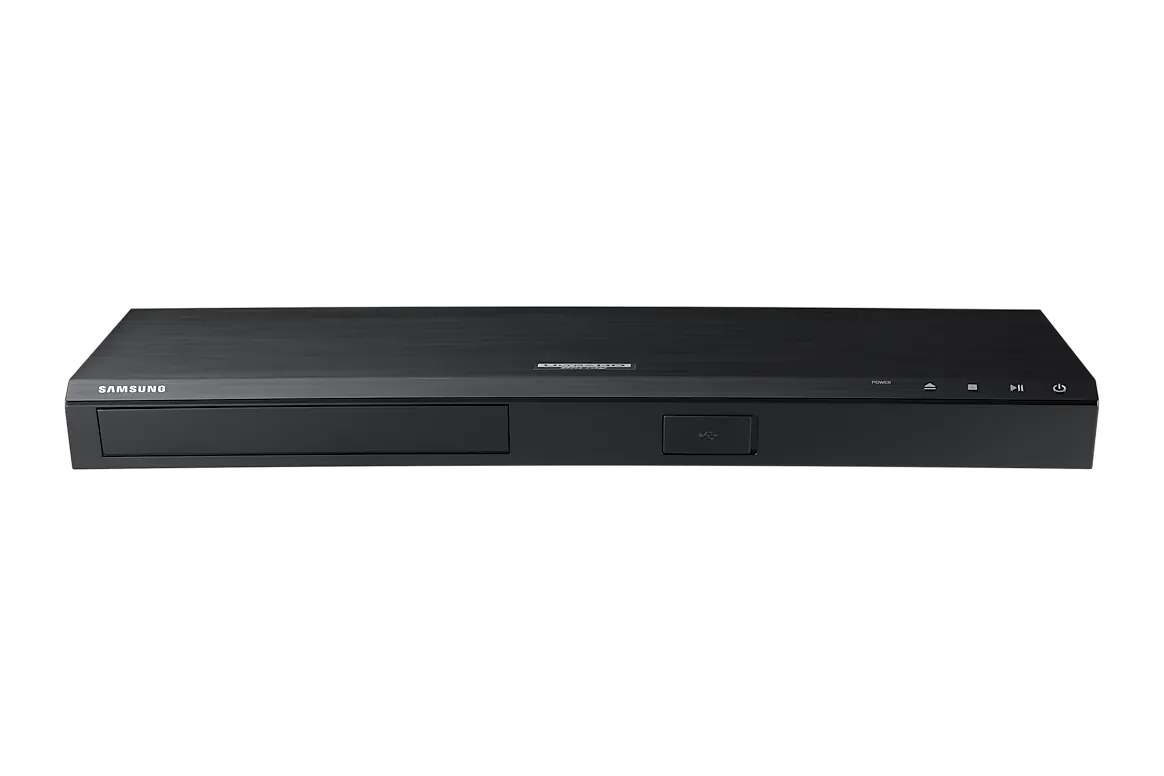
Samsung UHD Blu-ray smart-home verdict, verified August 26, 2026
The labels below separate native integration from mediated control. “Confirmed” means the route is documented and reproducible at the stated control point. “Workaround” means another device, such as a TV or IR hub, is relaying commands. “Investigating” means the available evidence is incomplete or stale. “Not supported” means no documented native path was found for the player itself.
| Control route | Status | What the status means | Evidence and verification |
|---|---|---|---|
| SmartThings | Investigating | No confirmed native player integration. A SmartThings device search or pairing option may not establish that the model is currently supported. | A January 2019 UBD-M8500/ZA report describes pairing stopping at 14% through the app’s Blu Ray option, with no posted resolution.[2] Samsung’s compatibility guidance says to search for the exact model number and treats a model absent from search as incompatible.[3] Current app behavior was not re-tested; verified August 26, 2026. |
| Alexa direct | Not supported | No documented Samsung UHD Blu-ray device class or direct player skill was found. Alexa may control an IR hub or a compatible TV instead. | Samsung’s voice-control page documents TVs and soundbars, not Blu-ray players.[4] Amazon’s entertainment-capabilities documentation covers cloud-connected TVs, AV receivers, and IR hubs, including input-selection commands, but does not name Samsung Blu-ray players as a device class.[5] Verified August 26, 2026. |
| Google Home direct | Not supported | No native Google Home integration for the player itself was confirmed. | Samsung’s documented Google Home path covers TVs and soundbars rather than Blu-ray players.[4] The separate question of whether Google Assistant can still control a Samsung TV is under re-verification because Samsung materials conflict over support after March 1, 2024. Verified August 26, 2026. |
| Home Assistant native | Not supported | Home Assistant does not provide a native Samsung UHD Blu-ray integration in the available documentation. | Home Assistant documents an HDMI-CEC integration, not a Samsung Blu-ray integration. Its example includes a Blu-ray player address mapping, but that is a CEC device exposed through a CEC-capable host.[6] Verified August 26, 2026. |
| HDMI-CEC / Anynet+ through the TV | Confirmed | The TV can act as the control point for a connected player. This is a local, mediated route rather than direct smart-home membership for the Blu-ray player. | Samsung documents Anynet+ control of connected Blu-ray players for power, standby, volume, and input functions. The TV supports up to 12 connected devices, including up to 3 of the same type.[7] Verified August 26, 2026. |
| IR hub for voice | Workaround | A voice assistant can send commands to an IR hub, which then imitates the player’s remote. The hub is the smart-home device; the Samsung player remains an IR-controlled endpoint. | Amazon documents IR hubs as part of its entertainment-control model and gives input-selection examples such as switching to Blu-ray.[5] This is useful when voice control matters, but it is not native Samsung player integration. Verified August 26, 2026. |
Why SmartThings is still an unresolved answer
SmartThings is the route most owners naturally try first, especially when the player is a Samsung product and the app presents a Blu Ray device category. The available evidence does not justify calling that route confirmed. The clearest model-specific report is from January 2019: an owner using a UBD-M8500/ZA and an iPhone 8 Plus reported that pairing stopped at 14% after selecting the Blu Ray option.[2] The report did not receive a documented resolution.
Samsung’s own compatibility guidance provides the more useful test: search SmartThings for the exact model number, because a device missing from the search is treated as incompatible.[3] That is a model-level check, not a guarantee that an older device will pair merely because the app exposes a broad category. It is also worth noting that the public Works with SmartThings directory is JavaScript-rendered, so failing to locate a model there is not, by itself, proof that Samsung never supported it.
For that reason, the careful status is Investigating rather than a categorical 2026 “yes” or “no.” No current pairing test was available for this assessment, and no located certification establishes UBD-K8500, UBD-M8500, or UBD-M9500 support. Readers checking a specific unit should record the exact regional model suffix and the date of the SmartThings search. That is the same discipline used when checking whether a phone is genuinely SmartThings-compatible, as opposed to merely belonging to the Samsung product family; the SmartThings compatibility guide for the Galaxy F70 Pro 5G is a useful comparison.
Alexa and Google Home: the assistant may control the chain, not the player
Samsung’s own voice-assistant documentation is narrower than the company’s broader ecosystem language. The page updated January 19, 2024 describes Google Home, Bixby, and Alexa control for Samsung TVs and soundbars; it does not document a Samsung Blu-ray player as a supported voice device.[4] That leaves no confirmed direct Alexa or Google Home route for the UBD-K8500, UBD-M8500, or UBD-M9500.
There is a second distinction that matters in a real setup. If a voice assistant selects the TV input labeled Blu-ray, it has controlled the TV’s input—not necessarily sent a play, pause, or power command to the player. Amazon’s entertainment documentation includes TVs, AV receivers, and IR hubs, with examples such as switching input to Blu-Ray, but Samsung UHD Blu-ray players are not listed as their own device class.[5]
The TV-mediated Google route also needs a cautious label. Samsung published a January 2024 page describing Google Home control through SmartThings, while Samsung support materials and community responses state that Google Assistant support on Samsung TVs ended March 1, 2024. Until that conflict is re-checked against the current TV model, region, and software, it should not be presented as a settled way to operate a Blu-ray player.
The dependable local setup is player → TV over HDMI-CEC
For an existing owner, HDMI-CEC is the route with the least dependence on a cloud service, account link, or discontinued vendor skill. On Samsung equipment, the feature is called Anynet+. Connect the UHD Blu-ray player to the TV by HDMI, enable Anynet+ on the TV, and enable the corresponding HDMI-CEC setting on the player if it is off. The TV then becomes the point from which the connected player is discovered and operated.
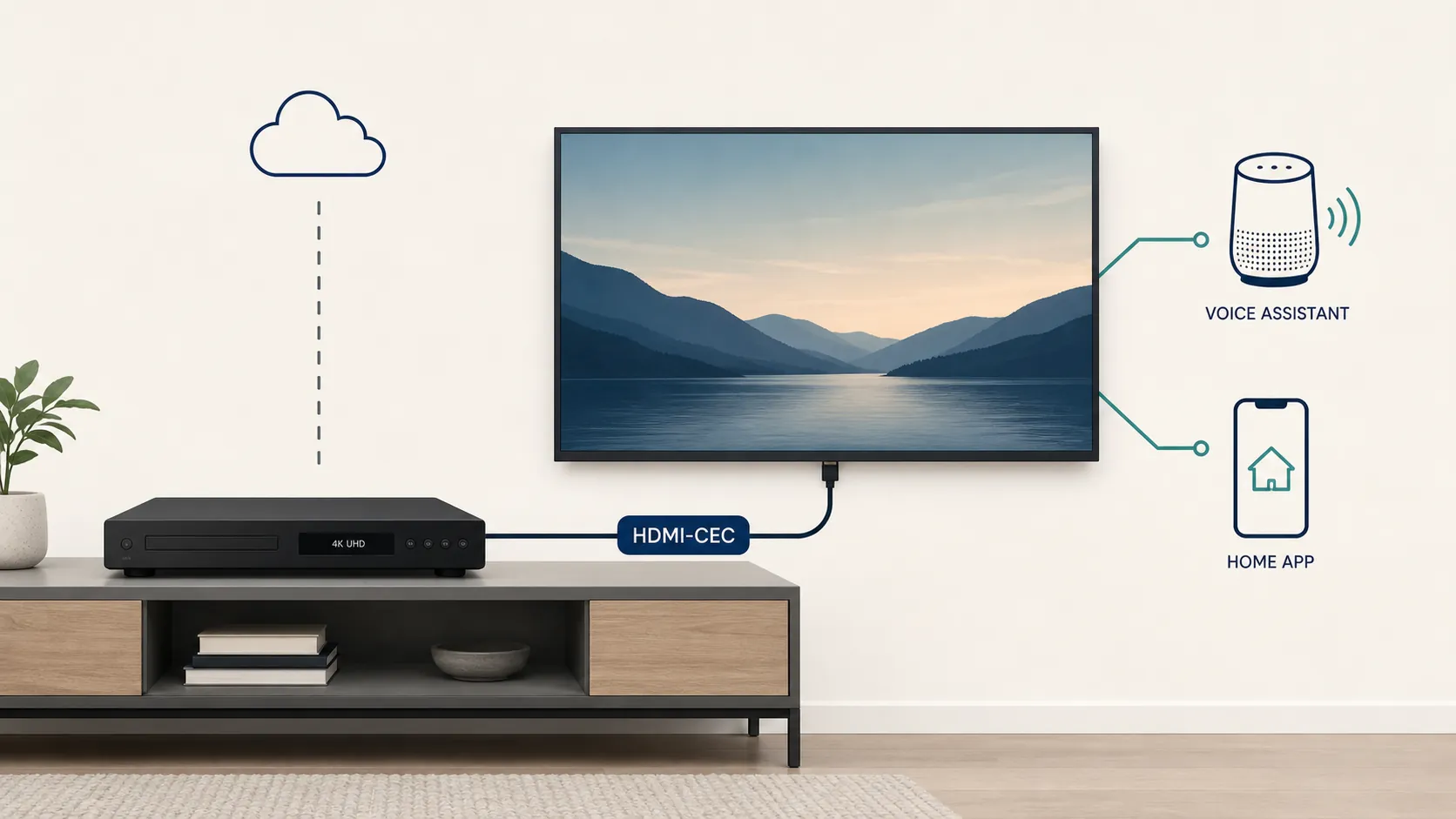
Samsung documents Anynet+ control for connected Blu-ray players, including power, standby, volume, and input functions.[7] Those commands are enough to make a player feel integrated during ordinary TV use: selecting the Blu-ray input can wake the chain, and turning the system off can place connected equipment into standby. They do not amount to a complete transport-control API. The documented feature should not be stretched into a promise of reliable voice playback commands, title selection, app navigation, or status reporting.
CEC behavior also depends on the whole HDMI path. A TV, receiver, switch, or capture device can change how discovery and power commands behave. Samsung specifies a maximum of 12 Anynet+ devices and no more than 3 devices of the same type.[7] If the player does not appear, test the simplest chain first: player directly into the TV, a known-good HDMI cable, Anynet+ enabled, and any competing HDMI switch temporarily removed.
Using the same path from Home Assistant
Home Assistant can use the CEC path, but it needs a CEC-capable host. Home Assistant’s local-push hdmi_cec integration supports actions such as power-on, select, standby, and raw CEC commands. Its documentation shows a Blu-ray player address mapping, while also requiring hardware such as a Raspberry Pi with suitable CEC access or a Pulse-Eight USB adapter.[6]
That arrangement changes the control chain to Home Assistant → CEC host → HDMI network → TV/player. It does not install a Samsung integration or make the player independently discoverable in Home Assistant. The advantage is local control and a protocol that remains useful even when a vendor has stopped maintaining an app connection. The limitation is equally concrete: the commands exposed are the commands available through CEC, and the result depends on the TV and HDMI topology.
When an IR hub is worth adding
An IR hub is the practical fallback when voice control matters more than native integration. The hub learns or selects the Samsung player’s remote commands, then exposes scenes or actions to a voice assistant. This can cover power, input, play, pause, navigation, and other buttons that CEC may not expose.
The trade-off is reliability and visibility. An IR command can be sent without knowing whether the player received it, and a voice routine may need a separate TV-input action before the player command makes sense. Amazon’s documentation treats IR hubs as a supported way to add entertainment controls, but that support belongs to the hub-and-assistant combination, not to Samsung’s UHD Blu-ray player as a native smart-home device.[5]
What Samsung’s product history tells a buyer
The UBD-M8500 and UBD-M9500 belonged to Samsung’s 2017 UHD Blu-ray generation and shipped with a Smart Hub for streaming apps such as Netflix, Amazon, and YouTube.[8] That Smart Hub was a player interface for streaming services. It was not evidence of SmartThings membership, voice-assistant control, or a general smart-home API.
Samsung’s February 2019 decision to stop making new Blu-ray players is the relevant historical fact for today’s setup decisions.[1] It does not prove that every cloud or local function stopped working at the same time, and it does not turn one failed pairing report into a universal diagnosis. It does explain why a buyer should be skeptical of any expectation that these players will gain a newly maintained direct integration.
The buying decision is therefore straightforward. If direct ecosystem membership is a requirement, treat these Samsung UHD Blu-ray players as incompatible unless a specific model, region, and current platform test proves otherwise. If the goal is dependable operation of an existing player, use HDMI-CEC through the TV first. Add an IR hub only when voice control justifies the extra layer and its weaker feedback.
References
- Samsung stops making Blu-ray players: How long will the format last? — CNET, February 2019
- UBD-M8500/ZA Won't Connect to SmartThings on iPhone 8 Plus — SmartThings Community, January 2019
- How to check if your device is compatible with SmartThings — Samsung Support
- Control your TV or soundbar by connecting Google Home, Bixby, or Alexa — Samsung Support, January 19, 2024
- Introducing Entertainment Capabilities in Alexa Smart Home: New Device Controls for TVs, AV Receivers, and IR Hubs — Amazon Alexa Developers, 2017
- HDMI CEC — Home Assistant
- How to use Anynet+ (HDMI-CEC) on your Samsung Smart TV — Samsung Support, June 10, 2023
- Samsung UBD-M8500 and UBD-M9500 UHD Blu-ray players launched — FlatpanelsHD, 2017
Known issues with this device / protocol
Spec-version history
For active regressions on this protocol, see Update Watch.
No linked Update Watch entries yet.