
Monitor Flood, Drought, and Freeze With One Smart Home Hub
Learn how to combine flood, drought, and freeze sensors into a single smart home system by choosing the right hub and protocol, saving money and avoiding separate apps. Discover which devices share Z-Wave, Zigbee, or Matter and how to bridge protocols when needed.
Last updated
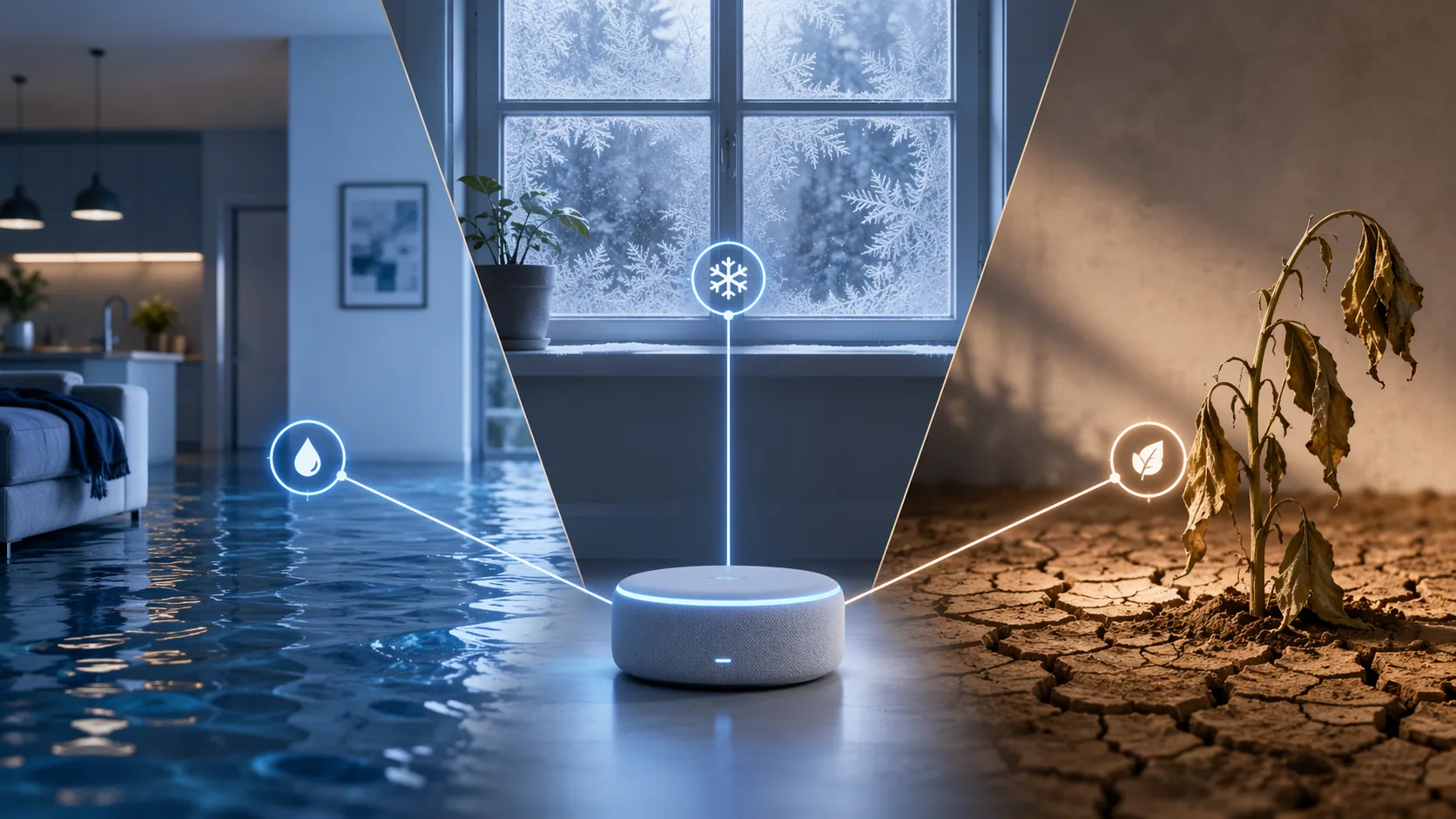
Yes, flood risk, drought monitoring, outdoor weather, and freeze alerts can live in one smart home hub. The catch is that the sensors have to speak a protocol your hub can hear, or they need to be bridged into that hub cleanly. The hard part is rarely the leak probe or the soil probe itself. It is whether Z-Wave, Zigbee, Matter, Thread, WiFi, and the hub’s own integrations turn into one control plane or four stranded apps.
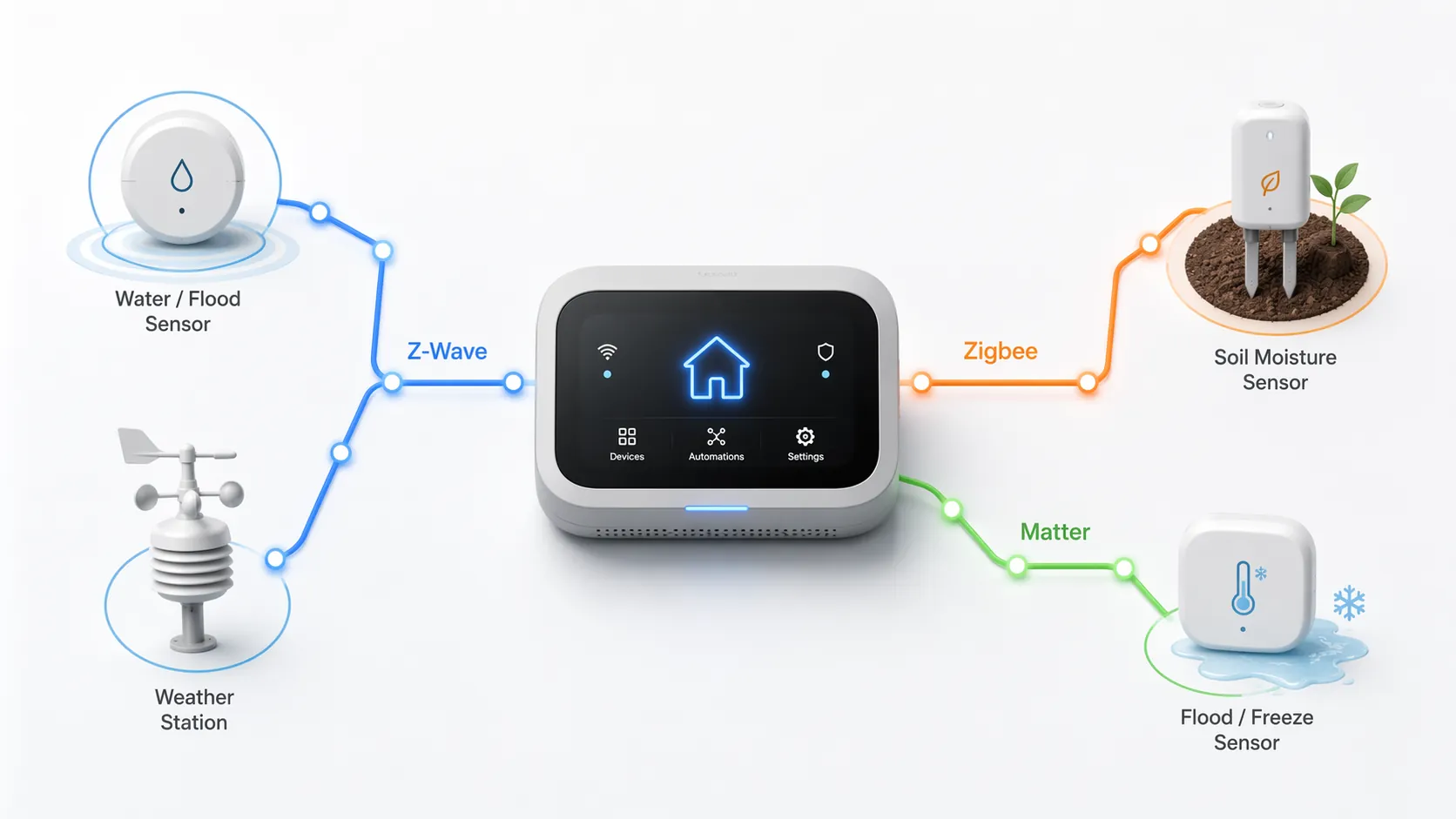
A climate-aware smart home is much easier to maintain when you start with the network path, then buy the sensors. Z-Wave fits flood, temperature, longer-range perimeter coverage, and some weather-station use. Zigbee is strong for inexpensive soil moisture and maker-style rain sensing. Matter is the cleaner route for Apple Home users when compatible flood devices are available. Multi-protocol hubs such as Home Assistant, Hubitat, and Homey are the practical escape hatch when the best flood sensor and the best garden sensor do not share a radio.
Start With The Compatibility Map
Before comparing sensor prices, draw the house as risk zones: under sinks, near the water heater, beside the sump, in the crawl space, at the greenhouse, near garden beds, on the fence-line shed, and anywhere a freeze warning would actually change what you do. Then write the protocol beside each device you are considering.
| Risk zone | What the hub needs to receive | Protocol fit |
|---|---|---|
| Indoor flood | Water contact, leak alarm, sometimes humidity | Z-Wave, Matter, Zigbee depending on hub |
| Freeze-adjacent areas | Temperature from a water sensor, room sensor, or weather station | Z-Wave or Matter indoors; weather station data outdoors |
| Outdoor drought and soil | Soil moisture, sometimes soil temperature or plant-specific thresholds | Zigbee today; some app-connected plant sensors through hub integrations |
| Microclimate and rain | Temperature, humidity, wind, rainfall, or rain events | Z-Wave weather station, Zigbee DIY path, or hub-integrated weather hardware |
| Detached garage, shed, perimeter | Reliable range more than feature count | Z-Wave Long Range where supported; mesh planning otherwise |
That table is the buying filter. A Z-Wave flood sensor and a Zigbee soil probe can still belong to one system, but not because the devices magically see each other. They belong together only if the hub has both radios, or if a bridge brings one side into the platform without breaking alerts and automations.
Flood And Freeze Belong Together Indoors
The most efficient indoor climate sensor is the one that can report more than a wet floor. Aeotec’s Water Sensor 7 Pro is a Z-Wave device that combines flood detection, temperature, and humidity in one unit, with a listed price around $38.[1] That combination matters because many freeze alerts in a smart home are not coming from a dedicated “freeze sensor” category. They are coming from temperature readings placed near pipes, basements, garages, crawl spaces, or mechanical rooms.
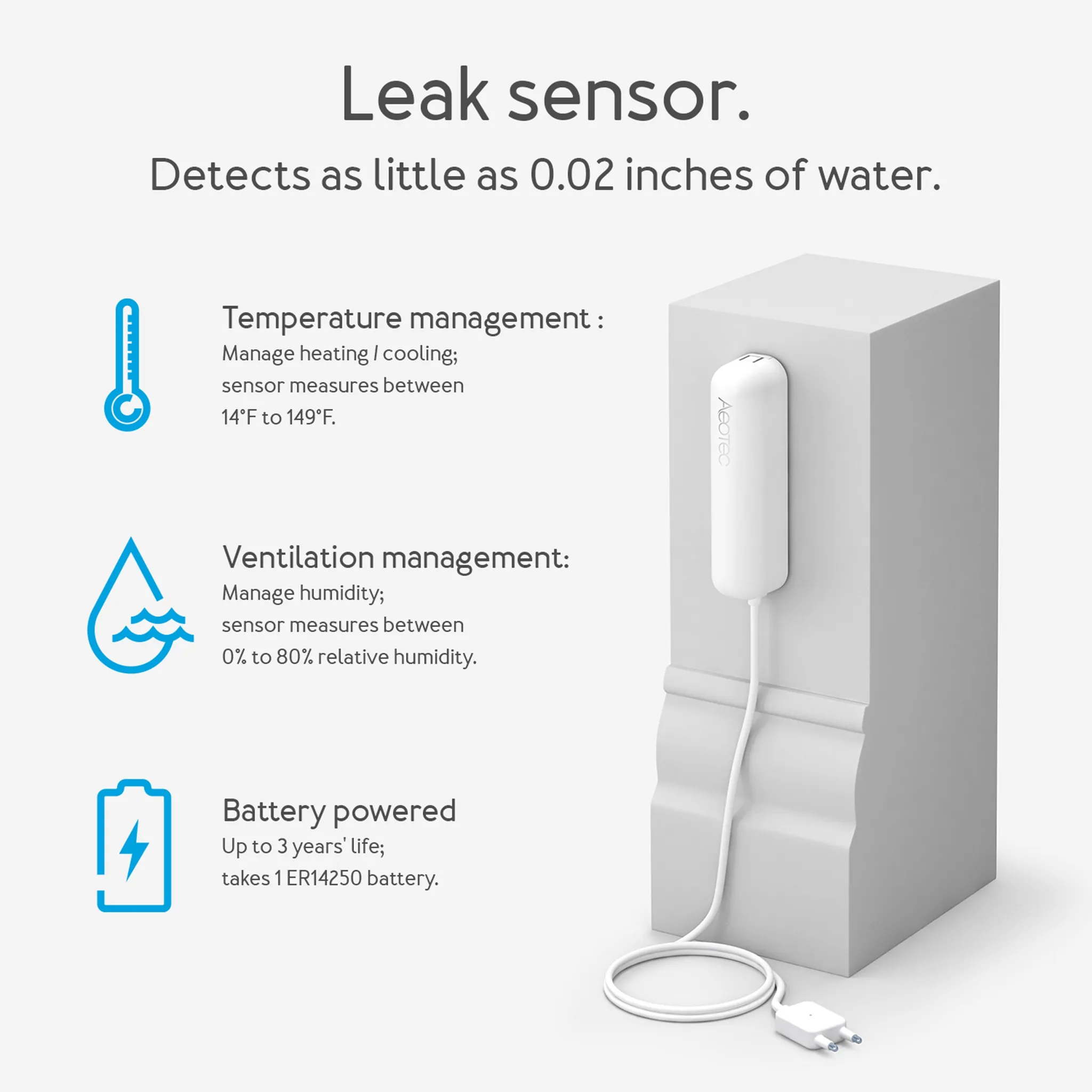
That is the right level of ambition for freeze monitoring. If a sensor near the water heater reports water, that is a leak event. If the same device reports a falling temperature in a garage utility closet, that can trigger a freeze warning before a pipe becomes the next problem. The system does not need to pretend it has a rich category of pipe-specific freeze products if the real build is temperature-aware flood coverage.
Water damage is the financial anchor here. FloodPrepare cites average water damage at $11,650 per claim and describes it as the most frequent and expensive home insurance claim.[2] A sensor does not repair plumbing, stop every burst pipe, or guarantee an insurance discount. What it can do is shorten the time between water appearing and someone being told to act. That is where the return on a hub-centered leak system usually lives.
Placement still does more work than branding. A water sensor under a vanity is useful; one placed where the battery can be replaced without unloading half a storage closet is more likely to stay useful. If the hub cannot reach the crawl-space corner, a better spec sheet will not save the automation.
Range Is A Climate Feature
Flood and freeze sensors often end up in the worst radio locations in the house: basements, corners, garages, sheds, and behind appliances. Garden and soil sensors push even farther out. This is why protocol choice is not a housekeeping detail. It is the difference between a sensor that reports trouble and a sensor that disappears after the first storm.
Z-Wave Long Range is especially relevant for detached structures and property edges because the Z-Wave Alliance describes coverage of 1,000+ feet from the hub.[3] That claim should not be read as a promise that every shed, wall, metal door, and wet tree line will behave nicely. It does mean that long-range Z-Wave planning is a real option for garages, outbuildings, yard edges, and other places where ordinary indoor mesh assumptions get thin.
Mesh protocols also have a practical advantage over WiFi for many basement and perimeter sensors: Z-Wave and Zigbee devices can extend the network through nearby nodes instead of each battery device trying to talk back to a distant router.[2] That does not make every mesh device perfect. Battery-powered end devices usually do not repeat for others, and outdoor placement can still be unforgiving. But for a climate stack that spreads from utility room to fence line, mesh planning is usually less fragile than scattering WiFi gadgets wherever the hazard happens to be.
Drought Monitoring Is Mostly A Soil-Sensor Problem
Drought monitoring sounds abstract until the system has a probe in the soil and a rule attached to it. The useful signal is not “it has been dry lately.” It is that the raised bed, greenhouse pot, or young tree zone has crossed a moisture threshold that should change irrigation, delay mowing, or tell someone to check the plant before leaves show stress.
The low-cost Zigbee path is the ThirdReality Soil Moisture Sensor. The Homey Best Buy Guide describes it as a Zigbee device around $17, with a 100 mm capacitive probe, IP67 rating, and up to three years of battery life.[4] Those are the right details to care about: outdoor rating, probe length, battery interval, and hub visibility. A cheap soil sensor that reports into the same hub as the leak sensors is more useful than a prettier plant app that never joins the automation layer.
FYTA Beam sits in a different lane. The same guide describes it at around $35, measuring six soil variables with an adjustable 30–350 mm probe and a database of more than 3,400 plant species for moisture thresholds.[4] That is a more plant-specific approach, useful when the question is not simply “is the bed dry?” but “is this plant outside its target range?” The tradeoff is that plant intelligence and hub unification are not the same thing; before buying, check whether the readings can appear where your flood and weather alerts live.
For most households, one or two soil zones are enough to make drought monitoring concrete. Put the first probe where water stress is expensive or hard to see: a greenhouse, foundation planting, new tree, raised vegetable bed, or remote planter. The automation can be simple: notify when moisture is low, suppress irrigation when rain is detected, or compare soil moisture against recent rain before watering.
Weather And Rain Are Extensions, Not The Center
A weather station can make the climate stack smarter, but it should not be the first purchase for every home. Flood sensors catch water where water causes damage. Soil probes measure the ground you actually care about. A weather station adds context: outdoor temperature, humidity, wind, rainfall, and local conditions that help the hub decide when an alert deserves attention.
The Popp Z-Wave Weather Station is a useful proof of what a unified stack can look like because Vesternet describes it as an energy-automated outdoor weather station covering temperature, humidity, wind, and rain, with Z-Wave native operation and no WiFi dependency.[5] It is also niche. Availability can be harder than with mainstream weather-station brands, so it belongs in the “possible Z-Wave-native extension” category rather than the default recommendation.
Rain sensing has a similar split. A DIY Zigbee rain gauge built from an Aqara door sensor and a 3D-printed tipping bucket can report rainfall volume to Home Assistant for under $25, according to the Smart Solutions for Home project notes.[6] That is clever and genuinely useful for a maker household. It is not the same as buying a supported retail weather station, and it should be treated as a project with calibration, housing, and maintenance work attached.
Choose One Protocol, Or Bridge On Purpose
The cleanest system is one where most devices share a protocol and the hub supports that protocol directly. The second-best system is a deliberate multi-protocol build where the hub is chosen because it can see Z-Wave, Zigbee, Matter, or integrations in one place. The messy system is the one built from impulse purchases: a Z-Wave leak sensor, a Zigbee soil sensor, a proprietary WiFi weather station, and an Apple-only device, all bought before anyone checked how alerts and automations would meet.
| Household path | Best fit | Watch-out |
|---|---|---|
| Z-Wave-first | Flood sensors, temperature readings, long-range garage or shed coverage, Z-Wave weather examples | Soil moisture choices are thinner, so drought monitoring may need a bridge |
| Zigbee-first | Inexpensive soil moisture, maker rain sensing, some low-cost sensors | Flood and freeze coverage depends heavily on hub support and device quality |
| Matter / Thread-first | Apple Home users who want fewer vendor-specific paths for compatible flood devices | Soil and weather coverage may still lag or require another integration |
| Multi-protocol hub | Home Assistant, Hubitat, or Homey users who want the best device in each zone | More setup responsibility, especially for naming, automations, and bridge health |
| SmartThings-centered | Users already invested in SmartThings automations | Some combinations may require supported integrations, custom handlers, or bridging |
For Apple Home, the clean answer is to favor Matter-over-Thread flood devices when the specific model supports the alerts you need. That keeps the system closer to Apple Home’s native control layer. It does not magically create a full drought and weather stack, so soil moisture and advanced rain monitoring may still require a separate bridge, Home Assistant, or a compatible ecosystem integration.
For SmartThings, the honest answer is mixed. SmartThings can be a workable center for many homes, but the moment you combine Z-Wave flood sensors with Zigbee soil probes and niche weather devices, you must verify the exact integration path. “Works with SmartThings” on one product page and “Zigbee” on another are not enough. You need the device handler, driver, or bridge path that exposes the readings you actually want to automate.
For Home Assistant, Hubitat, and Homey, the appeal is control. These platforms are more forgiving when one risk zone is better served by Z-Wave and another by Zigbee. The price is that you become the person responsible for the architecture: radio placement, repeaters, dashboards, alert routing, and remembering which bridge quietly stopped reporting after a power outage.
Example Builds That Do Not Turn Into Four Islands
A Z-Wave-Heavy House With A Detached Garage
Use Z-Wave water sensors in the basement, under sinks, by the water heater, and near the sump. Favor devices with temperature reporting where freeze risk matters. If the hub and devices support Z-Wave Long Range, use that path for the detached garage or shed instead of hoping an indoor mesh reaches through exterior walls and weather. Add a Z-Wave weather station only if local wind, rain, or outdoor temperature will change automations.
The drought gap is the main compromise. If the best soil sensor is Zigbee, this build needs either a multi-protocol hub or a Zigbee bridge that exposes soil moisture back to the same dashboard and automation engine.
A Garden-First Zigbee Build
Start with Zigbee soil moisture where drought stress matters: a raised bed, greenhouse, new tree, or foundation planting. If the household uses Home Assistant, a DIY Zigbee rain gauge can become part of the same decision loop, especially for suppressing irrigation after measurable rain. Flood coverage can still be added, but the exact leak sensors should be chosen for proven hub support, not just a shared protocol label.
An Apple Home Build That Avoids Extra Apps
Choose compatible Matter-over-Thread flood devices first, then place them where water damage would be costly or slow to notice. Use temperature readings where available for freeze-adjacent alerts. For soil moisture and weather, be more cautious: if the device does not appear in Apple Home with the readings you need, assume it will require a bridge or a separate platform rather than hoping Matter support arrives later.
A Multi-Protocol Home Assistant, Hubitat, Or Homey Build
This is the most flexible route: Z-Wave for flood and temperature, Zigbee for soil moisture, a weather station or rain sensor where local conditions matter, and automations that live in one hub. It is also the route where naming and maintenance matter most. Label sensors by place and purpose, not by model number: “crawl space water,” “garage temp,” “greenhouse soil,” “north bed soil,” and “rain gauge.” Six months later, that naming is what keeps troubleshooting from becoming archaeology.
Cost, Maintenance, And The Claims You Should Treat Carefully
A full flood, drought, weather, and freeze-aware stack can land around $400–$800 depending on protocol choice and how much weather hardware you add. That range can be reasonable beside an $11,650 average water-damage claim, but the comparison has limits.[2] The system is buying earlier warning and better automation, not immunity from plumbing failures, storms, frozen pipes, or foundation drainage problems.
Insurance language deserves the same restraint. Some insurers may recognize smart leak detection, and major insurers have offered discounts directionally. That is not the same as a guaranteed discount for every policyholder, every device, or every installation. Verify the policy before counting the discount as part of the payback.
- Check hub support before purchase: exact model, protocol, driver, exposed readings, and automation support.
- Plan radio coverage before placement: basements, garages, sheds, and outdoor beds are not ideal lab conditions.
- Use multi-sensors where they reduce maintenance: flood plus temperature plus humidity is better than three battery devices in one corner.
- Treat outdoor devices as maintenance items: battery access, weather exposure, probe corrosion, and post-storm reconnection matter.
- Keep alerts local when possible: a hub-centered rule is less fragile than an app chain that depends on several cloud services staying in sync.
The practical buying rule is simple: do not start by buying one flood sensor, one soil sensor, and one weather station at random. Choose the hub and protocol path first. Then select the sensors that report into it, in the places where an earlier warning would actually change what happens next.
References
- Aeotec Water Sensor 7 Pro - ZWaveProducts
- FloodPrepare smart water sensor and flood monitoring research - FloodPrepare
- Z-Wave Long Range coverage information - Z-Wave Alliance
- Best Buy Guide soil moisture sensors - Homey
- Popp Z-Wave Weather Station - Vesternet
- SS4H-ZRG Zigbee rain gauge project - Smart Solutions for Home
Known issues with this device / protocol
Spec-version history
For active regressions on this protocol, see Update Watch.
No linked Update Watch entries yet.