
Picking a Large Android Tablet for Smart Home Dashboard Duty
Screen size is the least useful spec when choosing a tablet for a permanent smart home dashboard. This comparison scores the 2026 large-screen Android class against the four gates that decide which tablets survive 24/7 duty — kiosk reliability, charge management, OS update horizon, and mount/POE support — with dated price and OS verification for every candidate.
Last updated
The wrong first question is, “How big a screen should I get?” For a smart home dashboard that will sit awake on a wall, screen size is the reward for passing harder tests first. A 14.6-inch panel that drops out of kiosk mode after an OS update, holds its battery at 100% for months, or needs an exposed charging cable is not a better dashboard tablet. It is just a larger maintenance problem.
This large screen Android tablet comparison for smart home dashboard use treats “large” as roughly 11 to 14.6 inches and judges the 2026 Android field for permanent Home Assistant, Google Home, or SmartThings display duty. That excludes a lot of normal tablet-review weight: cameras, speakers, stylus latency, laptop replacement claims, gaming speed, and premium-metal drama. Those are pleasant; they do not decide whether the dashboard is still usable six months after the novelty wears off.
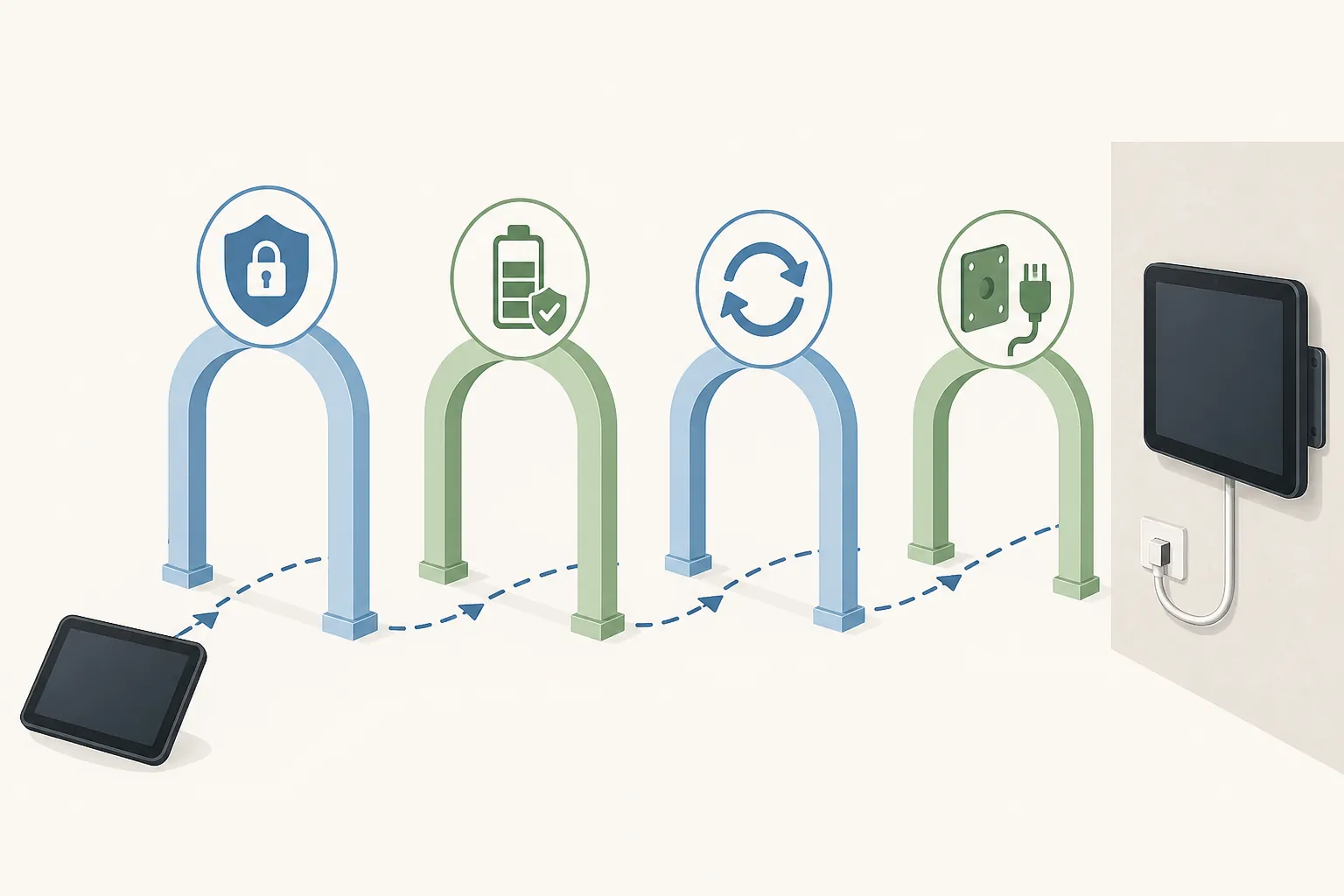
The four gates here are deliberately unglamorous: kiosk reliability, charge management or a clean always-on power path, OS update horizon, and mount or POE support. Only after those are acceptable does the extra canvas matter.
The comparison method, with Q3 2026 verification limits
The kiosk gate leans heavily on Fully Kiosk because it is still the practical Android reference point for wall dashboards. Its official documentation lists Android 6 through Android 17 support, MQTT integration, REST administration on port 2323, and a one-time PLUS license price of about $10.99 per device. The same documentation also publishes device-specific warnings: Lenovo M11 on Android 15 can show blank screens in kiosk mode when gesture navigation is enabled, with 3-button navigation listed as the workaround; Samsung devices on Android 9 and later cannot reliably have the power menu blocked; Xiaomi and Huawei launcher restrictions can break kiosk mode; and Fully Kiosk warns that many Android devices are not suited for 24/7 operation.[1]
That last warning matters. A dashboard install is not just an app choice. It is a negotiated truce among Android, vendor power management, lock-screen behavior, OS updates, charging policy, the mount, and the person who gets blamed when the screen is blank.
Price and OS-window notes below are Q3 2026 snapshots from July and August 2026 market checks where available, not permanent claims. Retail prices move faster than wall-mounted tablets get rebooted.
| Candidate | Screen class | Q3 2026 price snapshot | Kiosk gate | Power / charge gate | OS horizon gate | Mount / POE gate | Dashboard-duty read |
|---|---|---|---|---|---|---|---|
| Samsung Galaxy Tab S10 FE+ | 13.1-inch | About $720 list snapshot | Strong Android/Fully Kiosk fit, with Samsung power-menu limitation on Android 9+ | Strong: Samsung One UI 6.1 Battery Protection offers Basic 95%, Adaptive, and Maximum 80%; older One UI versions used an 85% limit[2] | Strong relative Android position: Samsung offers a 4-year Android guarantee, with up to 7 years on premium lines[5] | Good: common VESA case and USB-C/POE accessory path | The sensible large Samsung pick if the mount and budget fit |
| Lenovo Idea Tab Pro | 12.7-inch | About $310 snapshot | Likely workable Android/Fully Kiosk path, but Lenovo-specific Android 15 kiosk notes on M11 should make buyers verify exact model and navigation mode[1] | Promising where Lenovo Battery Protection Mode is available; verify on the exact tablet and firmware[3] | Weaker than Samsung: Lenovo’s practical window is about 2 years of OS updates plus 3 years of security updates in the cited market context | Good enough: standard case/USB-C accessory route, less polished than Samsung | The value contender, provided its exact firmware clears kiosk and charge checks |
| OnePlus Pad Go 2 | 12.1-inch | About $400 snapshot | Likely workable Android/Fully Kiosk path; no specific Fully Kiosk breakage listed in the cited sources | Needs exact charge-limit verification; use external charge cycling if no built-in limit is available | Middle of the pack; verify promised update policy before wall installation | More dependent on generic cases and cabling | A price-screen compromise that needs more pre-install checking than Samsung |
| Samsung Galaxy Tab S11 Ultra | 14.6-inch | About $1,090+ snapshot | Strong Android/Fully Kiosk fit, with the same Samsung Android 9+ power-menu limitation | Strong: same Samsung Battery Protection family, subject to firmware version[2] | Strongest Android-class expectation if covered by Samsung’s premium-line policy[5] | Good, but larger mounts are less forgiving and more visible | The big-canvas choice, not the rational default |
| Samsung Galaxy Tab A9+ | 11-inch | Budget large-screen snapshot | Strong Android/Fully Kiosk fit, with Samsung power-menu limitation | Depends on available One UI battery-protection version on the exact device | Better than many budget Android tablets if covered by Samsung’s broader policy | Good accessory ecosystem | A good smaller-wall option when 11 inches is enough |
| Lenovo Tab M11 | 11-inch | Budget large-screen snapshot | Caution: Fully Kiosk documents blank-screen behavior on Android 15 with gesture navigation; 3-button navigation is the workaround[1] | Potentially helped by Lenovo Battery Protection Mode where present; verify exact firmware[3] | Shorter OS horizon than Samsung in the cited market context | Usable with generic mounts | Buy only after checking the Android version and navigation workaround |
| Xiaomi Pad class | 11- to 12-inch class | Varies by model and region | Caution: Fully Kiosk documents Xiaomi launcher restrictions that can break kiosk mode[1] | Charge management must be verified by exact model | Varies heavily by region and model | Generic route | Attractive hardware, but not a low-friction wall-panel bet |
| Google Pixel Tablet | 11-inch class | Varies by bundle and availability | Clean stock-Android style path | Notable for an 80% charge limit plus power-bypass behavior in the cited sources; verify current firmware before permanent mounting | Google-controlled update path, but check current support end date before purchase | Dock-first design can be awkward for flush wall use | Interesting for counter dashboards; less obvious for flush wall installs |
Gate 1: kiosk reliability matters before brand preference
A wall dashboard is only pleasant when it behaves like an appliance. The app should launch after boot, stay in front, hide the parts of Android that invite household wandering, recover after network interruptions, and remain remotely manageable when something goes sideways. This is where a normal “best large tablet” ranking starts to become noisy.
Fully Kiosk is not magic, but it gives Android tablets a dashboard vocabulary that consumer launchers do not. MQTT integration lets the dashboard participate in automations. REST administration on port 2323 gives a remote control path. The PLUS license is inexpensive enough that it belongs in installed-cost math, not in wishful thinking. And the documented device warnings are more useful than glossy compatibility promises because they name the ugly edges: gesture navigation causing blank kiosk screens on Lenovo M11 with Android 15, Samsung power-menu blocking limits on Android 9+, and launcher restrictions on Xiaomi and Huawei devices.[1]
That does not make every Samsung tablet perfect or every Lenovo tablet suspect. It changes what needs to be verified. For Samsung, the known issue is not whether Fully Kiosk runs; it is whether the remaining power-menu exposure is acceptable for the household and location. For Lenovo, the exact Android version and navigation mode matter more than the model name on a store page. For Xiaomi, the launcher layer becomes part of the purchase risk rather than a cosmetic preference.
The practical pre-mount test is simple: install the dashboard app stack, enable the intended kiosk settings, reboot several times, let the tablet sleep and wake the way it will in the real install, apply any pending OS updates, and then repeat the test. If the tablet needs a fragile sequence of taps to recover, it has already failed the job even if its display looks excellent.
Gate 2: charge management is where wall tablets quietly become bad purchases
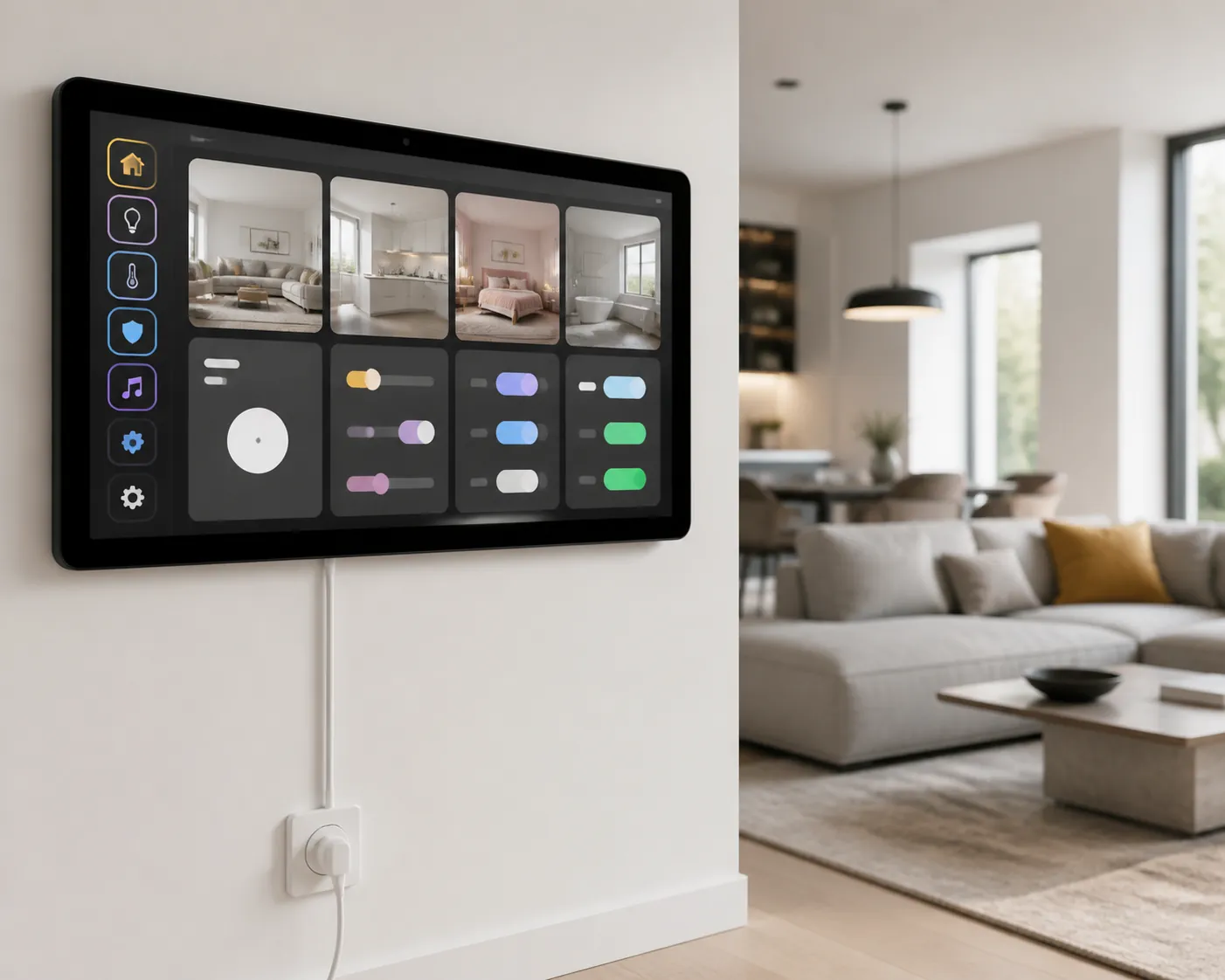
The cleanest wall dashboard is not the one with the thinnest bezel. It is the one whose power plan does not depend on ignoring lithium-ion reality. A consumer tablet left plugged in all day can work for a while, but the purchase decision should start with whether the vendor gives you a sane charge limit or a proper always-on power path.
Samsung deserves credit here because the feature is visible and understandable. Samsung’s One UI 6.1 Battery Protection modes include Basic, which stops charging at 100% and resumes at 95%; Adaptive, which combines overnight charging behavior with Maximum; and Maximum, which limits charge to 80%. Samsung notes that earlier versions used an 85% protection limit.[2] For dashboard duty, Maximum is the interesting mode. It gives up runtime the wall tablet does not need in exchange for less abusive always-plugged behavior.
Lenovo also has a relevant feature in Battery Protection Mode, documented by Lenovo Support for tablet-class devices.[3] The important word is “relevant,” not “universal.” Lenovo’s lineup is fragmented enough that the exact model, Android build, and settings menu should be checked before buying a mount. If the feature is present on the specific Idea Tab Pro or Tab M11 firmware being installed, it materially improves the case for Lenovo as a dashboard platform. If it is absent, the tablet moves into workaround territory.
For tablets without a built-in limit, the common fallback is a smart plug that cycles charging in a band, such as roughly 30% to 85%, as described in a Home Assistant wall-tablet build guide.[4] That can be a practical mitigation, especially for DIYers already comfortable with automations. It is still a fallback. It adds another device, another automation, another failure point, and another thing to explain to the person who just wants the hallway dashboard to wake up.
Battery swelling anecdotes show up often enough in smart-home communities that they should not be dismissed, but the sources available here do not support a NestGrid-confirmed prevalence rate. Treat swelling frequency, model-specific swelling claims, and unusually narrow charge-band behavior as community-reported or Investigating unless verified on the exact tablet, firmware, charger, and installation environment. A Hubitat community thread is useful as a signal that real users worry about tablet batteries in permanent touch-panel use; it is not a controlled failure-rate study.[8]
The 12- to 13-inch class is where the purchase gets interesting
Once kiosk and charging are under control, the 12- to 13-inch tablets start to look more serious than the flagship marketing cycle wants them to. A 12.1-, 12.7-, or 13.1-inch dashboard is already large enough for room tiles, climate controls, camera thumbnails, and status rows without feeling like a phone stretched onto drywall. It also tends to fit normal wall geometry better than a 14.6-inch slab.
The Samsung Galaxy Tab S10 FE+ is the cleanest example of the maintainable middle. At a 13.1-inch screen class and about a $720 list snapshot in the Q3 2026 sources, it is not cheap. But it brings Samsung’s stronger Android update posture, a visible Battery Protection system, a familiar accessory ecosystem, and a low-drama Fully Kiosk path subject to the documented Samsung power-menu limitation.[1][2][5] For a permanent dashboard, that combination is more valuable than a flagship processor that will spend its life rendering thermostat cards.
The Lenovo Idea Tab Pro is the value pressure on that Samsung choice. At 12.7 inches and about $310 in the cited snapshot, it changes the installed-cost conversation. Even after a VESA case, POE splitter, and Fully Kiosk PLUS license, a midrange large tablet can land around $330 to $430 before mount and cabling labor, using the accessory price bands in the cited market sources.[1][6] That is the kind of gap that pays for a cleaner mount, a better cable route, or simply not overbuying the screen.
Lenovo’s catch is verification burden. The shorter update horizon in the cited market context and the Fully Kiosk note on Lenovo M11 with Android 15 do not condemn the Idea Tab Pro, but they do make “same brand, same outcome” a bad assumption.[1] Before committing one to a wall, the exact build should be tested for kiosk wake behavior, navigation mode, charge protection, and post-update recovery.
The OnePlus Pad Go 2 sits between those instincts: larger than budget 11-inch tablets, cheaper than Samsung’s FE+ class, and attractive on a spec sheet. In dashboard terms, it is only compelling if the exact device clears the boring checks: Fully Kiosk stability, a verified charge-limit option or acceptable smart-plug plan, a stated update window, and a mount that does not turn the installation into a visible cable apology. Without those, the savings are just deferred work.
The 14.6-inch flagship has a narrower job than it pretends
The Samsung Galaxy Tab S11 Ultra is the obvious temptation: huge OLED-class canvas, premium hardware, and a top-tier Android-tablet posture. In a normal tablet comparison, that is enough to dominate. On a wall dashboard, its strongest arguments are not speed or luxury; they are Samsung’s update position, Samsung’s Battery Protection features, and the same basic Fully Kiosk compatibility story as cheaper Samsung tablets.[1][2][5]
That is exactly why the price hurts. If the dashboard stack behaves the same on a 13.1-inch Tab S10 FE+ and a 14.6-inch Tab S11 Ultra, the extra money is buying canvas, not a fundamentally safer appliance. At about $1,090 or more in the Q3 2026 snapshot, the Ultra can cost roughly twice as much as the strongest 12- to 13-inch alternatives before wall hardware enters the picture.
There are installs where the Ultra makes sense: a central command wall with cameras, floor-plan cards, energy graphs, and multiple control zones visible at once; a counter dashboard that doubles as media hardware; or a buyer who simply values the extra space after already accepting the cost. But it should not be crowned merely because it is the biggest Android tablet in the room.
Smaller large tablets, Pixel Tablet, Xiaomi, and the edge cases
An 11-inch tablet can still be a “large” dashboard depending on the wall, the distance, and the dashboard layout. ZDNET’s large-tablet framing runs from 10 to 15 inches, while smart-home dashboard communities often settle around the 10- to 11-inch sweet spot because it is affordable, mountable, and not visually ridiculous in a hallway.[7][6] This article keeps the wider 11- to 14.6-inch range because the current purchase question is specifically about the large Android class, not only the cheapest workable wall panel.
The Samsung Galaxy Tab A9+ remains appealing if 11 inches is enough. It benefits from the same broad Samsung ecosystem logic, though buyers still need to check which One UI battery-protection behavior is present on the exact model and software version. It is easier to mount discreetly than the Ultra and usually easier to justify in secondary rooms.
The Lenovo Tab M11 is where the Fully Kiosk warning becomes too specific to hand-wave. Fully Kiosk’s documented Android 15 gesture-navigation blank-screen issue, with 3-button navigation as the workaround, should be treated as a pre-purchase test item rather than a footnote.[1] If a buyer is comfortable locking the tablet to the workaround and verifying behavior after updates, it may still be usable. If the panel is for a non-technical household member, that caveat has real weight.
Xiaomi Pad hardware can look excellent for the money, but Fully Kiosk’s launcher-restriction warnings put it in a higher-friction category for unattended kiosk duty.[1] A hobbyist may accept that. A permanent kitchen or hallway dashboard should not need launcher negotiations to stay locked.
The Google Pixel Tablet is more interesting on a counter than flush-mounted on a wall. The cited sources note an 80% charge limit plus power-bypass behavior, which is exactly the kind of feature dashboard hardware should have, but the dock-first design complicates a clean wall path. It belongs on the shortlist for a kitchen counter dashboard; it is less automatically convincing for a recessed or VESA-style install.
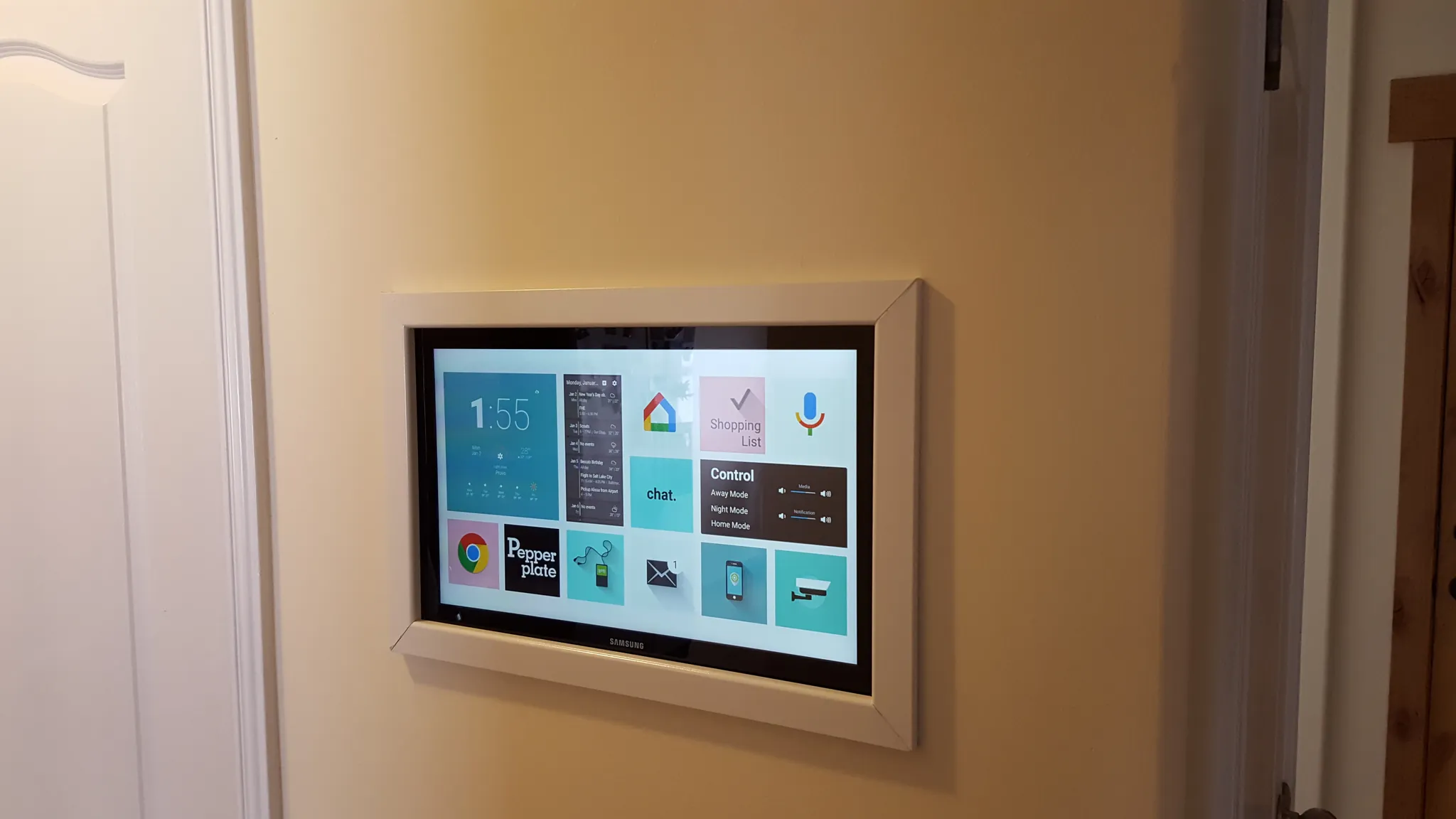
Installed cost: the tablet price is not the dashboard price
The checkout price leaves out the parts that make the install tolerable. A VESA case can add roughly $40 to $80. A POE splitter from vendors such as UCTRONICS or PoE Texas is about $20 in the cited market sources. Fully Kiosk PLUS adds about $10.99 per device.[1][6] That is before the mount itself, the cable path, drywall work, USB-C angle adapters, trim plates, or the time spent making the result look intentional.
| Cost item | Typical role in dashboard install | Snapshot cost note |
|---|---|---|
| Tablet | Screen, Android platform, battery, Wi-Fi, dashboard host | About $310 for Lenovo Idea Tab Pro snapshot; about $720 list for Tab S10 FE+; about $1,090+ for Tab S11 Ultra in the Q3 2026 source snapshot |
| Fully Kiosk PLUS | Kiosk lock, remote administration, MQTT/REST features | About $10.99 one-time per device[1] |
| VESA case or wall frame | Turns a consumer tablet into something mountable | Roughly $40 to $80 in the cited accessory band[6] |
| POE splitter or power adapter path | Keeps power hidden or centrally managed | About $20 for splitter-class accessories in the cited sources[6] |
| Smart plug, if needed | Fallback charge cycling for tablets without a built-in limit | Useful but adds automation dependency[4] |
This is why the 12- to 13-inch class keeps coming back. A cheaper tablet that needs a better mount and cleaner power run may still end up as the better dashboard than a flagship tablet on an awkward cable. Conversely, a bargain tablet without charge management may not be a bargain once a smart plug, automation logic, and periodic babysitting are added.
OS horizon: long enough to survive the wall
OS support is not exciting until the dashboard depends on an old WebView, a broken kiosk permission, or a security patch that never arrives. PCMag’s 2026 Android-tablet coverage notes Samsung’s 4-year Android guarantee and up to 7 years on premium lines, while the cited market context places Lenovo closer to about 2 years of OS updates plus 3 years of security updates.[5] That gap matters more for a wall panel than for a sofa tablet that gets replaced casually.
A longer support window is not automatically safer, because OS updates can also break kiosk behavior. It does, however, give a permanent install a better chance of remaining patched and compatible over the years. The right habit is to treat dashboard tablets as Update Watch devices: note the model, Android version, One UI or vendor firmware version, Fully Kiosk version, dashboard app version, and verification date before and after major updates.
Where SmartHomeExplorer’s score helps, and where it stops
SmartHomeExplorer’s SHE Permanence Score is useful because it weights dashboard permanence instead of entertainment-tablet sparkle: kiosk 30%, display 25%, power and mount 20%, longevity 15%, and Home Assistant depth 10%.[6] That is much closer to how a wall panel should be judged than a camera-and-chipset ranking.
It is still a third-party editorial framework, not an industry standard. The useful lesson is the weighting, not the authority. A buyer should still verify exact-device behavior, especially for charge limits, kiosk recovery, and post-update lock behavior.
What to buy, depending on the install
For most permanent smart home dashboards, the defensible default is a 12- to 13-inch Android tablet that clears the four gates. In this 2026 field, that points first to the Samsung Galaxy Tab S10 FE+ for buyers who want the lower-maintenance Samsung path, and to the Lenovo Idea Tab Pro for buyers willing to verify kiosk and battery behavior in exchange for a much lower tablet price.
Pick the Samsung Galaxy Tab S11 Ultra only when the extra canvas is part of the actual dashboard requirement, not because it wins a normal large-tablet spec contest. If the same Fully Kiosk dashboard, charge policy, update plan, and mount path work on the smaller Samsung or Lenovo, the Ultra is buying size after the important compatibility questions have already been answered.
For secondary rooms, an 11-inch Samsung Tab A9+ or similar tablet can be enough. For counter use, the Pixel Tablet deserves a look if its current firmware still offers the power behavior noted in the cited sources and the dock fits the room. For Xiaomi and other aggressively priced large Android tablets, treat the savings as provisional until kiosk mode survives real testing.
The large screen is the last filter, not the first one. Once kiosk reliability, charging, OS horizon, and mounting are solved, buy as much screen as the dashboard genuinely needs. For most homes, that makes the maintainable 12- to 13-inch Android class the rational wall-panel choice, while the 14.6-inch flagship remains a justified luxury for dashboards that can actually use the extra space.
References
- Fully Kiosk Browser & App Lockdown, Fully Kiosk
- Galaxy Battery Protection feature in One UI 6.1, Samsung Support
- HowTo Enable Battery Protection Mode - Smart Tab, Lenovo Support
- Wall-mounted Home Assistant tablet, The Optimization Guy
- The Best Android Tablets, PCMag
- Home Assistant Dashboard Setup 2026, SmartHomeExplorer, Aug. 23, 2026
- The best large tablets, ZDNET
- Touch Screen Tablet Battery Swelling, Hubitat Community
Known issues with this device / protocol
Spec-version history
For active regressions on this protocol, see Update Watch.
No linked Update Watch entries yet.