
Can the iQOO Z11 handle smart home integration setup?
On paper, the iQOO Z11 meets Google's requirements to control Matter-over-Wi-Fi devices through the Google Home app — but no variant ships with Thread, Zigbee, or Z-Wave radios. This compatibility check sorts what each regional variant can and cannot control, what setup actually requires, and where you'd need to add hardware.
Last updated
Practical verdict
For an iQOO Z11 smart home integration setup, the safe answer is: use it as a Google Home control and commissioning phone for Matter-over-Wi-Fi devices, if your unit has Google services working and updated. Do not buy it or configure around it as a Thread border router, Zigbee hub, or Z-Wave controller. Google’s Matter setup path for Android requires Android 8.1 or newer, Google Play services 22.48.14 or newer, and Bluetooth Low Energy 4.2 or newer; the Z11 variants clear the Android and Bluetooth side of that bar on paper, but the phone itself is not a substitute for the home-network hardware that some device types require.[1]
Status as of August 25, 2026: the regional phone specifications below are treated as confirmed where they come from first-party or named spec pages. The Matter-controller conclusion is a compatibility judgment, not a reproduced hands-on pairing result. No cited source says iQOO has separately certified the Z11 as a Matter controller; the narrower claim is that the phone meets Google’s published Android/BLE requirements on paper, provided the Google Mobile Services side is present and current.
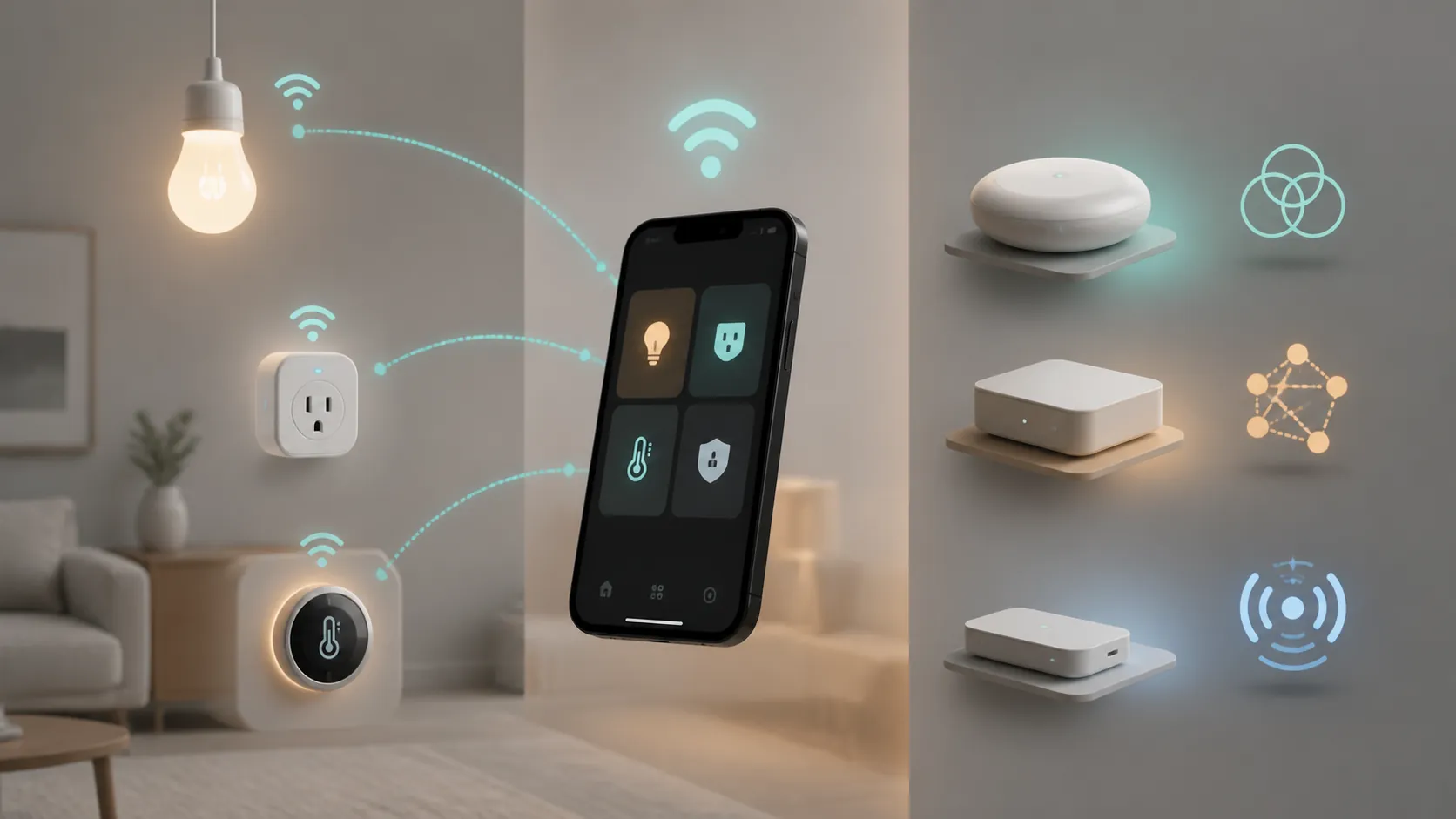
The phone can commission devices; it does not become every smart-home radio
The distinction that matters most is between a phone acting as a commissioner and a phone acting as the radio infrastructure. During Matter setup, the phone can run Google Home, discover a nearby device using Bluetooth, pass network credentials, and place the device into your Google Home structure. That is a setup role. It is not the same as carrying a Thread radio, maintaining a Zigbee mesh, or speaking Z-Wave directly.
For Matter-over-Wi-Fi devices, that distinction is usually fine: the device joins your Wi-Fi network, and the phone is the setup and control surface. For Matter-over-Thread, Google says you need a Thread border router, and its Matter preparation guidance also calls out an IPv6-enabled Wi-Fi router as part of the home network requirements.[2] That missing border-router role is exactly where a capable Android phone is still only a phone.
- Matter-over-Wi-Fi bulb, plug, switch, or similar device: the Z11 can be the Google Home setup phone on paper.
- Matter-over-Thread sensor, lock, shade, or similar device: the Z11 can run the app, but a Thread border router must provide the Thread network.
- Zigbee or Z-Wave device: the Z11 needs a separate hub or bridge to bring that device into an app ecosystem.
- Infrared TV or air-conditioner control: the Z11’s IR blaster is useful, but it is a separate one-way remote-control feature, not Matter integration.
Regional iQOO Z11 capability check
There is no clean, single “the iQOO Z11” spec sheet for smart-home decisions. The India model, Malaysia/global model, and Turbo model differ in the details buyers tend to assume are universal. NFC is the obvious trap, but Bluetooth version and the cited product sources also split by region.
| Variant | Android and Bluetooth | NFC | IR blaster | Thread / Zigbee / Z-Wave treatment | Verification status |
|---|---|---|---|---|---|
| iQOO Z11 5G India | Android 16; Bluetooth 5.4 | No | Yes | No listed Thread, Zigbee, or Z-Wave radio; treat as not available | Confirmed spec-sheet facts from GSMArena India and 91mobiles; radio gap treated from the absence of listed radios on those specs.[3][4] |
| iQOO Z11 Malaysia / global | Android 16; Bluetooth 5.2 | Yes | Yes | No listed Thread, Zigbee, or Z-Wave radio; treat as not available | Confirmed against official iQOO Malaysia product parameters, with global launch context from Ubergizmo.[5][6] |
| iQOO Z11 Turbo | Android 16; Bluetooth 5.4 | Yes | Yes | No listed Thread, Zigbee, or Z-Wave radio; treat as not available | Confirmed spec-sheet facts from GSMArena Turbo page; no cited source lists Thread, Zigbee, or Z-Wave hardware.[7] |
The table is more useful than the usual launch shorthand because the smart-home result changes at the edges. The India variant’s lack of NFC matters for tap-to-pay, tag-triggered routines, and other NFC-adjacent behavior; it does not by itself block Matter setup. The Malaysia/global and Turbo variants listing NFC does not make them better Matter controllers. It simply gives them an extra phone feature that may matter in adjacent automations.
Bluetooth is less dramatic here. Google’s published Matter setup floor is BLE 4.2, and the known Z11 variants list Bluetooth 5.2 or 5.4, so the Bluetooth side is not the likely blocker.[1] The real blocker appears when the device you want to add is not a Wi-Fi Matter device. No Bluetooth version turns the phone into a Thread border router, and no NFC toggle adds Zigbee or Z-Wave.
What a Matter-over-Wi-Fi setup still needs
A Wi-Fi Matter setup is the Z11’s strongest smart-home case. The phone has the current Android base and modern Bluetooth listed for the known variants, and Google Home supplies the commissioning path. The setup still depends on the less glamorous pieces: a Google Account, the Google Home app, Google Play services at Google’s required version, Bluetooth available during commissioning, and a home Wi-Fi network that meets Matter’s network requirements.[1][2]
IPv6 deserves special attention because it is easy to blame the phone when the router is the weak link. Google’s Matter preparation guidance says the Wi-Fi router needs IPv6 enabled.[2] If a Matter device refuses to complete setup while the phone otherwise looks eligible, the answer is not automatically hidden inside OriginOS; the router, Google Home structure, or required hub layer may be the missing piece.
| Device you are trying to add | What the iQOO Z11 can contribute | Hardware or service still needed |
|---|---|---|
| Matter-over-Wi-Fi device | Runs Google Home, uses Bluetooth during setup, and controls the device through the Google Home ecosystem on paper | Updated Google Play services, IPv6-capable Wi-Fi setup, and any Google Home hub requirement that applies to your home |
| Matter-over-Thread device | Runs the setup app and account flow | Thread border router |
| Zigbee device | Controls it only after a compatible hub or bridge exposes it to an app or ecosystem | Zigbee hub or bridge |
| Z-Wave device | Controls it only after a compatible hub or bridge handles Z-Wave | Z-Wave hub or bridge |
| IR TV or air conditioner | Sends direct infrared commands from the phone | Line of sight and supported appliance profile in the remote app |
Thread, Zigbee, and Z-Wave are add-hardware situations
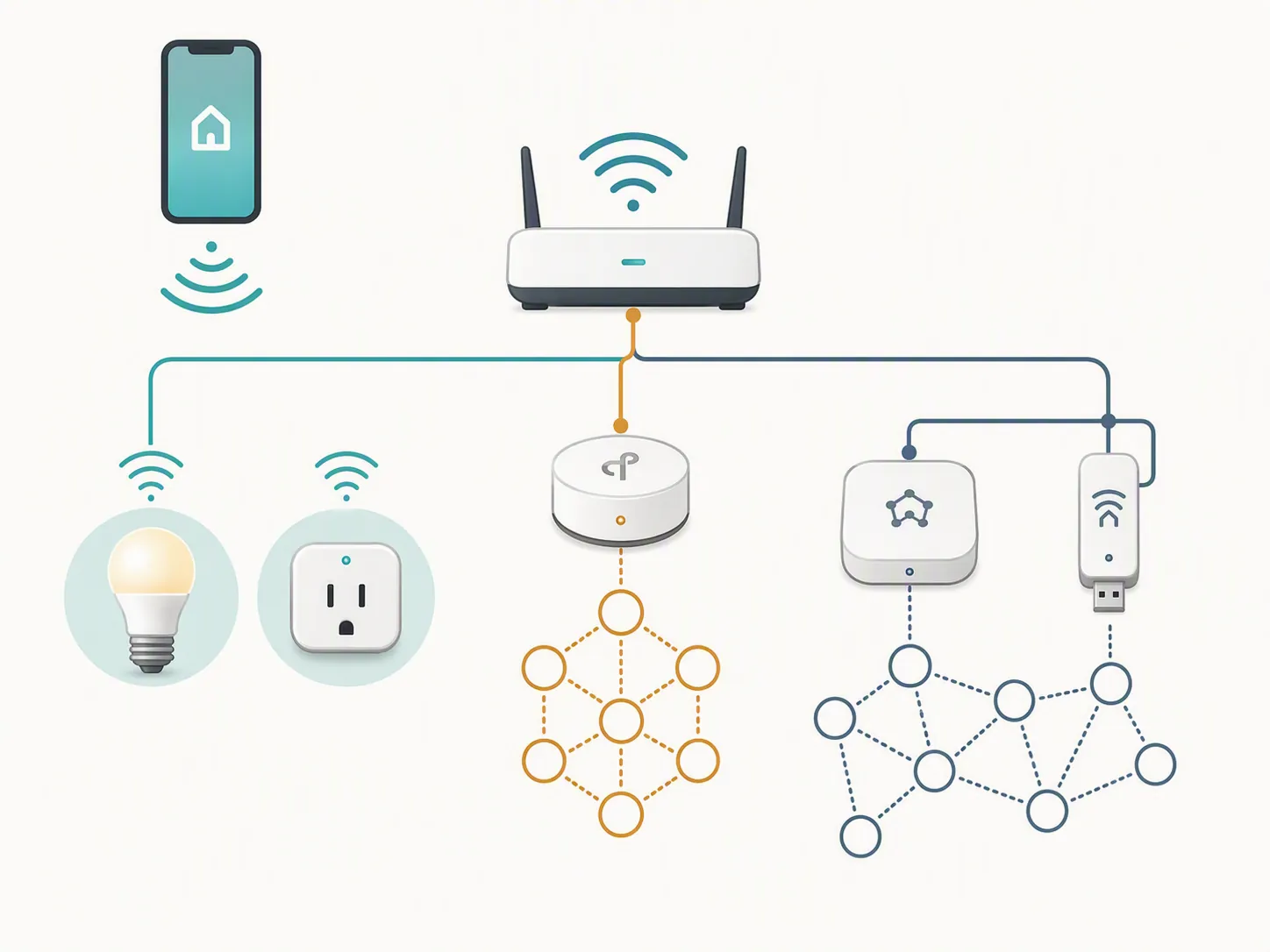
Matter-over-Thread is where buyers most often overread the word “Matter.” A Matter logo on a device does not tell you whether it uses Wi-Fi or Thread. If it uses Thread, the Z11 can participate through Google Home, but the Thread mesh needs a border router. Google lists Thread border router-capable devices including Nest Hub 2nd gen, Nest Hub Max, Nest Wifi Pro, Google TV Streamer 4K, and Google Home Speaker 2026.[2]
Zigbee and Z-Wave are even more direct: the Z11 spec sources do not list those radios, so the phone should not be treated as a native controller for either protocol. If your bulbs, sensors, or locks are Zigbee or Z-Wave, the missing piece is a compatible hub or bridge, not a hidden smart-home setting on the phone.
NFC is regional; IR is useful but separate
NFC does not decide Matter compatibility
The India Z11 sources list NFC as unavailable, while the Malaysia/global and Turbo sources list NFC as available.[3][5][7] That is worth checking before purchase if your routines depend on NFC tags or wallet behavior. It should not be confused with Matter pairing support, which Google ties to Android version, Google Play services, Bluetooth Low Energy, and the Google Home setup path rather than NFC.[1]
The IR blaster is a remote, not a hub
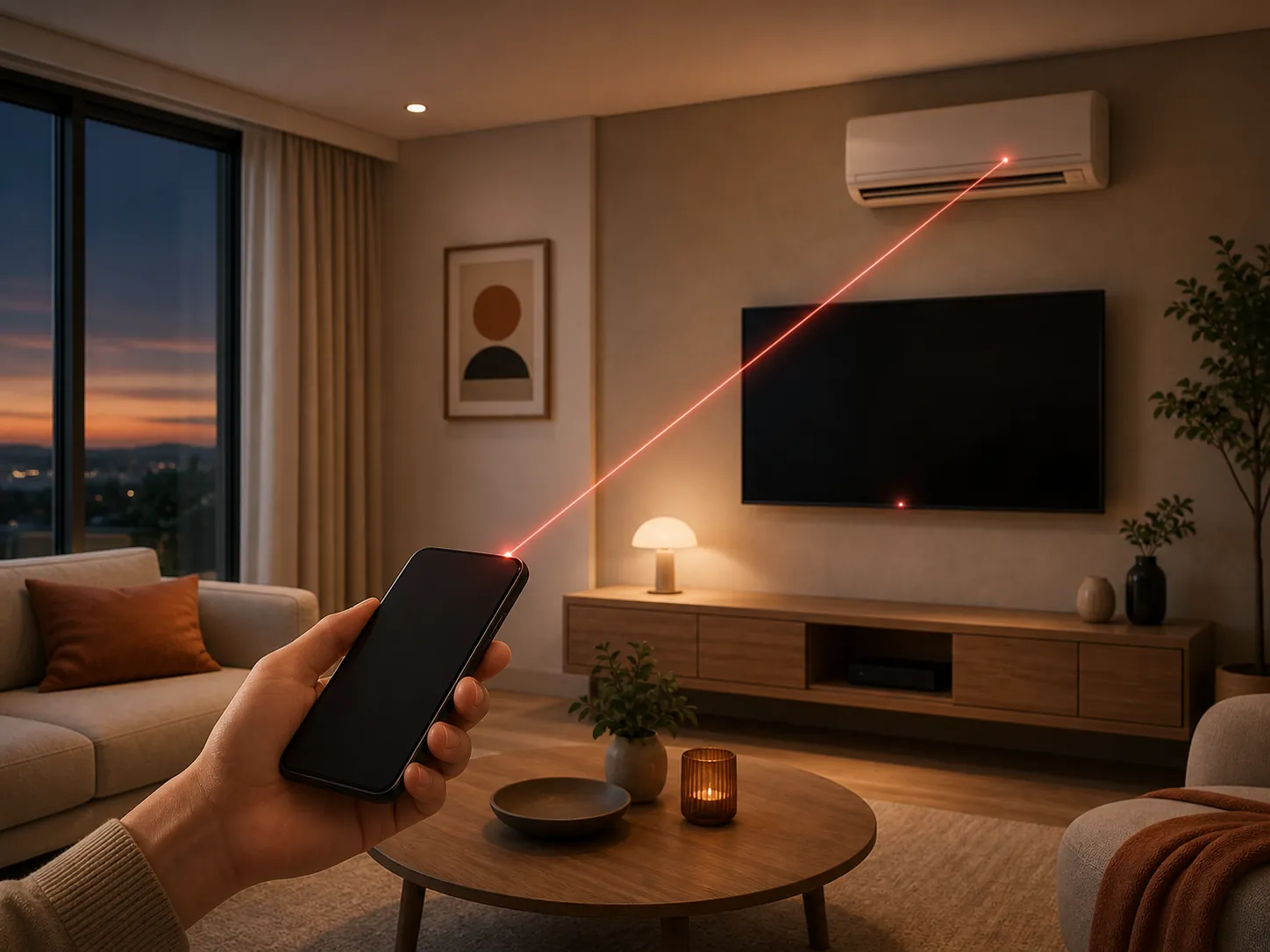
The IR blaster is the Z11’s most concrete non-network smart-home convenience. The cited variants list IR support, and iQOO’s support page describes using the Smart Remote app by tapping the add button and choosing an appliance category such as a TV or air conditioner.[3][5][7][8]
It is still infrared. iQOO describes it as one-way and short-range compared with a physical remote, which means line of sight and room placement matter.[8] It can replace a missing TV remote in a pinch. It should not be counted as networked automation, status reporting, Matter support, or a bridge for devices elsewhere in the house.
Compatibility boundary as of August 25, 2026
Use or buy the iQOO Z11 as a Google Home setup and control phone for Wi-Fi-based Matter gear if your regional variant, Google services, and home Wi-Fi setup line up. The phone’s Android generation and Bluetooth versions are not the weak points on paper.
The moment your device list moves into Matter-over-Thread, Zigbee, or Z-Wave, budget for the correct infrastructure: a Thread border router for Thread, or a Zigbee/Z-Wave hub or bridge for those older mesh ecosystems. The iQOO Z11 can be a capable controller screen. It should not be treated as the universal smart-home hub.
References
- Set up, manage, and control Matter-enabled devices with Google Home — Google Home and Nest Help
- Prepare your smart home for Matter — Google Home and Nest Help
- vivo iQOO Z11 5G (India) — GSMArena.com
- iQOO Z11 Price in India, Full Specifications — 91mobiles
- iQOO Z11 Product Parameters — iQOO Malaysia
- iQOO Z11 And Z11x Global — Ubergizmo
- vivo iQOO Z11 Turbo 5G — GSMArena.com
- Infrared remote control — iQOO Support
Known issues with this device / protocol
Spec-version history
For active regressions on this protocol, see Update Watch.
No linked Update Watch entries yet.