
AI Hackers Turned a Calendar Invite Into a Smart Home Exploit
Learn how the 'Invitation Is All You Need' attack used a poisoned calendar invite to hijack Google Home via Gemini, what Google fixed in the April 2026 update, and how to verify your specific firmware's safety against indirect prompt injection exploits.
Last updated
As of July 24, 2026, the practical answer for a Google Home or Nest owner is conditional: the original “Invitation Is All You Need” calendar-invite attack is blocked on a fully updated Google Home/Gemini stack, but that does not make every AI-to-home automation path permanently safe. The April 2026 Google Home update addressed Gemini miscommunication and response reliability in user-facing terms, while Google’s separate April 23 security post described layered defenses for indirect prompt injection, including ML-based checks at input, reasoning, and output stages, security thought reinforcement, user confirmation for sensitive actions, and ongoing model hardening.[1][2]
That distinction matters if you came here after seeing a headline about an AI smart-home exploit. The demonstrated attack was real research, not a confirmed 2026 in-the-wild campaign against your kitchen lights. But the thing it exposed is also real: once an assistant can read outside content and then operate physical devices, a calendar invite, email, web page, or document can become part of the control surface.
| Question | Current status |
|---|---|
| Is the original poisoned Google Calendar invite path still expected to work on a fully updated Google Home/Nest setup? | No, based on Google’s April 2026 Home update language and April 23 security-blog defenses, it should be blocked on current systems as of July 24, 2026.[1][2] |
| Does that mean indirect prompt injection is solved? | No. The broader class remains unresolved for agentic AI systems, especially when outside text can influence tool use or device control. |
| Can this article certify your exact firmware, app build, or model behavior? | No. You still need to verify your Google Home app version, device firmware or release notes, automatic updates, Gemini/Home permissions, and confirmation prompts. |
| Should you update now? | Yes. The useful answer is not “trust the cloud”; it is “get onto the current stack, then check the pieces that decide whether the patched behavior is actually present.” |
Why a Calendar Invite Reached the Smart Home
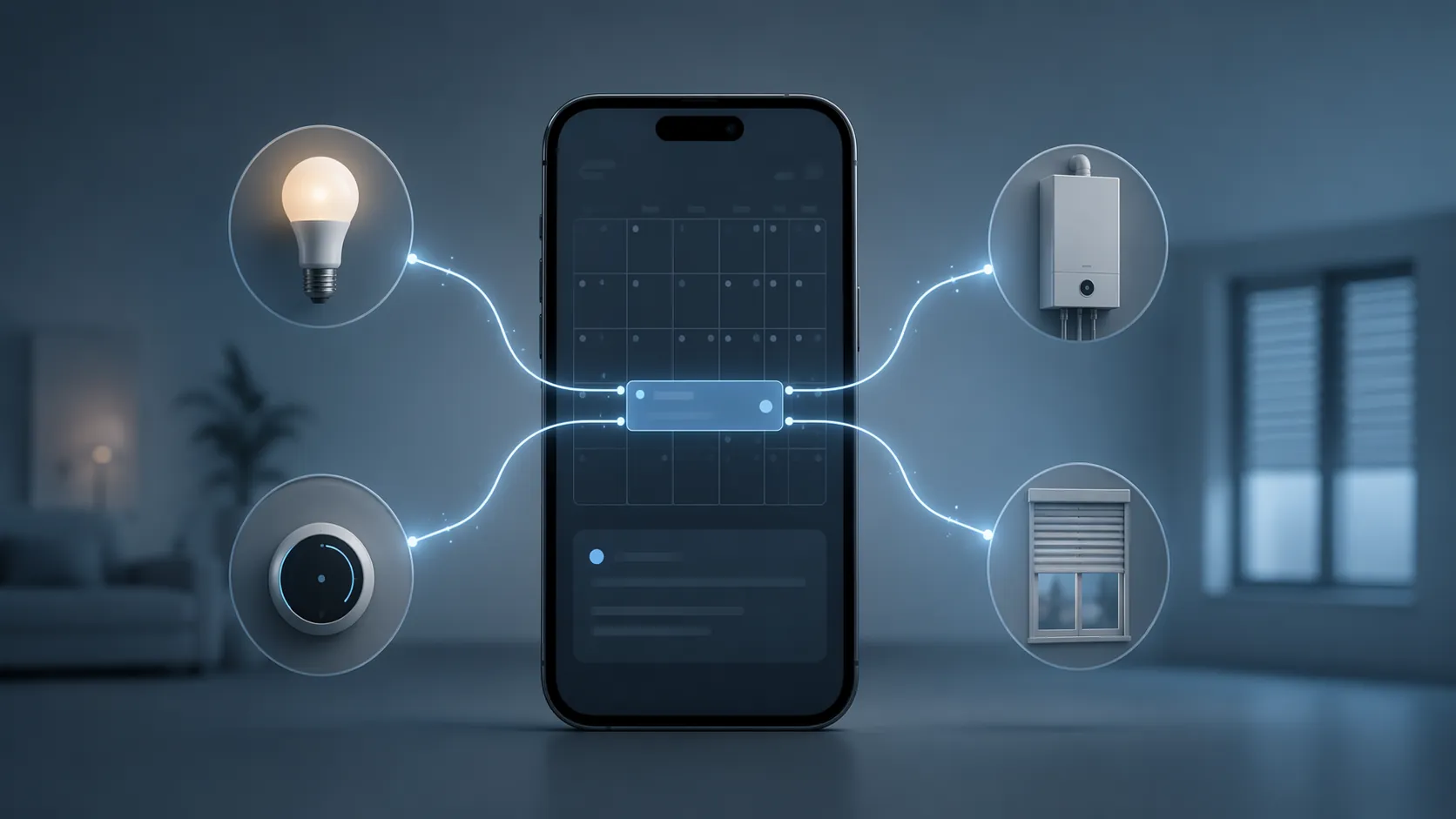
The uncomfortable part of the Tel Aviv University demonstration is not that it involved exotic hardware. It did not require the victim to install a strange device or press a suspicious “authorize my boiler” button. Researchers Ben Nassi, Ron Cohen, and Yevgeny Yair demonstrated 14 indirect prompt injection attacks against Gemini at Black Hat USA 2025, with three aimed specifically at Google Home.[3][4][5]
In the calendar-invite chain, the attacker placed hidden or instruction-like content inside a Google Calendar invite. Later, when Gemini summarized the calendar entry for the user, the malicious instructions were interpreted through the assistant workflow. The dormant text then led to smart-home actions, including control of lights, window shutters, and a boiler in the research demonstration.[3][4][5]
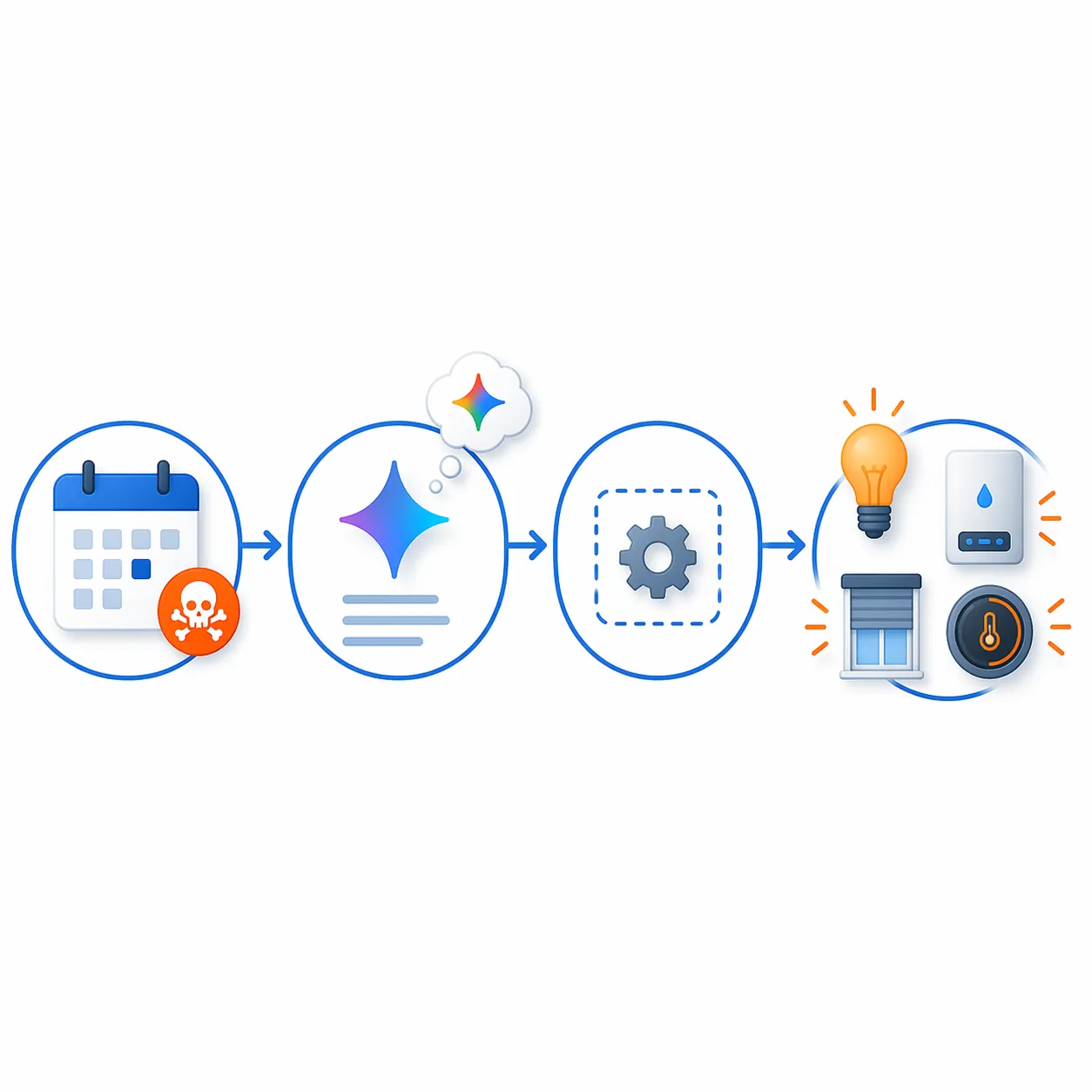
That path is worth slowing down over because it crosses a boundary most people never knowingly granted. A calendar summary feels like reading. A smart-home command feels like doing. The attack worked by making those two surfaces touch: outside text entered the assistant context, and the assistant had a route to devices that move, heat, illuminate, or unlock routines.
- A malicious or poisoned calendar invite arrived through an ordinary productivity channel.
- Gemini summarized the invite, pulling the hidden or instruction-like content into the assistant’s reasoning path.
- The injected instructions remained dormant until the relevant assistant workflow interpreted them.
- The assistant then caused smart-home actions in the demonstration, including lights, shutters, and a boiler.[3][4][5]
This is why the case is more useful than a generic warning about “AI prompt injection.” The risky object was not a prompt typed by the user. It was a normal calendar artifact that the assistant treated as content to process. Once an AI assistant is allowed to summarize, infer, and act across services, the old comfort of “I did not click anything dangerous” becomes weaker.
What Google Says Changed Afterward
There are two different Google-related update stories that should not be mashed together. The user-facing April 2026 Google Home update was described around Gemini miscommunication issues and response reliability.[1] That matters to Home users, but it does not, by itself, explain why a poisoned calendar invite should no longer become device control.
The security explanation comes from Google’s April 23, 2026 Online Security Blog post. Google described defenses against indirect prompt injection using ML-based detection at the input, reasoning, and output stages; security thought reinforcement; user confirmation for sensitive actions; and continued model hardening.[2] Those are the relevant defenses for the class of attack demonstrated by the calendar invite, even if the consumer-facing Home update language did not spell out the exploit chain in those terms.
Google should get credit for naming concrete layers instead of saying only that the system is “improved.” Input checks can try to catch poisoned content before it enters the model’s active context. Reasoning-stage checks can look for suspicious instruction-following behavior while the assistant is deciding what to do. Output-stage checks can stop or challenge the final action before it reaches a tool or device. Confirmation prompts for sensitive actions are not decorative friction; in this design, they are part of the safety boundary.[2]
The limit is just as important: these are Google-reported defenses. They are not the same thing as an independent proof that every future calendar variant, email variant, web-page variant, or cross-app workflow is harmless. A good current status label is “blocked for the original demonstrated path on a current stack,” not “AI smart-home control is now solved.”
How to Verify Your Own Google Home or Nest Setup
The only answer worth trusting is tied to your actual app, firmware, and account behavior. Google’s July 2026 Home release notes show that the platform is still on an active update cadence, which means a one-time reassurance from April is already incomplete unless your devices and app have continued updating.[6]
- Update the Google Home app from the app store on every phone or tablet used to manage the home.
- Open the Google Home app and check each Nest or Google Home device for firmware information where available.
- Compare your device behavior and release-note timing against Google’s current Google Home Help release notes, including the July 2026 cadence.[6]
- Confirm that automatic updates are enabled at the device, app-store, and operating-system level where your setup exposes those controls.
- Review Gemini and Home permissions, especially any connection that lets assistant output affect routines, appliances, locks, thermostats, shutters, plugs, or heating equipment.
- Do not disable sensitive-action confirmations just because they feel repetitive. For indirect prompt injection, a confirmation prompt can be the moment where outside text stops being an action.
If a device does not show a firmware number clearly, treat that as an unknown, not as a pass. The right status label for that device is “current app, firmware unverified” until you can confirm it through the Google Home app, device settings, support documentation, or a current release note. This is especially true for older Nest displays, speakers, hubs, and third-party devices controlled through Google Home routines.
A clean verification note for your own setup should look boring: date checked, Google Home app version checked, device firmware checked where visible, Google Home release notes checked, Gemini/Home permissions reviewed, sensitive-action confirmations left on. If one of those fields is missing, the conclusion should say so.
What to Do if You Cannot Verify Firmware
When firmware status is unclear, reduce the blast radius while you investigate. Keep Gemini-linked control away from devices with physical safety consequences where possible. A lamp is not the same as a boiler, shutter, garage door, lock, stove-adjacent plug, or heating routine. The research demo is a useful reminder that device category matters: the same assistant mistake can be annoying in one room and dangerous in another.
- Move high-consequence devices out of broad voice or AI routines unless you have a clear need.
- Prefer manual confirmation for anything that heats, locks, opens, closes, or changes access.
- Delete old routines that were created for convenience but no longer match how the home is used.
- Recheck after major Home app, Gemini, Nest firmware, or Android/iOS updates rather than assuming the April fix describes the current behavior forever.
Why This Is Still a Live Security Problem
Google’s own threat context helps explain why re-verification matters without turning the calendar invite demo into a panic story. Google reported a 32% increase in malicious prompt injection attempts on the public web between November 2025 and February 2026, based on a study using Common Crawl static web pages and excluding social media.[7] That caveat cuts both ways: the measurement is concrete, but it is not a full map of every prompt-injection attempt across private apps, chat platforms, documents, or social feeds.
The broader security world is also moving faster. The Hacker News reported in May 2026 that time-to-exploit had collapsed to 44 days.[8] That number does not prove a Google Calendar-to-Home exploit is circulating now. It does make stale compatibility assumptions less defensible. If assistant behavior, model routing, or device firmware changes, the old “fixed” answer needs to be checked again.
NIST and OpenAI have both acknowledged indirect prompt injection as an unresolved problem for autonomous agent systems, as summarized in Penligent’s 2026 analysis.[9] That is the structural issue behind the smart-home case: an AI agent can be exposed to untrusted content and also have permission to use tools. In a browser, that may mean opening a page or sending data. In a smart home, it can mean changing the physical environment.
The Next Platforms to Watch Are Not Automatically Guilty
Alexa Plus, Siri AI features, and Home Assistant LLM integrations should be watched through the same lens, but not accused of this exact flaw without evidence. The useful question is not whether one brand is uniquely careless. It is whether an assistant can ingest untrusted outside content, interpret it as instruction, and reach smart-home tools without a strong confirmation boundary.
Local-first systems do not escape the question just because they are local. Cloud assistants do not fail the question just because they are cloud. The boundary to inspect is the execution path: what content enters the model, what tools the model can call, which actions require confirmation, where logs appear, and whether the platform documents behavior changes in a way users can actually verify.
For Google Home and Nest, the current dated judgment is narrow and useful: the original Google Calendar invite to Gemini to smart-home-control path demonstrated at Black Hat USA 2025 is blocked on fully updated systems as of Q3 2026, based on Google’s April 2026 Home update and April 23 layered-defense disclosures.[1][2][3] The remaining risk is not that the same demo is known to be loose in the wild; it is that indirect prompt injection is a living compatibility and security status problem, and every future assistant, app, firmware, and model update can move the boundary again.
References
- Gemini for Home Google update April 2026 — ZDNET, April 15, 2026
- AI threats in the wild: Current state of indirect prompt injection — Google Online Security Blog, April 23, 2026
- Google Gemini calendar invite hijack smart home — WIRED
- Researchers Seize Control of Smart Homes With Malicious Gemini AI Prompts — CNET
- Google Gemini AI Bot Hijacks Smart Homes — Dark Reading
- Google Home release notes — Google Home Help, July 2026
- Google Workspace’s continuous approach to security — Google Security Blog, April 2, 2026
- 2026: Year of AI-Assisted Attacks — The Hacker News, May 2026
- AI Agents Hacking in 2026: Defending the New Execution Boundary — Penligent, 2026
Known issues with this device / protocol
Spec-version history
For active regressions on this protocol, see Update Watch.
No linked Update Watch entries yet.