
Which Galaxy Z Fold 8 Deal Is Best for Smart Home Automation?
The Galaxy Z Fold 8 is an excellent smart home controller and dashboard, but it lacks built-in Zigbee, Thread, and Z-Wave radios. This article explains what extra hardware you need and which pre-order deal saves you the most to complete your smart home setup.
Last updated
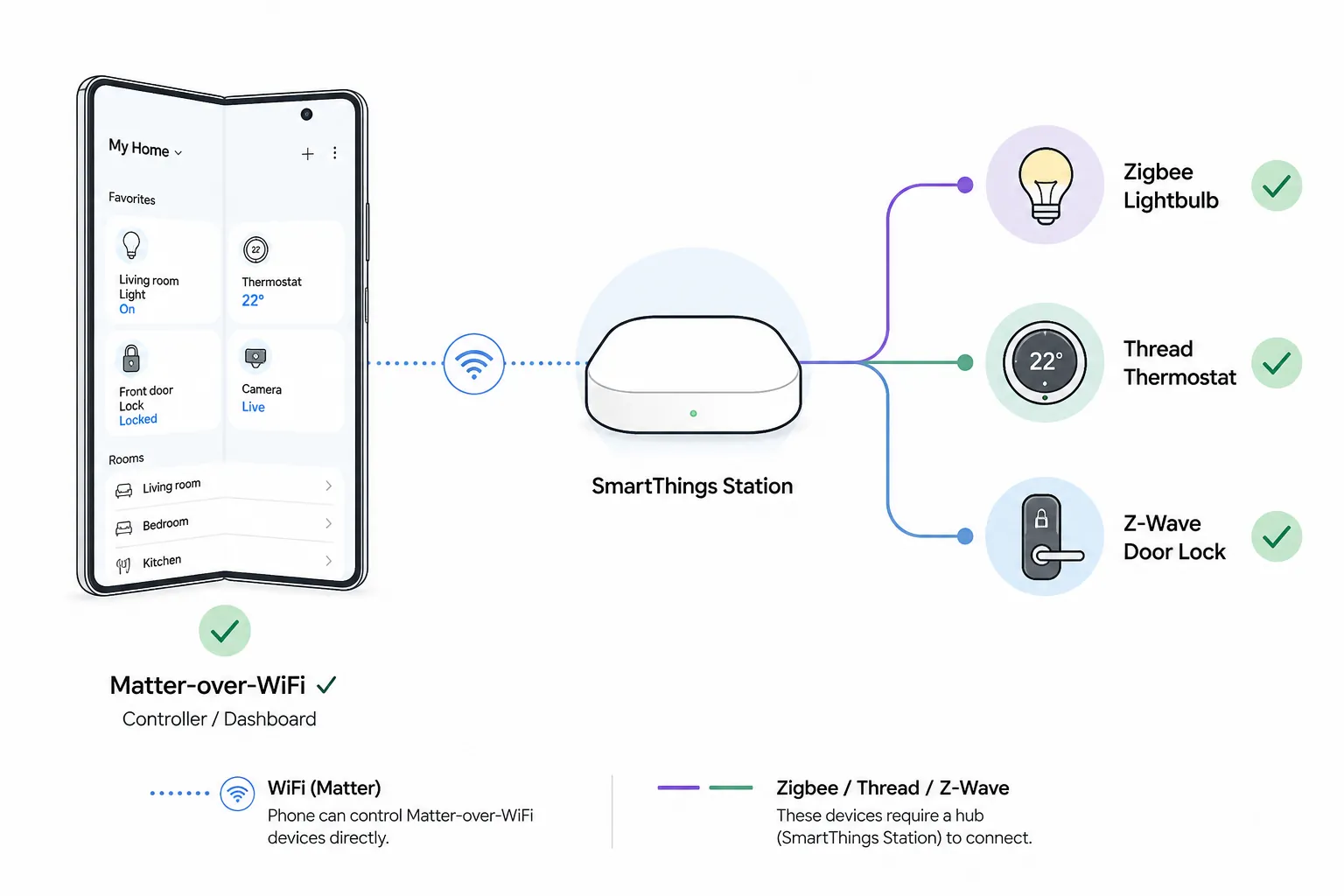
If you pre-order a Galaxy Z Fold 8 today because you want one device to be your phone, smart home dashboard, and automation hub, separate those three jobs before you pick a deal. The Fold 8 can be an excellent controller and screen for SmartThings. It can also act as a Matter controller for Matter-over-Wi-Fi devices. What it should not be treated as, based on the currently visible compatibility evidence, is a direct Zigbee, Z-Wave, or Thread hub.
The important absence is specific: the Galaxy Z Fold 8 does not appear on Samsung’s Hub Everywhere device lists, which focus on TVs, monitors, fridges, soundbars, and other appliances with integrated SmartThings hub functions, and Samsung says more than 200 Samsung devices include built-in hubs under that strategy.[1][2] Samsung’s Fold 8 product page also does not advertise built-in Zigbee, Z-Wave, or Thread radios; it does emphasize phone features such as the 7.6-inch main display, Flex Mode, and One UI smart home access.[3] That makes “controller, not hub” the safe buying assumption as of July 31, 2026. Before spending around a flagship-foldable budget on the premise that the phone itself contains smart home radios, confirm the radio question with Samsung support.
What the Fold 8 can control by itself
The Fold 8 is useful immediately for Wi-Fi smart home gear, cloud-connected SmartThings devices, app-based control, and Matter-over-Wi-Fi devices. Samsung’s Matter rollout made SmartThings part of the Matter controller landscape, but Matter still rides over different network layers, and that distinction matters at checkout.[4]
A Matter-over-Wi-Fi plug or light can be commissioned and controlled without adding a Thread border router. A Matter-over-Thread bulb, sensor, or thermostat cannot rely on the Fold 8 alone for the Thread mesh. It needs a Thread Border Router somewhere in the home. In a SmartThings setup, that can be a SmartThings Station or a compatible Samsung TV or monitor with the integrated hub layer.
Zigbee and Z-Wave are even less ambiguous from a purchasing standpoint. If your contact sensors, leak sensors, buttons, bulbs, or locks depend on those radios, the phone screen is only the place where you tap. The radio has to live in a hub. If the protocol names are still blurring together, NestGrid’s home automation hub protocols guide is the better stop before any pre-order page.
| Device or accessory type | Fold 8 alone? | What completes the setup |
|---|---|---|
| Wi-Fi smart plug, Wi-Fi bulb, app-connected device | Usually yes, through app or SmartThings cloud control | No extra radio hub solely for Wi-Fi |
| Matter-over-Wi-Fi device | Yes, as a Matter controller | No Thread Border Router needed |
| Matter-over-Thread device | No | Thread Border Router such as SmartThings Station or compatible Samsung TV/monitor |
| Zigbee sensor, button, bulb, or outlet | No | Zigbee-capable SmartThings hub, SmartThings Station, compatible Samsung TV/monitor, or alternative hub |
| Z-Wave lock, switch, or sensor | No | Z-Wave-capable hub; verify model support before buying |
Why the Fold 8 is still a strong smart home dashboard
Once the hub layer is solved, the Fold 8 starts to make sense in a way most phones do not. The large inside display gives SmartThings room to show rooms, device tiles, cameras, routines, and energy widgets without feeling like a remote control squeezed into a candy-bar screen. Flex Mode matters in kitchens and entryways because the phone can sit half-open on a counter while someone checks a door lock, pauses a robot vacuum, or changes lighting without holding the device.
Samsung’s Fold 8 page lists a 7.6-inch main display for the standard model, an 8.0-inch display for the Ultra, a 4:3-style interior canvas, Flex Mode, One UI 9 Device Control access from the notification shade, and Galaxy AI-driven Now Nudge features.[3] Those details are not just phone-review filler here. They affect how often the Fold 8 becomes the thing people actually use instead of walking to a wall panel, opening a laptop, or asking a voice assistant to guess which lamp they meant.
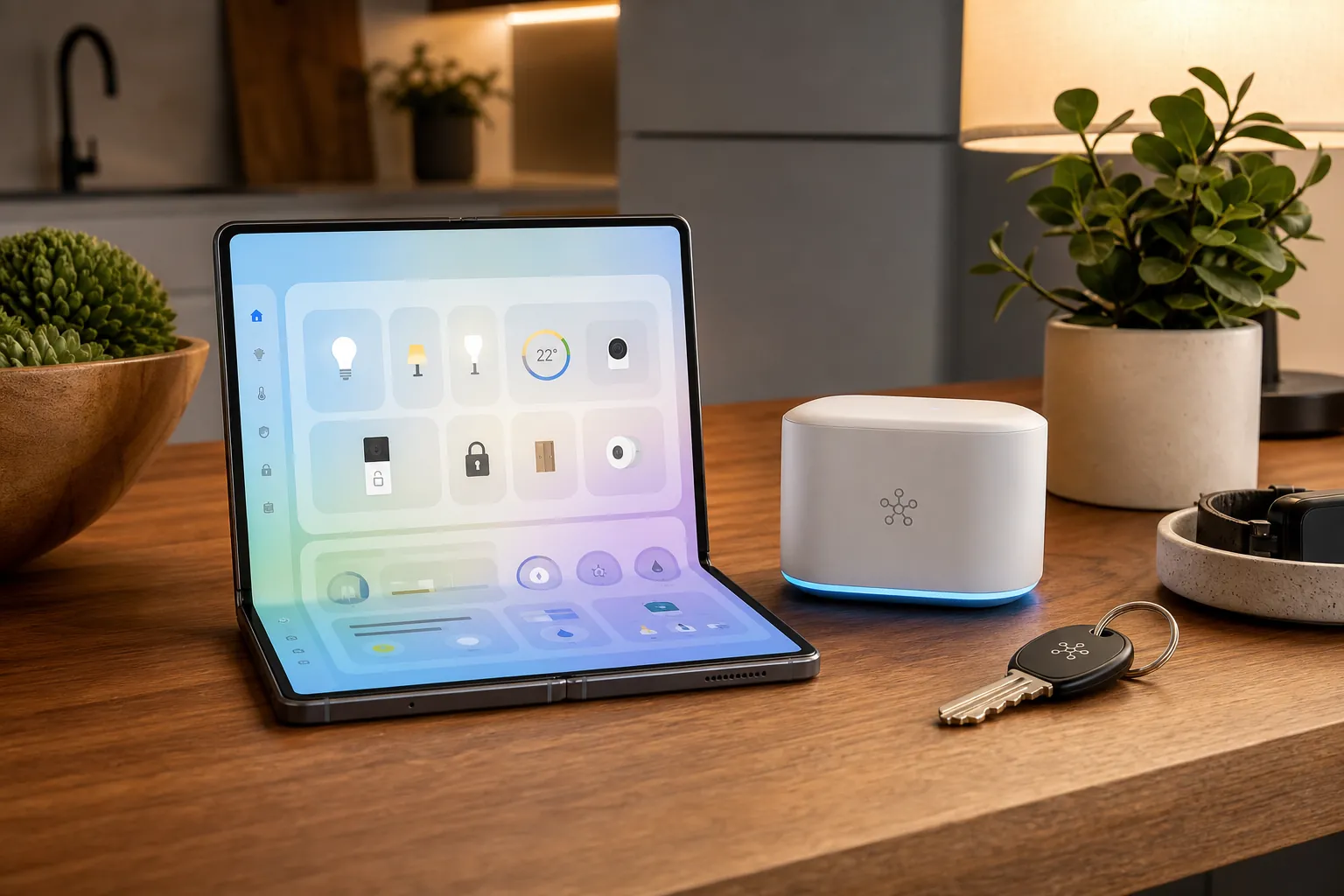
That is the reason the hub wording needs to stay clean. A dashboard can be great and still be missing radios. A controller can be central to daily use and still depend on a small box, TV, monitor, or appliance elsewhere to translate Zigbee, Thread, or Z-Wave.
The cleanest from-scratch deal: Samsung direct plus SmartThings Station
For someone starting a SmartThings home from scratch, the best Galaxy Z Fold 8 deal for smart home automation is not necessarily the biggest gift card. It is the path that pays for the missing hub layer without forcing the buyer into a second shopping decision.
Samsung’s direct pre-order offer was reported as either up to $1,200 in trade-in value or a $200 Samsung credit during the late-July 2026 Fold 8 pre-order window.[5] The SmartThings Station is listed in the research set at roughly $119 retail, and Samsung positions SmartThings as the central platform for connected device control.[6] In practical terms, the Samsung credit can cover the hub you are most likely to discover you need after reading the protocol table.
That pairing gives a buyer four pieces that belong together: the Fold 8 as the always-with-you controller, the inside screen as the dashboard, SmartThings as the platform, and the Station as the radio and Thread Border Router layer. It is the least fiddly recommendation for a SmartThings-native setup because the same pre-order basket can close the gap that the phone itself leaves open.
The SmartThings Station is especially relevant for Matter-over-Thread devices and Zigbee accessories. It is not a reason to assume every older device will magically behave; you still need to check each lock, sensor, switch, and bulb against the hub’s protocol support and SmartThings integration. But it prevents the common failure mode where someone buys a beautiful control surface, then realizes the first battery sensor they try to pair has no radio path into the system.
There is one caution before treating this as automatic: SmartThings Station price and stock should be checked at the time of purchase. Pre-order credits also have redemption rules, eligible accessory lists, and timing limits. The compatibility logic is stronger than any single promo page; the promo just happens to line up neatly with the missing hardware.
Do not buy a hub you already own inside a Samsung TV
Samsung’s Hub Everywhere strategy changes the recommendation for people who already own the right screen. Compatible Samsung TVs and monitors from 2022 onward can include integrated SmartThings hub functions, with Samsung’s public hub list covering TVs, monitors, Family Hub refrigerators, soundbars, and related devices rather than phones.[1][2]
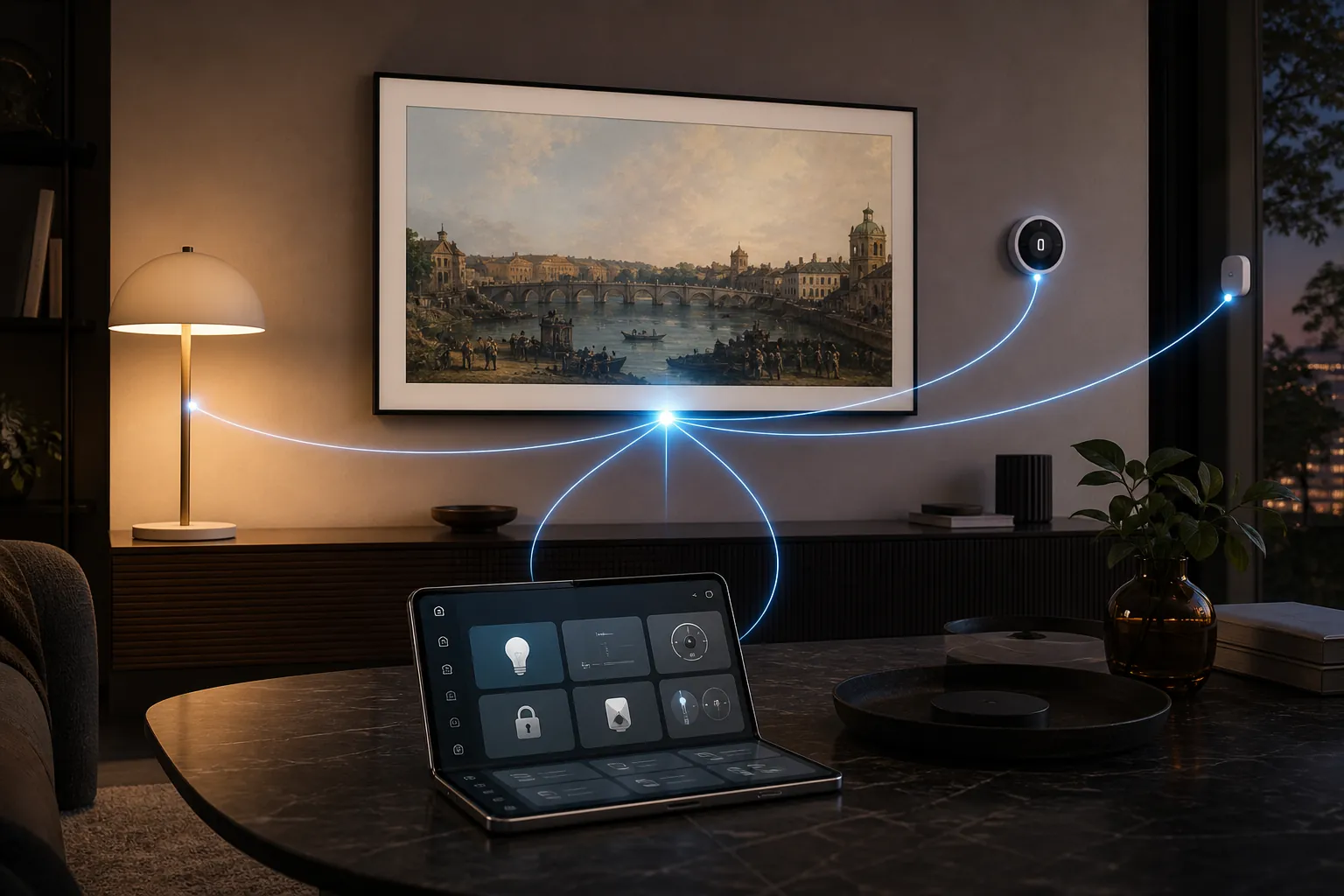
If there is a recent Frame, Q60-series-or-above Samsung TV, compatible monitor, or Family Hub appliance already in the home, verify its exact model before spending the Samsung credit on another hub. A built-in TV or monitor hub may already provide the Matter, Thread, and Zigbee layer the Fold 8 lacks. NestGrid’s Samsung Frame TV smart home hub guide is the right follow-up if the living-room display is already part of the setup.
This is where a larger phone deal can become the better deal. If the hub layer is already handled by a TV or monitor, Samsung’s accessory credit is less decisive. The Fold 8 remains a powerful controller, but the missing-radio problem is no longer missing from the home; it is only missing from the phone.
How the major Fold 8 deals compare for automation
Deal roundups usually rank by headline savings. For smart home automation, rank by whether the offer reduces the total cost of a complete working setup: Fold 8 plus whatever hub, border router, or control surfaces your devices require.
| Pre-order path | Reported late-July 2026 offer | Smart home value |
|---|---|---|
| Samsung direct | Up to $1,200 trade-in value or $200 Samsung credit | Best from-scratch SmartThings path because the credit can cover the SmartThings Station hub layer |
| Amazon | $350 gift card with pre-order | Higher no-trade-in headline value, but less targeted if you specifically need a SmartThings hub |
| Best Buy | $200 gift card plus trade-in | Useful general retailer value, not uniquely helpful for closing the hub gap |
| T-Mobile | Free Z Fold 8 with trade-in on Go5G Next plan | Strong upfront phone value, but plan obligations and carrier terms matter more than smart home completeness |
| AT&T | Free Z Fold 8 with trade-in on a qualifying unlimited plan | Potentially strong phone economics, but not a hub bundle |
| Verizon | Up to $1,200 off, or free Galaxy Watch 9 plus Galaxy Tab bundle | Interesting for extra control surfaces; the Watch and Tab are not substitutes for a Zigbee, Thread, or Z-Wave hub |
Amazon’s reported $350 gift card is the largest simple no-trade-in sweetener in the research set.[7] If your home already has a compatible Samsung TV hub, an Aeotec hub, a Home Assistant box with the right radios, or another working bridge architecture, that larger gift card may be easier to justify. It can go toward many things. The weakness is the same as the strength: it does not directly solve the SmartThings Station purchase unless the retailer and redemption path line up with your chosen hub.
Best Buy’s reported offer of a $200 gift card plus trade-in is also useful, especially for buyers who prefer in-store pickup, retailer protection plans, or comparing open-box accessories later.[8] It is not a bad automation deal. It is simply less precise than Samsung direct if the immediate missing part is a SmartThings Station.
Carrier offers need the most skepticism in smart home math. T-Mobile’s reported free Z Fold 8 offer requires trade-in on a Go5G Next plan, while AT&T’s reported free Fold 8 offer requires trade-in on a qualifying unlimited plan.[8][9] Verizon’s reported promotions include up to $1,200 off or a free Galaxy Watch 9 plus Galaxy Tab bundle.[9] Those can be excellent phone deals for the right account, but “free phone” is not the same as “complete smart home setup.” New-line requirements, unlimited-plan pricing, bill-credit timing, and 24-to-48-month total cost can easily matter more than the pre-order headline.
Verizon’s Watch-and-Tab angle is the one carrier bundle that deserves a smart home footnote. A Galaxy Watch can trigger scenes, check locks, or turn off lights from the wrist; a Galaxy Tab can become a secondary dashboard in an office, bedroom, or charging dock. Those are control surfaces. They do not replace a Thread Border Router, Zigbee hub, or Z-Wave bridge.
The buying rule
Buy the Galaxy Z Fold 8 direct from Samsung if you are building a SmartThings setup from scratch and do not already own a compatible hub device. The $200 credit is valuable because it can be aimed at the SmartThings Station, which addresses the radio and Thread Border Router gap the phone leaves open.
Skip the extra hub purchase if a compatible 2022-or-newer Samsung TV, monitor, or Family Hub appliance is already acting as the SmartThings hub in the home. Verify the exact model and hub function first, then choose the Fold 8 deal on normal phone economics.
Consider Amazon, Best Buy, or a carrier if their trade-in, gift card, or plan math beats Samsung direct for your account. Just do not let the deal page rename the Fold 8. It is a very good smart home controller and dashboard. Based on the currently visible evidence, it is not the Zigbee, Z-Wave, or Thread hub.
References
- Samsung Devices with Integrated SmartThings Hubs, matter-smarthome.de
- Where Did Smart Home Hubs Go? Everywhere!, Samsung Newsroom
- Galaxy Z Fold 8 Design & Features, Samsung
- Samsung Launches Matter Functionality, Samsung Newsroom
- Best Galaxy Z Fold 8 preorder deals, Android Central
- Samsung SmartThings home page, Samsung
- Best Galaxy Fold 8 pre-order deals, 9to5Google, July 22, 2026
- Galaxy Z Fold 8 preorder deals, Tom's Guide
- Save Up to $1,200 Off Galaxy Fold 8, CNET, July 23, 2026
Known issues with this device / protocol
Spec-version history
For active regressions on this protocol, see Update Watch.
No linked Update Watch entries yet.