
Which Flood Sensors Work With Your Hub for El Niño Rain?
California's forecast super El Niño is the reason to buy flood sensors now — but a roundup winner only helps if it actually pairs with your hub. These ecosystem-organized picks for Apple Home, SmartThings, Hubitat, Home Assistant, and Alexa/Ring carry dated verification status so you can act before the January–March rain window.
Last updated
California homeowners do not need a dramatic storm monologue in Q3 2026. They need to know which water sensor will pair with the hub already sitting in the closet before the January–March 2027 rain window. The timing is real enough: NOAA’s Climate Prediction Center put the odds of a “very strong” El Niño for October–December 2026 at 95%, with roughly 7-in-10 odds of it becoming the strongest El Niño since 1950, and January through March is the period when California impacts are expected to matter most. [1]
That does not mean every sump pit, slab edge, water heater pan, and garage threshold is destined to flood. The useful conclusion is narrower: there is a dated reason to stop postponing low-cost early warning. Fewer than 2% of California homes — about 193,000 policies — carry flood insurance, and National Flood Insurance Program coverage has a 30-day waiting period, so it cannot be treated as something to buy after the first atmospheric river appears in the forecast. [2]
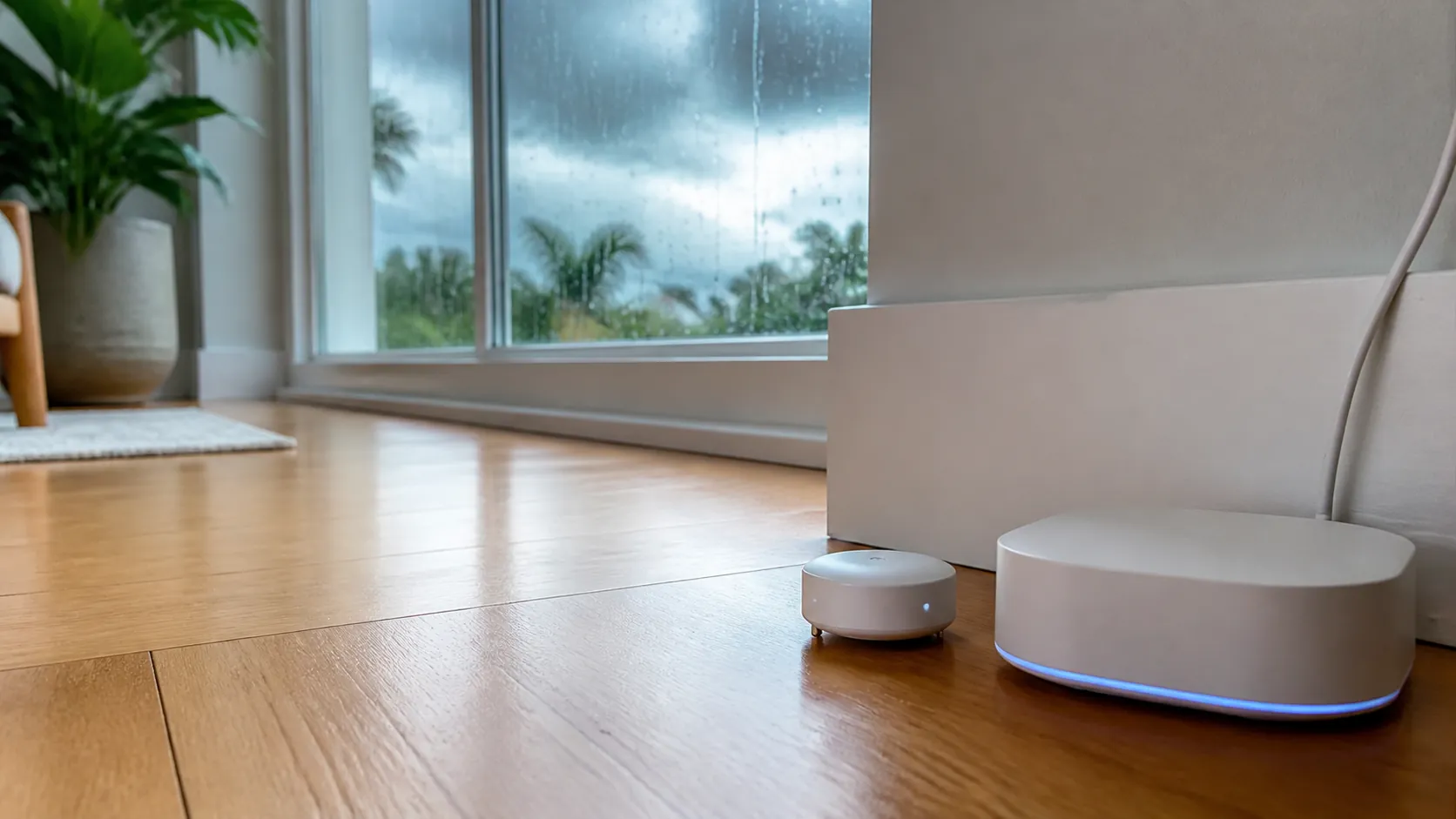
El Niño tilts odds; it does not sign a contract. San Diego’s Lindbergh Field saw about 20 inches of rain during the strong 1982–83 and 1997–98 events, compared with roughly 10 inches in a typical year, but the much-hyped 2015–16 event came in drier at about 8 inches. [3] Weather West has also pointed to research showing atmospheric-river “families” are more than twice as likely to cluster during El Niño conditions, which is exactly the kind of repeated wetting pattern that exposes weak drainage and slow leaks. [4]
So the question is not “What is the best smart home flood sensor for El Niño California rain?” in the abstract. The question is: which sensor will actually report water through Apple Home, SmartThings, Hubitat, Home Assistant, or Alexa/Ring in the house you already run?
Start with the hub, not the roundup winner
Generic leak-detector roundups are useful for alarms, app screenshots, and build quality. They are much less useful when the winning device does not speak to your automation system. Wirecutter’s 2026 top smart water-leak detector pick is the D-Link SW-A11KT, while PCMag’s 2026 list leads with the First Alert L1. [5][6] Those can be reasonable standalone choices. They are not automatically the right answer for a homeowner who wants one leak alert to trigger HomeKit notifications, SmartThings routines, Hubitat rules, Home Assistant automations, or Ring/Alexa announcements.
For this job, the selection rule is blunt: buy the sensor whose protocol path is known for your hub, and treat the status as dated. “Works with Matter,” “Zigbee,” “Z-Wave,” and “Wi-Fi” are not enough by themselves. The path matters: direct inclusion, vendor bridge, cloud integration, custom driver, security mode, or an automation workaround.
| Hub you already run | Status-labeled pick for Q3 2026 | Compatibility note that affects the purchase |
|---|---|---|
| Apple Home | Confirmed: Eve Water Guard for native Apple households; Confirmed/bridge-dependent: Aqara leak sensors through an Aqara hub; Investigating: Matter leak sensors that still depend on vendor bridges | Do not treat the Matter badge as hubless leak-sensor support. In 2026, the available Matter-compatible leak sensors in this brief still reach Matter through a bridge or vendor hub. |
| SmartThings / Aeotec Smart Home Hub | Confirmed: Aeotec/SmartThings water leak sensors; Confirmed: Shelly Flood Gen4 where its supported path fits your hub; Workaround: Aqara via compatible edge/community paths only if you already accept that maintenance burden | SmartThings buyers should prefer devices with a clear SmartThings route over Wi-Fi-only standalone detectors. |
| Hubitat | Confirmed: Zooz ZSE42 by Z-Wave with the right inclusion choices; Workaround: Aqara Zigbee only if your Zigbee mesh and driver path are already proven | Z-Wave and Zigbee both can work, but inclusion mode and device fingerprints matter more than a product-page badge. |
| Home Assistant | Confirmed: Zooz ZSE42 via Z-Wave JS when included to expose the needed entities; Confirmed with caveats: Aqara SJCGQ11LM/T1 through ZHA or Zigbee2MQTT; Investigating: any setup affected by documented false-wet reports | Home Assistant gives the most protocol freedom and the most responsibility. Small integration quirks should be checked before buying ten sensors. |
| Alexa / Ring | Confirmed: Shelly Flood Gen4 for Alexa-compatible setups where its current integration is available; Workaround: Ring/Alexa announcements through compatible bridges or routines; Usually wrong fit: hubless Wi-Fi sensors that do not expose useful routine triggers | An Alexa notification is not the same as a reliable whole-home leak layer unless the sensor state is available where your routines run. |
If you want the broader hub-by-hub inventory, use NestGrid’s tested leak-sensor matrix and the dated Q3 2026 guide, The Best Smart Flood Sensor Depends on Your Hub. This article is narrower: California El Niño deadline first, hub compatibility second, no imaginary universal winner.
Apple Home: native is clean; Matter is still not magic
For Apple Home, the tidy answer is still a native Apple/HomeKit path when you can get it. Eve Water Guard remains the cleaner Apple-first choice because it is sold as an Eve water-leak product for Apple households, and it avoids the usual Zigbee bridge question for people who do not already run Aqara. [13]
Aqara is the more interesting choice if you already own an Aqara hub. Aqara’s water leak sensor is a Zigbee device, and Aqara’s own product line is built around the hub-to-ecosystem model. [14] That can be perfectly acceptable. It is also exactly where buyers get sloppy: the sensor is not joining Apple Home as a naked Zigbee leak detector. It is being represented to Apple Home through Aqara’s bridge path.
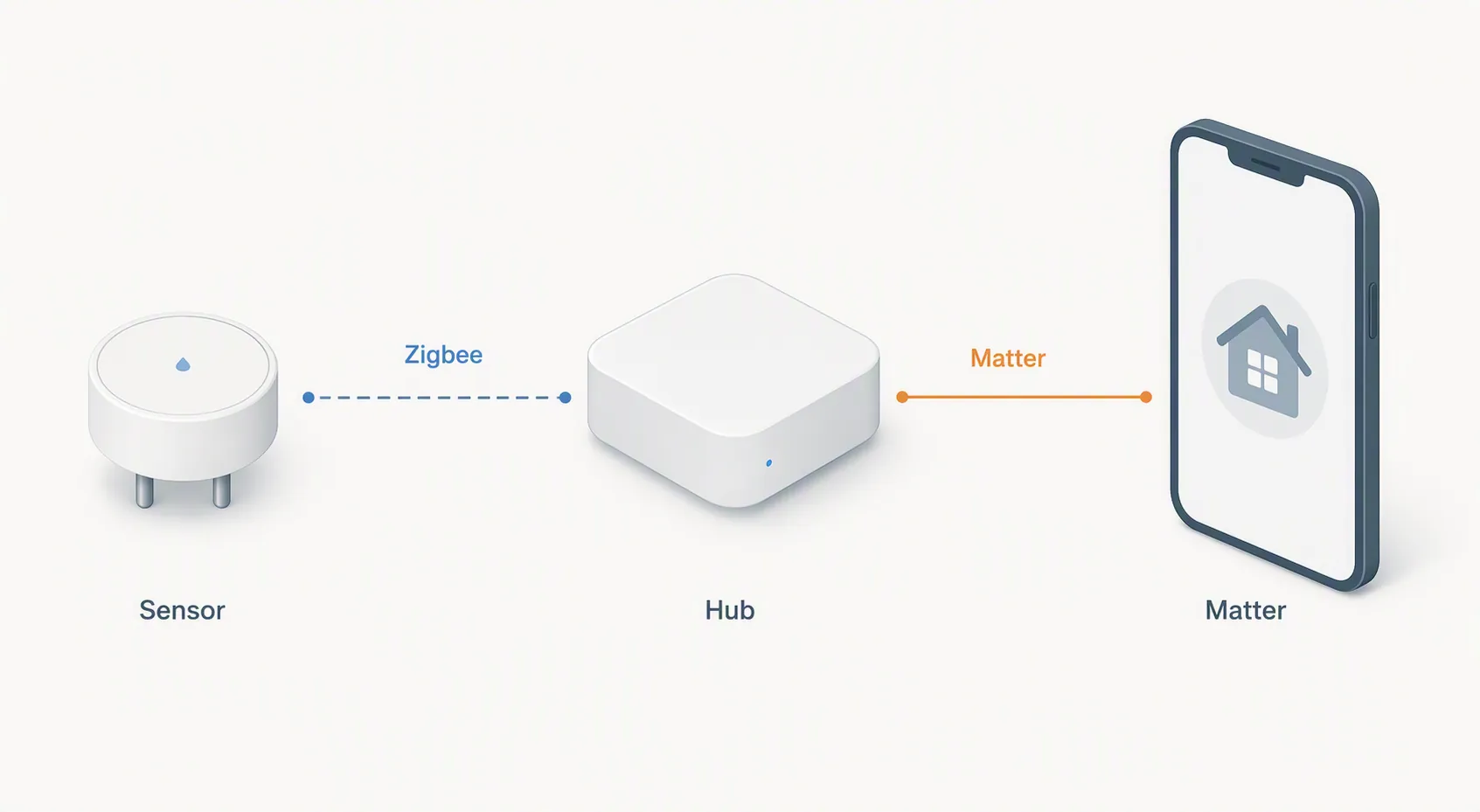
Matter is where the buying mistake is most likely. Matter 1.3, released May 8, 2024, added a Water Leak Detector device type. [7] That sounds like the problem should be solved by 2026. It is not. The current Matter-compatible leak-sensor landscape described in the brief still consists of Zigbee leak sensors behind vendor hubs — such as Aqara hub paths and THIRDREALITY’s Smart Bridge MZ1 path — rather than hubless Matter leak sensors that pair directly to every controller. [8]
For an Apple Home buyer, that means the purchase question is not “Does it say Matter?” It is “Which exact hub exposes the leak state to Apple Home, and is that bridge still supported today?” If you do not want another bridge, buy the Apple-native option. If you already run Aqara, the Aqara path is reasonable. If the box only gives you a Matter logo and not the actual bridge route, put it back.
SmartThings and Aeotec: stay close to the platform unless you enjoy edge cases
SmartThings users have one advantage: the ecosystem has a long history with leak sensors, and the Aeotec Smart Home Hub continues the SmartThings-hub path. The boring recommendation is the useful one here: start with Aeotec/SmartThings water leak sensors or devices with a current, explicit SmartThings compatibility route.
Shelly Flood Gen4 deserves attention because PCMag describes it as a rare sub-$40 flood sensor with native Matter plus Zigbee, Wi-Fi, Bluetooth, and compatibility with Alexa, Google, HomeKit, and SmartThings. [6] That is an unusually broad set of doors for one small device. It is also a device where the exact mode you choose matters. Buying it for SmartThings because it has many radios is different from confirming the SmartThings path you intend to use.
Wi-Fi roundup winners are less appealing in a SmartThings house unless they expose a reliable state to SmartThings routines. A loud local alarm and a polished app can be useful, but if the sensor’s alert lives in a separate app while your shutoff valve, lights, speakers, and routines live in SmartThings, you have created a second emergency system that someone has to remember under pressure.
Hubitat: Z-Wave is attractive, but include the device deliberately
For Hubitat, the Zooz ZSE42 is the kind of device that rarely wins mainstream roundups and still makes sense in a hub-centered house. It is a small Z-Wave leak sensor with sensitive electrode feet, and Make It Work Tech’s hands-on coverage calls out both the hardware appeal and a specific integration quirk: when included with S2 security under Z-Wave JS, missing entities were observed. [9]
That report should not be inflated into “Zooz is unreliable.” It is a named inclusion-path warning. If you are using Hubitat or another Z-Wave controller, the practical move is to verify the recommended inclusion mode for your hub before you mount the sensor under a water heater. A leak sensor that pairs with the wrong security settings and hides the state you need is not installed; it is just stuck to the floor.
Aqara-on-Hubitat can be tempting because the sensors are small and inexpensive, but this is where Zigbee coordinator behavior and driver support decide the experience. If your Hubitat Zigbee mesh already has stable Aqara devices, this can be a workable path. If not, Zooz Z-Wave is usually the cleaner first purchase for a Hubitat homeowner preparing for winter.
Home Assistant: the best choices are also the easiest to overcomplicate
Home Assistant buyers can make more sensors work than almost anyone else, which is both the point and the trap. Zooz ZSE42 through Z-Wave JS and Aqara SJCGQ11LM through ZHA or Zigbee2MQTT are both plausible choices. Make It Work Tech notes that the Aqara SJCGQ11LM is Zigbee, waterproof, floats, and can pair directly with ZHA or Zigbee2MQTT without an Aqara hub. [9]
The Aqara caveat is not theoretical. A Zigbee2MQTT GitHub issue documented false leakage reports after the 1.25.0 update, and a Home Assistant Community thread described false-positive behavior with ConBee II/deCONZ. [10][11] These are small-sample reports, not a statistical verdict on every Aqara leak sensor. They are still enough to change how you buy: test one sensor on your coordinator and software stack before ordering a box for every sink.
For Home Assistant, the status labels matter more than brand sentiment:
- Confirmed: Zooz ZSE42 when your Z-Wave JS or hub inclusion path exposes the needed leak/battery entities.
- Confirmed with caveats: Aqara SJCGQ11LM/T1 through ZHA or Zigbee2MQTT after a wet-probe test and a dry-state recovery test on your actual coordinator.
- Investigating: any ConBee II/deCONZ or post-update Zigbee2MQTT setup that has not been tested locally after the reported false-wet cases.
If you want the protocol reasoning without the California forecast layer, use NestGrid’s flood-sensor protocol guide or the compatibility explainer, Which smart water leak sensors actually pair with your hub?.
Alexa and Ring: alerts are easy; useful leak state is the question
Alexa households can get leak alerts from several routes: Wi-Fi devices with their own skills, Matter bridge paths, and multi-protocol devices such as Shelly Flood Gen4. PCMag’s June 2026 description of Shelly Flood Gen4 is the reason it belongs on this shortlist for Alexa users: native Matter plus Zigbee, Wi-Fi, Bluetooth, and named compatibility with Alexa, Google, HomeKit, and SmartThings at a sub-$40 positioning. [6]
Ring is narrower. A sensor that can make an Alexa speaker announce “water detected” may be enough for some households, but it is not the same as having a leak state deeply available to the hub that controls valves, sirens, lights, or routines. If your severe-weather setup already depends on Alexa/Ring, check whether the sensor appears as a usable trigger, not merely as a notification in a manufacturer app.
This is also where many Wi-Fi-first devices become less impressive. A self-contained Wi-Fi detector can be fine under a kitchen sink. It is a weaker fit if the real plan is to coordinate alerts across speakers, phones, smart lights, and a shutoff valve while you are away during a storm system.
The Matter leak-sensor reality check for 2026
Matter 1.3’s Water Leak Detector device type is good news for the category. [7] It gives manufacturers a standard target. It does not erase the current product architecture. Matter Alpha’s 2026 overview of Matter-compatible leak sensors still points to devices that depend on vendor bridges, including Aqara hub routes and THIRDREALITY’s Smart Bridge MZ1 route. [8]
That distinction matters in a damp pump closet. A hubless Matter contact sensor, plug, or bulb may pair directly to your controller. A Matter-compatible leak sensor may be a Zigbee puck reporting to a vendor hub, which then exposes a Matter device to Apple Home, SmartThings, Alexa, or another controller. If the vendor hub is unplugged, unsupported, misconfigured, or excluded from your network plan, the Matter logo on the sensor did not save you.
The useful purchase wording is: “Matter over which bridge?” If the seller cannot answer that, assume the compatibility claim is incomplete. For a deeper standing comparison, NestGrid keeps a separate hub compatibility matrix for smart flood sensors because this detail changes faster than product photos do.
Where the roundup picks still make sense
The D-Link SW-A11KT and First Alert L1 are not bad because they show up in mainstream roundups. Wirecutter and PCMag are judging a broader buyer, often one who wants a capable standalone detector with a decent app and clear alarm behavior. [5][6] That buyer exists.
The California hub-owner problem is different. If you already run Apple Home, SmartThings, Hubitat, Home Assistant, or Alexa/Ring, the detector needs to join the emergency chain you have. A separate app alert is not the same as a hub event. A siren in the laundry room is not the same as an automation that turns on lights, announces through speakers, pings both homeowners, and closes a compatible valve.
Buy a Wi-Fi standalone winner if you want one good sensor in one risky spot and do not care about hub routines. Buy a hub-verified sensor if the point is whole-home warning before a wet winter.
After compatibility, placement decides whether the alert comes early
Once the hub decision is made, the physical choice is simpler: spot sensor or rope sensor. Z-Wave Alliance/Vesternet guidance distinguishes point-style water leak sensors from rope-style detection systems and emphasizes periodic wet-probe testing. [12] That is the right level of glamour for this category.
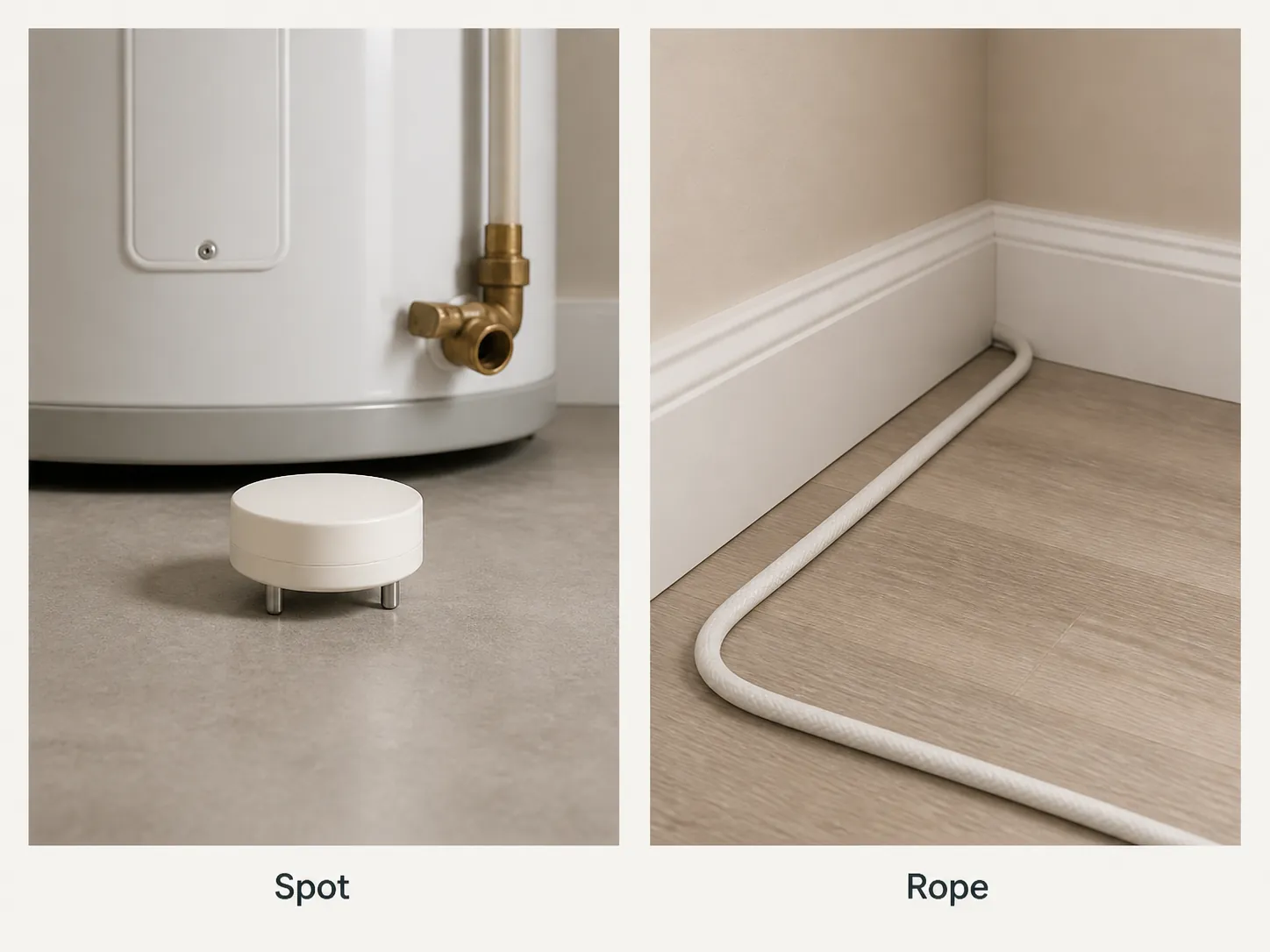
Use spot sensors where water will collect predictably: under a water heater, behind a washing machine, below a sink trap, near a condensate line, at a sump or pump area, or beside a garage threshold that has a known low point. Use rope sensors where the first water path is spread out: along a baseboard, under a long appliance run, near sliding doors, or across a mechanical-room edge.
Then wet-test the probe. Not later. Not after the first January storm. Put the sensor where it will live, trigger it with a small amount of water, confirm the hub state changes, confirm the phone alert arrives, confirm any speaker or light routine runs, and confirm the sensor returns to dry. If a coin-cell sensor has to be paired on the floor next to the hub and then moved to the pump closet, do that now while the weather is boring.
NestGrid’s setup recipes cover the mechanics in more detail: How to Set Up Smart Home Flood Sensors for Leak Alerts and Deploy Smart Leak Sensors Before Monsoon Season. The season-specific details differ, but the installation discipline is the same: pair, place, wet-test, and document the hub path.
A dated decision is better than a permanent-sounding pick
For California’s 2026–27 El Niño season, the best smart home flood sensor is not one device. It is the device with a confirmed path into the hub you already use, bought early enough to test before the January–March window. The forecast is dated. The Matter landscape is dated. Firmware behavior is dated. Treat the compatibility label the same way.
Check your hub, choose the status-labeled option for that ecosystem, place it where water will actually arrive, and wet-test it before the rain window. A clean app and a loud alarm are nice. A sensor that still reports through your hub after the next update is better.
References
- ‘Super’ El Niño is super likely as California braces for impact — LA Times, Aug. 13, 2026
- Just when we need it, almost no one in California has flood insurance — ABC7
- How San Diego is preparing for extreme weather under El Niño — CalMatters
- Special update: Rising odds of a strong-to-historic El Niño event in 2026 — Weather West
- The 3 Best Smart Water-Leak Detectors of 2026 — Wirecutter
- The Best Smart Water Leak Detectors for 2026 — PCMag
- Matter 1.3 Specification Released — CSA-IOT, May 8, 2024
- The best Matter-compatible water leak sensors right now — Matter Alpha
- Best Water Leak (Flood) Sensors for Home Assistant — Make It Work Tech
- Aqara water leak sensor reports false leakage after update — GitHub Koenkk/zigbee2mqtt issue #12018
- Aqara water leak sensor false positive (ConBee II/deCONZ) — Home Assistant Community
- Water Leak Detection Systems — Z-Wave Alliance by Vesternet
- Eve Water Guard — Eve
- Aqara Water Leak Sensor — Aqara
Known issues with this device / protocol
Spec-version history
For active regressions on this protocol, see Update Watch.
No linked Update Watch entries yet.