
Which Smart Home Devices Work With Your Utility Demand Response?
This compatibility guide maps which smart thermostats, plugs, energy monitors, and water heaters work with specific utility demand response programs. It also shows how to match device protocols to your existing hub so you can actually enroll and start saving.
Last updated
The compatibility gate comes before the gadget
A smart home demand response setup can cut an electricity bill only after three things line up: your utility must run a program for that device brand, the exact device model must be eligible, and your existing smart-home ecosystem must still work after installation. Buying “a smart thermostat” is not enough. A Nest thermostat does not enroll in an Ecobee-only program, and a HomeKit household should know before checkout that a Kasa HS300 power strip has no HomeKit or Matter support.
Demand response is different from ordinary energy savings. In a utility event, the program asks enrolled devices to reduce or shift electricity use during stressed grid periods; the household may receive bill credits, rebates, or other incentives depending on the program design. SCE describes home demand response around that basic exchange: reduce or shift usage when requested, usually during high-demand periods, and receive program benefits where eligible.[1] The device has to be in the utility’s enrollment path for those event credits to appear.
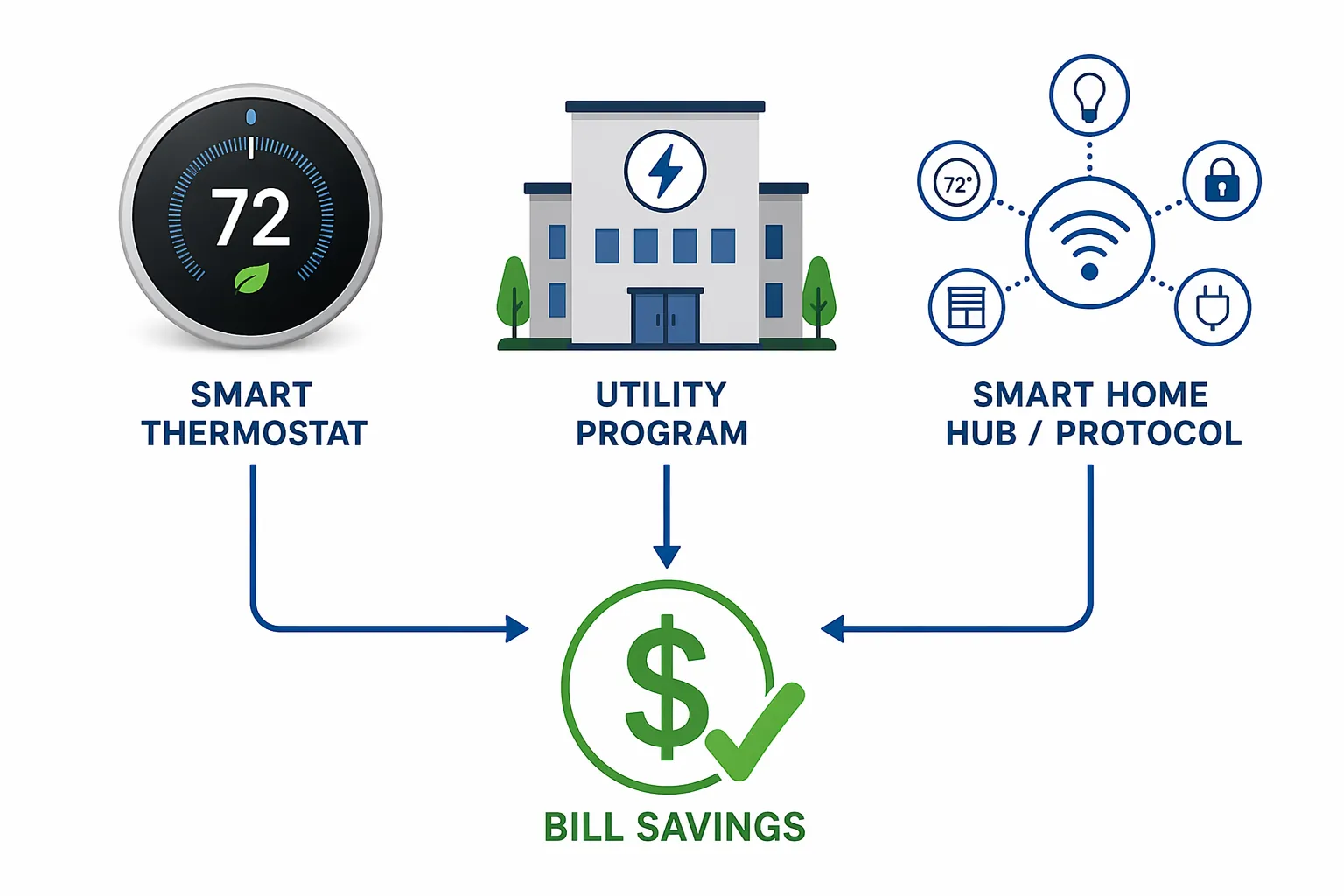
| Device ecosystem | Utility / program fit | Eligible device types to verify | Protocol or hub notes | Status label before buying |
|---|---|---|---|---|
| Ecobee | Ecobee says its Community Energy Savings / eco+ programs cover 30+ utility partnerships, with examples including Consumers Energy, SCE, BGE, National Grid, AES Indiana, Alliant, APS, Evergy, NYSEG, RG&E, NJNG, NCEC, and EPE.[2] | Smart Thermostat Premium, Smart Thermostat Enhanced, Smart Thermostat Lite, Smart Thermostat Essential, and other utility-listed Ecobee thermostats; check the utility’s current eligible-model page. | Ecobee’s current thermostat lineup includes Matter-certified models, which helps households that want Apple, Google, Amazon, or SmartThings flexibility.[4] | Strong DR candidate if your utility lists the exact Ecobee model and the program year payout still exists. |
| Google Nest | Google says Nest Rush Hour Rewards works with 110+ utility partners across the U.S. and Canada and has 1M+ enrolled customers.[5] | Nest Learning Thermostat and other Nest models only where that utility’s Rush Hour Rewards page lists them. | Good Google Home fit; SmartHomeExplorer flags that the 4th Gen Nest Learning Thermostat still lacks Matter thermostat-cluster support as of mid-2026, so verify current certification before treating it as a Matter thermostat.[7] | Very broad utility reach, but do not confuse Rush Hour Rewards availability with Matter compatibility. |
| Honeywell Home / Resideo | Resideo says it manages 159 utility demand response programs and points shoppers to a ZIP-code rebate finder.[6] | Honeywell Home T9 / T10, T6 Pro, T5, Round Smart Thermostat, and other models only where the local program lists them.[6] | Platform fit varies by model; check the specific thermostat SKU and app path, not just the Honeywell Home name. | Treat as ZIP-code-local. The national program count is less useful than your utility’s eligible-device list. |
| Mysa | SmartHomeExplorer identifies Mysa as the DR-enrolled thermostat path that matters for 240V line-voltage baseboard heat, with 60% of buyers enrolling at purchase, a dropout rate under 1%, and 26% electric heating savings documented.[7] | Mysa line-voltage thermostats for electric baseboard or similar 240V heating, where the local program supports them. | Best considered separately from 24V central HVAC thermostats; line-voltage heat changes the shortlist. | Essential check for electric baseboard homes. Do not buy a 24V thermostat for a 240V heating circuit. |
| Emporia Vue 3 | SmartHomeExplorer describes Emporia Vue 3 as a circuit-level energy monitor with WeaveGrid / EnergyHub coordination paths and no subscription.[7] | Panel energy monitor, not a thermostat replacement. | Ecosystem-independent and Home Assistant-friendly, but no HomeKit support.[7] | Useful for measurement and some coordinated programs; verify whether your utility treats it as an enrollment device or just a monitor. |
| Kasa HS300 | SmartHomeExplorer positions the HS300 as low-cost plug-and-play load shedding with an entry price around $40.[7] | Plug strip for controllable plug loads, not HVAC demand response. | No HomeKit and no Matter support.[7] | Useful only if its ecosystem tradeoff is acceptable. Unsafe default for HomeKit-first homes. |
| Sensibo Air Pro | SmartHomeExplorer reports 20–40% automation-based load reduction for mini-splits / window AC, but no direct utility DR enrollment path.[7] | Mini-split and window AC control through schedules and automation. | Supports HomeKit natively, but that does not make it a utility-enrolled demand response device.[7] | Good automation tool; do not count it as a direct DR payout device unless your utility explicitly says so. |
| Rheem ProTerra / Prestige | Rheem says demand response-ready water heaters can participate through utility programs where supported.[8] | Rheem ProTerra / Prestige models with CTA-2045 EcoPort, where listed by the utility.[8] | Appliance enrollment path is separate from thermostat enrollment. | Worth checking in electric water-heater homes, especially where the utility advertises water-heater DR. |
Thermostats carry the clearest demand response evidence — and the most expensive mistakes
Thermostats dominate residential demand response because central HVAC load is large, flexible for short periods, and already controlled by a device the utility can signal. That makes the thermostat choice more consequential than a smart plug choice. If the thermostat is wrong, the buyer may still get a nice app and normal scheduling savings, but the utility event credit can disappear.
Ecobee: the strongest all-around compatibility story if the local program matches
Ecobee is the first thermostat ecosystem to check for many mixed-platform homes because it combines utility program breadth with protocol flexibility. Ecobee says eligible customers in Community Energy Savings programs can earn about $20–$125 per year in grid rewards, depending on utility and program terms.[2] That number should be read as a program-credit range, not as a universal bill reduction.
There is also a separate Ecobee energy-savings claim: Ecobee says its smart thermostats can reduce heating and cooling energy use by up to 23%.[3] Keep that in a different mental bucket from demand response rewards. Energy savings can come from schedules, occupancy, setpoint control, and HVAC runtime reduction. Demand response credits come from utility events and enrollment.
The protocol side is unusually clean for current buyers. Ecobee’s Smart Thermostat Premium, Smart Thermostat Enhanced, Smart Thermostat Lite, and Smart Thermostat Essential are described by Ecobee as Matter-certified models.[4] That does not guarantee a utility will accept every model into every program, but it lowers the chance that a household has to rebuild its Apple Home, Google Home, Alexa, or SmartThings setup just to chase a DR credit.
The right Ecobee pre-purchase check is boring and specific: open your utility’s program page, search for Ecobee, match the exact model name, then confirm the enrollment path in the Ecobee app or utility portal. If a utility store sells or rebates a particular Ecobee thermostat, that is a useful signal, but it is still not the same as confirming current demand response enrollment eligibility.
Google Nest: huge Rush Hour Rewards reach, separate Matter question
Nest has the most impressive headline reach in the research set. Google says Rush Hour Rewards has 110+ utility partners across the U.S. and Canada and more than 1M enrolled customers.[5] For homeowners whose utility lists Nest, that program footprint matters: it means there is a mature utility enrollment channel rather than a speculative automation workaround.
Google also gives useful performance context, but it is not an annual savings promise. Across six utility studies from 2020 to 2022, Google reports average demand reduction of 0.9–1.07 kW per event for enrolled Nest thermostats.[5] That measures load reduction during events, not the household’s yearly dollar credit. The actual bill outcome depends on event frequency, payout rules, thermostat settings, local climate, and whether the household stays enrolled.
During events, Nest may pre-cool before a rush hour and then adjust the thermostat by up to 4°F during the event window, according to Google.[5] That is the part buyers should discuss before enrollment if someone in the home is sensitive to temperature changes. Demand response is usually designed to preserve comfort, but it is still active control of HVAC behavior during specific grid conditions.
The trap is ecosystem language. “Nest works with my utility” and “Nest is the best fit for my Matter-based home” are separate claims. SmartHomeExplorer’s 2026 guide flags that the 4th Gen Nest Learning Thermostat still lacks Matter thermostat-cluster support as of mid-2026.[7] Before buying, verify Google’s current certification status and the specific model’s smart-home integrations. If you need a deeper device-by-device pass, use the Google Nest thermostat compatibility profile alongside the utility enrollment page.
Honeywell Home / Resideo: start with ZIP code, not the national count
Resideo says it manages 159 utility demand response programs and lists compatible Honeywell Home thermostat families including T9 / T10, T6 Pro, T5, and Round Smart models.[6] That sounds national, but the buying decision is local. A Honeywell Home thermostat can be a correct choice in one service territory and irrelevant in the next.
Use Resideo’s ZIP-code rebate finder as a starting point, then move to the utility’s own page for the current program year. The model family matters, but so do the SKU, installation type, HVAC compatibility, and whether the utility’s enrollment form recognizes that device. This is especially important if the thermostat is installed by an HVAC contractor who may be optimizing for equipment compatibility rather than demand response enrollment.
Honeywell / Resideo can be the right answer when the local utility has standardized around it. It is not a brand to buy from a national compatibility headline alone.
Mysa: the line-voltage exception that central-HVAC guides miss
Homes with 240V electric baseboard heat live in a different thermostat world. A typical Ecobee, Nest, or Honeywell low-voltage thermostat is not a drop-in replacement for a line-voltage baseboard thermostat. For those homes, Mysa belongs on the shortlist before the usual central-HVAC brands.
SmartHomeExplorer’s 2026 guide identifies Mysa as the DR-enrolled thermostat path for 240V line-voltage baseboard heat and reports that 60% of buyers enroll at purchase, with a dropout rate under 1% and 26% electric heating savings documented.[7] Those are promising numbers for the specific heating category, not permission to ignore utility territory. The local program still has to support Mysa, and the installed heater type still has to match the thermostat.
If you are unsure whether your system is low-voltage central HVAC or line-voltage electric heat, pause the demand response shopping and confirm the wiring first. The smart thermostat HVAC compatibility check is the safer next stop than a checkout page.
Your hub and protocol are not side details
Protocol support matters because a demand response device has to live in the home after enrollment. If it breaks automations, requires a separate app for daily control, or cannot join the household’s preferred platform, the bill credit may not be worth the annoyance. Treat Matter, HomeKit, Google Home, Alexa, SmartThings, Home Assistant, Zigbee, Z-Wave, Thread, and Wi-Fi as enrollment-risk filters.
| Current smart-home setup | Safer DR shopping direction | Compatibility trap to avoid |
|---|---|---|
| Apple Home / HomeKit-first | Start with Matter-certified Ecobee thermostats where the utility supports Ecobee; Sensibo can fit HomeKit automations for mini-splits, but it is not a direct utility DR enrollment device.[4][7] | Do not treat Kasa HS300 or Emporia Vue 3 as HomeKit devices; SmartHomeExplorer lists no HomeKit support for both.[7] |
| Google Home-first | Nest is often worth checking first because Rush Hour Rewards has broad utility reach; Ecobee remains a strong alternative where the utility supports it.[2][5] | Do not assume broad Nest utility enrollment means Matter thermostat support; verify the current certified products list for the exact Nest model.[7] |
| Alexa-first | Ecobee, Nest, and some Honeywell Home paths may work depending on model and utility; choose the utility-eligible thermostat first, then check Alexa control. | Avoid buying based only on Alexa compatibility. Voice control does not mean utility enrollment. |
| SmartThings / Matter-oriented | Matter-certified Ecobee models are the cleanest thermostat candidates in the supplied research set.[4] | A Wi-Fi thermostat can be useful without being Matter-ready; decide whether that matters before accepting a utility store discount. |
| Home Assistant / ecosystem-independent | Emporia Vue 3 is attractive as a circuit-level monitor because SmartHomeExplorer describes it as ecosystem-independent and friendly to hub-independent setups.[7] | Measurement and DR enrollment are different. Confirm whether your utility enrolls the monitor or only uses thermostat / appliance events. |
| Zigbee or Z-Wave-only | Plan on adding a supported Wi-Fi, Matter, or cloud-connected thermostat path if the utility requires one. | SmartHomeExplorer notes no native Z-Wave-only DR thermostat path in the 2026 guide.[7] |
Matter deserves attention because it can reduce platform lock-in, but it does not enroll a device in a utility program by itself. A Matter-certified thermostat still needs to appear on the utility’s eligible-device list. A non-Matter thermostat can still be a good demand response device if your utility supports it and your household is comfortable with its app and platform limits.
The same caution applies to Zigbee, Z-Wave, Thread, and Wi-Fi. Those words describe how devices communicate; they do not prove utility program participation. Most homeowner mistakes start when a product page answers the hub question but not the enrollment question. For a broader platform comparison after you know your utility options, use the smart thermostat ecosystem guide.
Monitors, plugs, mini-split controls, and water heaters play different roles
After thermostats, the device map gets less uniform. Some products help the household see load, some automate controllable appliances, and some can join utility programs only in specific territories. The distinction matters because a lower electric bill can come from several places: a utility event credit, a reduced HVAC runtime, a shifted water-heating cycle, or simply better visibility into waste.
Emporia Vue 3: measurement first, utility coordination only where supported
Emporia Vue 3 is most useful for homeowners who want circuit-level visibility before deciding what to shed during peak periods. SmartHomeExplorer describes it as a no-subscription energy monitor with WeaveGrid / EnergyHub partnership paths and ecosystem-independent operation, including Home Assistant-friendly use.[7] That makes it appealing in homes that do not want every energy decision tied to a thermostat brand.
The limitation is equally practical: SmartHomeExplorer lists no HomeKit support for Emporia Vue 3.[7] Also, an energy monitor is not automatically a utility-enrolled demand response endpoint. If your utility’s program page does not name Emporia, WeaveGrid, EnergyHub, or the specific enrollment channel, treat Vue 3 as a monitoring and optimization tool rather than a guaranteed rebate device.
Kasa HS300: cheap load shedding with a visible ecosystem penalty
The Kasa HS300 makes sense when the job is simple: turn off or schedule noncritical plug loads during expensive or high-demand windows. SmartHomeExplorer describes it as a plug-and-play load-shedding option with an entry point around $40.[7] That can be enough for entertainment centers, office equipment, chargers, or other controllable loads that do not need to run during an event.
The red label belongs on the front of the decision: no HomeKit and no Matter support.[7] That does not make the HS300 bad. It makes it a poor default recommendation for a HomeKit household and a questionable choice for anyone trying to build a Matter-forward energy setup.
Sensibo Air Pro: useful for mini-splits, not a direct DR enrollment answer
Mini-splits and window AC units often sit outside the standard smart thermostat advice. Sensibo Air Pro can help here through schedules and automations. SmartHomeExplorer reports 20–40% automation-based load reduction and notes native HomeKit support, but also says there is no direct utility demand response enrollment path.[7]
That makes Sensibo a comfort and automation device, not the thing to buy if the goal is a named utility DR credit. It may still reduce usage during peak windows if you program it that way, but the utility has to explicitly support the enrollment path before you count on a payout.
Rheem water heaters: check for CTA-2045 EcoPort, then check the utility
Electric water heaters are a strong demand response category because hot water can often be shifted without immediate discomfort. Rheem says certain ProTerra and Prestige demand response-ready models use CTA-2045 EcoPort connectivity for utility program participation where supported.[8] That creates a separate appliance path from thermostat DR.
Do not assume every efficient water heater is DR-ready. The EcoPort hardware and the utility’s appliance program both need to be present. A household replacing a water heater should check this before installation day, because adding demand response readiness later may be harder than choosing the right model up front.
The best-case stack is conditional
SmartHomeExplorer’s 2026 analysis identifies an “optimal compatibility stack” of Ecobee plus Emporia Vue 3 plus two to four Kasa HS300 strips, with estimated equipment cost of $570–$730 and combined annual benefit of $300–$550.[7] That is a best-case multi-device scenario in the right utility territory, not a national average and not a promise that every household can reproduce it.
The stack only makes sense when the utility supports the relevant enrollment paths and the household accepts the ecosystem tradeoffs. Ecobee may handle the thermostat DR event. Emporia may show which circuits matter and participate where a coordination partner is available. Kasa strips may shed plug loads cheaply. But if the local utility supports Nest instead of Ecobee, or if the home is HomeKit-only and the buyer refuses non-HomeKit plug strips, the neat stack starts to break.
For cost planning, separate three calculations: the upfront device cost, the one-time rebate or enrollment incentive, and the recurring annual event credit. The DR earnings payout breakdown is the right companion once the compatibility screen is passed; the 2026 thermostat rebate guide belongs in the same tab before purchase.
Pre-purchase enrollment checklist
- Find the utility program first. Search your utility’s current demand response page, not just the device manufacturer’s partner page.
- Confirm the exact eligible model. Match the thermostat, monitor, plug, or appliance model name and SKU. “Nest,” “Ecobee,” or “Honeywell Home” is not specific enough.
- Check the program year and payout. Utility incentives can change annually, so verify the current enrollment credit, seasonal credit, event credit, or bill-credit formula before buying.
- Verify HVAC or appliance fit. Low-voltage central HVAC thermostats, 240V line-voltage thermostats, mini-split controllers, plug strips, panel monitors, and EcoPort water heaters are not interchangeable.
- Check hub and protocol support after the utility match. Matter, HomeKit, Google Home, Alexa, SmartThings, Home Assistant, Zigbee, Z-Wave, Thread, and Wi-Fi affect daily use, but they do not create utility eligibility on their own.
- Look for certification and firmware status. For Matter devices especially, verify the current certified product list and the firmware level required for your model.
- Read the event-control terms. Check whether the program can pre-cool, adjust setpoints, cycle equipment, or shift water heating, and confirm how to opt out of a single event if needed.
- Enroll before assuming savings. Install the device, complete utility or app enrollment, wait for confirmation, and keep the confirmation email or account screenshot with the program year visible.
References
- Demand Response Programs for Homes — SCE
- Energy savings and incentives | ecobee Community Energy Savings — Ecobee
- How to lower energy bills with automated energy efficiency — Ecobee
- ecobee partners with select utilities to offer a free smart thermostat — Ecobee Newsroom
- One click away: your home's thermostat can save energy and the grid — Google Sustainability, January 2024
- Demand Response | Honeywell Home — Resideo
- Best Smart Home Energy Management Systems for Demand Response (2026) — SmartHomeExplorer
- How Demand Response Programs Save You Energy and Money — Rheem
Known issues with this device / protocol
Spec-version history
For active regressions on this protocol, see Update Watch.
No linked Update Watch entries yet.