
Best used large-screen tablet for smart home control panel
Choosing a used large-screen tablet for a permanent smart-home control panel comes down to wall-power durability, not battery life. This guide rates the used models that run Home Assistant, SmartThings, and HomeKit dashboards for years, anchors current used-market prices, and includes the inspection checklist that catches swelling-battery and charge-control problems before you buy.
Last updated
The best used large-screen tablet for a smart home control panel is usually not the used tablet with the best battery. Once it is mounted to a wall and fed power every day, the buying rule changes: the useful parts are the OS floor, the touch panel, the dashboard stack, the mount, and some believable way to avoid cooking the battery for years.
That is why the practical answer, for most Home Assistant and Android-leaning homes in Q3 2026, is a used or inexpensive 10–11 inch Android tablet running Fully Kiosk Browser. It is large enough to show rooms, climate, cameras, and scenes without becoming furniture; it has the strongest kiosk software path; and it can usually be mounted and replaced without treating the wall like a renovation project.
Used pricing still matters. Swappa’s used-tablet buying guide frames second-hand tablets as roughly 30–60% below new retail, which is exactly the pressure that makes wall panels tempting in the first place.[1] But the discount is only the opening bid. A cheap tablet that cannot run your dashboard, wakes unreliably, has a weak digitizer, or sits at 100% charge in a sealed mount is not a bargain; it is a delayed Saturday repair.
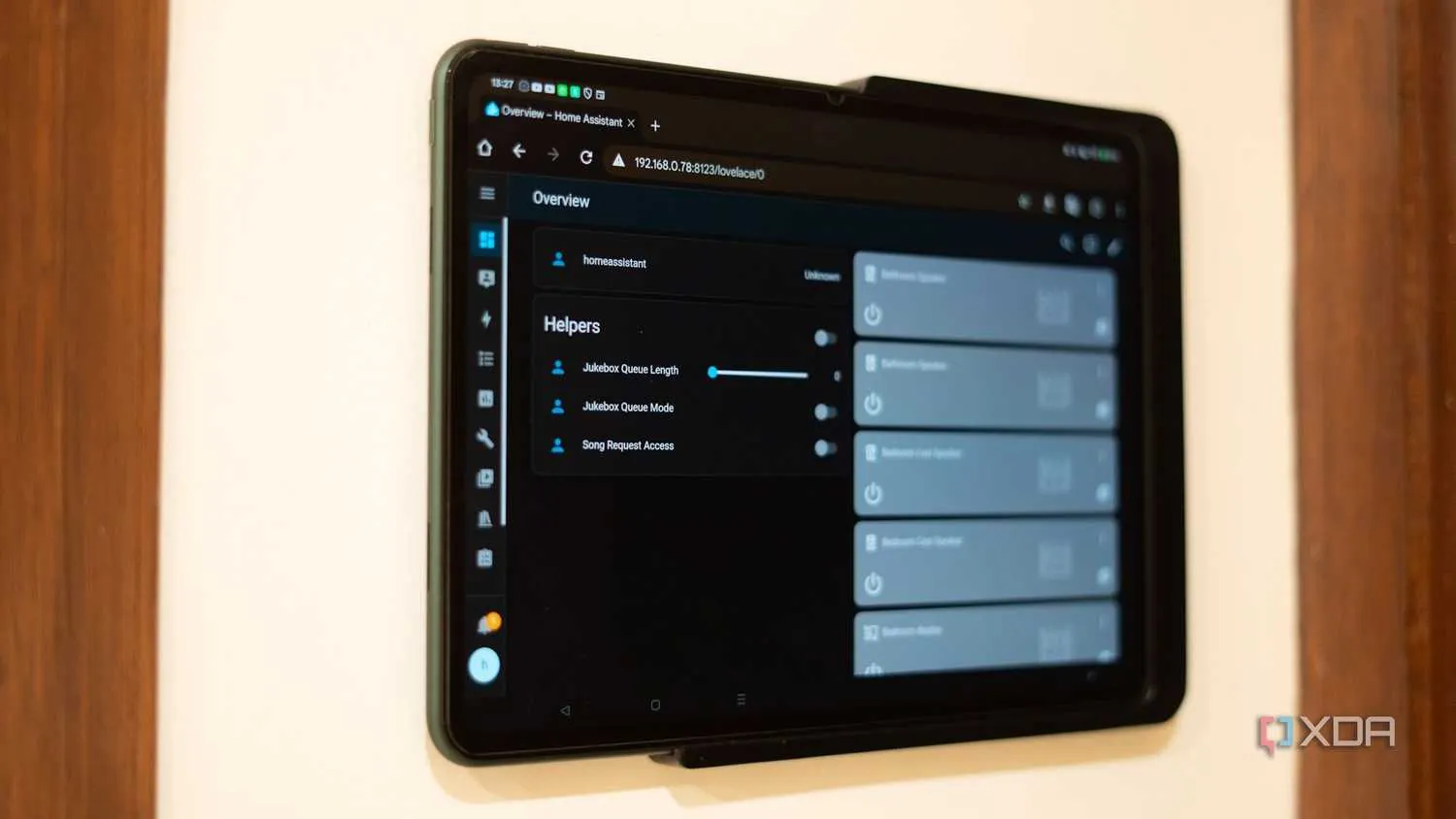
Start with the dashboard stack, not the screen size
A wall tablet is not a normal tablet purchase with a mount added later. It is an endpoint for Home Assistant, SmartThings, Hubitat, HomeKit, Alexa controls, or a browser-based dashboard. The OS and kiosk layer decide how cleanly it wakes, locks users into the panel, reloads after failure, hides system chrome, and survives app changes.
HomeAutoCentral’s wall-mount guidance treats the 10–11 inch class as the useful middle ground and points to used Galaxy Tab A8-type devices as credible retirement jobs for smart-home displays. The same guide gives Android 8+ and iOS 12+ as directional dashboard-app floors, not guarantees for every app forever.[2] Those floors are useful because many attractive used tablets are old enough that one more app update can move them from “works” to “webview workaround.”
The kiosk split is just as important. SmartHomeExplorer’s 2026 Home Assistant dashboard setup guide treats Fully Kiosk on stock Android as the reference path; iOS does not have Fully Kiosk and instead relies on Guided Access or apps such as Kiosk Pro Lite; Fire OS generally needs APK sideloading; and OS-update commitments differ by vendor, with Apple, Samsung, and Lenovo not aging at the same pace.[3]
| Dashboard or hub | Used-tablet path that ages best | Where the trouble starts |
|---|---|---|
| Home Assistant | Stock Android tablet with Fully Kiosk; browser dashboard or companion-app dashboard | Very old Android versions, Fire OS sideload maintenance, iOS kiosk limitations |
| SmartThings | Android or iPad can work for web/app dashboards, but Android is easier to lock into a panel role | Always-plugged battery assumptions and app support on older devices |
| Hubitat | Android browser/kiosk setup is the cleanest common route | Wall-powered tablets with aging batteries have produced real owner reports of swelling |
| HomeKit | iPad is the natural ecosystem fit when HomeKit control is the priority | Guided Access is not the same class of kiosk tool as Fully Kiosk |
| Alexa dashboard or mixed dashboards | Android is flexible if the panel is mostly browser-based | Fire tablets may be cheap, but sideloading and OS constraints need to be accepted before buying |
This is also why a tablet can be “supported” and still be a mediocre wall panel. A refurb iPad with a long iPadOS runway may be a better general tablet than a budget Android slab, but if the wall job depends on motion wake, aggressive fullscreen behavior, watchdog reloads, MQTT hooks, or charging automation, the Android path is less fussy.
The used-tablet shortlist, judged for permanent wall duty
Prices below are August 2026 buying anchors from the cited sources, not promises. Used tablet inventory moves, refurb channels vary by storage and color, and local marketplaces can make one model temporarily irrational. The point of the table is to keep the decision tied to compatibility and serviceability instead of letting screen inches win by themselves.
| Candidate | Aug. 2026 price anchor | Best fit | Wall-panel verdict |
|---|---|---|---|
| Redmi Pad SE 11 | Documented build used a €133.99 tablet plus a €49.90 wall mount | Home Assistant dashboard with Fully Kiosk on Android | Confirmed costed sweet-spot build when you want the whole workflow, not just a tablet recommendation |
| Samsung Galaxy Tab A8-type 10–11 inch Android tablet | Used-market class benefits from the broader 30–60% below-new used-tablet discount pattern | Home Assistant, SmartThings, Hubitat, browser dashboards | Strong used-wall-panel candidate if the OS version, touch panel, and charging behavior check out |
| Samsung Galaxy Tab A9+ class | No cited exact range supplied; treat local used/refurb pricing against the 30–60% used discount rule | Android kiosk dashboards where newer OS support matters | Promising, but verify charge-control reports and OS state on the actual unit before purchase |
| Lenovo Tab K10 | Used or third-party only; Lenovo’s US store status is discontinued in the cited material | Always-powered installs where batteryless operation is the appeal | Interesting boundary pick, but Android 11 stock can become the limiting factor for newer dashboard features |
| Refurbished iPad 9 | Apple refurb store anchor; snippet-verified refurb-price references around $149.99–$160.15 as of Aug. 2026, depending on source and configuration | HomeKit-heavy homes, iOS users, general-purpose family familiarity | Fair choice for iPad households, weaker kiosk fit, and 24/7 charging assumptions still need verification |
| Fire HD 10 / Fire tablet class | Usually attractive used or sale pricing, but no exact Aug. 2026 range supplied in the cited sources | Budget dashboards when the buyer accepts sideloading | Workaround pick, not the clean default |
| 12–13 inch Android tablet or iPad Pro/Air class | Higher used cost and higher mounting cost; exact model ranges not supplied | Large dashboards, camera grids, accessibility needs | Good when the wall really needs the size; not automatically better for normal room control |
| 17–18 inch used-only display tablets such as Galaxy View or TCL Xess | A 2017 SmartThings case cited an 18.4-inch Galaxy View at $344 | Showpiece recessed panels | Spectacular, discontinued, mount-thin, and hard to recommend broadly |
Why 10–11 inch Android keeps winning the boring tests
The boring tests are the ones that matter after the novelty wears off. Can it show a useful floor plan without tiny touch targets? Can a guest turn on lights without swiping past notifications? Can the screen wake and recover after Wi-Fi drops? Can the mount be removed without repainting half the room? Can you replace the tablet later with something close in size?
A 10–11 inch Android tablet clears more of those tests than the alternatives. It gives Fully Kiosk the platform it was built for, lands in the densest third-party mount ecosystem, and avoids the strange overcommitment of 13-inch and larger installs. It is also large enough that Home Assistant dashboards can have real spacing: room cards, climate controls, alarm status, media, and a camera tile can coexist without making the interface feel like a phone stretched onto a wall.
The result is not that every Android tablet is good. Stock Android matters. OS version matters. WebView behavior matters. Charging controls matter. The argument is narrower: if you are buying used for a permanent smart-home panel, the mainstream 10–11 inch Android class gives you the fewest odd compromises before you even start building the dashboard.
The Redmi Pad SE 11 build shows what a complete answer looks like
The most useful example here is not a benchmark chart. It is The Optimization Guy’s Redmi Pad SE 11 wall-mounted Home Assistant build, because it accounts for the parts people usually hand-wave: €133.99 for the tablet, €49.90 for the wall mount, Fully Kiosk for the dashboard layer, and a smart-plug routine that cycled charging around a reported 30–85% band over weeks of use.[4]
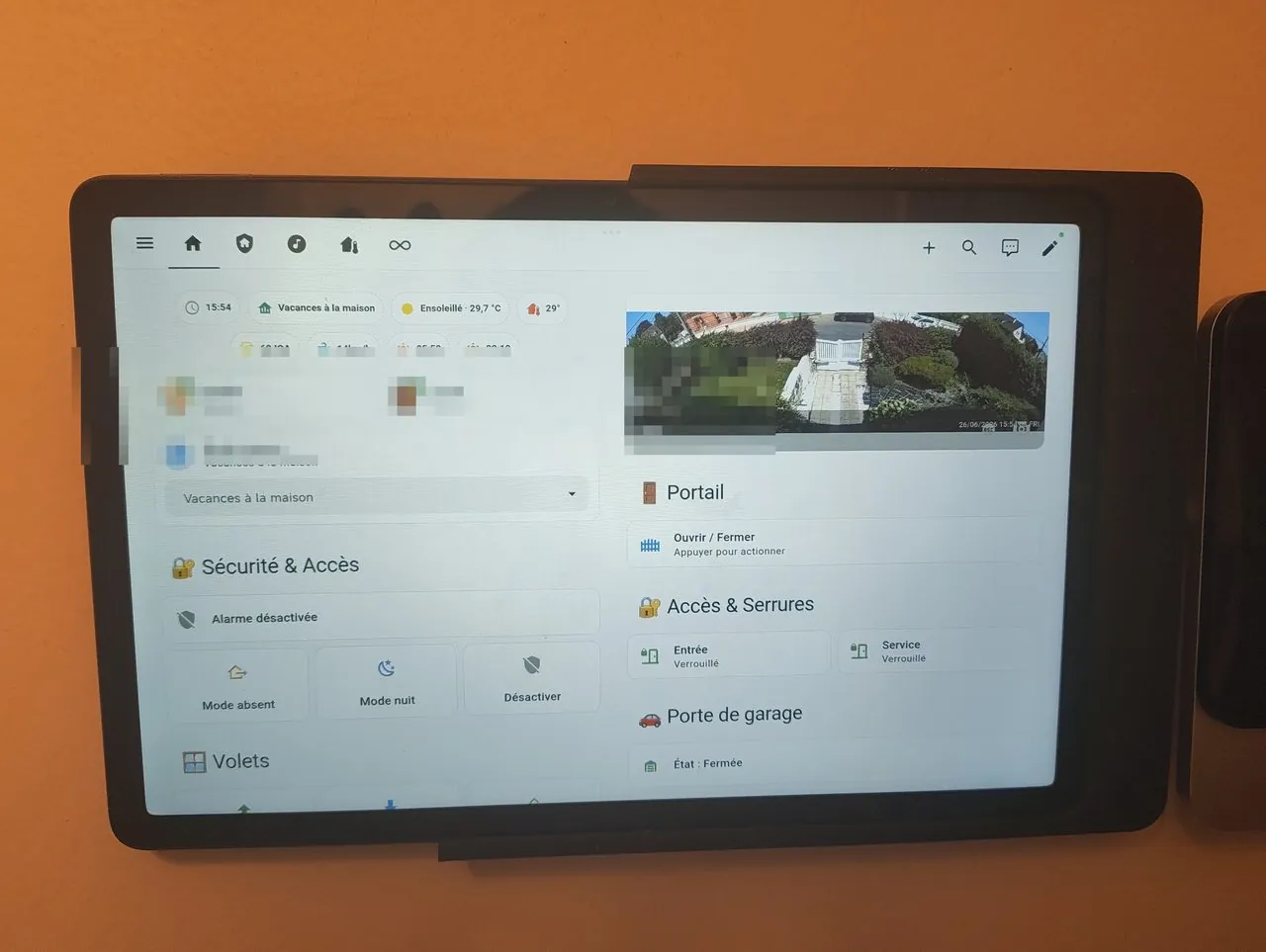
That battery band is a single build report, not a lab-validated universal charging prescription. Still, the shape of the solution is right. The tablet is inexpensive enough to dedicate to the wall. The mount is priced as part of the project, not discovered afterward. Fully Kiosk supplies the wall-panel behavior. The smart plug turns “always plugged in” from a passive assumption into something observable and adjustable.
A hypothetical less careful version of the same project would buy only the tablet, tape a cable behind it, leave it at 100%, and declare success after one weekend. The documented build is more convincing because it includes the unglamorous hardware around the tablet. That is the difference between a demo and a panel.
iPads are good tablets; they are not automatically good kiosks
The refurb iPad 9 deserves a fair look. Apple’s refurbished iPad 9 listing gives buyers a known refurb channel, and iPads generally have a stronger OS-support reputation than many budget Android tablets.[7] For a HomeKit-centered home, or for a household that already knows iOS, that familiarity has value.
The wall-panel problem is that OS support is only one leg of the stool. SmartHomeExplorer’s kiosk comparison still leaves iOS without Fully Kiosk, relying instead on Guided Access or Kiosk Pro Lite-style approaches.[3] Guided Access can keep a person in an app. It does not turn an iPad into the same kind of remotely manageable Android kiosk.
Always-plugged charging is the other unresolved piece. A SmartThings discussion includes a community-reported claim that Apple approved 24/7 iPad charging, citing an Apple Discussions thread, but that claim should not be treated as verified Apple documentation from the material available here.[6] If you choose an iPad, choose it because the ecosystem fit is worth the kiosk compromises, then verify the specific mount, charger, heat, and battery behavior like you would with any other wall battery.
Fire tablets and older bargains need a workaround budget
Fire tablets often look unbeatable on price, especially when the job is “show a web dashboard.” The catch is that Fire OS is not just Android with a different logo. SmartHomeExplorer’s 2026 guide calls out APK sideloading for Fire OS dashboard setups.[3] If you are comfortable maintaining that, a Fire tablet can make sense. If the panel is for a family member’s hallway, rental, or a home you do not want to babysit, sideloading belongs in the cost column.
The same caution applies to older discontinued tablets that appear cheap because they are aging out of normal use. A tablet can still browse the web and still be a poor dashboard purchase if its Android version is close to the app floor, its WebView updates are uncertain, or its battery has already spent years under heat. For adjacent Home Assistant experiments, the site’s Grok-to-Home-Assistant voice-agent recipe is a useful reminder of how quickly “works today” can turn into “workaround status” when the stack has several moving parts.
Large-screen spectacle: when 12 inches becomes a project
There is a real appeal to a big wall dashboard. A 12- or 13-inch panel can show more camera tiles, larger floor-plan controls, or accessibility-friendly buttons. In a kitchen, mudroom, or equipment space, the extra area can be worth it.
But bigger tablets quickly leave the comfortable accessory market. Mounts get more expensive and more specific. Cable routing becomes harder to hide. Recessed installs look cleaner but make inspection worse. Replacement becomes less predictable because the next bargain tablet may not match the hole, frame, or power arrangement.
The extreme end is entertaining but thin. A SmartThings thread from 2017 documented large recessed ideas including an 18.4-inch Samsung Galaxy View at $344 and a TCL Xess 17.3-inch unit.[9] Those examples prove that huge wall tablets can be done. They do not prove that discontinued 17–18 inch Android hardware is a sane default in 2026.
Inspect the used tablet like it has already lived on a wall
Battery swelling is not theoretical in this use case. A Hubitat community thread documents wall-control tablets with swollen batteries, and a SmartThings discussion shows owners wrestling with whether to leave smart-home tablets plugged in 24/7.[5][6] Forum reports are not frequency data, and they do not tell us how often swelling happens across all models. They do show the failure mode that matters: a tablet that was supposed to be invisible becomes a warm object pressing against a wall mount.

A normal used-tablet inspection asks whether the battery still lasts on the couch. A wall-panel inspection asks whether the battery can safely become mostly irrelevant.
- Sight down the edge of the tablet. Any lifted glass, bowed back, separated frame, or pressure mark is a stop sign.
- Test the digitizer across the whole screen, especially the corners and the area where navigation or dashboard buttons will live.
- Plug it in, let it charge, and watch for unstable charging, repeated disconnect tones, heat, or a port that only works at one cable angle.
- Confirm the installed OS version before buying. Do not rely on a marketplace title that says “updated.”
- Check whether your intended dashboard runs in the browser, the companion app, or Fully Kiosk on that exact OS.
- Look for a charge-control path: native battery protection, batteryless mode, root or ADB options you actually understand, or a smart plug controlled by your home automation platform.
- Avoid mounts that hide every physical symptom. You want to be able to remove the tablet and inspect it without damaging drywall or trim.
Charge-band stories should be treated carefully. The Redmi Pad SE 11 example’s 30–85% cycling is a real reported build detail, not a universal safety formula.[4] The available material also includes community reports such as Galaxy Tab A9+ smart-plug cycling around 15–75% and Tab A7 Lite behavior around a displayed 75–85% while capped at 100%, but those are single-user reports, not lab measurements. They are useful as ideas to verify, not as guarantees to quote into a shopping cart.
Batteryless and purpose-built panels are not cop-outs
Some walls do not need a tablet. They need a control surface that behaves more like an appliance. Home Assistant community discussions point to batteryless or battery-optional paths such as the Lenovo Tab K10 and Samsung Galaxy Tab Active5 Pro No Battery Mode, though the K10’s discontinued status and Android 11 stock limit how confidently it can be recommended as a long-run dashboard device.[8]
There are also purpose-built smart-home panels, including devices in the SONOFF NSPanel Pro family, where embedded controls, PoE options, or direct smart-home integration may matter more than having a flexible tablet browser. These are not the best answer for a large, rich dashboard, but they can be the cleaner answer for a small fixed control point.
E-paper dashboards sit even farther from the tablet idea. Soldered’s Home Assistant dashboard material shows e-paper as a low-power display path rather than a bright, touch-heavy tablet replacement.[10] That trade makes sense for status boards, room summaries, calendars, or slow-changing controls. It does not make sense if the wall panel is expected to feel like a fast command center.
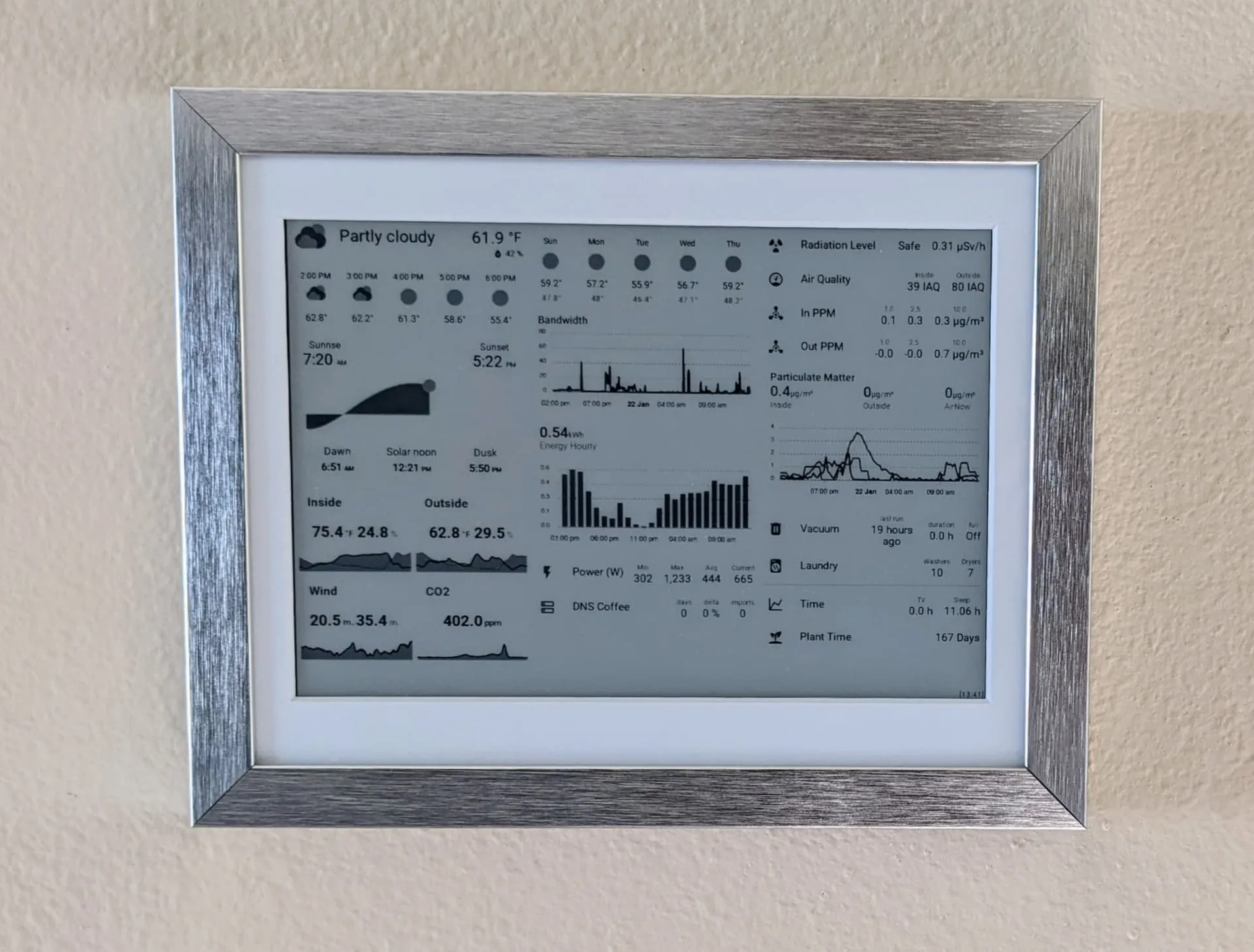
If you are comparing these boundary cases, the question has already changed. You are no longer asking for the best used large-screen tablet for smart home control panel use. You are deciding whether a battery-powered consumer tablet belongs on that wall at all.
A practical buying rule
Buy the used 10–11 inch Android tablet when it has a current-enough OS, a clean digitizer, a known path to your dashboard, a mount you can remove, and a charging plan you can inspect. The Redmi Pad SE 11-style build is the model to copy because it prices the whole installation, not just the screen.
Choose the refurb iPad when HomeKit or household familiarity matters more than kiosk control. Choose Fire OS only when you accept the sideloading maintenance. Go 12 inches or larger only when the wall and dashboard genuinely need it. Skip the used tablet entirely when batteryless operation, PoE, embedded controls, or ultra-low-power status display is the real requirement.
References
- Used Tablets Guide, Swappa
- Smart Home Tablet Wall Mount, HomeAutoCentral
- Home Assistant Dashboard Setup 2026, SmartHomeExplorer
- Wall Mounted Home Assistant Tablet, The Optimization Guy
- Touch screen tablet battery swelling, Hubitat Community
- Do you leave your smart home tablet plugged in 24/7?, SmartThings Community
- Refurbished iPad Wi-Fi 256GB Space Gray 9th Generation, Apple
- Need advice Android tablet for smart home display wall mounted always powered, Home Assistant Community
- Huge recessed wall mounted tablet, SmartThings Community
- Best Home Assistant Dashboards, Soldered
Known issues with this device / protocol
Spec-version history
For active regressions on this protocol, see Update Watch.
No linked Update Watch entries yet.