
Is AT&T Fiber a Good ISP for Your Smart Home?
Thinking about AT&T Fiber for your smart home? This compatibility-focused review tests the mandatory gateway, ActiveArmor firewall, and network behavior with hubs, cameras, and IoT devices to tell you if the symmetric speeds and unlimited data are worth the configuration compromises.
Last updated
AT&T Fiber is worth considering for a smart home only if two things are true: it is actually available at your address, and you are comfortable treating the AT&T gateway as a device that must be managed around, not as the center of your smart-home network. As of Q3 2026, AT&T Fiber reaches roughly 28 million locations across 21 states, so this is not a national default choice.[1]
The short compatibility verdict is more favorable than a gateway complaint might suggest. Speed and reliability fundamentals are Confirmed. IP passthrough as the practical bridge-mode workaround is Confirmed. ActiveArmor interference with IoT discovery and remote access is Confirmed. BGW620 behavior remains Investigating because most documented behavior still centers on BGW320 deployments. WAS-110 full bypass remains Investigating because it is unsupported and firmware-dependent.
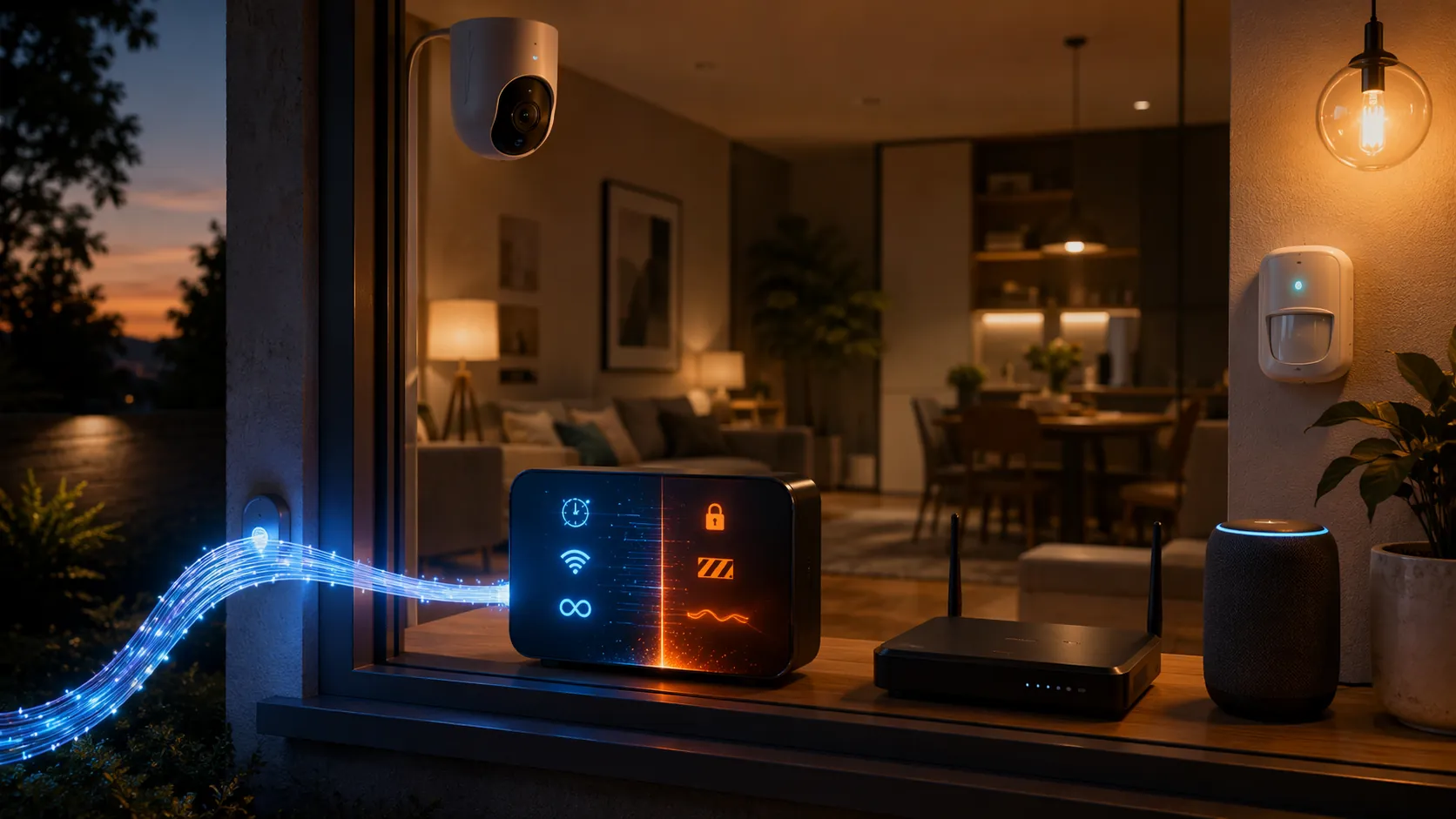
That combination matters. A smart home does not merely need a fast download pipe. It needs stable upstream bandwidth for cameras and doorbells, low latency for remote access, enough headroom for backups and cloud clips, and predictable local behavior for hubs that discover devices across the LAN. AT&T Fiber is strong on the first half of that list. The second half depends heavily on how you configure the gateway.
The Fiber Fundamentals Are Actually Good
AT&T’s current residential fiber lineup is built around symmetric service tiers: 300 Mbps, 500 Mbps, 1 Gig, and 5 Gig. Under the simplified plan structure AT&T announced in June 2026, unlimited data is included on every fiber plan, and the 5 Gig plan is listed at $180 per month.[2]
Independent speed reporting is broadly consistent with what a smart home wants from fiber. InternetProviders.ai reports real-world AT&T Fiber speeds at about 90% to 95% of advertised rates with local latency in the 3 ms to 10 ms range.[3] CNET also identifies AT&T Fiber as a strong performer, with no data caps on fiber plans and a particularly attractive 300 Mbps tier for many households.[4]
The upstream side is the reason this service deserves attention from camera-heavy homes. Cable internet can look fine when a laptop is downloading a game update, then become annoying when several cameras upload clips while someone is on a video call and a hub is trying to maintain cloud access. Symmetric fiber changes that pressure. A 300 Mbps upload tier is not glamorous next to 5 Gig marketing, but it is already far beyond what many camera arrays need.
| NestGrid Compatibility Item | Q3 2026 Status | Why It Matters |
|---|---|---|
| Speed and reliability fundamentals | Confirmed | Symmetric tiers, unlimited data, strong real-world speed performance, and low local latency support camera uploads, backups, and remote access. |
| IP passthrough as bridge-mode workaround | Confirmed | AT&T documents IP passthrough/DMZplus behavior, and current setup guides use it to place a user-owned router behind the gateway. |
| ActiveArmor interference with IoT discovery and remote access | Confirmed | AT&T documents firewall and filtering features; user reports describe mDNS/Bonjour and port-forwarding trouble in smart-home setups. |
| BGW620 behavior versus BGW320 | Investigating | The BGW620 is newer, and most practical documentation still centers on BGW320 gateways. |
| WAS-110 full bypass as a stable solution | Investigating | The method is discussed by users, but it is unsupported and may break after firmware or network-side changes. |
The Mandatory Gateway Is the Compatibility Catch
AT&T Fiber service normally enters the home through an AT&T gateway such as the BGW320, with the newer BGW620/All-Fi Pro appearing in newer Wi-Fi 7 deployments. The important part is not whether the box has better radios this year. The important part is that the gateway is mandatory and does not offer a true bridge mode in the clean cable-modem sense.
Current third-party setup guidance for AT&T Fiber describes IP passthrough as the way to place a user-owned router behind the AT&T gateway, not as a true modem-only handoff.[5] AT&T Business Support documentation for IP passthrough and DMZplus similarly treats the gateway as still present in the path while forwarding traffic behavior to another device.[6]
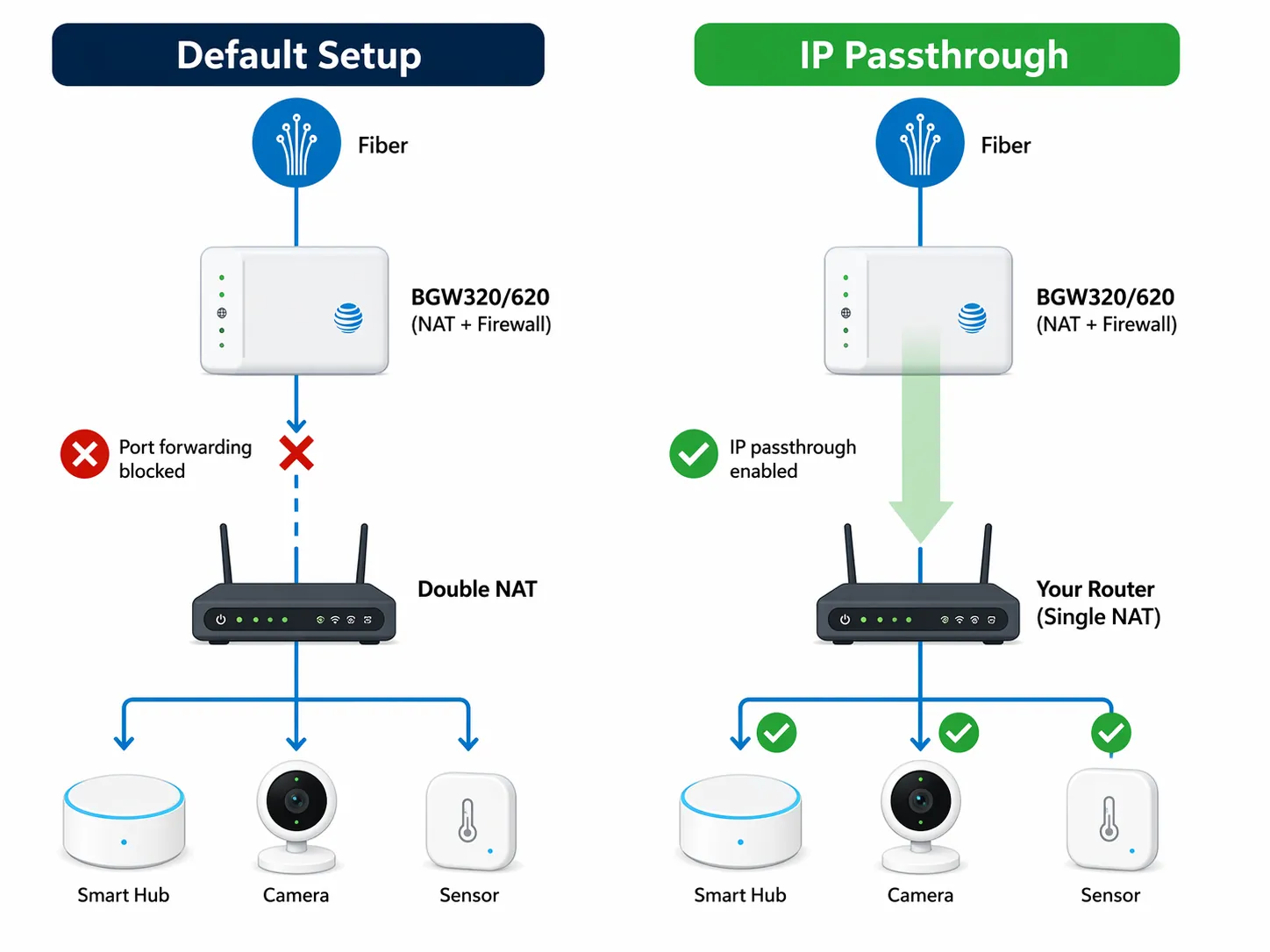
For a normal apartment with a phone, a TV, and a work laptop, that distinction may stay invisible. For a smart home, it becomes visible quickly. Hubs, local dashboards, camera NVRs, Home Assistant instances, NAS devices, and remote-access tools all care about who owns routing, firewall rules, DHCP leases, port forwarding, and multicast behavior.
The default setup can leave you with the AT&T gateway doing routing while a mesh system or standalone router also tries to do routing. That creates double NAT. Some devices will still browse the internet perfectly, which makes the problem feel intermittent rather than obvious. Then remote hub access fails, a port-forward rule lands on the wrong device, or an app can see a hub only when the phone is on the same Wi-Fi segment.
IP passthrough is the sane configuration for most serious smart homes on AT&T Fiber. The AT&T gateway remains physically and logically present, but the user-owned router receives the public-facing connection behavior and becomes the device where the smart-home network is actually designed. That is where you build VLANs, reserve addresses for hubs, decide how guest Wi-Fi behaves, tune mDNS reflection if your router supports it, and keep camera traffic from casually mixing with everything else.
What IP Passthrough Fixes, and What It Does Not
- It helps avoid the most common double-NAT problems by making the user-owned router the practical control point for the LAN.
- It lets advanced router features matter: DHCP reservations, VLANs, firewall policy, VPN access, DNS filtering, mDNS handling, and better logs.
- It does not remove the AT&T gateway from the installation.
- It does not make AT&T’s gateway equivalent to a transparent optical network terminal plus your own router.
- It does not guarantee that every gateway firmware version, especially on newer BGW620 hardware, behaves identically to the better-documented BGW320.
That last point is the one to keep in mind before over-optimizing the purchase around online setup screenshots. BGW320 behavior is much better documented. BGW620/All-Fi Pro deployments are newer, and the available material is not yet strong enough to treat them as identical in every smart-home edge case.
ActiveArmor Is Helpful Until It Starts Protecting You From Your Own House
AT&T’s security layer is not imaginary. AT&T describes ActiveArmor and related gateway protections as tools for safer connected-device use, and AT&T Business Support documents firewall controls on BGW320-class equipment.[7][8] The problem is that smart-home networking often depends on local traffic that looks unimportant or suspicious to a generic security layer.
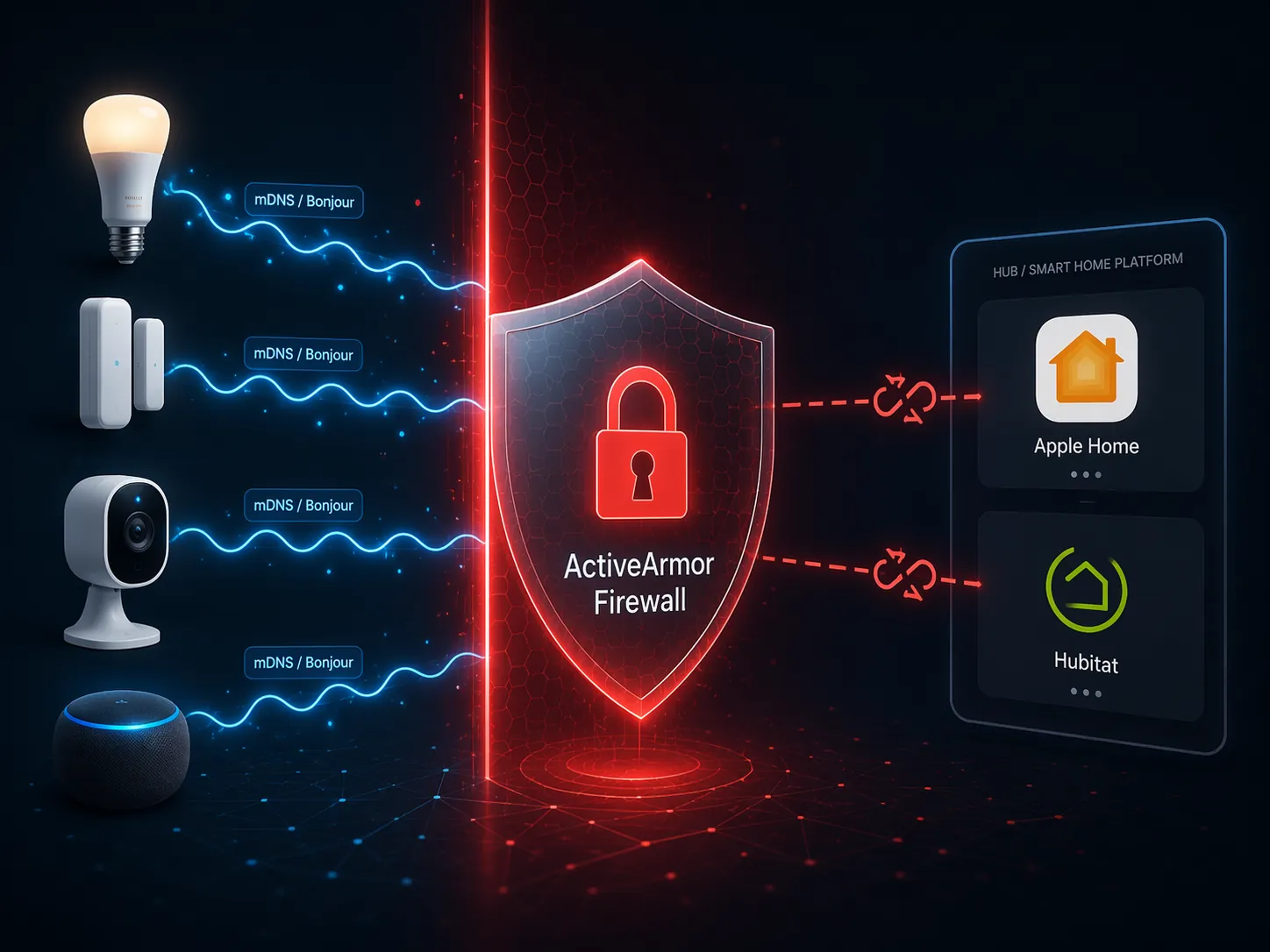
Apple Home, Hubitat, Home Assistant integrations, printers, speakers, and many hub discovery flows rely on mDNS or Bonjour-style local discovery. When that discovery traffic does not cross the right boundary, the symptom is not always a total outage. It is worse: devices vanish from one app but not another, a hub works locally but not remotely, scenes fail after a router swap, or onboarding succeeds only when the phone is temporarily moved to a different SSID.
User reports from AT&T Fiber communities and smart-home forums repeatedly describe mDNS/Bonjour blocking, remote-access trouble, and port-forwarding frustration when AT&T gateway security features or default routing behavior stay in charge.[9] Those reports should not be stretched into a claim that every AT&T Fiber installation breaks Apple Home or Hubitat. They do support a narrower and more useful conclusion: the gateway and security defaults can interfere with the exact local-discovery behavior that advanced smart homes depend on.
Smart Home Manager is useful for basic chores. AT&T describes it as a way to manage a home Wi-Fi network, view connected devices, adjust access, and run support tasks.[10] That is fine for identifying a tablet or pausing a child’s console. It is not a substitute for a router interface when you need to understand why a Thread border router, Home Assistant box, Hubitat hub, Apple TV, camera bridge, and NAS are no longer discovering each other cleanly.
The safer operating model is simple: let AT&T provide the fiber connection, then let your own router run the smart home. Put the gateway in IP passthrough, disable or narrow overlapping features that interfere with your router’s job, and make routing, firewall, DNS, and discovery decisions in one place. If you are not willing to do that, AT&T Fiber can still be fast, but it may not feel predictable.
The 2.4 GHz Problem Is Not Solved by Buying a Faster Fiber Tier
The BGW320 supports Wi-Fi 6, and AT&T’s newer All-Fi Pro/BGW620 materials position the newer gateway around Wi-Fi 7 capabilities.[11] Better Wi-Fi hardware is welcome, but it does not change the fact that many smart-home devices still live on 2.4 GHz: older cameras, plugs, bulbs, sensors, garage controllers, appliances, and onboarding-only setup flows.
That band is crowded and more vulnerable to interference from neighboring networks, microwaves, poorly placed access points, and too many low-cost devices shouting in the same narrow space. Zigbee and Z-Wave coordinators add another layer: they may not use Wi-Fi for their own device mesh, but the coordinator or hub still needs reliable Ethernet or Wi-Fi backhaul and predictable local access.
This is where “whole-home Wi-Fi” language can mislead smart-home buyers. Coverage is not the same thing as protocol compatibility. A mesh node that makes a phone show three bars in the garage does not automatically fix 2.4 GHz onboarding, multicast discovery, hub reachability, or firewall policy. Those are network-design problems, not speed-tier problems.
Which AT&T Fiber Plan Makes Sense for a Smart Home?
AT&T’s own All-Fi guidance lists rough device support by tier: 300 Mbps for up to 12 devices, 500 Mbps for up to 13 devices, and 1 Gig for up to 14 devices.[11] Treat those numbers as conservative sales guidance, not as a useful engineering limit for a smart home. An idle contact sensor and an actively uploading camera are both “devices,” but they are not the same network load.
Camera upload math is the better starting point. A 1080p camera commonly uses about 2 Mbps to 4 Mbps of upload, while a 4K doorbell can use about 8 Mbps to 16 Mbps.[12] Six 1080p cameras uploading at once can still fit comfortably inside a 300 Mbps symmetric fiber plan. A few 4K devices, cloud backups, video calls, and remote hub sessions can justify moving to 500 Mbps or 1 Gig, but they do not automatically justify 5 Gig.
| Smart-Home Profile | Reasonable Starting Tier | Why |
|---|---|---|
| Basic smart home with hubs, speakers, sensors, and a few cameras | 300 Mbps | Symmetric upload and unlimited data matter more than chasing gigabit speed. |
| Camera-heavy home with multiple cloud cameras, doorbells, backups, and frequent video calls | 500 Mbps | More upstream headroom reduces contention without paying for extreme capacity. |
| Large household with heavy downloads, many cameras, NAS/cloud sync, and multiple remote users | 1 Gig | The extra margin can help when smart-home traffic overlaps with normal household demand. |
| Extreme lab-style setup, very large local transfers, or specialized multi-gig equipment | 5 Gig | Technically impressive, but usually unnecessary for smart-home reliability. |
For most smart homes, the first money should go to the network you control: a competent router, sensible access point placement, wired backhaul where possible, and stable hub placement. Upgrading from 500 Mbps to 5 Gig will not repair broken mDNS behavior or a badly segmented network.
Unsupported Bypass Methods Are Not a Purchase Strategy
There is a separate enthusiast track around bypassing the AT&T gateway more completely, including WAS-110 SFP+ methods discussed on Reddit and YouTube. Those methods are interesting if you enjoy network archaeology and accept that firmware or authentication changes may break the setup. They are not stable enough to be the main recommendation for a homeowner deciding whether to order service.
The practical recommendation remains IP passthrough plus your own router. It is documented, repeatable, and realistic for a smart-home owner who needs the network to stay maintainable after an installer leaves.
Final Compatibility Verdict
AT&T Fiber is a good ISP for a smart home if you want symmetric fiber, low latency, unlimited data, and enough upstream capacity for cameras, backups, hubs, and remote access. The raw connection is one of the better foundations available to a device-heavy home.
It is a poor fit if you expect the AT&T gateway and Smart Home Manager app to behave like a flexible smart-home networking platform out of the box. The lack of true bridge mode, the need for IP passthrough, and the possibility of ActiveArmor or gateway firewall behavior interfering with discovery and remote access are not minor details for Apple Home, Hubitat, Home Assistant, camera bridges, or remote dashboards.
Choose AT&T Fiber for the fiber fundamentals. Plan on using a standalone router and configuring IP passthrough. Do not rely on unsupported bypass methods as the stable answer while BGW620 behavior and firmware-dependent workarounds remain Investigating.
References
- AT&T Internet Review, CNET
- AT&T Launches Simple Fiber Plans, AT&T, June 2026
- AT&T Fiber Review 2026: Plans, Real Speeds + Verdict, InternetProviders.ai
- AT&T Fiber 300 Review, CNET
- How To Enable IP Passthrough Mode on an AT&T Fiber Gateway, colinlord.com, May 2026
- Configuring IP Passthrough and DMZplus, AT&T Business Support, KM1188700
- Adding a smart device to your Wi-Fi? Make sure it's secure, AT&T Cyber Aware
- Enable or Disable the firewall, AT&T Business Support, KM1188420
- User reports from Reddit r/ATTFiber and AT&T community forums
- Smart Home Manager, AT&T; Smart Home Manager support, AT&T, KM1336815
- What is All-Fi?, AT&T
- Camera bandwidth estimates provided in the research brief
Known issues with this device / protocol
Spec-version history
For active regressions on this protocol, see Update Watch.
No linked Update Watch entries yet.